Home
» Course lessons » Using the Native Media Manager in Front-End Forms in WordPress
Using the Native Media Manager in Front-End Forms in WordPress
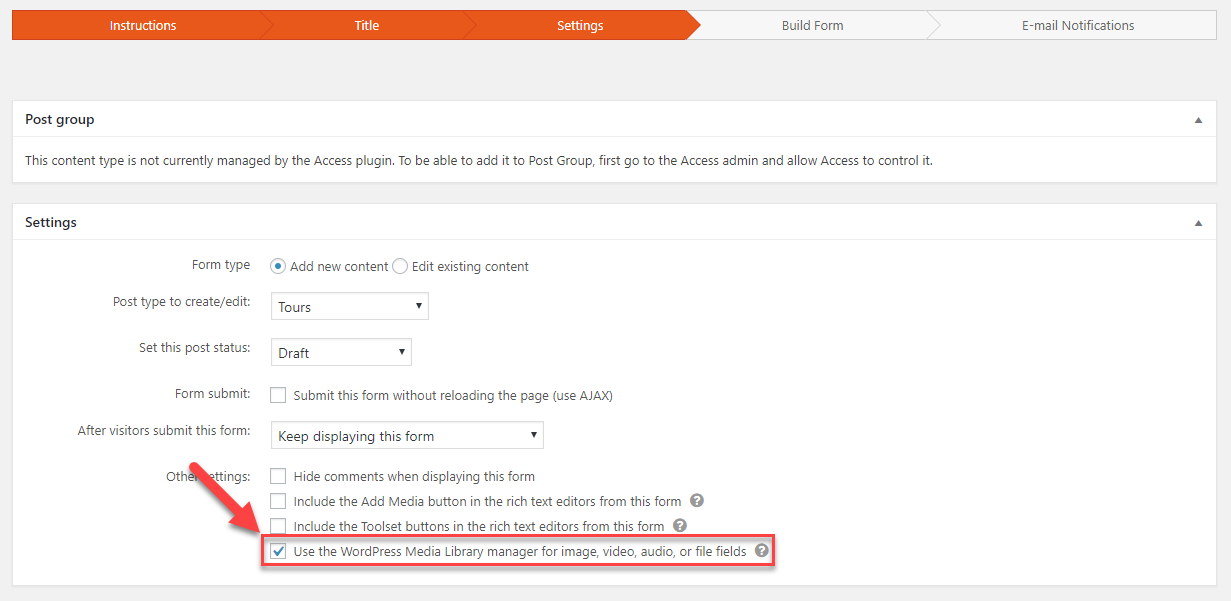
You can add different media fields to your front-end forms. Toolset allows you to use the native WordPress media manager to upload files using these media fields.
This allows logged-in users to select multiple items into repeating fields at once. They can also edit images as they are adding them.
Option to use the WordPress media manager with the form
Only logged-in users can use the native WordPress media manager. Visitors can upload their media files using basic HTML file inputs.
Default User Permissions for Using and Editing Existing Files
Besides uploading new media, logged-in users can also access and edit existing files. This includes adding and editing metadata, such as title, description, and more. Having access to files on your site is a sensitive feature. Users in low-level roles should not be able to access all of the site’s media fields. Thus, front-end forms come with some default permissions for accessing the WordPress media library. If needed, website administrators can use Toolset Access to modify these restrictions in two ways:
Giving logged-in users permission to use any existing file on the site. This is done by editing the permissions defined for post, user, and relationship forms.
Giving users in specific roles permissions not granted by default. This includes the ability to edit images and their metadata.
The following table shows the default permissions for using the site’s existing media files:

 Send feedback to our documentation team