Skip Navigation

[Resolved] User registration not performed from user form

This thread is resolved. Here is a description of the problem and solution.

Problem:

No WordPress user created after submitting Toolset User Form linked to WooCommerce payment. Also Shop page misconfigured.

Solution:

Expected behavior — form was set to "Create user" only on "Purchase complete." User is hidden until the WooCommerce order reaches "Completed" status. If payment fails or order stays in pending/processing/on-hold/cancelled, no user appears in WP Users.

Fix WooCommerce page setup: Shop page was set to Checkout. Set Cart, Checkout, My Account, and Shop to separate, distinct pages under WooCommerce → Settings → Advanced → Page setup.
Test end-to-end with Stripe sandbox or mark COD order as Completed manually in WooCommerce → Orders to confirm user creation triggers.

Relevant Documentation:

https://toolset.com/course-lesson/charge-users-for-registering-premium-accounts/

This is the technical support forum for Toolset - a suite of plugins for developing WordPress sites without writing PHP.

Everyone can read this forum, but only Toolset clients can post in it. Toolset support works 6 days per week, 19 hours per day.

This topic contains 3 replies, has 1 voice.

Last updated by yoshihikoH 1 week, 1 day ago.

Assisted by: Christopher Amirian.

Author
Posts
#2859211
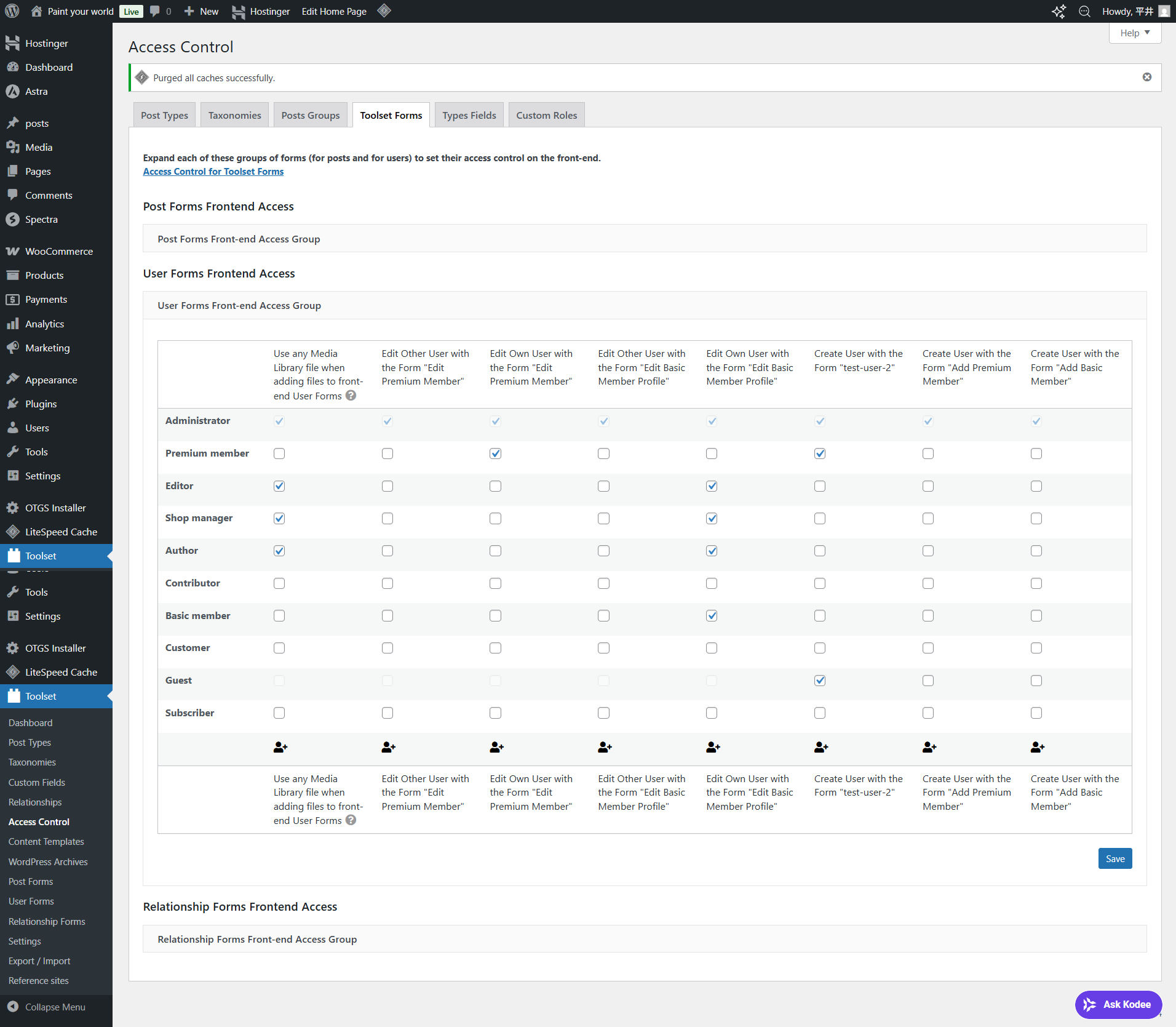
access control.png
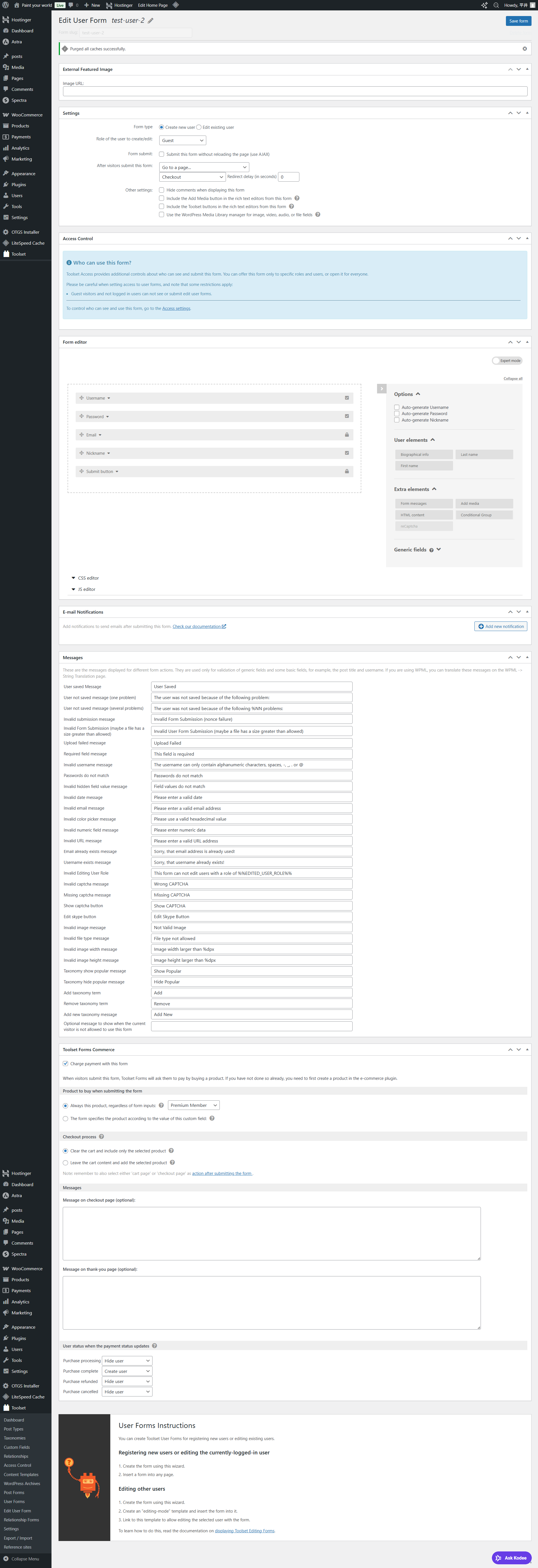
user form 2.png

To the support team

I report the following phenomenon:
1. I created a test user form 2 (form name) and set it to a fixed page.
2. Access externally and register your information in form 1 above
3. Check out the checkout screen of woocommerce products
4. Do not skip after subsequent payments (when blocking a specific payment app)
5. New users are not registered in the WordPress

I would like to solve the above so please help.

Regards,
Yoshihiko

#2859365

Christopher Amirian
Supporter

Languages: English (English )

Hi Yoshihiko,

If you could give me what you want to achieve, it would be better to know what your goal is and how I can be of help.

I'm not sure why you have 2 forums. If you want the users to pay to be part of the website, you will need to follow the steps below:

https://toolset.com/course-lesson/charge-users-for-registering-premium-accounts/

Following the steps above will help you to achieve the pais user subscription model.

Thanks.

#2859446
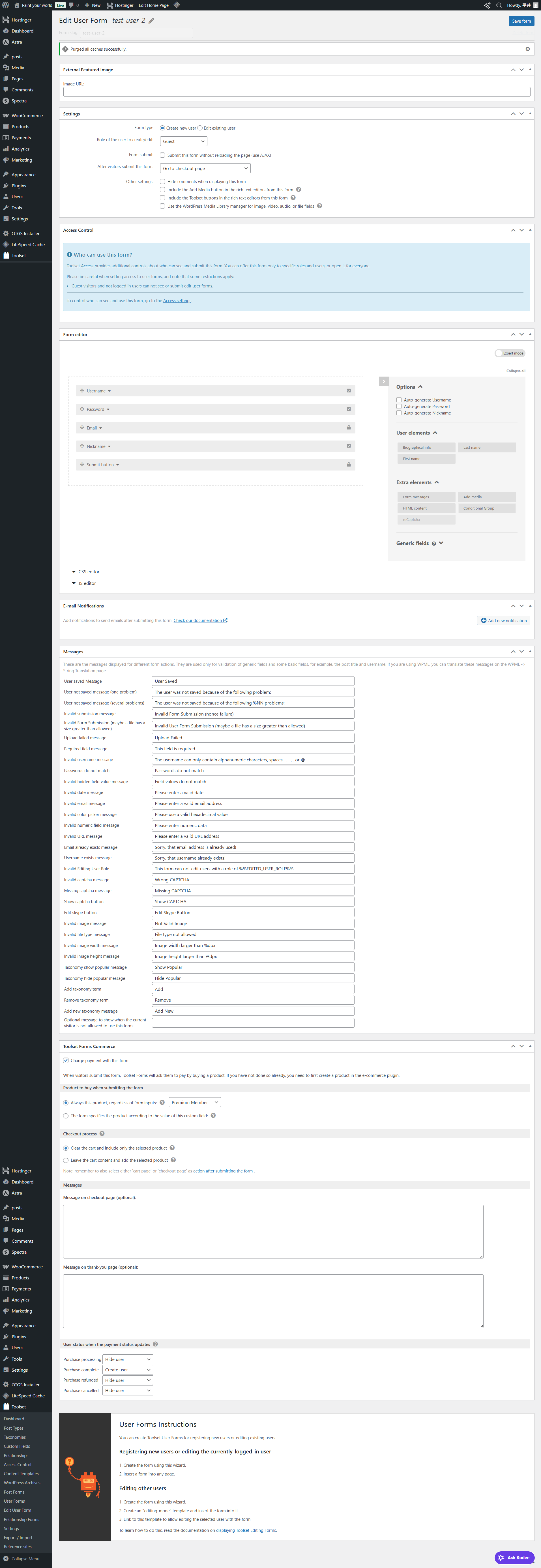
test user form.png
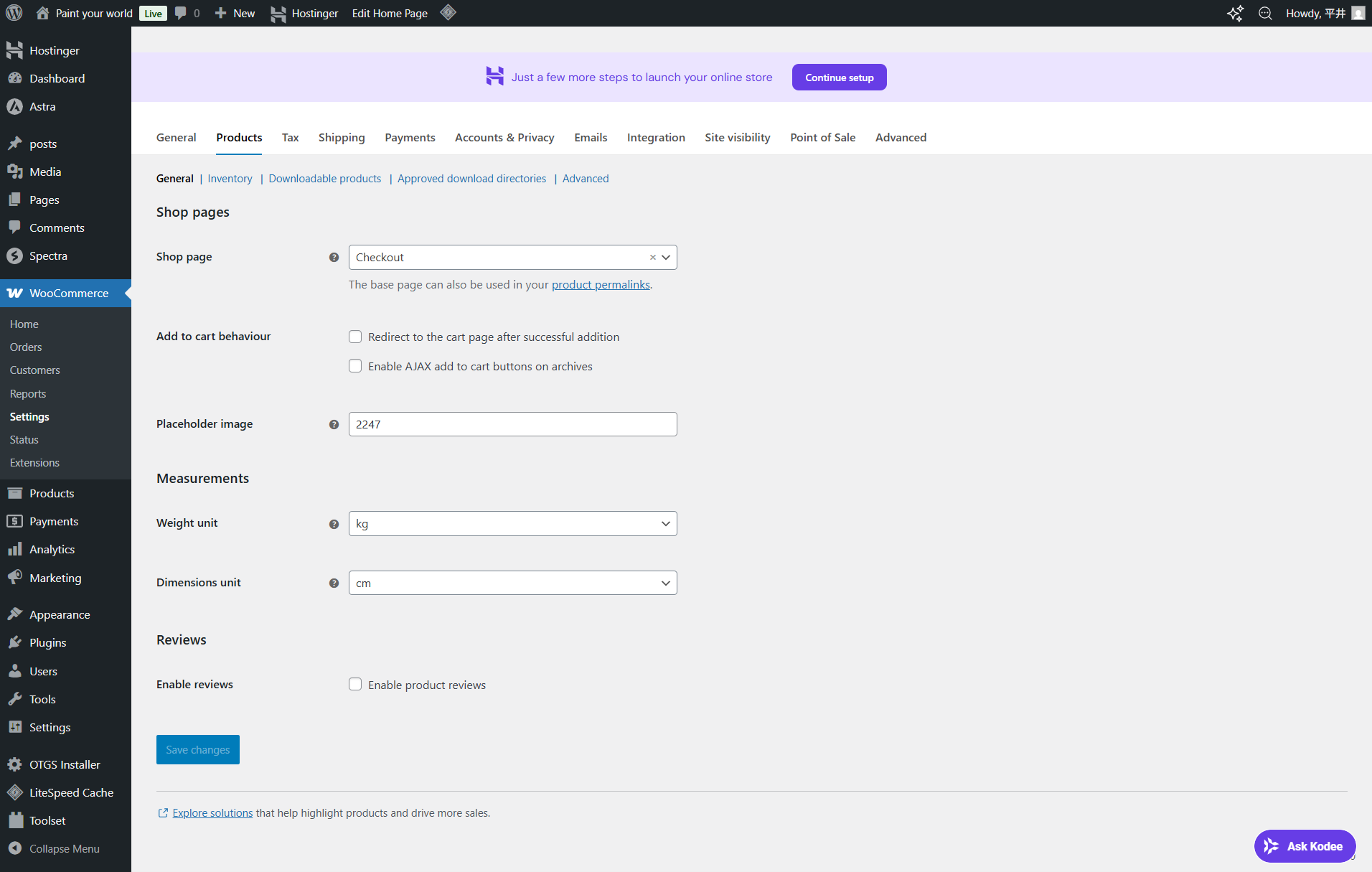
woocommerce setting.png
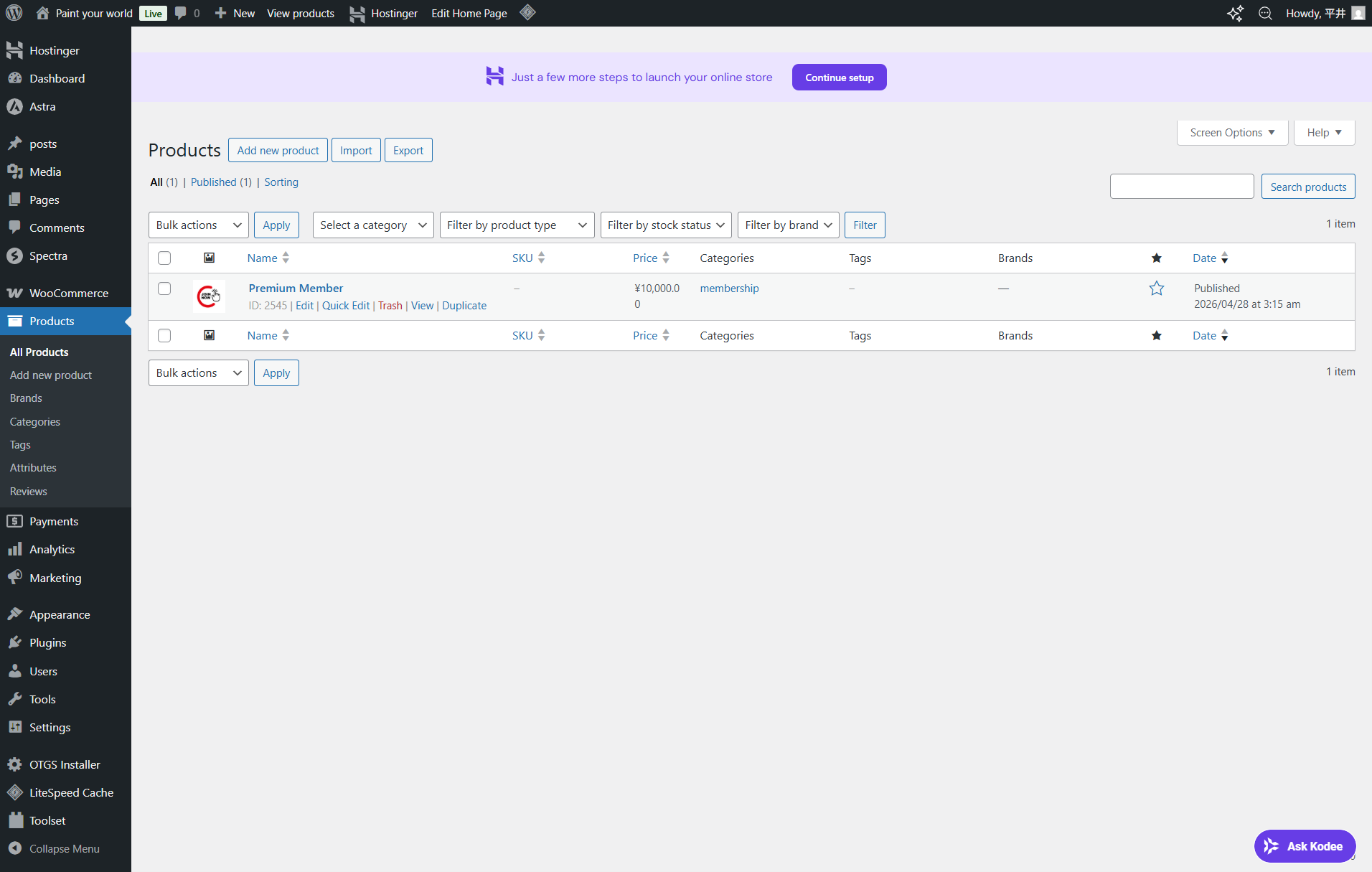
woocommerce product.png
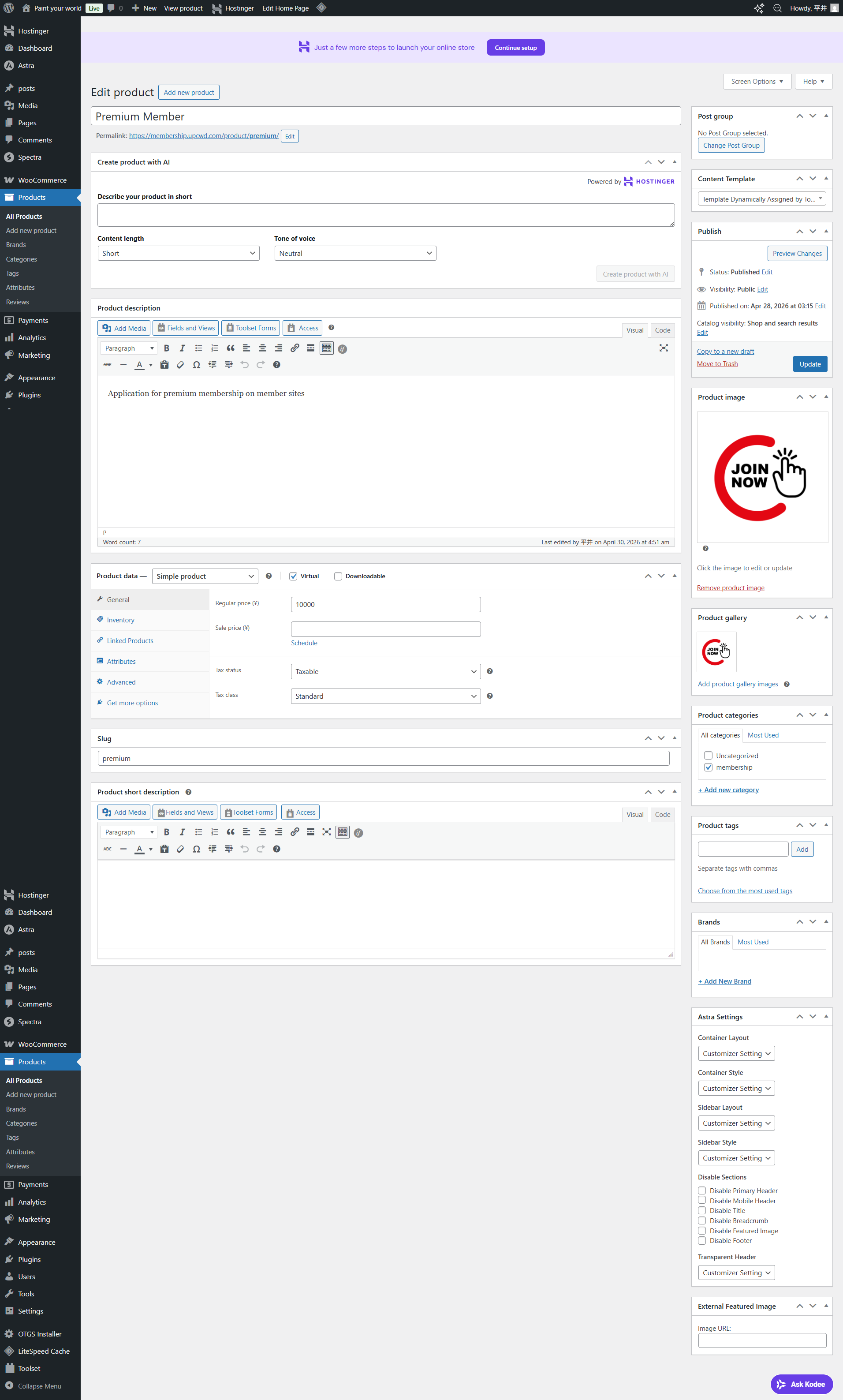
woocommerce product detail.png

Dear Christopher
Thank you so much for your continued support.

Now, let me explain what I'm doing.
1. I'm building a membership site: hidden link
2. I've set up three roles: Guest, Free Member (Basic Member), and Paid Member (Premium Member).
3. I've prepared Content Templates: Guest = Login prompt template, Basic Member = Teaser + Upgrade button, Premium Member = Full template.
4. I created the Basic Member form without payment, and the Premium Member form with payment (WooCommerce).
5. After testing whether each User Form works, I found that no users were being created.
6. I created a test form called test-user-2, but I couldn't create a user within WordPress. Please refer to the attached file for the test-user-2 settings. Please also refer to the attached file for the WooCommerce settings.
7. I'm emailing you because I want to solve this problem, so I would appreciate your support.

Regards,
Yoshihiko

#2859495

Christopher Amirian
Supporter

Languages: English (English )

Hi Yoshihiko,

Thanks for the detailed explanation and the screenshots — that helps a lot. Let me walk through what's happening and how to move forward.

Why no WordPress user is being created

Looking at your test-user-2 form configuration, the User status when the payment status updates section is set to:

- Purchase processing → Hide user
- Purchase complete → Create user
- Purchase refunded → Hide user
- Purchase cancelled → Hide user

This is exactly how the Charge users for registering premium accounts flow is designed to work. With these settings, the WordPress user is only created when the WooCommerce order reaches the "Completed" status. While the order is in any other state — pending, processing, on-hold, failed, or cancelled — the user is held in a hidden state and won't appear inUsers in the WordPress backend.

So when you describe step 4 ("do not skip after subsequent payments / blocking a specific payment app") and step 5 ("new users are not registered"), what you're observing is the expected behavior: because the payment didn't go through, the order never reached "Completed," and Toolset Forms Commerce correctly held back the user creation.

Please check the steps below:

1. WooCommerce Shop page is set to "Checkout"

In (WooCommerce → Settings → Products → General), your Shop page is set to Checkout. This isn't correct — the Shop page and the Checkout page should be two different pages. With Shop pointing to Checkout, the cart and checkout flow can break and may be contributing to the issue you're seeing:

- Create (or select) a separate "Shop" page under Pages.
- Go to WooCommerce → Settings → Advanced → Page setup and confirm Cart, Checkout, My Account, and Shop are each set to the correct, distinct page.

2. Test the full payment flow end-to-end

To confirm whether user creation itself is working, please run a test where the order actually reaches "Completed":

- Use a payment method that completes immediately (for testing, Cash on Delivery is the simplest, but note that COD orders go to "Processing" by default, not "Completed" — so you may need to manually mark the order as Completed in WooCommerce → Orders).
- Or, if you have a Stripe/PayPal test/sandbox configuration, use that to simulate a successful payment.
- Once the order shows as "Completed" in WooCommerce → Orders, check Users — the user should now appear with the role configured in the form.

If, after a successfully completed order, the user is still not created, that's where we need to dig deeper.

Thanks.

#2859513

I was very satisfied with your explanation.
I will review the settings for each page in wooCommerce: Cart, Checkout, My Account, and Shop.
I will also test the entire process, including payment processing, in Stripe's sandbox (test environment).

I feel much clearer now.
Thank you very much.