It has been brought to my attention that Ranger user profiles on our site are now visible to the general public, whereas previously they were only visible to logged-in users. This represents a serious data protection issue.
Could I please request technical support to determine what has changed?
I have recently downloaded and installed the latest version of Toolset.
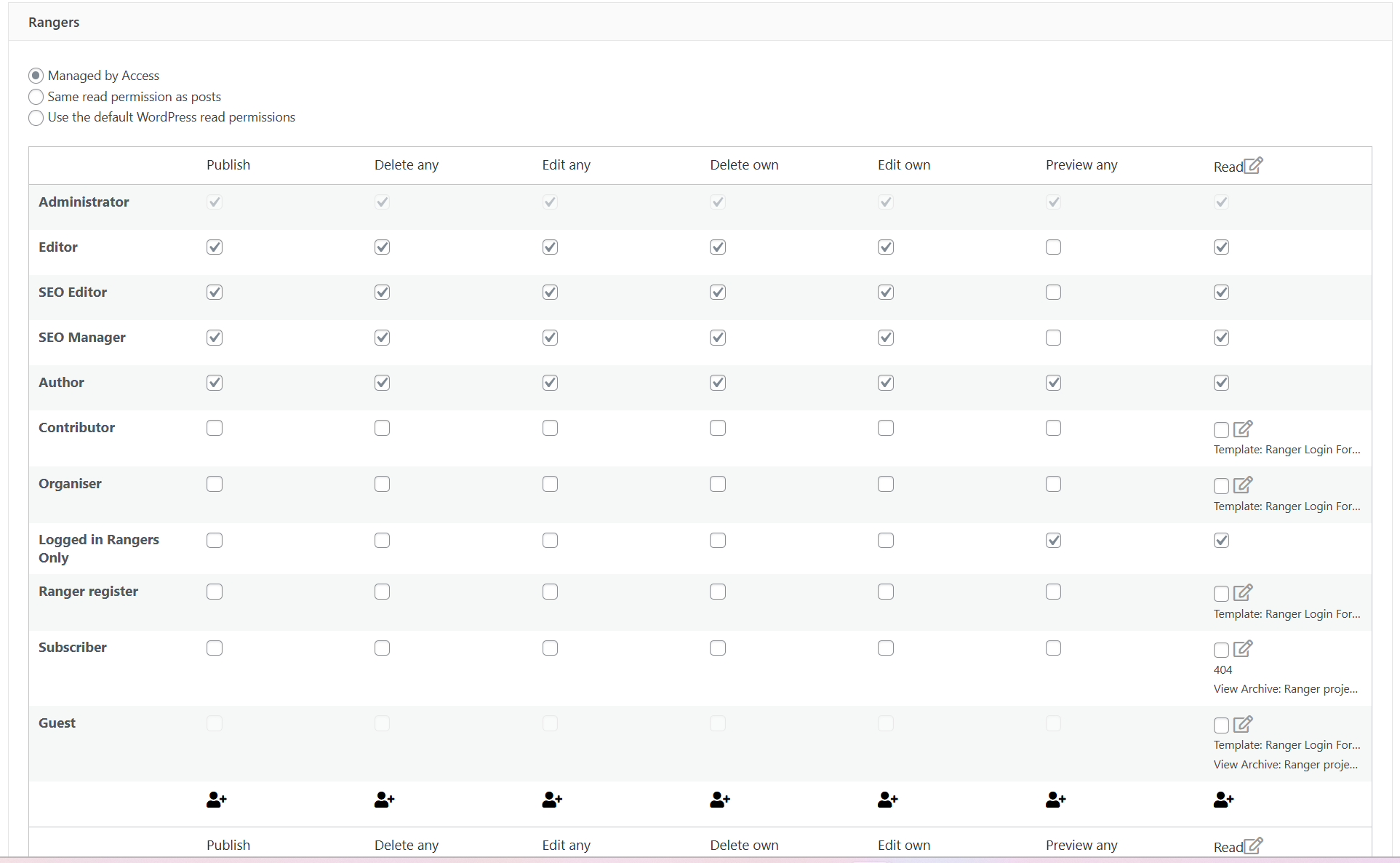
I have checked the Access Control settings and shared the relevant screen below. As you can see, Guests, Subscribers, Registered Users, Contributors, and Organisers should not be able to view any Ranger posts.
Hello. Thank you for contacting the Toolset support.
That is strange. What modifications you have done with your site?
What posts exactly you want to restricet? do you want to restrict any specific posts of post type or all the posts of post type?
*** Please make a FULL BACKUP of your database and website.***
I would also eventually need to request temporary access (WP-Admin and FTP) to your site. Preferably to a test site where the problem has been replicated if possible in order to be of better help and check if some configurations might need to be changed.
I have set the next reply to private which means only you and I have access to it.
I see you do not shared the password with the private information.
Can you please share admin access details as well as frontend user access details to what user and few ranger profile links that shoiuld be accessible to the frontend user and admin and to what user it should be not accessible.
I have set the next reply to private which means only you and I have access to it.
hidden link - login page hidden link - this should be hidden to guest and only viewed by members to the hub hidden link You should not be able to see this in a google search - currently set to private to protect the users details
Well - I need admin access details. If you check the screenshot you shared - it shows "password is not provided."
I also need frtonend user access details to that user the ranger post should be accessible -correct? and to whom the ranger posts should not be accessible.
I have set the next reply to private which means only you and I have access to it.
When I try to login with the access details you shared with your previous reply, I can see the following error:
LOGIN BLOCKED: 2FA is required to be active on your account. Please contact the site administrator.
Can you please disable 2FA for now and send me working administrator role user access details.
I have set the next reply to private which means only you and I have access to it.
I logged in as administrator user you shared: Toolset Admin 2026
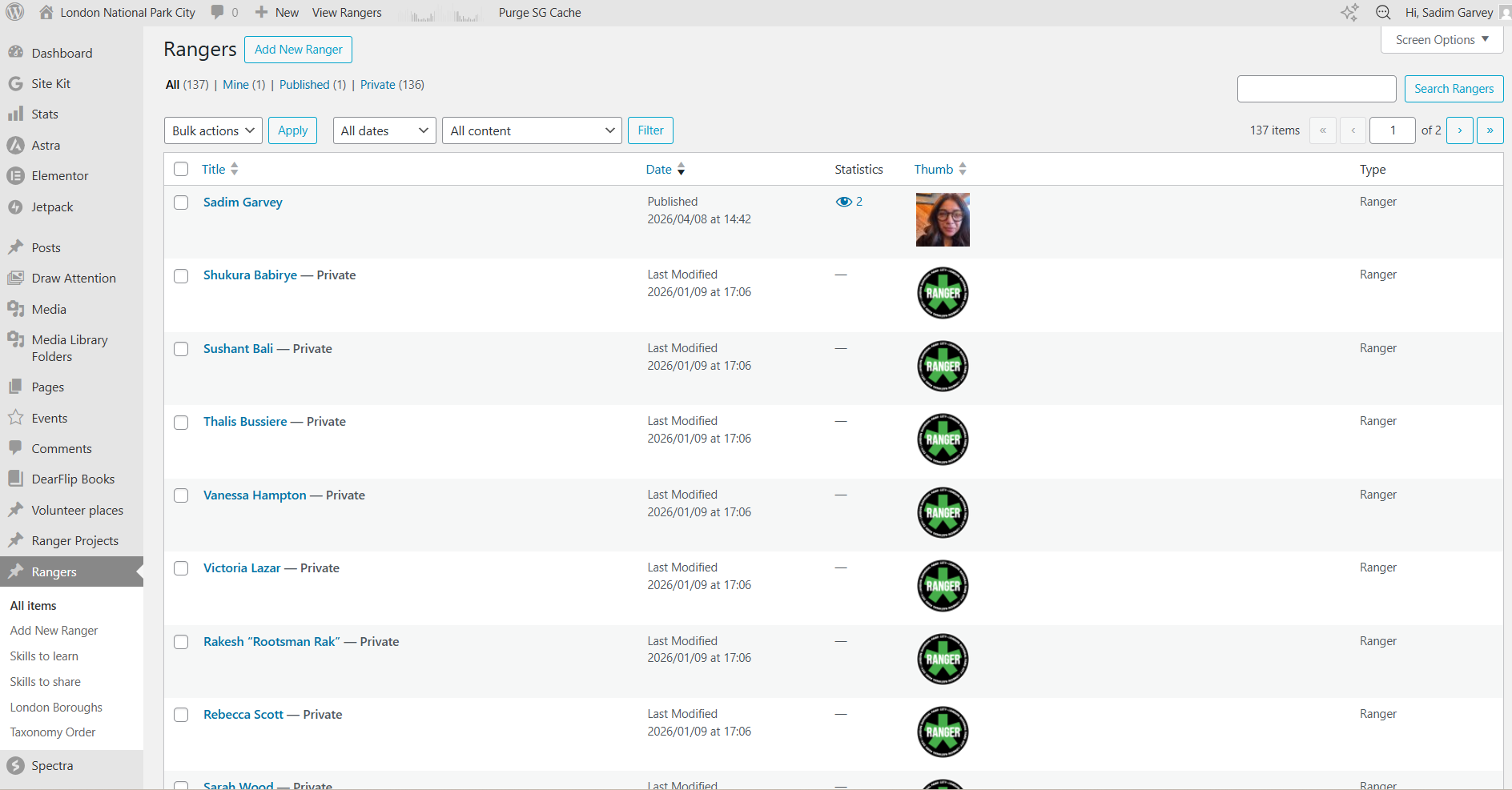
But when I try to see the Ranger post type listing page in admin:
- hidden link
I do not see "View" link to view the ranger post on frontend. I'm not sure what changes you made or what plugin you installeand and revoked. It seems there is no read permission for even administrator user or you have done some customizations?
Can you give me full rights to administrator so that I can view the "View" link for the ranger post on post type lising page as well as give me one user account that I can use to login as frontend user and that user should have rights to see the rander profile.
I have set the next reply to private which means only you and I have access to it.
you have full access to wordpress. the reason you can not see the ranger profiles is becuase i have made them private via the dashborad to prevent them from being searched for by the public because they are not private.
I created a test profile here - hidden link - a few weeks ago, this was exposed but I have just tested it and it seems to be protected I have just created the following ranger profile - hidden link and that is also behaving as it should
my issues it that I do not know how the profiles where exposed and am worried it will happen again. I followed Toolset tutoral on members to the letter.
For your Ranger post type, I've edit the post type:
=> hidden link
And then I've uncheck the checkbox "publicly_queryable" under the "Options" section and saved the post type. So now, the ranger post type should not be publically queryable.
Can you try to use WordPress default search from frontned and then try to search with keyword/title that is available with any of the Ranger profile post and check if you able to see ranger post.