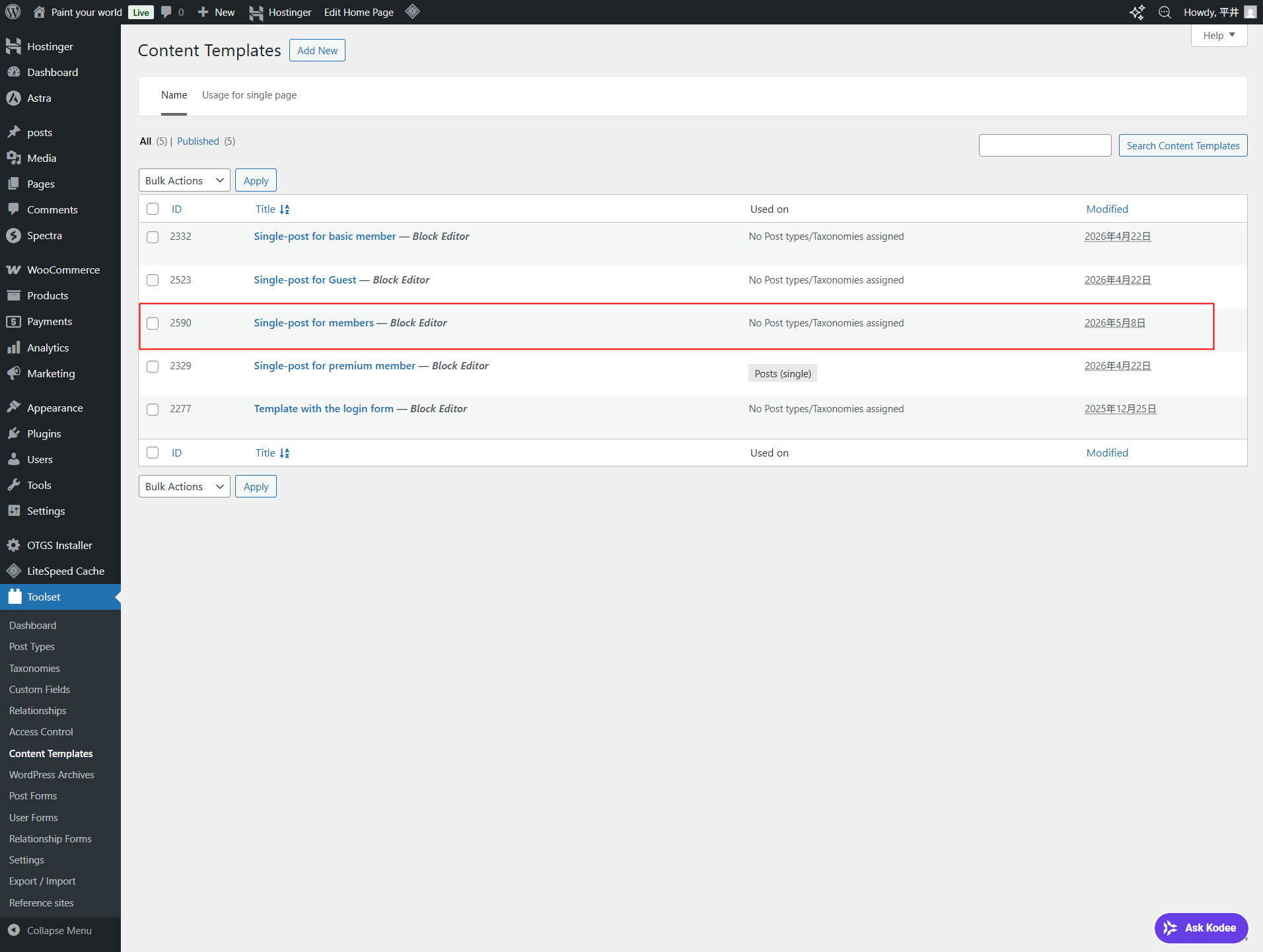
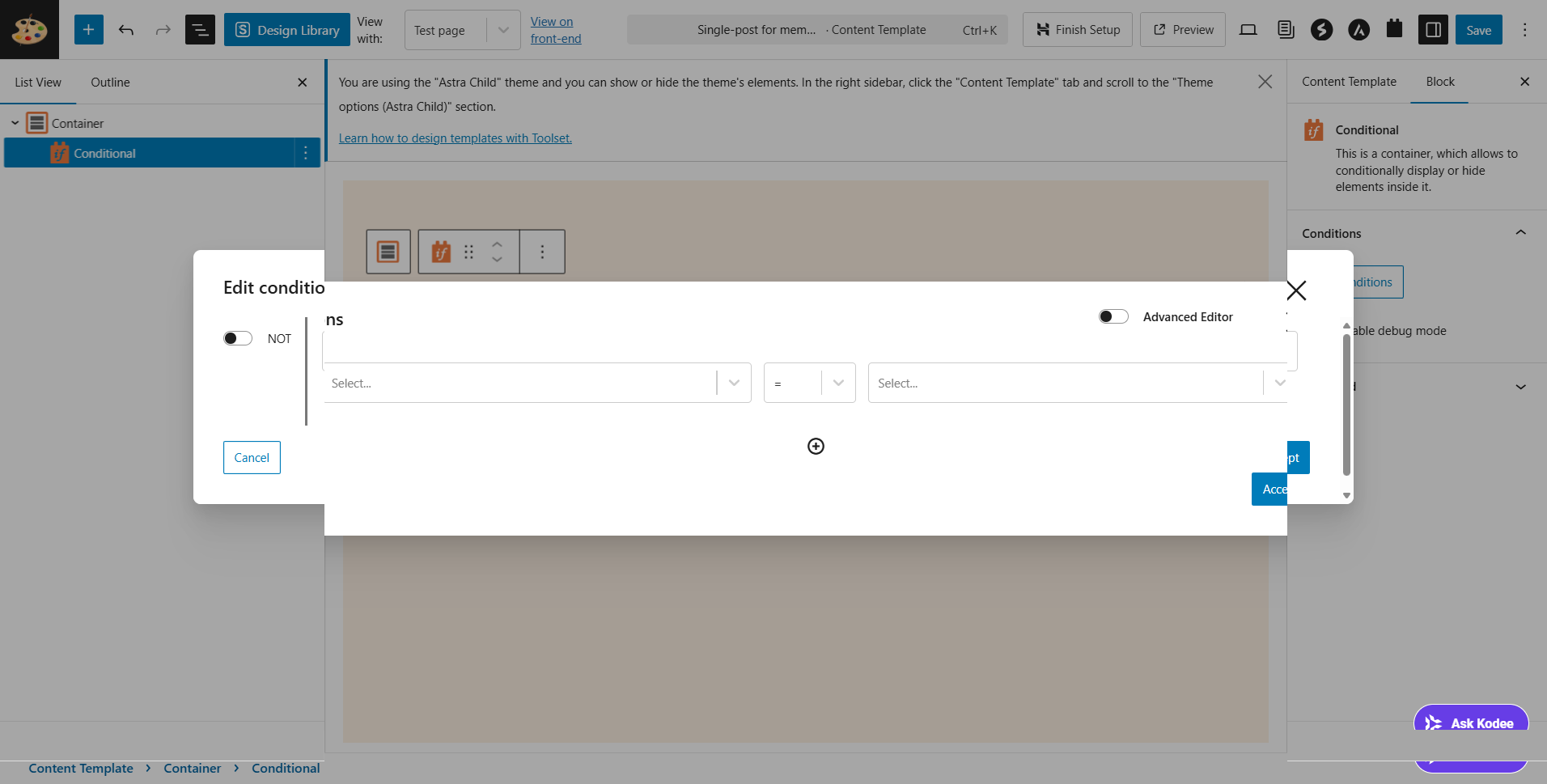
I am currently building a members-only website at hidden link.
The member roles are as follows:
• Guest (Not logged in)
• Basic (Free member)
• Premium (Paid member)
I want to create and display content for each of the above roles. Following the Toolset documentation, I've devised the following method:
Combine "Content Templates" + "Conditional Branching" + "Access Control".
01
Create 3 types of templates
Create three content templates for Guest, Basic, and Premium using Toolset → Content Templates.
02
Create a Premium template
Create a full-content template for Premium members, displaying the regular body text as is.
03
Create a Basic template
Create a template including a teaser and upgrade button, displaying it only to Basic members.
04
Create a Guest template
Create a template including login prompts and registration buttons, displaying it to users who are not logged in.
05
Add a conditional branching block
Use Toolset's conditional branching within each template to switch the displayed content according to the user's role.
06
Assign a template to a post type
Apply the created template to the target post type (in my case: Blog=posts).
07
Integrate with access control
Set Basic and Premium viewing permissions in Toolset Access to fully synchronize with template switching.
My current challenge is:
I want to switch the display based on the role using a conditional branching block.
Ultimately, I want to consolidate this into a single template as follows:
Example: Switching all roles in one template
Code
[wpv-conditional if="( $(wpcf-user-role) eq 'premium' )"]
...Full content for Premium...
[/wpv-conditional]
[wpv-conditional if="( $(wpcf-user-role) eq 'basic' )"]
...Teaser for Basic...
[/wpv-conditional]
I would like support on how to achieve these conditions in a single template (named "Single-post for members" in my site's case), as shown in the attached file. Please refer to the attached file.
Hello. Thank you for contacting the Toolset support.
Well - you should add shortcode block or design the content template in the legacy mode that is much better as we need to check the user role and display the different content templates conditionally.
You can switch the main content template to legacy and try to add the following conditions:
[wpv-conditional if="('[wpv-current-user info='id']' eq '')" ]
/// display guest user template
[wpv-post-body view_template="your-desired-content-template-slug-for-not-loggedin-user"]
[/wpv-conditional]


[wpv-conditional if="( '[wpv-current-user info="role"]' eq 'basic' )"]
 // if current user role is basic - display this content
[wpv-post-body view_template="your-desired-content-template-slug-for-basic"]
[/wpv-conditional]

[wpv-conditional if="( '[wpv-current-user info="role"]' eq 'premium' )"]
// if current user role is premium- display this content
[wpv-post-body view_template="your-desired-content-template-slug-for-premium"]
[/wpv-conditional]
By the way, should I understand that it's not possible to use the Toolset's "conditional" block to perform this switching? Or should I understand that switching is simply not possible?
If switching is possible, could you please explain how to use the Toolset's "conditional" block?