Skip Navigation

[Waiting for user confirmation] URGENT: Some Production Toolset forms stopped working inexplicably

This is the technical support forum for Toolset - a suite of plugins for developing WordPress sites without writing PHP.

Everyone can read this forum, but only Toolset clients can post in it. Toolset support works 6 days per week, 19 hours per day.

Sun Mon Tue Wed Thu Fri Sat
- 10:00 – 13:00 10:00 – 13:00 10:00 – 13:00 10:00 – 13:00 10:00 – 13:00 -
- 14:00 – 18:00 14:00 – 18:00 14:00 – 18:00 14:00 – 18:00 14:00 – 18:00 -

Supporter timezone: Asia/Kolkata (GMT+05:30)

This topic contains 3 replies, has 1 voice.

Last updated by Minesh 9 hours, 16 minutes ago.

Assisted by: Minesh.

Author
Posts
#2857870
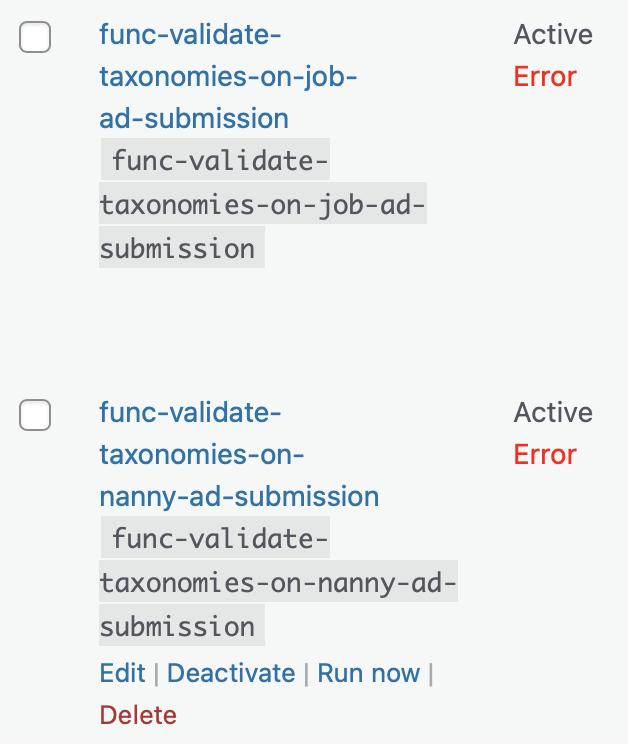
Screenshot 2026-04-22 at 17.12.16.png
Screenshot 2026-04-22 at 17.07.36.png

Hi Support

Since Monday approximately, we have the problem on our production site the following forms no longer work. When it tries to save them, we get the error that there is something wrong with address field.

We haven't changed anything on the forms since Feb 2025. I suspected Google could be the issue, however the New Job Ad form still works fine and the Edit Nanny Ad form still works fine. I see Error on the validation custom snippet (also not changed for years).

Affected "Edit" Post forms:
- Post Form - Edit Job Ad (ID: 56253)

Affected "New" Post Forms:
- Post Form - New Nanny Ad (ID: 56261)
- Post Form - New Nanny Ad - Unverified Nanny (ID: 56272)

Please can someone have a look to try to isolate the issue?

Thanks and kind regards
Simon

#2857940

Minesh
Supporter

Languages: English (English )

Timezone: Asia/Kolkata (GMT+05:30)

Hello. Thank you for contacting the Toolset support.

I tried to re-save the custom code snippet from "Custom Code" section and I can see it successfully saved without any issue. I see there you added few lines of code.

Can you please check if you see the forms works without any issue?
- if no:
Can you please check the map API key.

#2857963
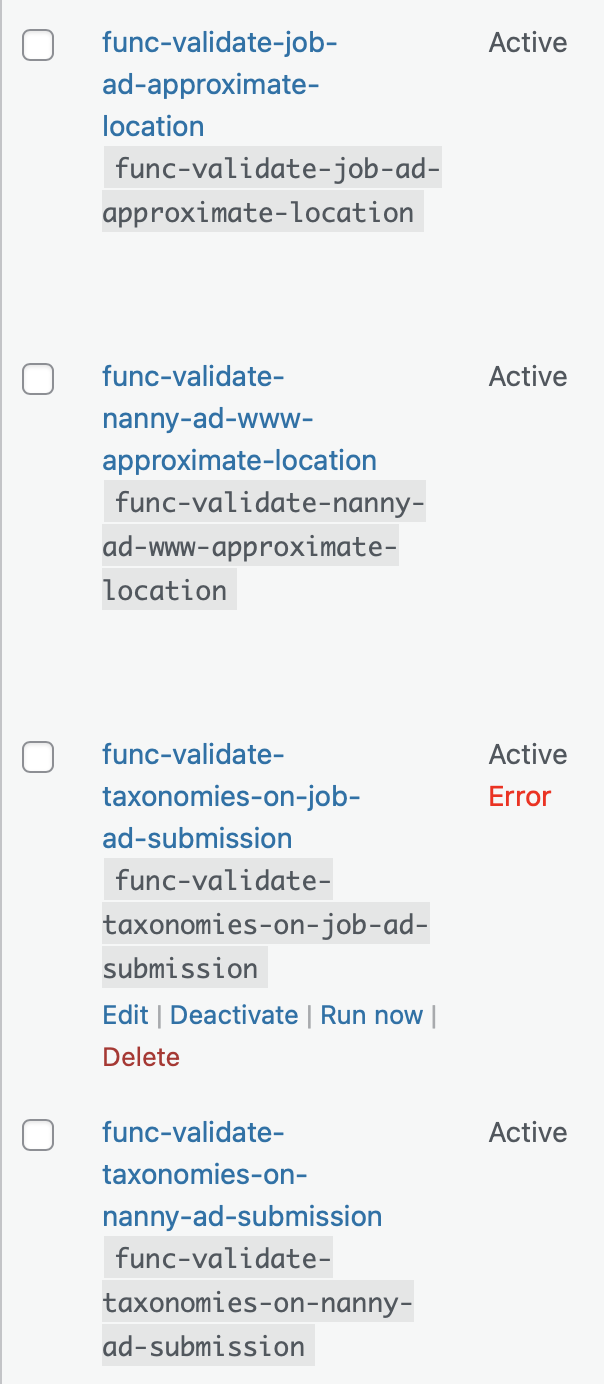
Screenshot 2026-04-23 at 12.35.22.png

Hi Minesh

Sorry I would've answered sooner, but not receiving any email informing me you'd responded.

func-validate-job-ad-approximate-location
func-validate-nanny-ad-approximate-location

Yesterday (see screenshot), both were in error and I wasn't able to re-save either without error. I haven't made any changes to those snippets for years, they've been working successfully, but apparently are erroring out since Monday approximately.

Today, (see screenshot) snippet "func-validate-job-ad-approximate-location" is no longer showing an error. How were you able to manage to save it?

On testing today however, neither issue with creating Nanny Ads or editing Job Ads was fixed and produced the same error as reported yesterday.

Regarding the map API key:
We have two keys, which also haven't changed for years. On clicking the button Toolset > Settings > Maps > Google Map API Key > Check API, I saw the error:

"REQUEST_DENIED - API keys with referer restrictions cannot be used with this API."

I saw some heated back n forth in a previous post on Toolset Support here:
https://toolset.com/forums/topic/toolset-maps-saying-to-use-httpreferrer-and-not-to-use-it-at-the-same-time/

And there is no more exact technical information in the referred docu here:
https://toolset.com/course-lesson/creating-a-maps-api-key/#known-issues

However, I set the 2nd key in Google Cloud to unrestricted temporarily. Then editing Job Ads and creating new Nanny Ad worked fine. It doens't work when we restrict to our domain using hidden link, however does work with IP address.

Using the Check API button again showed: "Google API seems to be configured properly."

So it seems that's acceptable to keep the IP address as the restriction for the 2nd key? If yes, fine. Then the only remaining issue is the error in the validation snippet func-validate-taxonomies-on-job-ad-submission.

Kind regards
Simon

#2857980

Minesh
Supporter

Languages: English (English )

Timezone: Asia/Kolkata (GMT+05:30)

I've disable the sippet setting for the code snippet "func-validate-taxonomies-on-job-ad-submission" that is Run Context and uncheck the checkbox "WordPress admin" as its not required to run with WordPress admin and saved the setting.

Can you please confirm it works as expected now.