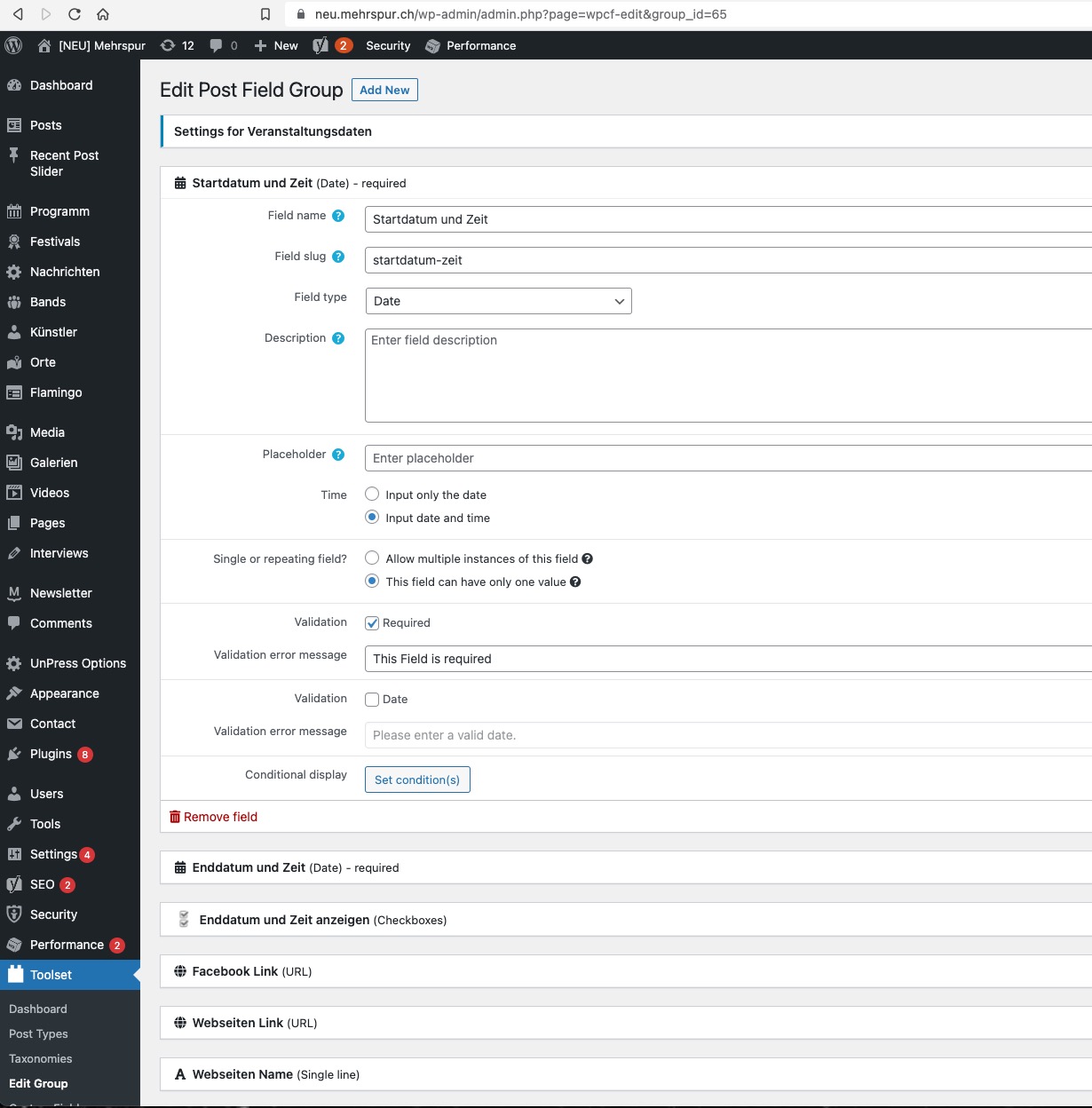
I am trying to: Display the time of an event properly
Link to a page where the issue can be seen: only in the WordPress backend.
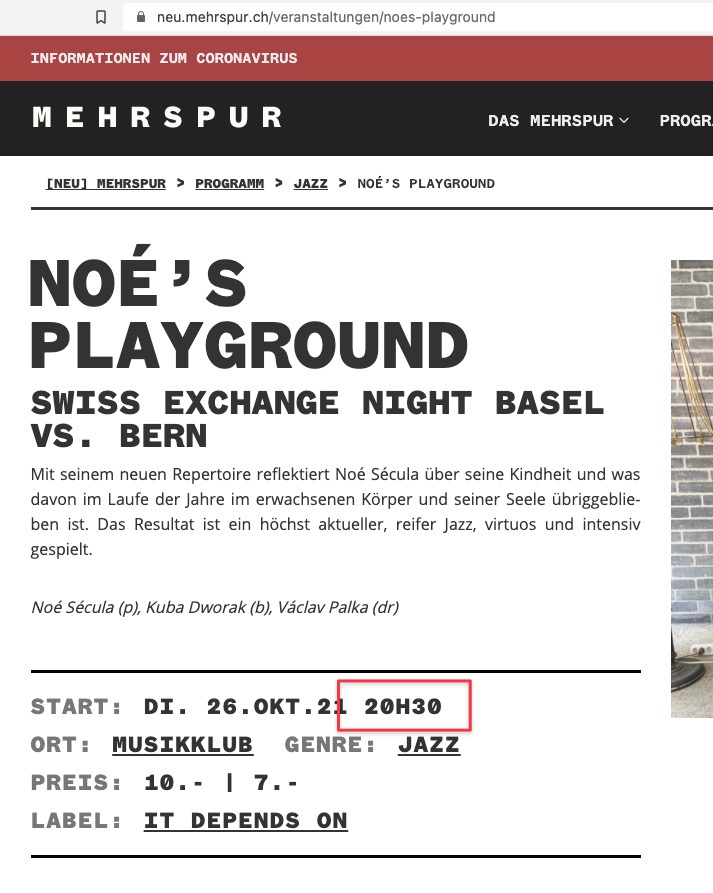
I expected to see: that the time is the same in the editor window as it is on the website.
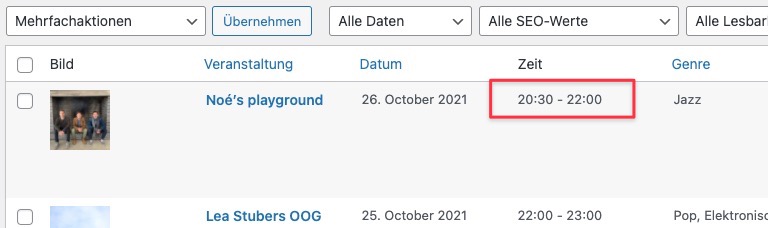
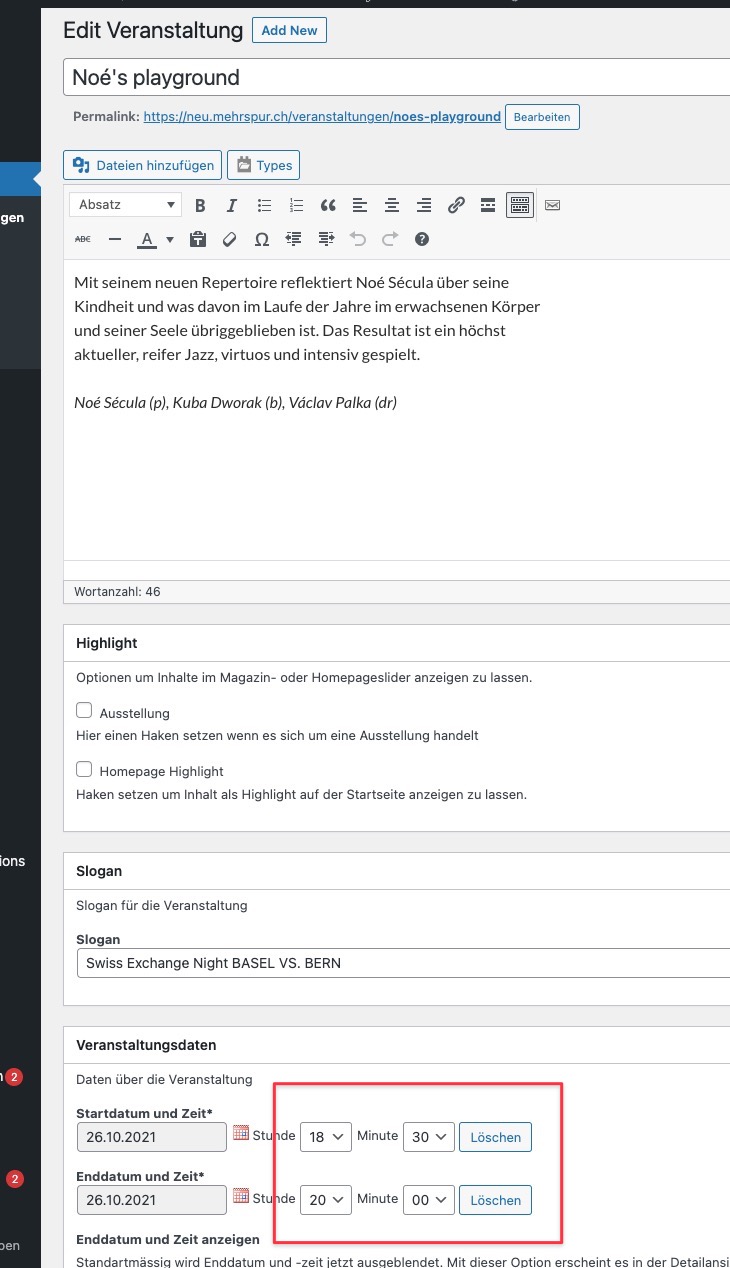
Instead, I got: a time that is off by 2 hours. See the images.
The strange thing is that it is saved correctly. So say I enter 20:00 as the time and then save, then the rendered value on the website is 20:00, but in the editor screen it will now show 18:00.
You should note that I am in central Europe so I am 2 hours ahead of UTC. My assumption therefore is that it simply shows UTC in the editor screen.
I have been using Toolset Types on this website for many years and never had this happen. Only happened after updating WordPress to the latest version as well as most of the plugins. It was happening with Types 3.0.7 and I just updated to 3.4.14 and it's the same behaviour.
I can create you a login to check it out. This is the (identical) development version of the actual website.
Really need to get to the bottom of this, as it is essential to get the times of the events right!!
Kind regards,
Armin.
Hello,
Yes, Toolset custom date field stores value in timestamp format.
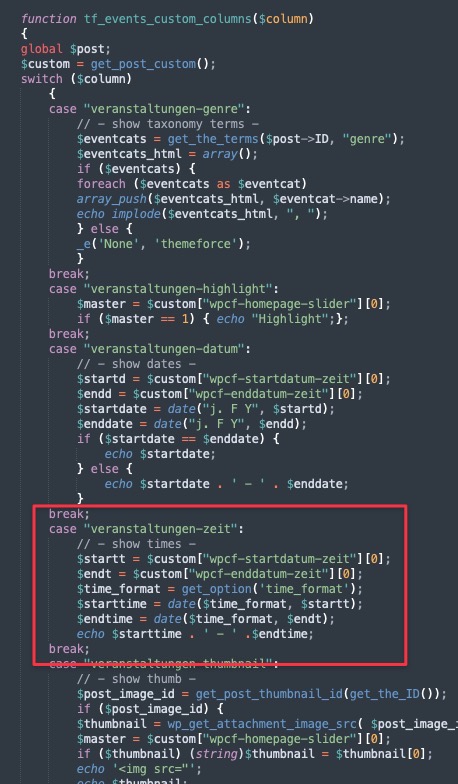
How do you setup the column "Zeit" in your screenshot:
https://toolset.com/wp-content/uploads/2021/09/2175207-Screenshot_2021_09_21_at_17.17.55.jpg
If it is custom codes, you can use Types function types_render_field() to retrieve the date/time values in specific format:
https://toolset.com/documentation/customizing-sites-using-php/functions/
https://toolset.com/documentation/customizing-sites-using-php/functions/#date
Hi.
I am getting the time in that column by using what is in the screenshot. But there the time is correct. That is NOT the problem.
The time is NOT correct on the edit screen where it says it starts at 18:00. I saved it with 20:00. So it's the edit field itself that does not show the correct saved value.
So it's something in the plugin, because I cannot change the code of the edit fields!
I recorded a GIF that shows the problem very clearly. It's something in the plugin, not my own code.
I recorded a GIF that shows the problem very clearly. It's something in the plugin, not my own code.
I can't attach it here, but you can see it here: hidden link
What is "the plugin" you mentioned above?
Where and how can I see the screenshot your screenshot:
https://toolset.com/wp-content/uploads/2021/09/2175869-Screenshot_2021_09_22_at_10.16.34.jpg
Those codes you mentioned above does not respect wordpress timezone setting, so it conducts the problem.
With "the plugin" I mean of course the Toolset Types plugin. It is what I use to set up the custom fields for start date and end date.
You can see how it is set up in the screenshot.
Forget the columns on the overview. Those work fine and show the correct time I set in the custom field. The problem is with the custom field itself as you can see from the GIF video.
It is the custom field itself that seems to not respect time zone settings! On the website and in the overview page it shows the correct time, but not in the editor.
I think there is a misunderstanding, Toolset Types plugin stores custom date field value in timestamp format:
The unix time stamp is a way to track time as a running total of seconds. This count starts at the Unix Epoch on January 1st, 1970 at UTC.
hidden link
this value does not have timezone setting, the timezone settings are from your wordpress setting page, but your custom PHP codes do not respect wordpress timezone setting, so it conducts the problem.
As I mentioned above, in order to render the results with wordpress timezone setting, you can use Types API function types_render_field() to retrieve the date/time values:
https://toolset.com/forums/topic/time-in-custom-field-is-different-from-rendered-time/#post-2175837
Hi Luo.
Thank you for the good explanation. I think I figured it out now also thanks to your answer.
I noticed that if I disable all plugins except Toolset, that the time is correct in the editor and the overview, but not on the homepage (it would be 2 hours later there).
In the theme I was getting the raw timestamp from Types and then using strft() in PHP to render the time. If I used types_render_field with the format directly in there, the time was correct.
So I found the plugin that causes the issue: Business Hours Indicator Pro. It has a time zone setting and somehow causes strft() to add another 2 hours. So I set the time zone of Business Hours Indicator Pro to UTC and then it didn't add any time on other timestamps.
Now I have switched everything to just use types_render_field and it seems to be working.
Thanks for your help.
Thanks for sharing the solution, that will help other users to find the answers, pleas update here if you need more assistance for it.