Skip Navigation

[Resolved] site key not accepted

This is the technical support forum for Toolset - a suite of plugins for developing WordPress sites without writing PHP.

Everyone can read this forum, but only Toolset clients can post in it. Toolset support works 6 days per week, 19 hours per day.

Sun Mon Tue Wed Thu Fri Sat
- 10:00 – 13:00 10:00 – 13:00 10:00 – 13:00 10:00 – 13:00 10:00 – 13:00 -
- 14:00 – 18:00 14:00 – 18:00 14:00 – 18:00 14:00 – 18:00 14:00 – 18:00 -

Supporter timezone: Asia/Kolkata (GMT+05:30)

This topic contains 1 reply, has 1 voice.

Last updated by Minesh 1 week, 5 days ago.

Assisted by: Minesh.

Author
Posts
#2864193
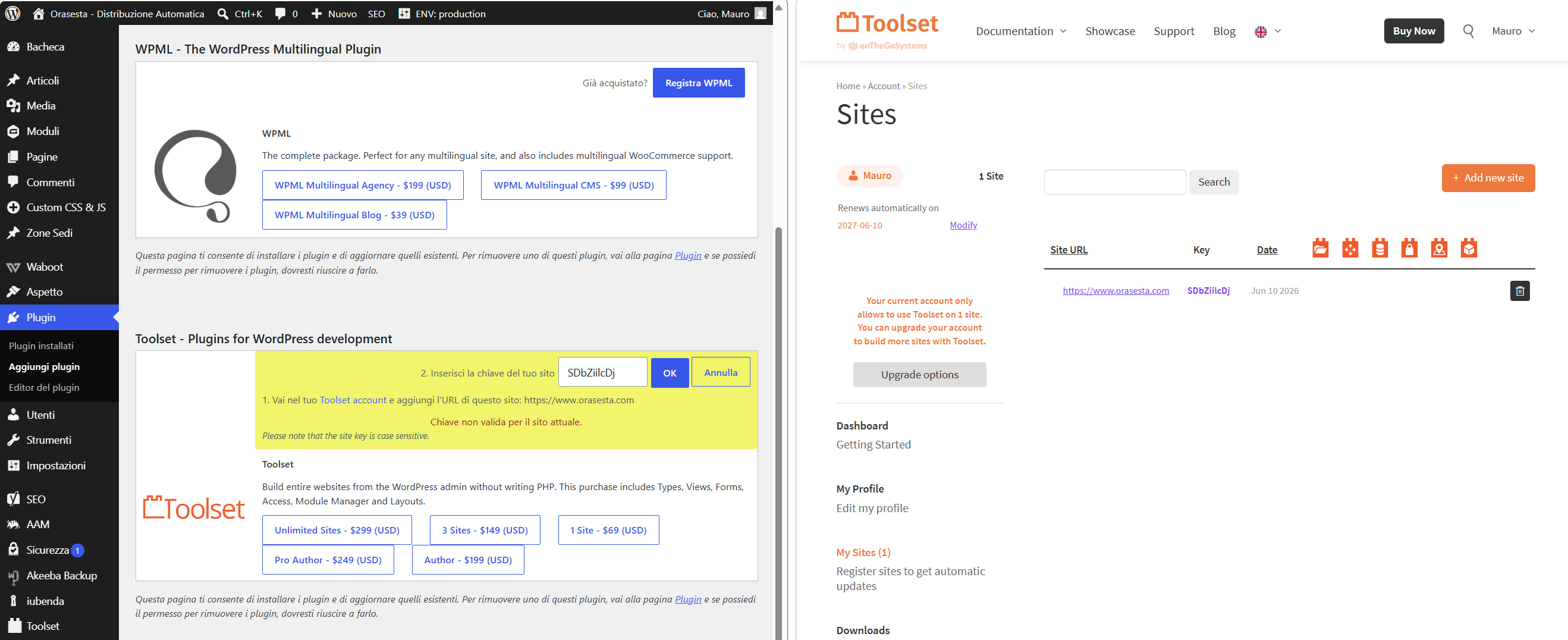
Immagine 2026-06-10 162457.png

I am trying to: activate the licence

Link to a page where the issue can be seen:

I expected to see: licence activated

Instead, I got: error "Chiave non valida per il sito attuale."

#2864264

Minesh
Supporter

Languages: English (English )

Timezone: Asia/Kolkata (GMT+05:30)

Hello. Thank you for contacting the Toolset support.

Toolset Types plugin version (2.2.9 from the year 2017) is really old version and outdated one as after that we release number of major release and added number of new features.

Before you update the Toolset plugins to latest official release version:
*** Please make a FULL BACKUP of your database and website.***

But before you update any plugin I recommend you to take full backup of your site so in any worst situation you can restore it.

However - I suggest you should create a staging site first and on staging site you should run update first and once you see everything is ok and working on the staging site then you should go ahead and update it on your production site.

We publish the Types 3.X.X with the new many to many relationships and we have added the number of new features to this major release almost nine years ago in 2018.

Please check the following blog:
=> https://toolset.com/2018/05/toolset-post-relationships-release/
=> https://toolset.com/2018/05/when-if-to-migrate-relationships-in-old-toolset-sites/

I suggest you should update ALL Toolset plugins manually for now:
*** Please make a FULL BACKUP of your database and website.***
- Deactivate and Delete all Toolset plugins from plugins page
- Download ALL the latest Toolset plugins you require from your accounts page:
=> https://toolset.com/account/downloads/
- Upload and activate first Types plugin and then you are free to install and activate all other Toolset plugins.
Here is the Doc:
=> https://toolset.com/faq/how-to-install-and-register-toolset/#automatic-installation-once-you-have-types-plugin-installed

Please check the following related ticket:
- https://toolset.com/forums/topic/upgrade-from-too-old-version-to-new-version/








