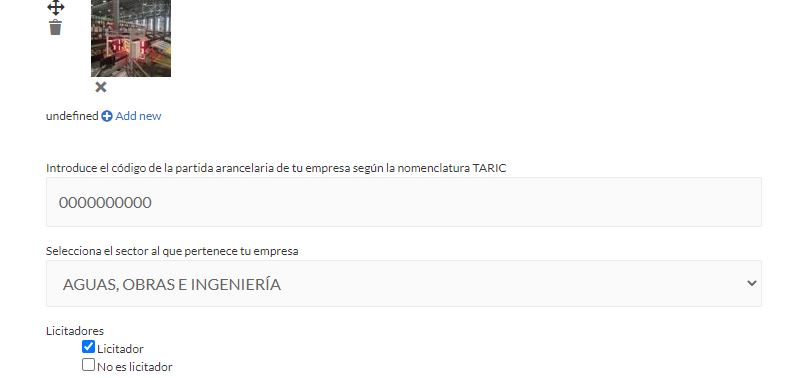
I have a company directory created with toolset and elementor + elemtor pro. Everything works correctly but when I access as if I were a user to modify my company file if I want to upload a new image I cannot get the error undefined (screenshot attached)
I have deactivated all the plugins and nothing so I understand that it is incompatibility with elementor.
Can you help me?
Thanks
Hello,
The problem you mentioned above is abnormal, please check these:
1) Make sure you are using the latest version of Toolset plugins, you can download them here:
https://toolset.com/account/downloads/
2) check if there is any PHP/JS error in your website:
https://toolset.com/documentation/programmer-reference/debugging-sites-built-with-toolset/
3) Since it is a compatibility issue with other plugins "elementor", if you need more assistance for it, please provide a copy of your website in below private message box, you can put the package files in your own google drive disk, share the link only, also point out the problem page URL and form URL, I need to test and debug it in my localhost, thanks
https://toolset.com/faq/provide-supporters-copy-site/
Hi,
I think that the problem is not error PHP/JS. I think the problem if that i've form edit into Elementor pop-up.
Can this be solved by opening the edit page on an Elementor page? In this case, we would need to know how to open the edit page from a link passing it the id or some parameter to load the content to edit.
Could you tell us? Thank you very much for your help
There is a known issue when use Elementor pop-up with Toolset Forms, see erratum here:
https://toolset.com/errata/toolset-forms-not-working-inside-elementor-pop-ups/
And you can follow our document to setup the edit form link, and redirect user to new URL with edit post form:
https://toolset.com/course-lesson/front-end-forms-for-editing-content/
Front-end Forms for Editing Content in WordPress
If I see, this content had already arrived, the problem is the page where I need the edit content button to appear is made with elementor and it is from elementor from where I do not see how to open that url.
Could you tell me how to build the link to edit the content or a shortcode to edit that content page that we have designed as a template in elementor.
Thanks
It should be a compatibility issue, I have searched it in our forum, and found some related threads, for example:
https://toolset.com/forums/topic/adding-toolset-based-post-edit-form-in-elementor-powered-site/#post-1366599
You can try the workaround of above thread.
Thanks for your support, I have next problem:
hidden link;
[wpv-post-id] not working in my url, do you know why it not working?
Kind regards!
The [wpv-post-id] is a shortcode of Toolset Blocks plugin, you just need to put it into the view's loop, and test again, see our document:
https://toolset.com/documentation/user-guides/views-shortcodes/#wpv-post-id
Thank you, i've resolved this with your help.
Now, we need make same with another language. I'm using WPML for translate content of web, but we don't find how to translate data toolset fields from another language.
Could you help me with this?
Tranks!
According to our support policy, we prefer one ticket one question, I assume the original question is resolved, for other new issues, please check the new thread here:
https://toolset.com/forums/topic/we-dont-find-how-to-translate-data-toolset-fields-from-another-language/