Skip Navigation

[Closed] pen icon not showing up on Access page

This support ticket is created 2 years, 9 months ago. There's a good chance that you are reading advice that it now obsolete.

This is the technical support forum for Toolset - a suite of plugins for developing WordPress sites without writing PHP.

Everyone can read this forum, but only Toolset clients can post in it. Toolset support works 6 days per week, 19 hours per day.

Sun Mon Tue Wed Thu Fri Sat
- 9:00 – 13:00 9:00 – 13:00 9:00 – 13:00 9:00 – 13:00 9:00 – 13:00 -
- 14:00 – 18:00 14:00 – 18:00 14:00 – 18:00 14:00 – 18:00 14:00 – 18:00 -

Supporter timezone: Asia/Hong_Kong (GMT+08:00)

This topic contains 1 reply, has 2 voices.

Last updated by Luo Yang 2 years, 9 months ago.

Assisted by: Luo Yang.

Author
Posts
#2613727
toolset-access-pen.jpg

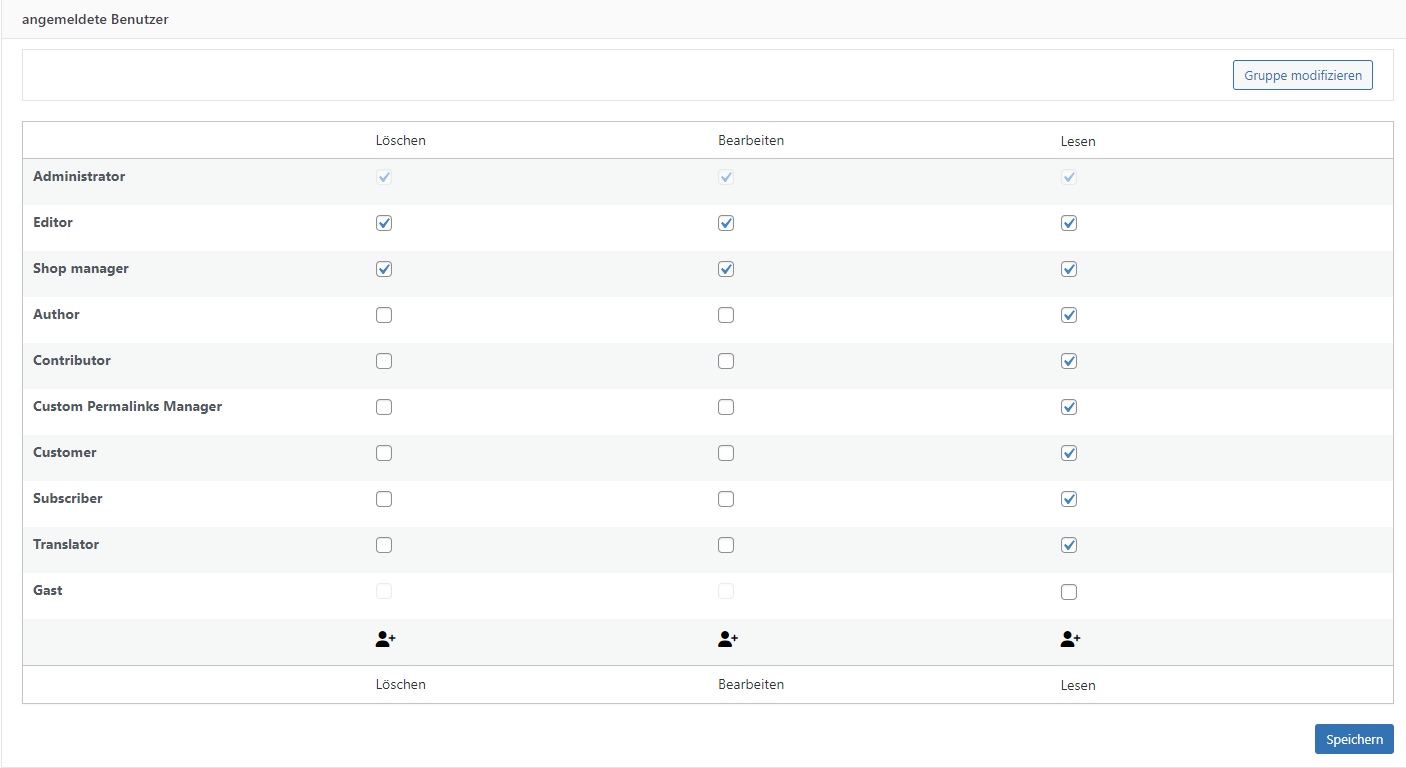
The pencil icon under post groups is not visible.

I'm trying to set the template to display when someone tries to access a page without being logged in.

A post group has been created and included the page I want to restrict. But the pencil icon doesn't appear, so I can't add the template.

#2613767

Hello,

I have tried it in a fresh WP installation + the latest version of Toolset plugins, it works fine, see below sandbox website:
Login URL: hidden link

Access setting page:
hidden link

There might be other compatibility issues in your website, please check these:
1) deactivate all other plugins, and switch to WordPress default theme 2022, deactivate all custom PHP/JS code snippets, and test again

2) check if there is any PHP/JS error in your website:
https://toolset.com/documentation/programmer-reference/debugging-sites-built-with-toolset/

The topic ‘[Closed] pen icon not showing up on Access page’ is closed to new replies.