Skip Navigation

[Resolved] Map not displaying

This support ticket is created 4 years, 3 months ago. There's a good chance that you are reading advice that it now obsolete.

This is the technical support forum for Toolset - a suite of plugins for developing WordPress sites without writing PHP.

Everyone can read this forum, but only Toolset clients can post in it. Toolset support works 6 days per week, 19 hours per day.

Sun Mon Tue Wed Thu Fri Sat
- 9:00 – 13:00 9:00 – 13:00 9:00 – 13:00 9:00 – 13:00 9:00 – 13:00 -
- 14:00 – 18:00 14:00 – 18:00 14:00 – 18:00 14:00 – 18:00 14:00 – 18:00 -

Supporter timezone: Asia/Hong_Kong (GMT+08:00)

This topic contains 1 reply, has 2 voices.

Last updated by Luo Yang 4 years, 3 months ago.

Assisted by: Luo Yang.

Author
Posts
#2176549
map not working.PNG

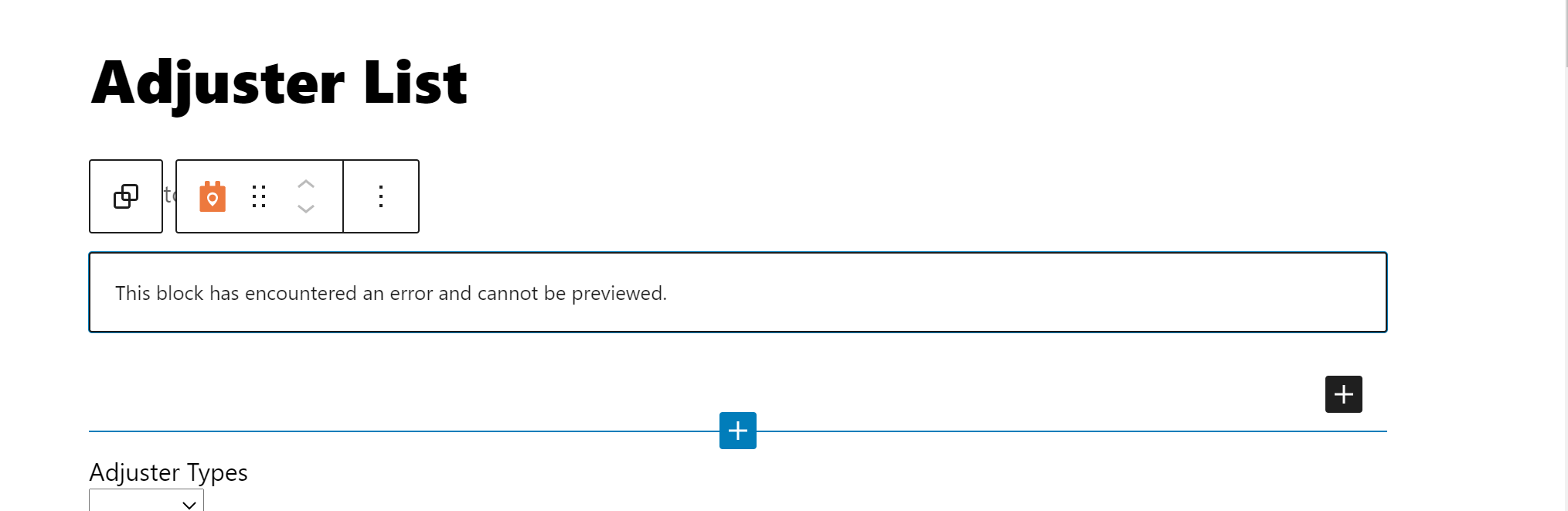
I am trying to: I'm trying display a map on a page with results per the demo video, but I can't edit the options in the admin section so I can't select what markers to add to the map. See screenshot of admin side

Link to a page where the issue can be seen: hidden link

I expected to see: a map and be able to edit options

Instead, I got: this error message (see image)

#2176823

Hello,

The problem you mentioned above is abnormal, there might be other compatibility issue with your Divi theme, please check these:
1) Check if there is any JS error in your website:
https://toolset.com/documentation/programmer-reference/debugging-sites-built-with-toolset/#javascript-debugging
section "Javascript Debugging"

2)Switch to WordPress default theme 2021, and test again

3) If it is a compatibility issue with Divi theme, please try these:
Go to Divi -> Theme Options ->Enqueue Google Maps Script then disable it from Enqueueing the Google maps scripts.