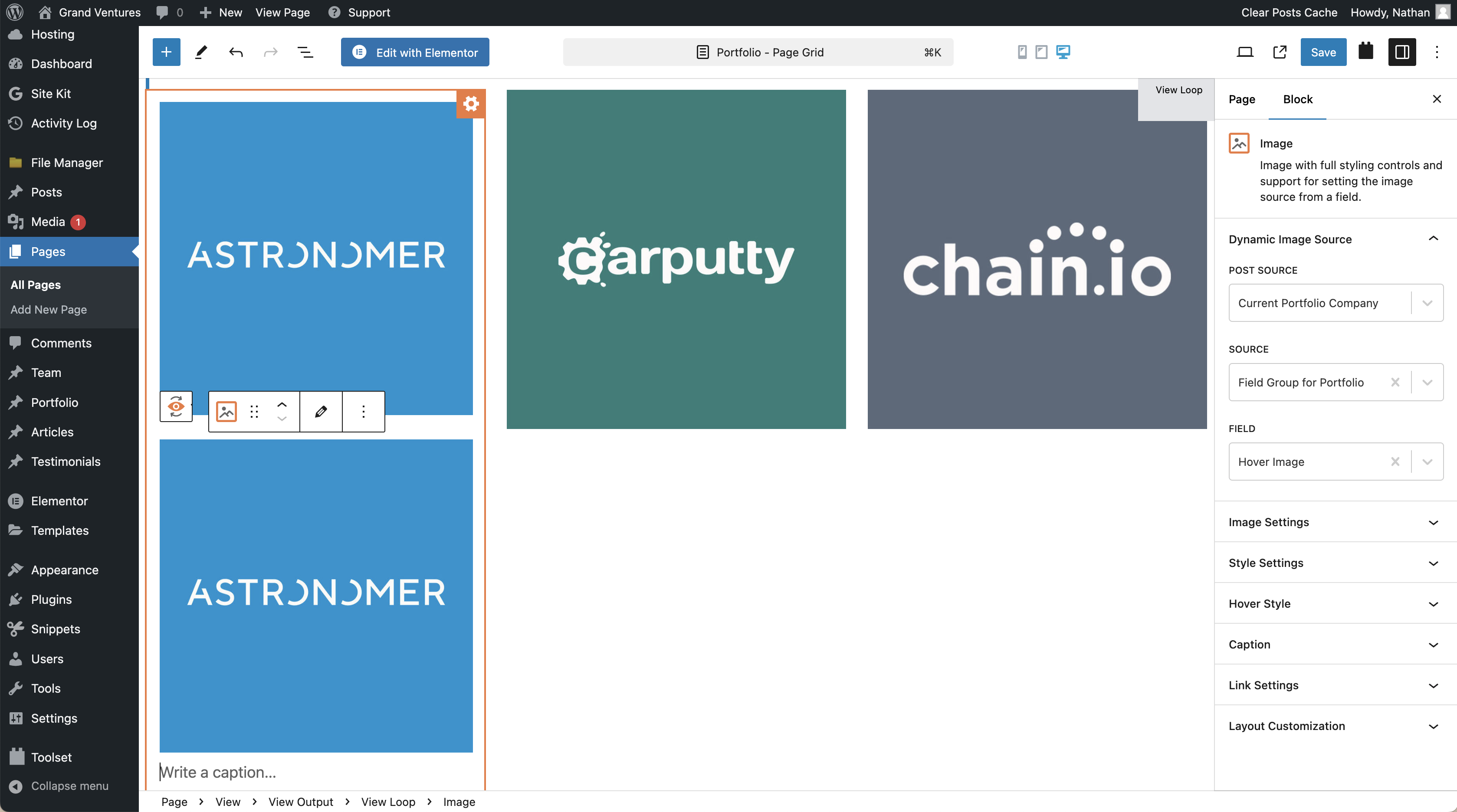
On the portfolio page, the hover-image is not displaying on hover, instead it is displaying below the tile-image-logo. The images have been added using image blocks with dynamic sources and dynamic links.
I've added this CSS to the global editor:
.wp-block-image .hover-link {
position: relative;
display: inline-block;
}
.wp-block-image .hover-link .tile-logo-image,
.wp-block-image .hover-link .hover-image {
position: absolute;
top: 0;
left: 0;
width: 100%;
height: auto;
}
.wp-block-image .hover-link .tile-logo-image {
z-index: 1;
}
.wp-block-image .hover-link .hover-image {
z-index: 2;
opacity: 0;
transition: opacity 0.3s ease;
}
.wp-block-image .hover-link:hover .tile-logo-image {
opacity: 0;
}
.wp-block-image .hover-link:hover .hover-image {
opacity: 1;
}
Here is a similar example: hidden link
Here is the portfolio page: hidden link
Hi there
As swapping out images on hover isn't something directly supported with the Image block I can see that you are having to create your own solution, but I can't tell what exactly you are doing from the CSS alone. I can see while hovering the images on the test site you linked to that the image links are broken, but I don't know what settings you are using.
Would it be possible to get access to your site so that I can check how you have done this?
Let me mark your next reply as private so that we can get log-in credentials from you—you may want to create a temporary admin user for us to use that you can later delete. And be sure to have a current backup of your site.
Hello Marc,
Thank you for providing access to your site. I've checked the portfolio page and reviewed the setup, but I'm still unable to determine exactly how the hover image solution is implemented. Could you please provide more details on this? Specifically, is this functionality achieved through custom JavaScript, or is it a feature provided by a specific theme or plugin? Understanding this will help us better diagnose the issue and offer the appropriate solution.
Thank you for your cooperation, and I look forward to your response.
Best regards,
Hi Mateus,
Thank you for reviewing the portfolio page and setup.
The CSS has been added to the "Additional CSS" under "Customize" (see attached). The images are added with dynamic sources within the Toolset view.
The example website was created on Showit, so a different implementation will be needed for WordPress.
Please let me know if you have any questions. Thank you!
Hi Marc,
Thanks for your response and the additional details. Given that the example you provided is not from a WordPress site but from a different page builder, a different implementation is necessary for WordPress.
My colleague created a demo to illustrate a similar hover effect using Toolset. You can check it here: hidden link.
This demo uses two custom fields for the images and applies this CSS directly to the page using an HTML block:
<style>
.tb-image > a > img {
position: absolute;
}
.front-image {
opacity: 1;
}
.front-image:hover {
opacity: 0;
}
</style>
In the demo, the post type has two custom fields, front-image and back-image. The View outputs both of them for each loop item in a grid.
In the output of the View the back image is added first and the front image second (so the front image will cover the back image).
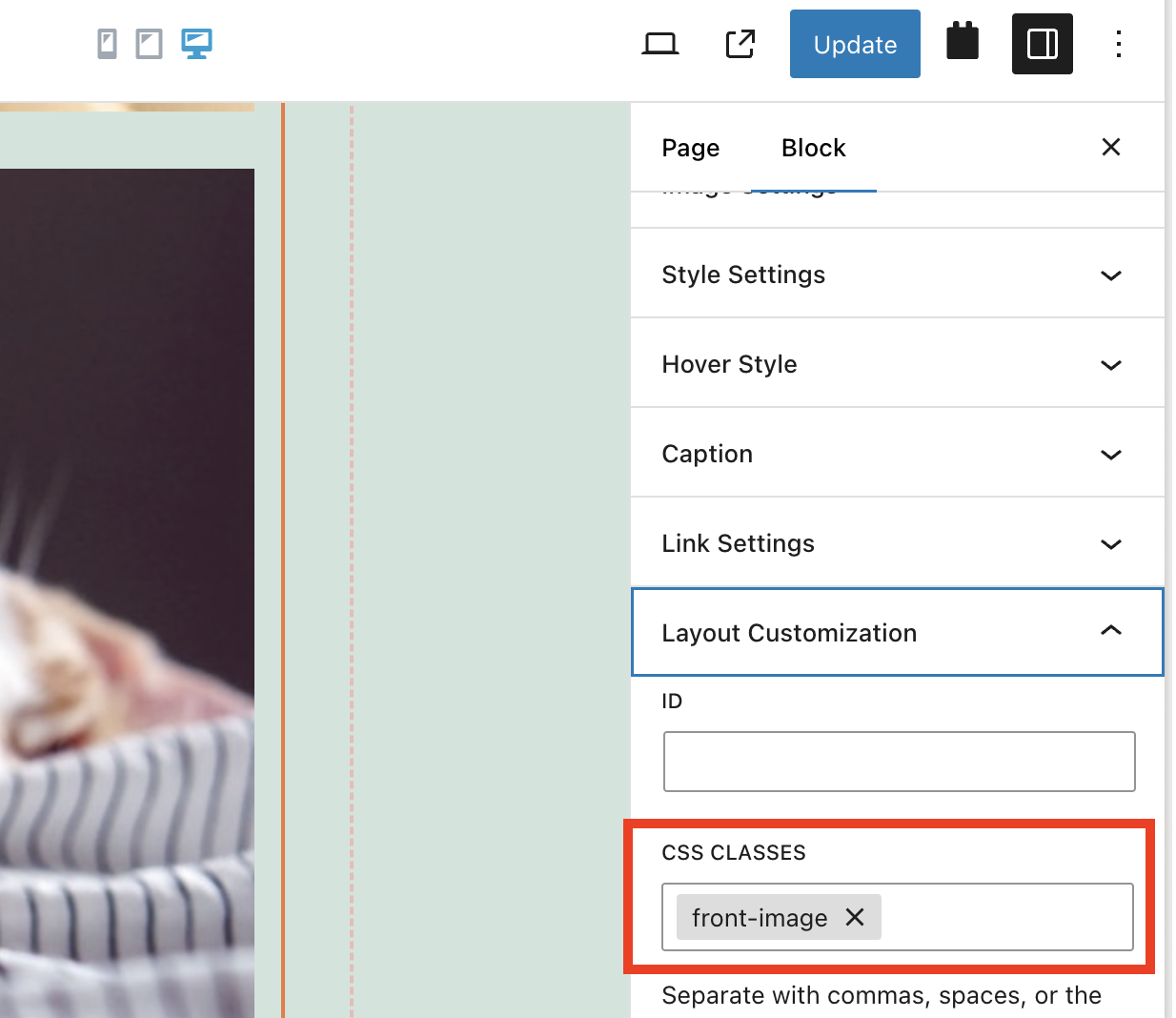
Please note that for this hover effect to work, the CSS targets the front image using a specific class ('front-image'), which you need to add in the View settings (please check the screenshot).
Login link: hidden link
Feel free to inspect the demo using the login link above and let us know if you have any questions!
Best regards,
Mateus
Hi Mateus,
I appreciate taking the time to set up this demo.
The hover effect is working to some extent, but there is an issue with how the content loads. Can you please inspect this?
hidden link
Thank you!
Hello there,
Thank you for sharing that information.
I debugged this so far but I wasn't able to find a solution.
I'd like to ask permission to make a copy/staging version of your site where I can debug this closely without affecting the live site.
I'll make sure to delete this copy as soon as we get this issue fixed.
I'm afraid of debugging directly on the live site and cause issues to your visitors. Also, it is important to test a different setup as part of the troubleshooting.
Thank you, please let us know.
Mateus
Hi Mateus,
Yes, please proceed with making a staging version. Thank you!
Hey there,
I checked this out but so far I couldn't find a fix for it.
I asked my colleagues to have a look at this issue in order to see if there's anything I'm missing.
I'll come back here as soon as one of my colleagues reply back to me (which it shouldn't take long).
Thanks,
Sounds good, thank you for the update!
Hi,
I have escalated this ticket to our 2nd tier of support where our 2nd tier specialists will take a deeper look at this issue and will try to find a solution.
I will get back to you as soon as I get an answer from them.
Best regards,
Mateus
Hello Marc,
Upon further review our 2nd tier team identified that the CSS needed an update to work properly on your site.
I switched the previous CSS code with this new version:
<style>
.tb-grid-column {
position: relative;
aspect-ratio: 1 / 1;
overflow: hidden;
}
.tb-grid-column figure {
position: relative;
margin: 0;
width: 100%;
height: 100%;
}
.tb-image img {
width: 100%;
height: 100%;
object-fit: cover;
}
figure.front-image {
position: absolute;
top: 0;
left: 0;
width: 100%;
height: 100%;
opacity: 0;
transition: opacity 0.3s ease-in-out;
}
.tb-grid-column:hover figure.front-image {
opacity: 1;
}
</style>
After that, when I check the Portfolio page, it looks to be fully functional now.
Can you please test it again?
Thank you.
Hi Mateus,
Thank you for the update! The on-hover image is functioning, however, the on-hover image (text with button) is displayed first and should appear when hovering over the logo image. Can you please swap the way these two images are set up? Also, one of the images is not displaying, can you resolve this? Thank you!
There is also now a new issue with the padding on the carousel above created with Toolset, is this a result of the newly added CSS?
Hello Marc,
To fix the order of the images I edited the view and changed the name of the first and second custom image field in the loop.
The missing image is due to the fact that the Post itself has a custom image field missing or incorrectly set up. Eg.: The portfolio entry Engage: hidden link You'll notice that the hover image point to a link that doesn't exist.
Regarding the carousel, you're right, the CSS ended up targeting more than needed for that specific page, so I made a small adjustment to make it select only the hover images:
<style>
#wpv-view-layout-1204 .tb-grid-column {
    position: relative;
    aspect-ratio: 1 / 1;
    overflow: hidden;
}

#wpv-view-layout-1204 .tb-grid-column figure {
    position: relative;
    margin: 0;
    width: 100%;
    height: 100%;
}

#wpv-view-layout-1204 .tb-image img {
    width: 100%;
    height: 100%;
    object-fit: cover;
}

#wpv-view-layout-1204 figure.front-image {
    position: absolute;
    top: 0;
    left: 0;
    width: 100%;
    height: 100%;
    opacity: 0;
    transition: opacity 0.3s ease-in-out;
}

#wpv-view-layout-1204 .tb-grid-column:hover figure.front-image {
    opacity: 1;
}
</style>