Skip Navigation

[Resolved] Help showing conditional date logic if event is TODAY() – Time creates conflicts

This is the technical support forum for Toolset - a suite of plugins for developing WordPress sites without writing PHP.

Everyone can read this forum, but only Toolset clients can post in it. Toolset support works 6 days per week, 19 hours per day.

Sun Mon Tue Wed Thu Fri Sat
- 10:00 – 13:00 10:00 – 13:00 10:00 – 13:00 10:00 – 13:00 10:00 – 13:00 -
- 14:00 – 18:00 14:00 – 18:00 14:00 – 18:00 14:00 – 18:00 14:00 – 18:00 -

Supporter timezone: Asia/Kolkata (GMT+05:30)

This topic contains 28 replies, has 1 voice.

Last updated by benS-19 21 hours, 59 minutes ago.

Assisted by: Minesh.

Author
Posts
#2865621

I currently have a Date + Time field, which works as intended, but the issue comes from trying to show a message if the date is TODAY. The issue I’m having is it's taking the TIME into consideration when comparing the value, rather than the day as a whole.

The message/conditional below only shows IF it is the day AND on or past the time value, which isn't good for me as need the message up all day from midnight. I can't set the time to 00:00 as it needs to display the correct time e.g. 19:00.

[wpv-conditional if="( $(wpcf-draw-date) eq 'TODAY()' )"]
Draw is today!
[/wpv-conditional]

^ Is there a way to ask it to ignore the time when comparing the date, as this only shows the message if it's on or past the time as well as the day.

#2865624

Minesh
Supporter

Languages: English (English )

Timezone: Asia/Kolkata (GMT+05:30)

Hello. Thank you for contacting the Toolset support.

The thing is that as you have date and time field and it stores the date and time value as Unix timestamp.

In your case, you will have to write custom shortcode that will return the draw date without the time.

For example:
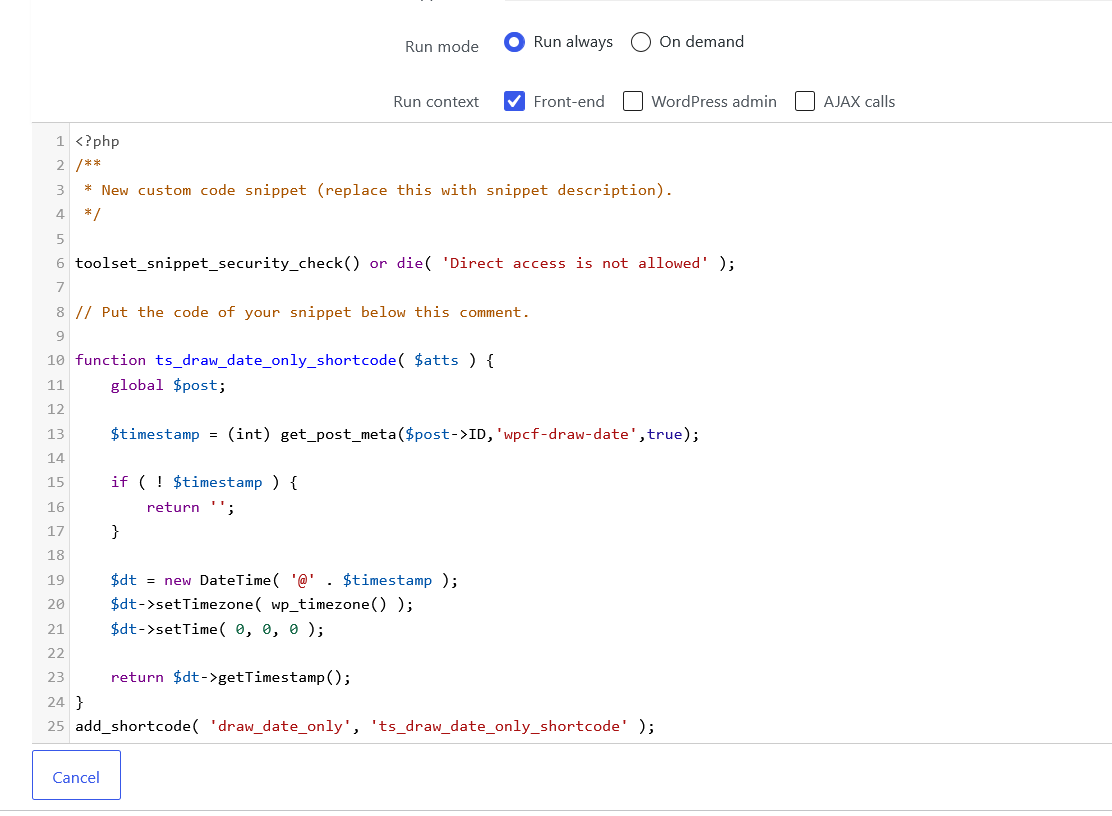
- Please try to add the following code to "Custom Code" section offered by Toolset:
=> https://toolset.com/documentation/programmer-reference/adding-custom-code/

function ts_draw_date_only_shortcode( $atts ) {
	global $post;

	$timestamp = (int) get_post_meta($post->ID,'wpcf-draw-date',true);

	if ( ! $timestamp ) {
		return '';
	}

	$dt = new DateTime( '@' . $timestamp );
	$dt->setTimezone( wp_timezone() );
	$dt->setTime( 0, 0, 0 );

	return $dt->getTimestamp();
}
add_shortcode( 'draw_date_only', 'ts_draw_date_only_shortcode' );

Once you create the code snippet within the "Custom Code" section, make sure to activate it and then also register the shortcode name draw_date_only at:
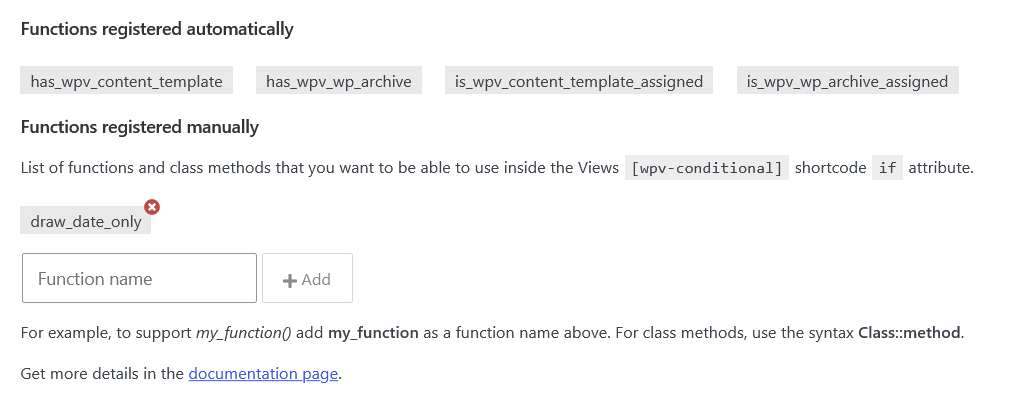
=> Toolset => Settings => Front-end Content tab => Functions inside conditional evaluations section.

Then you can compare it as:

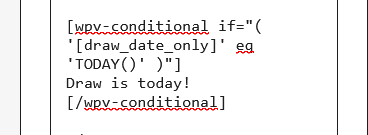
[wpv-conditional if="( '[draw_date_only]' eq 'TODAY()' )"]
Draw is today!
[/wpv-conditional]
#2865644
Screenshot 2026-06-19 at 12-52-31.png
Screenshot 2026-06-19 at 12-52-40.png
Screenshot 2026-06-19 at 12-52-51.png

Hi,

Thank you kindly for your assistance, I've gone ahead and added the code in the relevant places (see screenshots) - but it's not being shown on the front-end.

I've also set the "Time" to a few hours ago (just to test), but it still doesn't show.

The wpcf- field is correct the Toolset shortname is draw_date, so not sure what is happening. - Any ideas, please?

Thank you.

#2865668

Minesh
Supporter

Languages: English (English )

Timezone: Asia/Kolkata (GMT+05:30)

I need to understand you just want to compare the draw_date is equal to today's date - that is it. Is that correct?

For example 2026-06-15 (draw_date ) equal to 2026-06-15 (for instance today's date)

Please let me know if you have any other comparision.

#2865778
Screenshot 2026-06-20 at 17-04-30  WordPress.png

Hi,

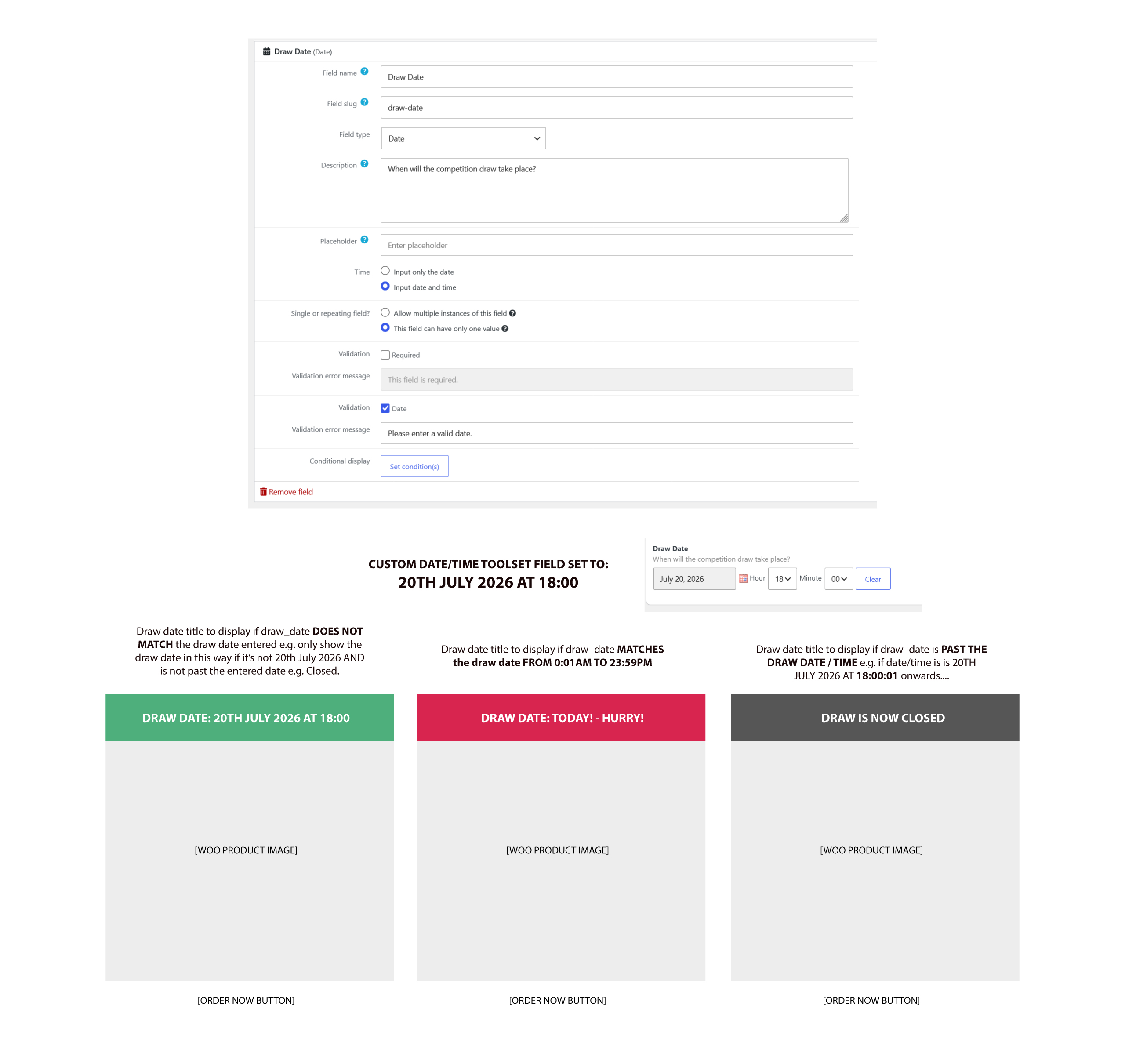
Yes, that's correct we show labels on various products depending on the date/time entered...the 3 x scenarios would be:

1. Show the Date + Time of a particular Date (normal) e.g ."June 20th 2026 at 15:00pm"...
2. IF the Date (day) is the same day as the selected date/day via the picker, then show "This message instead" e.g. "Today is the day"...
3. IF the Date has passed, then show "a third message" instead e.g. "Closed".

These conditionals/results are what I’m ultimately trying to achieve, and hope you'll be able to help.

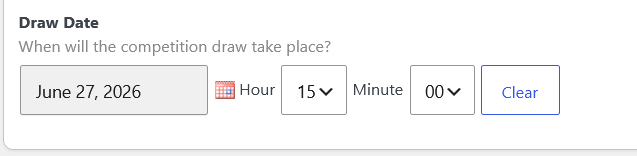
Please see the attached. - To reiterate, what you've said is true, and I imagine if I just had a date field, then it would be more straightforward, but because in includes the "time" aspects as well, then the 2. message won't be true until that time has been reached.

Essentially we want to show the 2. message, as soon as it's the same day (full 24 hours), not match the time as well in order to activate the conditional.

#2865930

Minesh
Supporter

Languages: English (English )

Timezone: Asia/Kolkata (GMT+05:30)

When you say "day" - you mean you want to compare the date like for instance 11th june and for instance today is 11th june then you want to display "Today is the day" right? or you want to compare the day name like Monday, Tuesday?

Can you please share problem URL and tell me where exactly you want to display those messages and also share admin access details.

*** Please make a FULL BACKUP of your database and website.***
I would also eventually need to request temporary access (WP-Admin and FTP) to your site. Preferably to a test site where the problem has been replicated if possible in order to be of better help and check if some configurations might need to be changed.

I have set the next reply to private which means only you and I have access to it.

#2865937
woo_toolset_draw_example.jpg

Hi,

Thank you kindly for your response, I was hoping manual interaction would not be needed just yet and as a result I've created you this visual guide to help demonstrate what we're trying to achieve.

This shows the 3 x scenarios required for the Toolset custom field........

1. Normal view (draw_date value shown)
2. When the custom field draw_date, matches the DAY entered.
3. What to display when it's past the entered draw date/time, e.g. the draw has finished and this message will appear.

I hope that now makes more sense, thank you for your help.

#2865963

Minesh
Supporter

Languages: English (English )

Timezone: Asia/Kolkata (GMT+05:30)

What if you try to use the following solution and check if that help you to resolve your issue.

1. Normal view (draw_date value shown)

[types field='draw_date'][/types]

2. When the custom field draw_date, matches the DAY entered.


[wpv-conditional if="('[types field='draw_date' output='raw'][/types]' gte 'TODAY()' ) AND ( '[types field='draw_date' output='raw'][/types]' lt FUTURE_DAY(1) )"]
This is today
[/wpv-conditional]

3. What to display when it's past the entered draw date/time, e.g. the draw has finished and this message will appear.


[wpv-conditional if="('NOW()' gte '[types field='draw_date' output='raw'][/types]' )"]
the draw has finished
[/wpv-conditional]
#2865970

Hi,

Thank you for these, the 1st one works, e.g. it simply prints out the date...

But there is no return for 2. and 3.

e.g. I've tested this by setting a closing date to today and also in the past (e.g. closed) - but nothing is returned, any ideas, please?

#2865978

Minesh
Supporter

Languages: English (English )

Timezone: Asia/Kolkata (GMT+05:30)

That is strange. I checked on my test site and it works.

Can you please share problem ULR and admin access details.

*** Please make a FULL BACKUP of your database and website.***
I would also eventually need to request temporary access (WP-Admin and FTP) to your site. Preferably to a test site where the problem has been replicated if possible in order to be of better help and check if some configurations might need to be changed.

I have set the next reply to private which means only you and I have access to it.

#2865996

Minesh
Supporter

Languages: English (English )

Timezone: Asia/Kolkata (GMT+05:30)

e.g. If 1, don't show 2 or 3, if 2, don't show 1 or 3, if 3, don't show 1 and 2...
==>
What you mean by this? I need proper details.

#2865998

^ It was to expand on your previous code examples - I thought based on what you provided, it would always show the date + the other scenarios if true, rather than just 1 at a time, if that makes sense?

I hope you got access ok, and able to assist, thank you.

#2866064

Minesh
Supporter

Languages: English (English )

Timezone: Asia/Kolkata (GMT+05:30)

I see you shared link of "Product loop item layout" - is this a Elementor template or what or its a theme's core template?

Where I can see the "Product loop item layout" can apply on what frontend URL?

#2866067

Hi Minesh,

Thanks for your message.

I sent a direct link and screenshot in previous post to illustrate the code placement/location... it's using the Guttenberg editor in this instance.

You can then see the "Product loop item layout" on the front-end on the homepage, or "Competitions" link using the main navigation.

#2866068

Minesh
Supporter

Languages: English (English )

Timezone: Asia/Kolkata (GMT+05:30)

Well - the template you shared "Product loop item layout":
- hidden link

When I try to add any block, it suggest me to edit template with Elementor and when I try to edit using Elementor it just do not load.

I need a place where I can add the conditional statements.