Skip Navigation

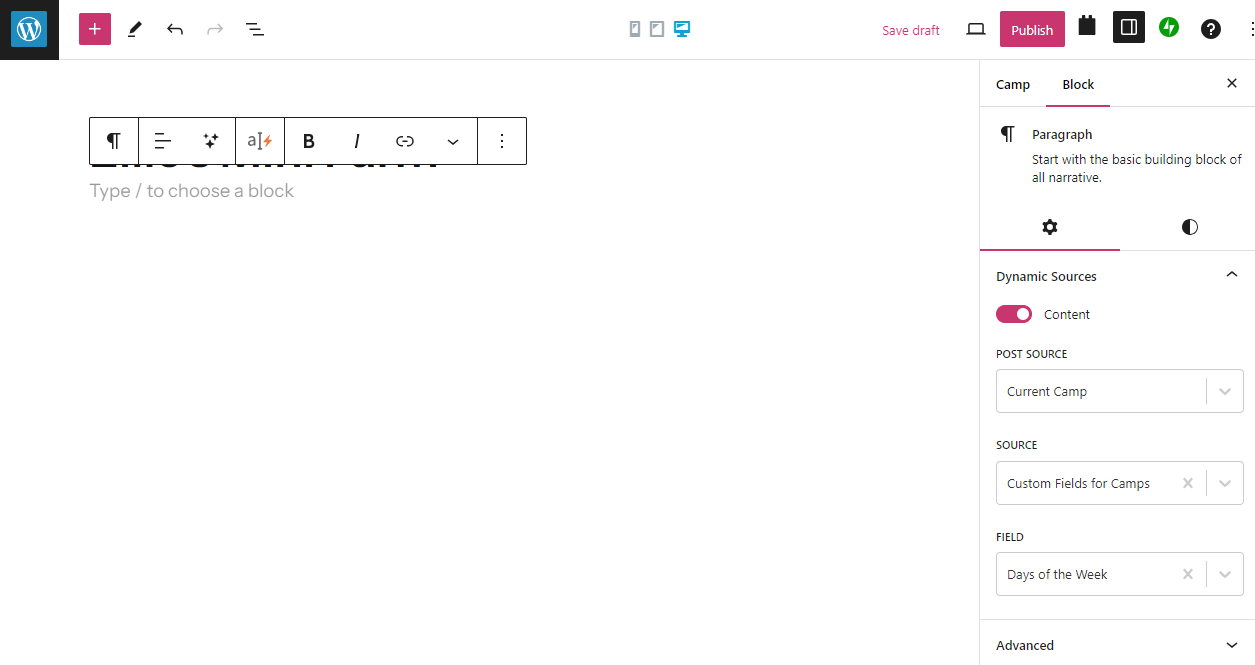
[Closed] Dynamic Sources doesn't work

This is the technical support forum for Toolset - a suite of plugins for developing WordPress sites without writing PHP.

Everyone can read this forum, but only Toolset clients can post in it. Toolset support works 6 days per week, 19 hours per day.

This topic contains 1 reply, has 2 voices.

Last updated by Christopher Amirian 1 year, 11 months ago.

Assisted by: Christopher Amirian.

Author
Posts
#2684985
Screenshot 2024-02-23 131004.png

Tell us what you are trying to do? Add in my custom fields to the a new post

Is there any documentation that you are following?
https://toolset.com/lesson-placement/lesson-placements-1620889-1622801/

Is there a similar example that we can see?

What is the link to your site?

#2685044

Christopher Amirian
Supporter

Languages: English (English )

Hi there,

I suggest that you use the Toolset Heading block, you will be able to change the underlying HTML code for that to have a normal paragraph and you can use the dynamic source for that to add the content.

But please consider if you use Custom Post Type, then best way is first to create a content template for the single custom post entry and add the dynamic source there.

Here is how to do so:

https://toolset.com/course-lesson/creating-templates-to-display-custom-posts/

After that, please check this:

https://toolset.com/course-lesson/display-dynamic-sources-inside-all-text-blocks/

Thanks.

The topic ‘[Closed] Dynamic Sources doesn't work’ is closed to new replies.