Skip Navigation

[Waiting for user confirmation] Compatibility issue with WP 7.1.2

This is the technical support forum for Toolset - a suite of plugins for developing WordPress sites without writing PHP.

Everyone can read this forum, but only Toolset clients can post in it. Toolset support works 6 days per week, 19 hours per day.

Sun Mon Tue Wed Thu Fri Sat
- 10:00 – 13:00 10:00 – 13:00 10:00 – 13:00 10:00 – 13:00 10:00 – 13:00 -
- 14:00 – 18:00 14:00 – 18:00 14:00 – 18:00 14:00 – 18:00 14:00 – 18:00 -

Supporter timezone: Asia/Kolkata (GMT+05:30)

This topic contains 3 replies, has 1 voice.

Last updated by - 1 day, 22 hours ago.

Assisted by: Minesh.

Author
Posts
#2884059
Screenshot 2026-09-29 141054.png
Screenshot 2026-09-29 110503.png

Hello,
After updating to WordPress 7.1.2, I encountered a severe UI bug in the Block Editor caused by how Toolset handles script and stylesheet enqueueing. This was an old bug fixed already and now coming back.

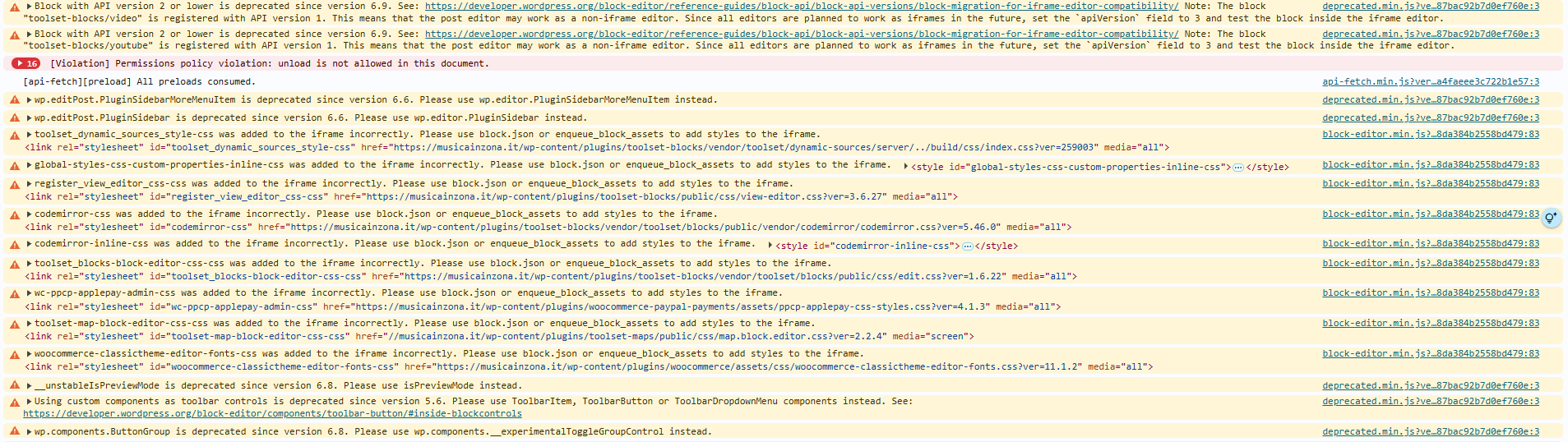
In WP 7.1.2, the Block Editor enforces strict iframe isolation. Because Toolset registers and enqueues several global assets (such as codemirror-css, toolset_blocks-block-editor-css-css, and register_view_editor_css-css) using legacy API methods (v1/v2), WordPress logs multiple console errors/warnings:
...was added to the iframe incorrectly. Please use block.json or enqueue_block_assets to add styles to the iframe.

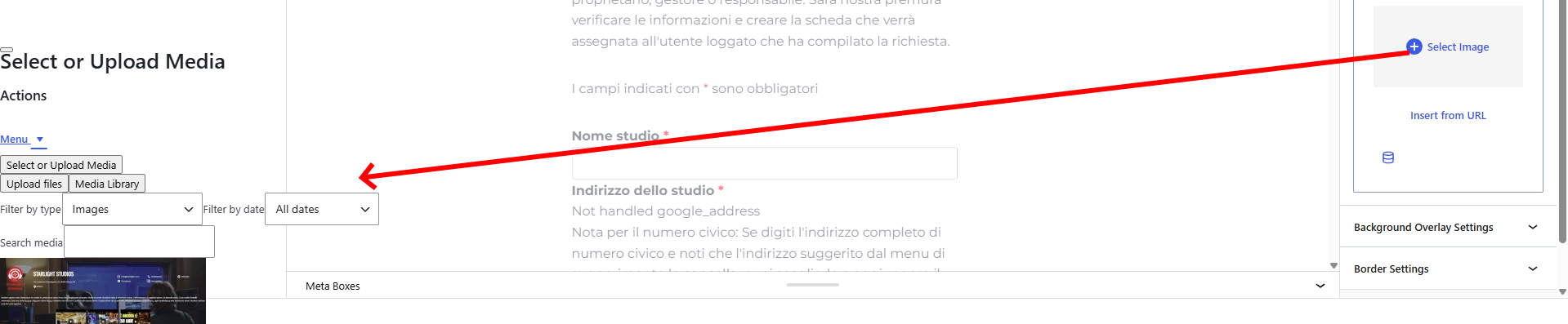
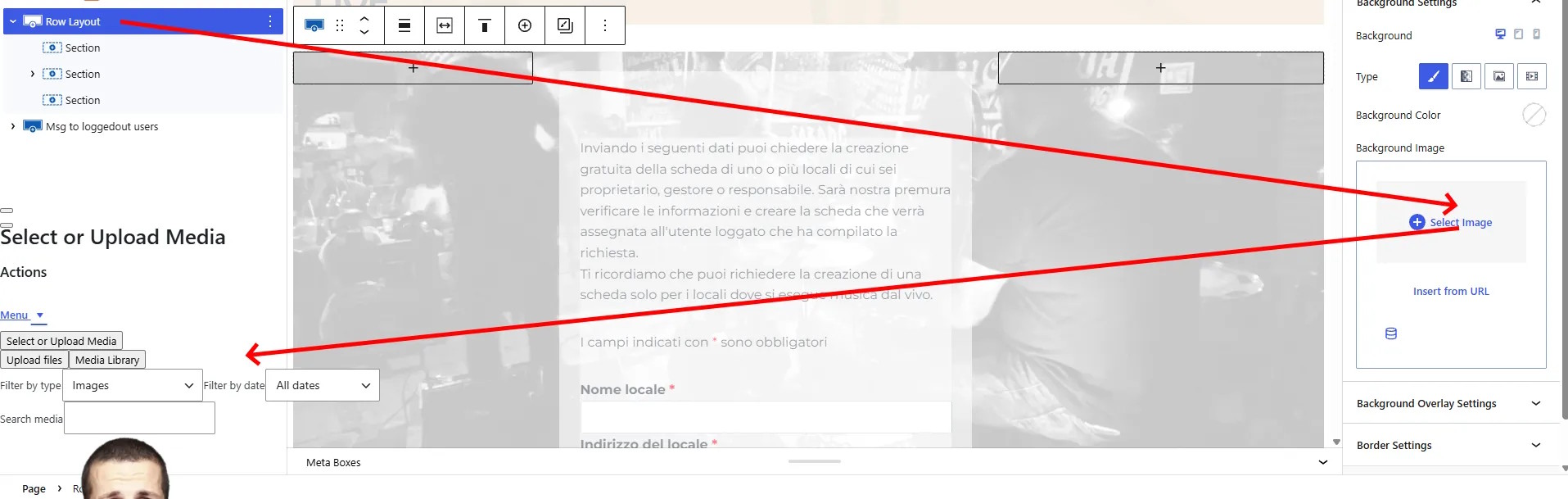
This asset injection conflict breaks the DOM rendering context of the Gutenberg editor. Consequently, whenever I click to open the native WordPress Media Library (wp.media) from block Inspector Controls (e.g. setting a background image in a Container, Grid, or third-party block), the .media-modal element fails to render as a full-screen overlay. Instead, it gets injected crushed directly inside the right-hand Inspector Sidebar, rendering the editor unusable.

You can reproduce this:

- Update site to WordPress 7.1.2 with Toolset active.
- Open any page/post containing Toolset blocks or CRED forms in the Block Editor.
- Select a container and try to select/upload a background image.
- the Media Modal will break and rendered squeezed inside the sidebar (see screenshot)

It looks like an incompatibility between Toolset and WordPress 7.1.2 iframe standards and Block API v3.
Please check, thanks
Regards
Nicola

#2884404

Minesh
Supporter

Languages: English (English )

Timezone: Asia/Kolkata (GMT+05:30)

Hello. Thank you for contacting the Toolset support.

Based on the debug information you shared with us, I found that you are using the old Toolset plugin version.

I'm not sure if you are aware about the last release we publish:
- https://toolset.com/2026/09/toolset-is-back-on-a-monthly-beat-wpml-5-0-wordpress-7-1-font-awesome-6-and-more/

*** Please make a FULL BACKUP of your database and website.***

Can you please update ALL Toolset plugins to latest version.

How to update:
- In your WordPress admin, go to Plugins and open the Commercial tab.
- Click Check for updates and update all Toolset plugins.

Alternatively, log into your Toolset Account page, click Downloads in the left sidebar and then click Download Toolset manually. Finally, download the plugins you need, and manually upload them to your site.

Do you see the same issue afrer yuo update ALL Toolset plugins to the latest version?

#2884577
Screenshot 2026-09-30 185017.png

Hello Minesh,
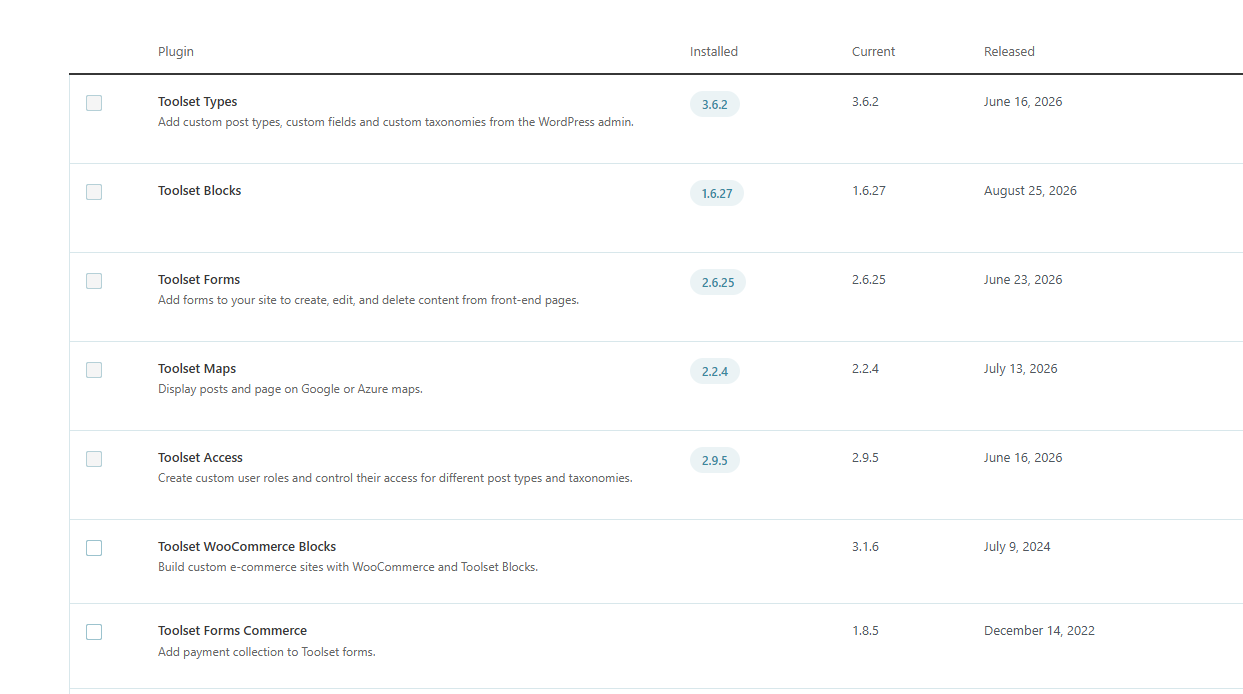
it looks I am on the latest versions for all plugins, please see screenshot. Are there more recent versions ?
Thanks

#2884906

Minesh
Supporter

I would like to inform you that we just release a new hotfix version today for Toolset blocks/view and maps:
- Toolset Blocks v(1.6.29) / Toolset Views v(3.6.29)
- Toolset Maps v(2.4.0)

Note:
At a time either you will require Toolset Blocks or Toolset Views plugin. You can not activate both
plugins as both are 1:1 copy.

Can you please update ALL Toolset plugins to latest version and I hope that help you to fix the issue you reported with this ticket.

Do you see it working with latest release?