Great job, thank you!
But how to display only the sessions of the selected day in the calendar?
And is it possible, that when loading the page, it is displayed only the sessions of the current date (and not other dates)?
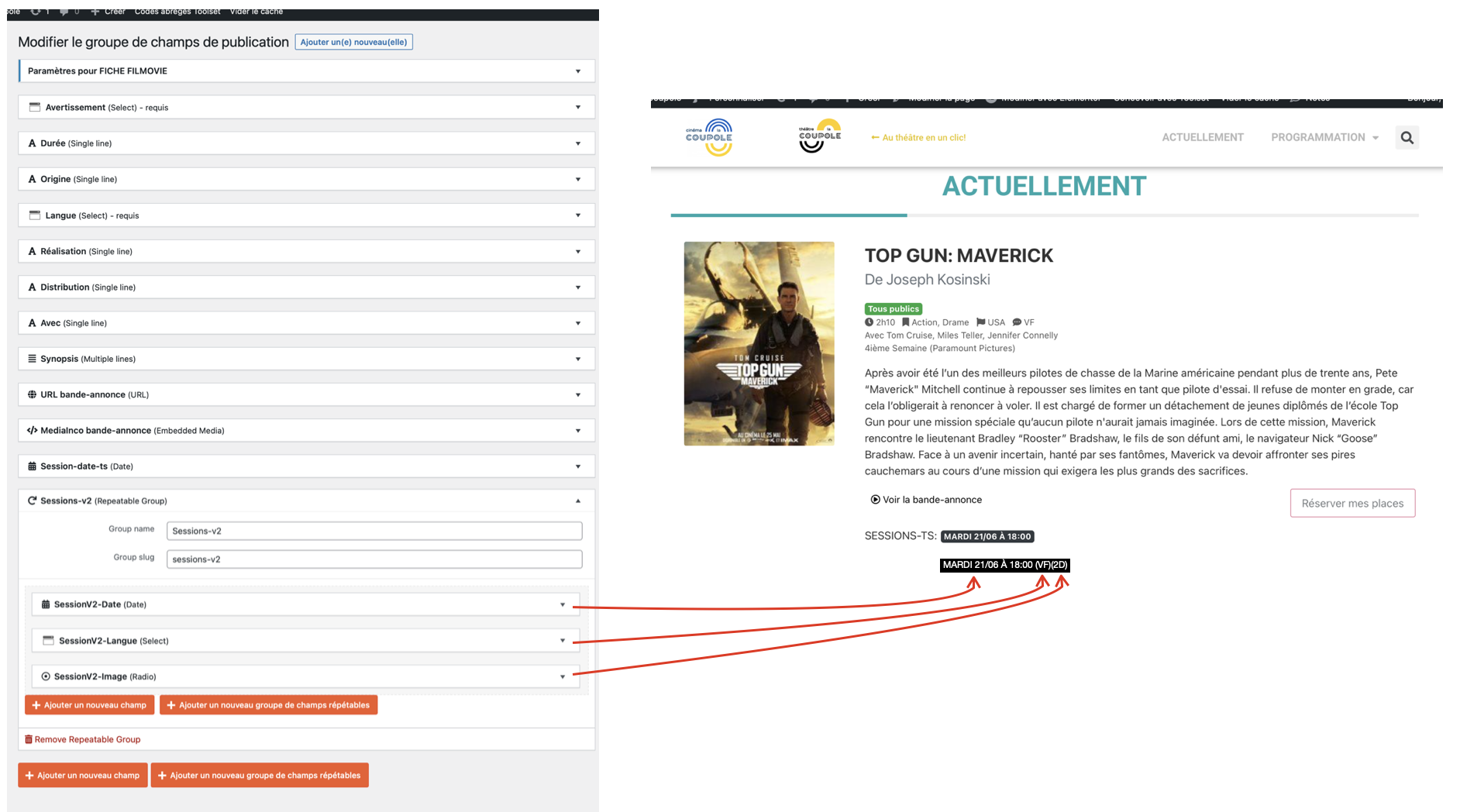
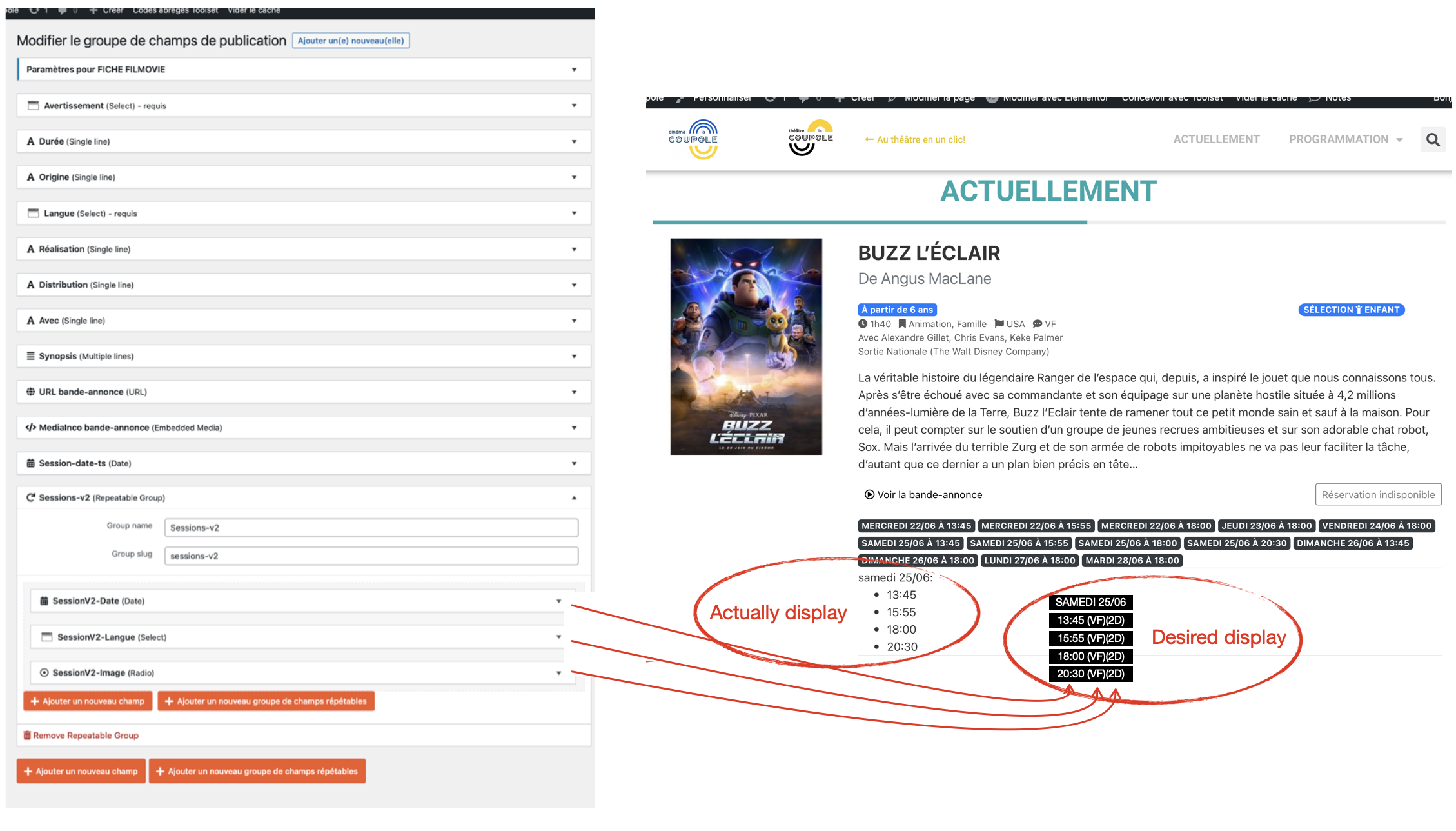
To go further in the use of Toolset and the personalization of the site, I added a 'group of repeatable fields' in the CPT 'Filmovie': 'SessionV2'.
Is it possible to display the information of each session on the font-end?
Ex: WEDNESDAY 22/06 13:45 (VF)(2D) | 17:00 (VOSTFR)(2D) | 18:00 (VF)(2D)
Hello,
Unfortunately, there isn't such kind of built-in feature within Toolset plugins, it needs custom codes, for example:
1) Create a custom shortcode with your custom PHP function:
https://developer.wordpress.org/reference/functions/add_shortcode/
2) In this PHP function, you can:
- get the user searched date value with PHP variable
hidden link
- Get custom field "wpcf-session-date-ts" field value:
https://developer.wordpress.org/reference/functions/get_post_meta/
- compare those values, and output as what you want
This seems too complicated for me and beyond my skills 🙁
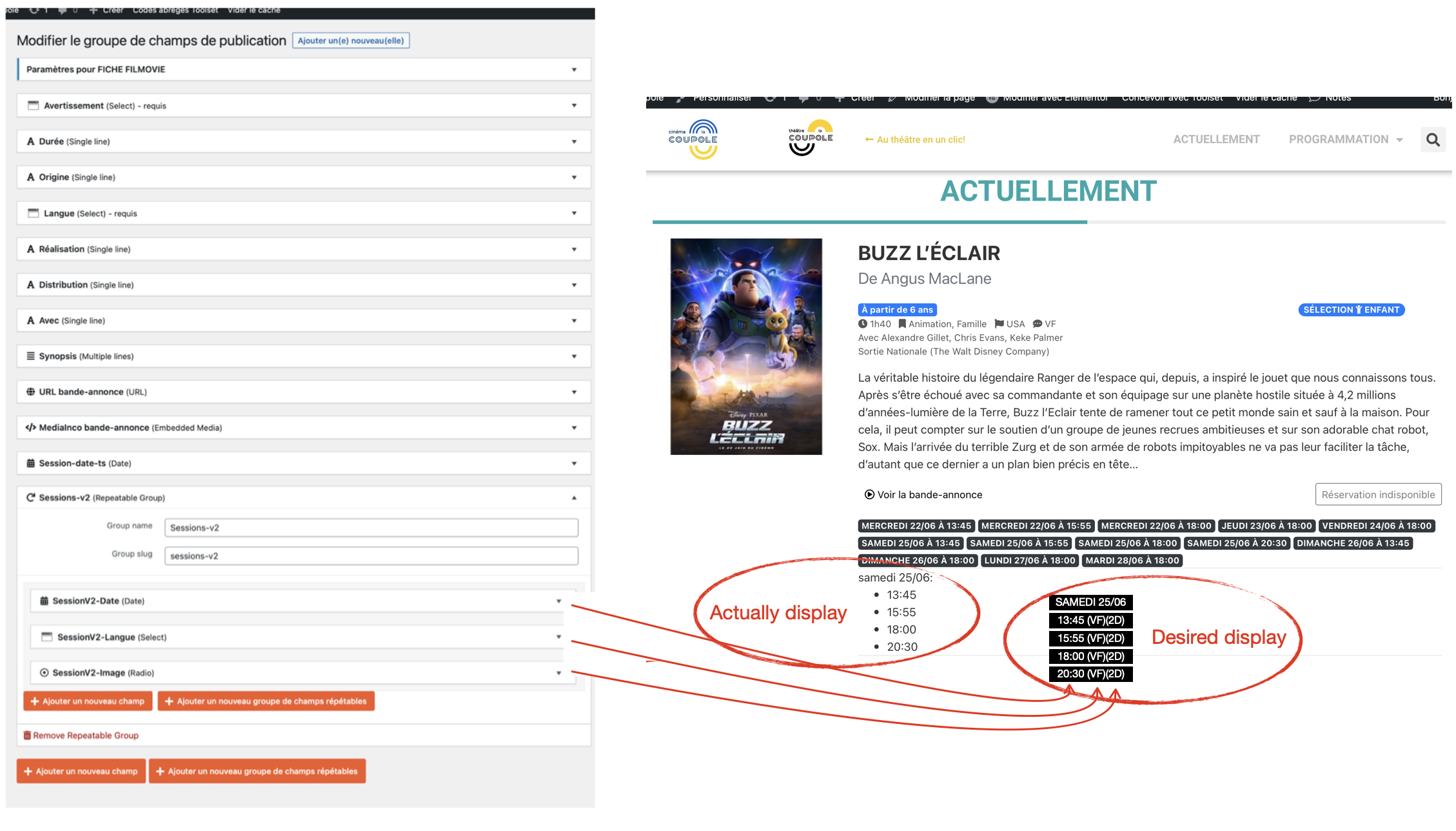
So it's not possible to display the elements of the 'repeatable field group' as in the image?
This seems complicated and beyond my skills 🙁
So it's not possible to display the elements of the 'repeatable field group' as in the image?
Nope, as I mentioned in your previous thread, in order to filter the result by custom date field, it needs to setup the date field in same post type "Filmovies", so in your case, it is not recommended to use "repeatable field group", since it is another post types.
According to our support policy, we don't provide custom codes support, but please let me know if you need more assistance for it, I can try to setup a demo in your website.
I'm not sure I understand when you say it's another post types, since the 'repeatable field group' is in the 'Filmovie' CPT?
Can you help me to display the 'repeatable field group' as desired in the image?
As I mentioned in your previous thread, Toolset repeatable field group is based on one-to-many relationship, so each item of repeatable field group is also a single post, and "Session" is different post type from "Filmovies", hope it is clear.
In order to display the as your screenshot using custom date field "session-date-ts", it needs to create custom codes, please let me know if you need assistance for it.
Ok, I understand better, thank you.
If it is possible I would like your assistance to create the custom codes.
Thanks for the confirmation, I have setup a demo in your website:
1) Dashboard-> Toolset-> Settings-> Custom codes, add one item "grouped-date", with below codes:
add_shortcode('grouped-date', function($atts, $content){
    $atts = shortcode_atts( array(
        'field' => 'wpcf-session-date-ts',
        'date' => 'wpv-wpcf-session-date-ts'
    ), $atts);
  	$res = '';
  	if(isset($_GET[$atts['date']])){
        $start  = $_GET[$atts['date']];
      	$end = $start + 3600 * 24;
  		$date = get_post_meta(get_the_ID(), $atts['field'], false);
  		sort($arr);
      	$res .= wp_date('l d/m', $start, 'Europe/Paris') . ': <ul>';
        foreach($date as $v){
            if($v > $start && $v <= $end){
              	$res .= sprintf('<li>%1$s</li>', wp_date('H:i', $v,  'Europe/Paris'));
            }
        }
      	$res .= '</ul>';
    }
  	return $res;
});
2) Edit post view:
hidden link
in section "Loop item in myView3", add lines 47~49:
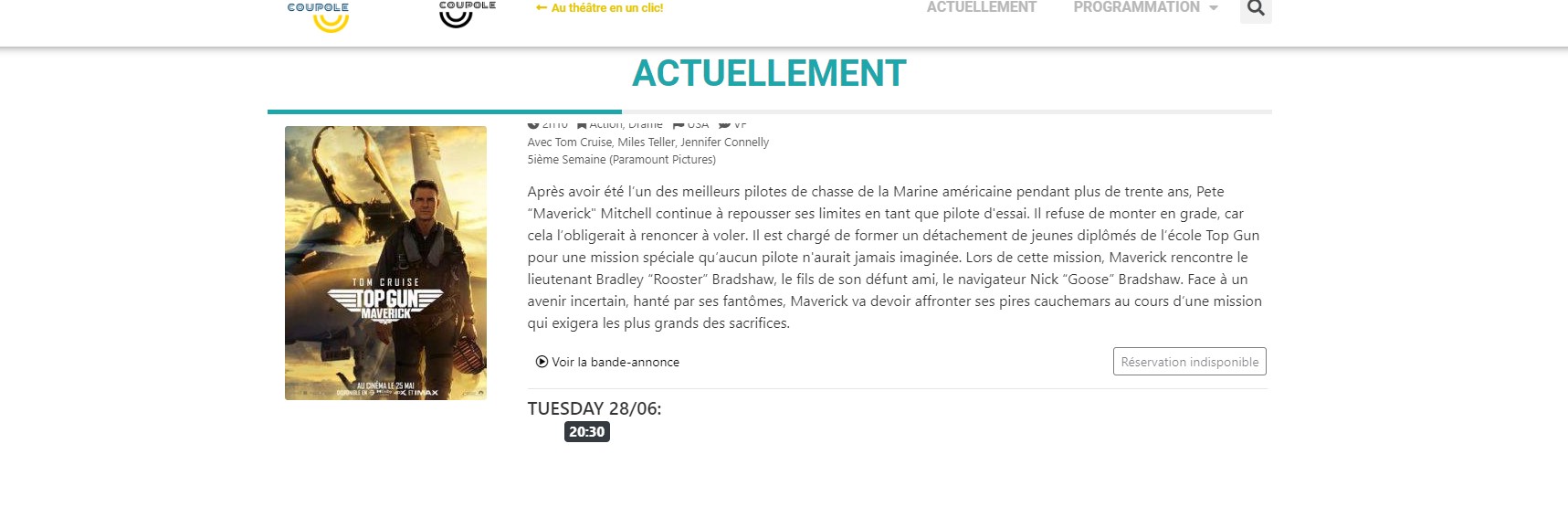
It will output grouped date when user search by a date, for example:
hidden link
It is only a demo for your reference, you need to customize it to what you want
This is really great! Thanks!
Unfortunately the design is not displayed as expected...
I want to display as in the picture (the timetable in a Bootstrap badge).
Do you think achieving this result is possible?
I seems that you have already added the CSS class name into the custom PHP codes, it works fine in your website, see my screenshot css-class2.jpg
Is this issue resolved? please let me know if you need more assistance for it. thanks
I added CSS (Bootstrap) code to your PHP code.
Thanks! Everything works, it's great!
How can I display the 'repeatable field group' information as described on the image (language and 2D or 3D)?
Is this possible? Should I open a new ticket to process the request?
As I answered above, there isn't such kind of built-in feature to display the result as what you want using "repeatable field group".
In your case, since you are filtering "Filmovies" posts by custom date field "session-date-ts", it is required to setup the date field "session-date-ts" into "Filmovies" post type, and it is not recommended to use "repeatable field group" in this case.
It seems that we did not understand each other.
I wish to use the 'repeatable field group' instead of the 'session-date-ts' field to display the schedule times of the 'Filmovie' movies. This will ask me to add information such as '2D or 3D' and 'VO, VOSTFR or VF' for each session.
Do you think this is impossible?
Once again thank you very much for your help and the time you spend on my problem.
Nope, In your case, you can not use the 'repeatable field group' instead of the 'session-date-ts' field.
In your case, you can not filter the 'Filmovie' posts by custom fields of 'repeatable field group', you can only filter the result by "session-date-ts" field.
So you need to setup the date-time field twice:
- 'session-date-ts' field in post type Filmovie
- custom date field in 'repeatable field group'
Then you can:
1) Use 'session-date-ts' field for filter the results(frontend custom search form)
2) Use 'repeatable field group' to display the results
https://toolset.com/course-lesson/creating-and-displaying-repeatable-field-groups/#displaying-repeatable-field-groups