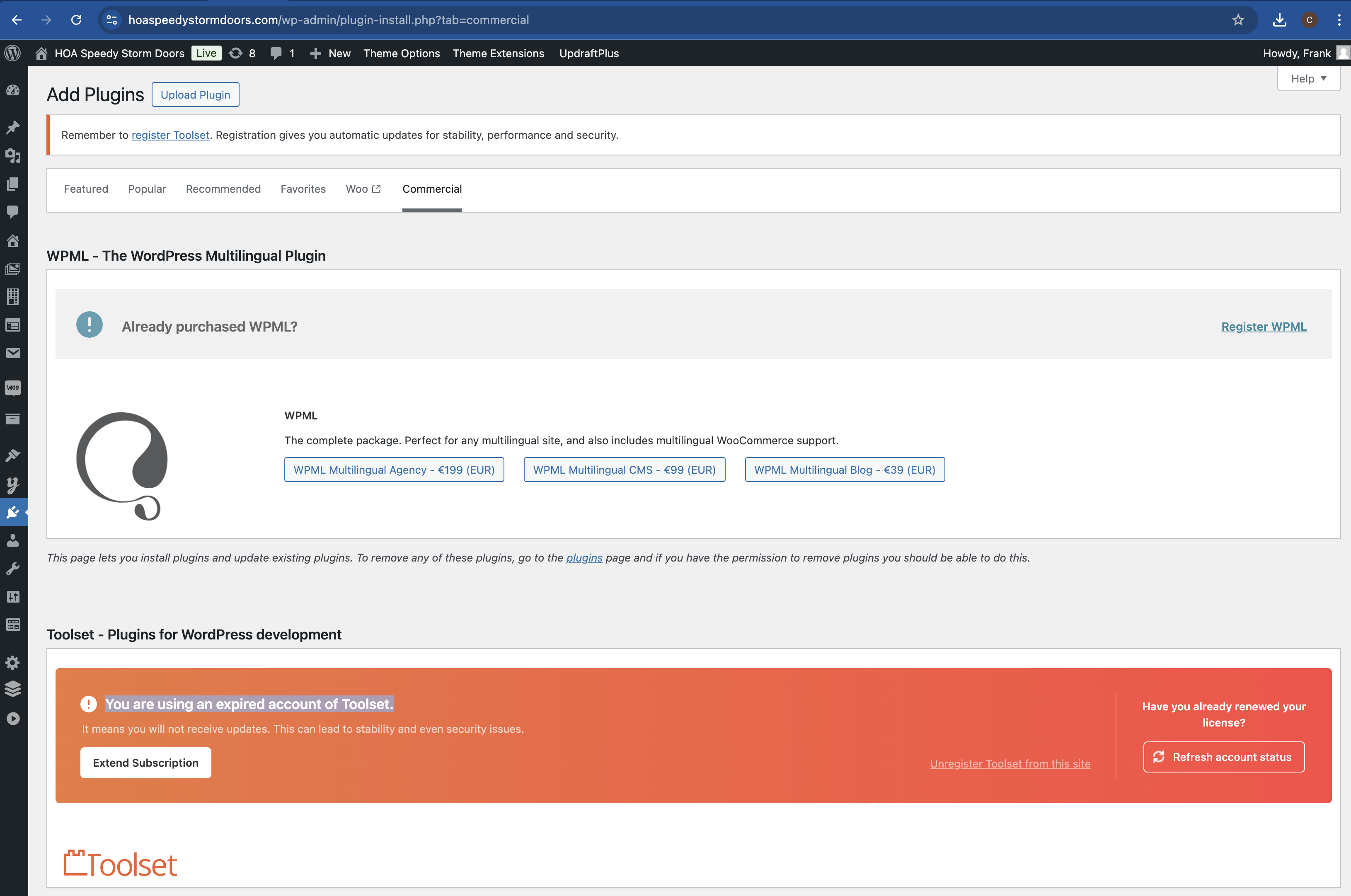
We are receiving the below error on the website: "You are using an expired account of Toolset", however we have renewed the license for the website.
This is the url of the site: hidden link
Hey there,
Thank you for contacting us.
We apologize for the inconvenience with the false positive warning.
There were instances in the past where this issue was resolved by recreating the license and registering Toolset again. Can you please follow these steps to try to fix the issue?
- Go to https://toolset.com/account/ and remove the old key for your site
- Click on 'Add new site' and add your site again and save the new generated key(when adding it again, please make sure to add it exactly as it is registered within the site's DB, eg: with or without https, with or without WWW)
- Go to Plugins > Add New
- Click on "Commercial"
- Click on "Register Toolset" and try to register Toolset again with the new generated key
After registering it again, please check if warning will be gone.
Thank you, please let us know.
Mateus
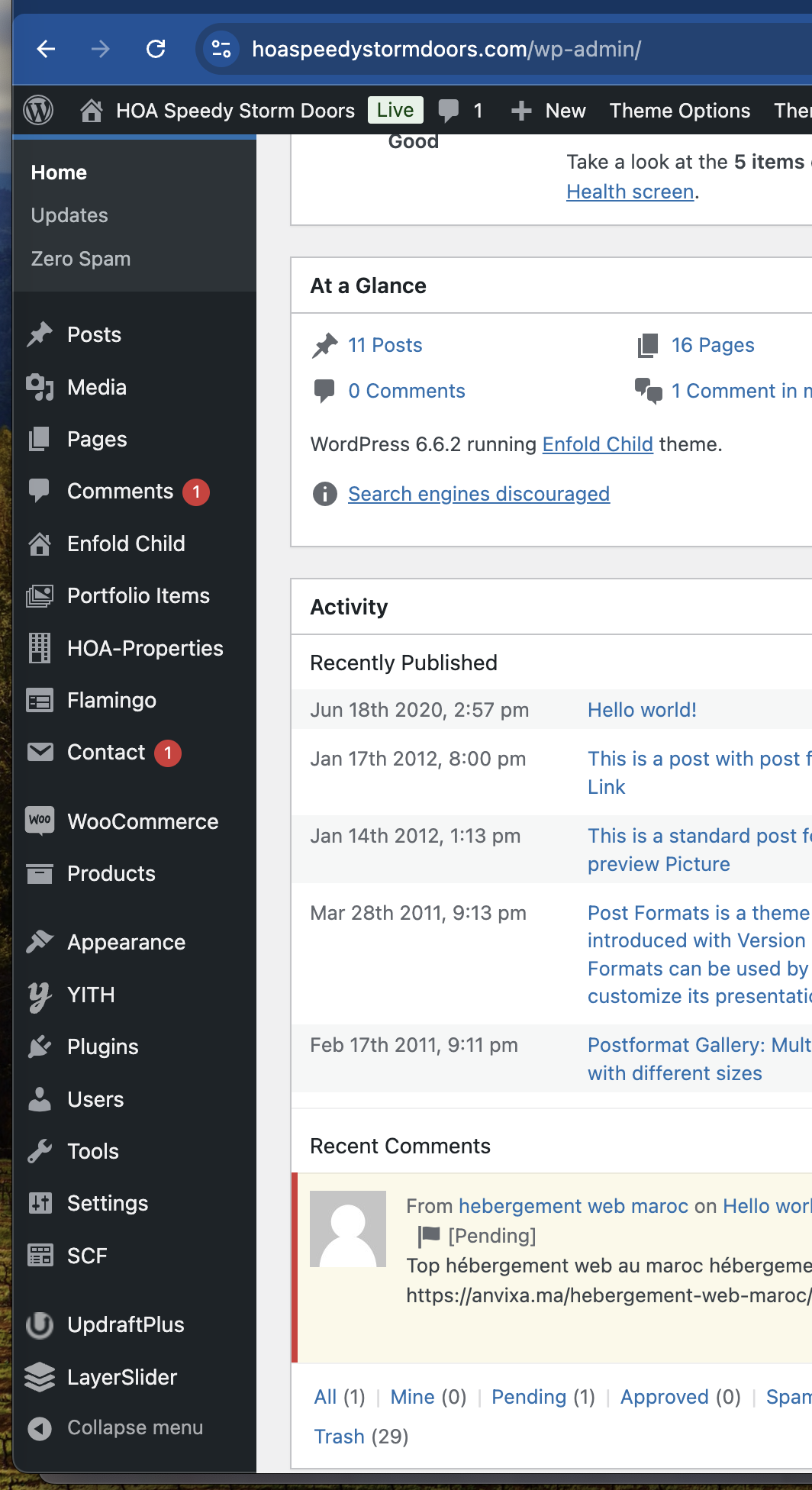
When we login in to our WordPress Admin we do not see the Tool Set menu on the lefthand side.
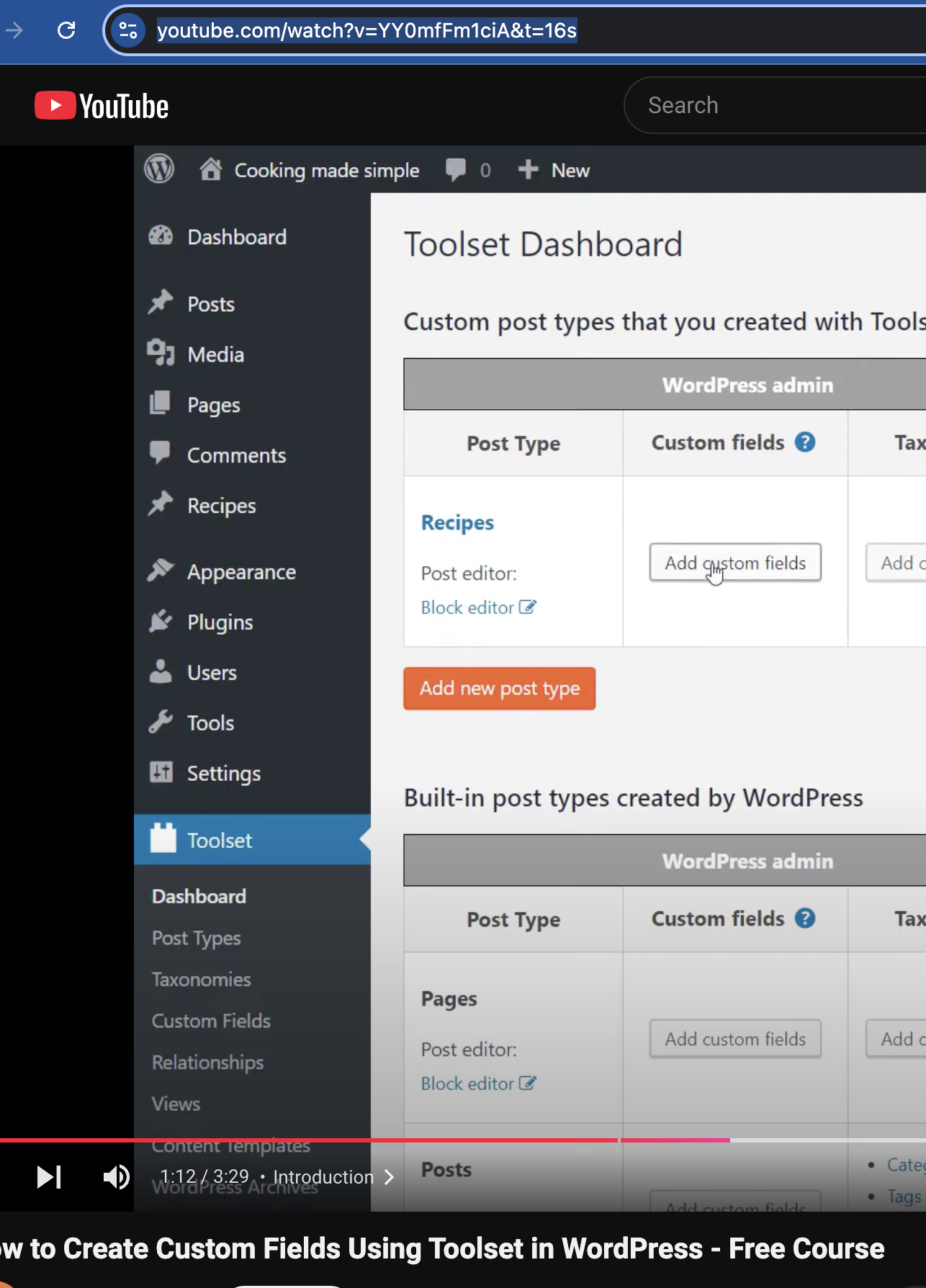
In this youtube video it does show the ToolSet menu on the left handside:
hidden link
Please advise as we can not set the Repeatable custom fields.
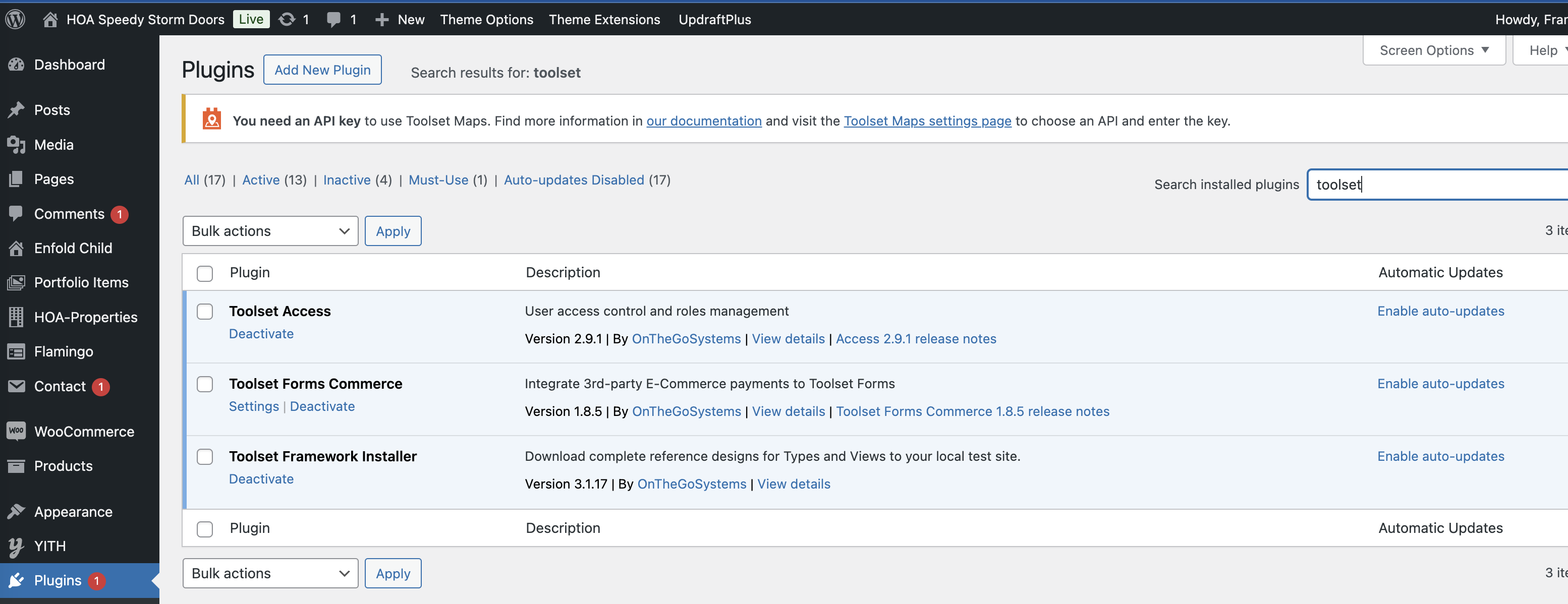
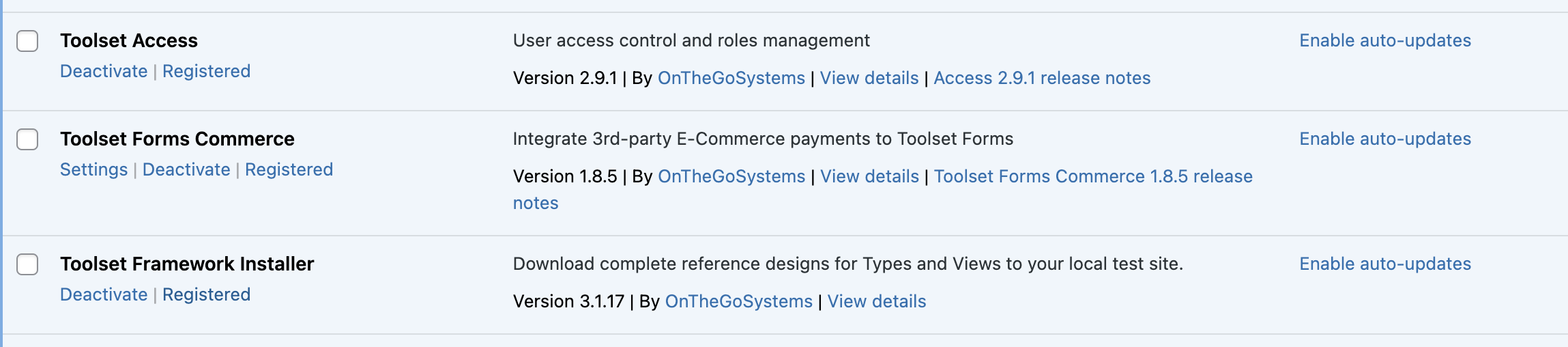
I have also included the Toolset plugins that are installed. Is anything missing?
Thank you
Based on the screenshot you shared, I'd say you're missing mostly Toolset Types and Toolset Blocks.
You can download them and install going to your Downloads page here and clicking on Download Toolset manually: https://toolset.com/account/downloads/
You'll see the other Toolset plugins available in there as well. Then you need to go to wp-admin > Plugins > Add new > upload and install the plugins you downloaded.
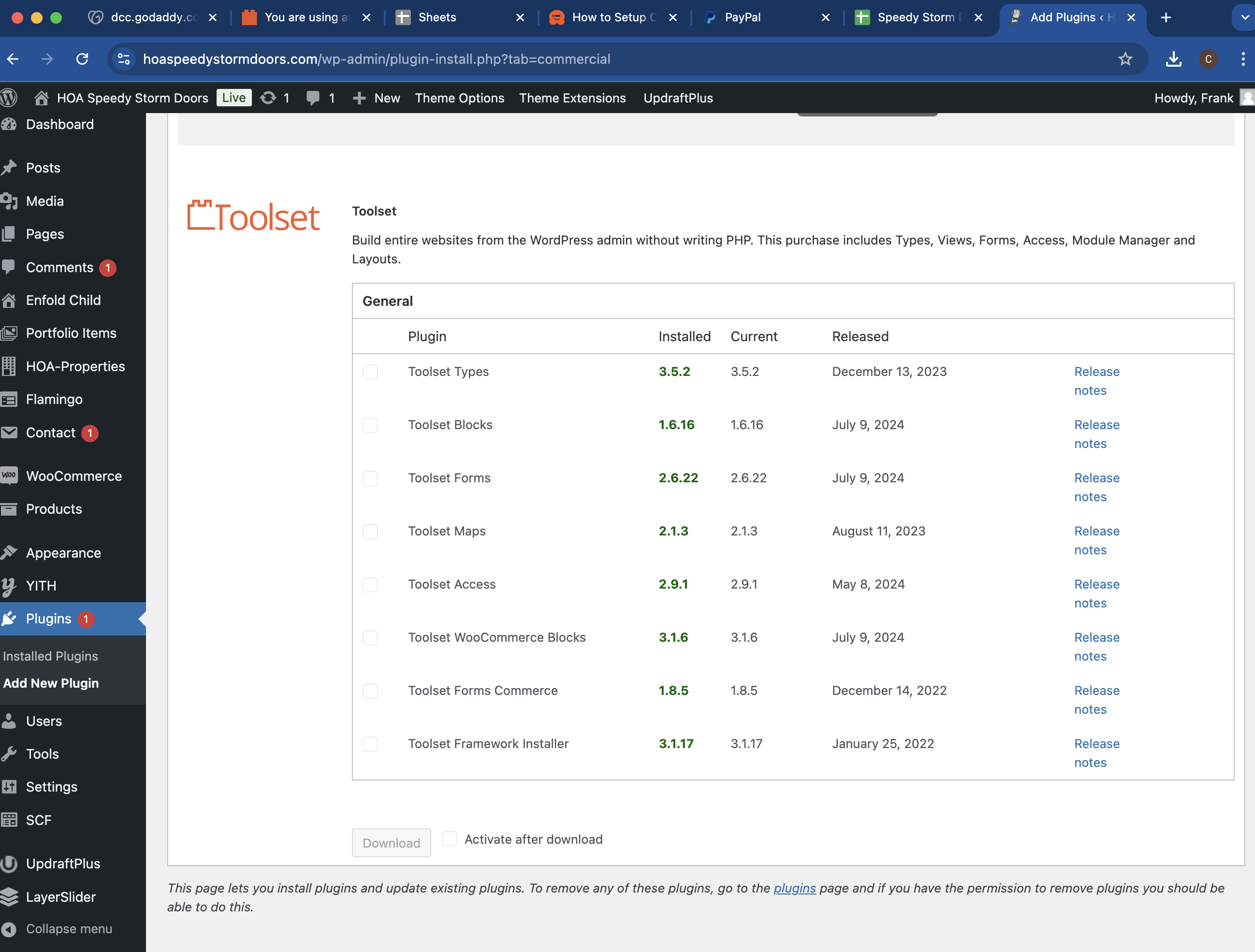
Or if you prefer, you can do the same thing from the commercial page, please go to Plugins > Add New and click on the "Commercial" tab. You'll see the Toolset section with all plugin available for you to download and install directly from there.
Upon installing and enabling them you'll see the menus in the left bar.
Thank you, please let us know.
Toolset Types and Toolset Block were already installed and activated on the Commercial tab. See the screen shot below.
On the Installed plugin page "Toolset Types and Toolset Block" do not appear. How can this be resolved ?
Maybe you can send me the link to the ToolSet Dashboard and it can try that link on my wordpress admin.
Hello Vinnie,
I would like to request temporary access (wp-admin and FTP) to your site to take better look at the issue. You will find the needed fields for this below the comment area when you log in to leave your next reply. The information you will enter is private which means only you and I can see and have access to it.
Our Debugging Procedures
I will be checking various settings in the backend to see if the issue can be resolved. Although I won't be making changes that affect the live site, it is still good practice to backup the site before providing us access. In the event that we do need to debug the site further, I will duplicate the site and work in a separate, local development environment to avoid affecting the live site.
Privacy and Security Policy
We have strict policies regarding privacy and access to your information. Please see:
https://toolset.com/purchase/support-policy/privacy-and-security-when-providing-debug-information-for-support/
**IMPORTANT**
- Please make a backup of site files and database before providing us access.
- If you do not see the wp-admin/FTP fields this means your post & website login details will be made PUBLIC. DO NOT post your website details unless you see the required wp-admin/FTP fields. If you do not, please ask me to enable the private box. The private box looks like this: hidden link
Please, let me know if you need any additional details. Have a nice day.
Hello there,
I tried manually reinstalling the Toolset plugins to see if this gets the menu issue fixed but it looks like the sFTP/FTP data isn't working for me.
Can you please confirm if the sFTP connection details are correct?
I enabled the private fields again in case you need to share new details.
Thank you, please let us know.
Mateus
Hello there,
Thank you, I was able to find the culprit of the issue.
You have a snippet that is hiding a few plugins, Toolset included unless the user logged is a specific one, please check: hidden link
You have a few other code snippets in there that might be impacting with Toolset usability.
If I temporarily disable the plugin Code Snippets I get to see all Toolset menus, if I enable it back, the menus are hidden again.
I'd recommend reviewing your snippets(hidden link) and checking what's still needed and what can be deactivated to have this issue fixed.
Hi Mateus
That fixed the issue.
We actually looked for "custom code" modifications, but that menu option was also hidden.
How did you go about finding the hidden code in the ftp area? Was there a certain area in the folders were hidden code was stored? Did you download and search the code ?
Thank you
I recently came across a similar case, where some custom code was implemented to hide some menus of the site.
When I replaced the Toolset plugins it didn't help, but I found the Code Snippet plugin in the plugins folder and then I realized it was missing from the menu as well.
I had to access the DB directly, to turn that specific snippet off, but there are a lot others customizing/restricting the wp-admin dashboard access, I guess they were put in as a security measure, but ended up hiding Toolset in the process.