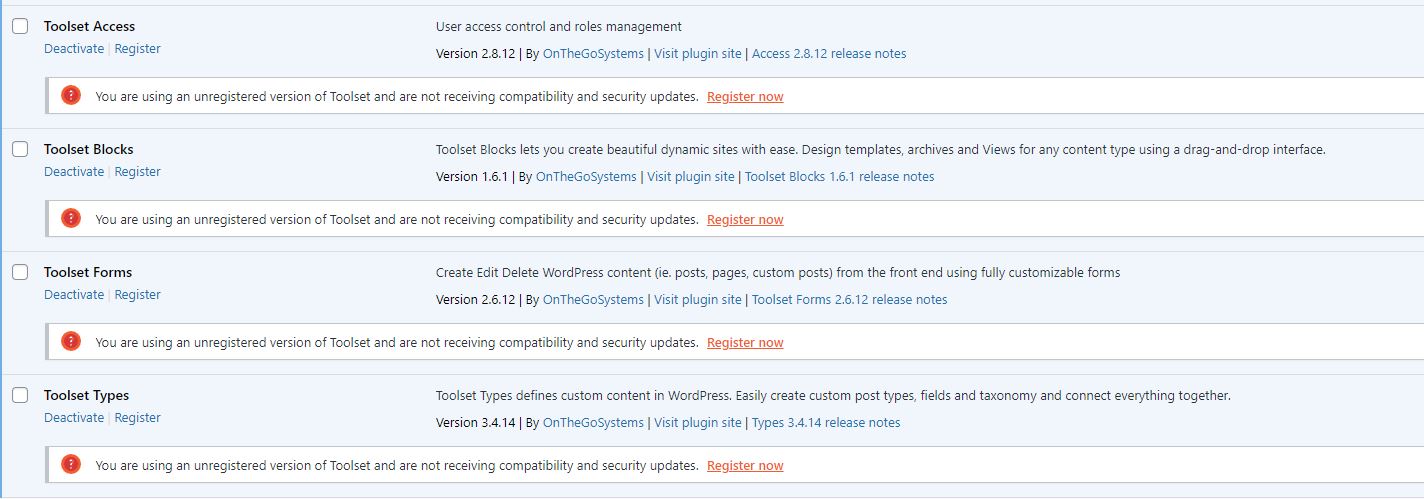
I'm seeing an error message after installation of the following ToolSet Plugins in my dev environment by copying the unzipped folders to the plugins directory.
ToolSet Types
ToolSet Forms
Toolset Blocks
ToolSet Access
I have not registered the plugins because it is a dev envrionment.
I've included screenshots.
Following is the error message:
Oops! There's been a problem when upgrading Toolset data structures. Please make sure your current configuration allows WordPress to alter database tables.If the problem persists, please don't hesitate to contact our support with this technical information:
Changed type of wp_toolset_type_sets.id from bigint(20) unsigned to BIGINT(20) UNSIGNED Changed type of wp_toolset_type_sets.set_id from bigint(20) unsigned to BIGINT(20) UNSIGNED Changed type of wp_toolset_type_sets.type from varchar(20) to VARCHAR(20) Unknown column 'display_name' in 'wp_toolset_relationships' Can't DROP COLUMN `extra`; check that it exists Duplicate key name 'is_active' Duplicate column name 'relationship_id' Can't DROP COLUMN `relationship`; check that it exists Duplicate key name 'relationship_id' The m2m-v1 database structure upgrade to m2m-v2 seems to have failed.
Hello,
Toolset plugins needs to add few database tables into your website database, please make sure your MYSQL user have those privileges:
SELECT, INSERT, UPDATE, DELETE, DROP, ALTER
You can follow WP document to setup the MYSQL user:
https://wordpress.org/support/article/creating-database-for-wordpress/#using-the-mysql-client