Hi,
I'm using the Kadence Pro theme together with toolset.
I've created a hooked Element that features a view to be displayed before the footer on specific pages.
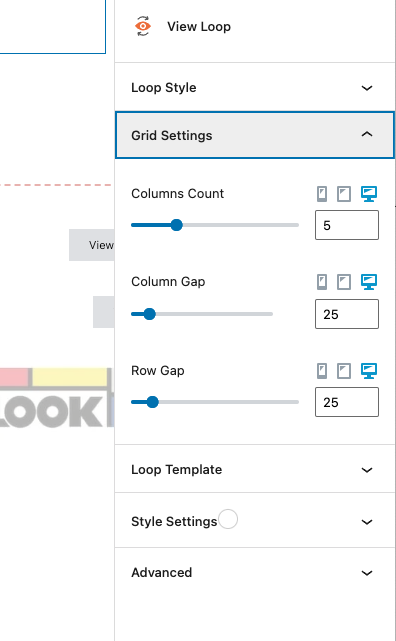
The view is a simple grid with 5 columns, the preview looks fine but on the actual pages it gets displayed on one column.
See problem here: hidden link
View settings in the screenshot.
Hello. Thank you for contacting the Toolset support.
I will have to review how exactly and where you added the view.
Can you please share admin access details and let me check whats going wrong with your setup.
*** Please make a FULL BACKUP of your database and website.***
I would also eventually need to request temporary access (WP-Admin) to your site. Preferably to a test site where the problem has been replicated if possible in order to be of better help and check if some configurations might need to be changed.
I have set the next reply to private which means only you and I have access to it.
Thank you Minesh.
It's working now.
What was the problem then? Views are not fully compatible with Kadence Elements? The process you've used is more complex, but do you recommend this flow when I need to insert views in Elements?
I'm asking for future use.
We have integration with Kadence blocks but not fully integrated with Kadence Elements.
Fortunately you have workaround to use and you can go ahead with this as if you or we raise this as compatibility it might take months to make it compatible or there could be no ETA on this.
Yes, you should try to follow the same process when you add view to Kadence element.