Dear Sir/Madam,
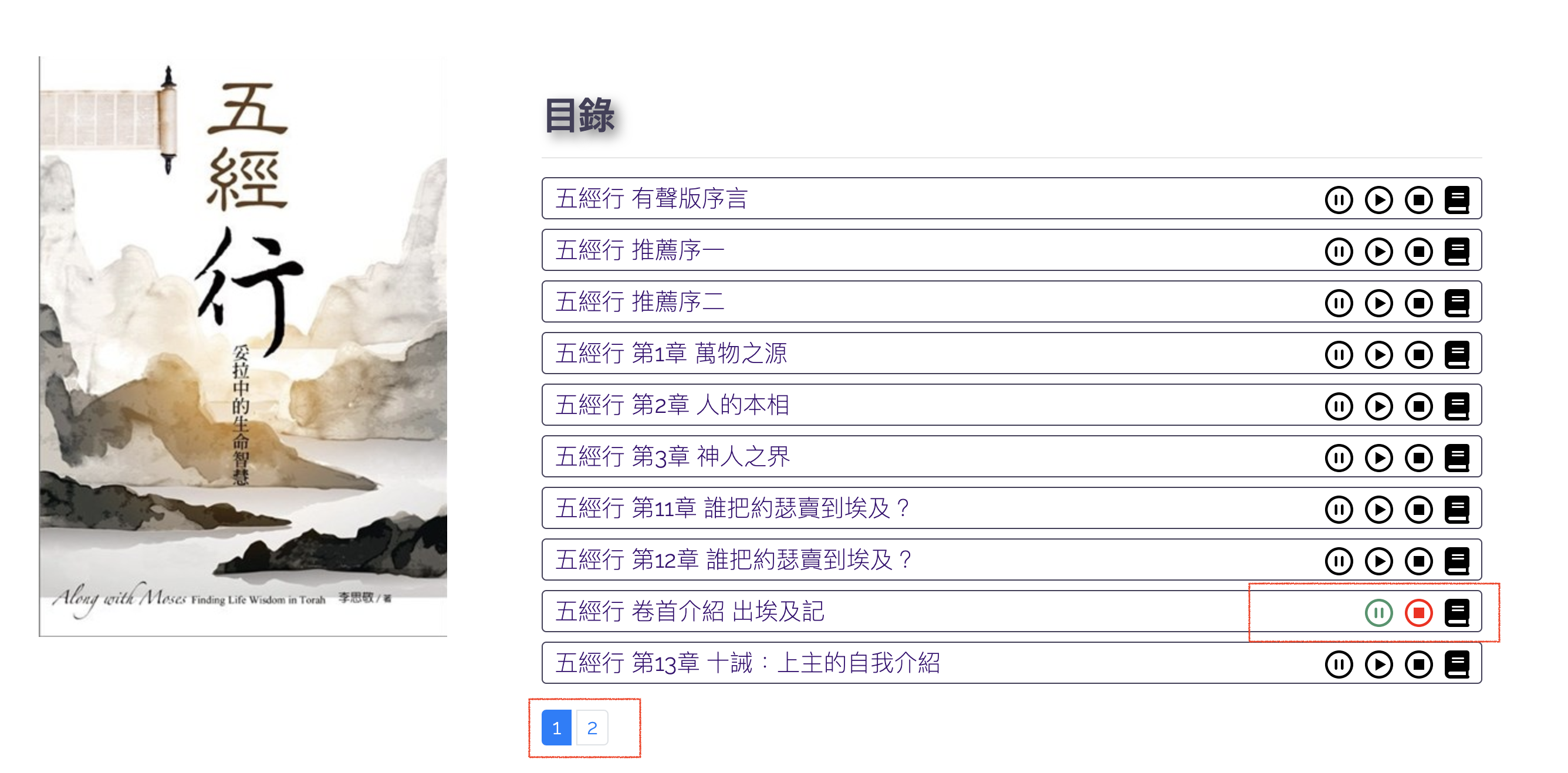
I have a View with default Toolset pagination, there is some custom javascript to the View, I want to execute my custom script before continue the event to the pagination. How can I do that?
Refer to the screenshot, I want to stop all audio play before I jump into another pagination.
Best regards,
Kelvin.
Hi Kelvin,
Thank you for getting in touch.
This can be done by adding your javascript to the following callback function for the ajax pagination.
jQuery( document ).on( 'js_event_wpv_pagination_completed', function( event, data ) {
	/**
	* data.view_unique_id (string) The View unique ID hash
	* data.effect (string) The View AJAX pagination effect
	* data.speed (integer) The View AJAX pagination speed in miliseconds
	* data.layout (object) The jQuery object for the View layout wrapper
	*/


});
Once you've added your function within this callback it should trigger again after the again pagination.
Thanks,
Shane
Dear Shane,
What should I return after completion of my custom script?
Best regards,
Kelvin.
Hi Kelvin,
I'm not sure what you mean.
The script i've provided is the callback for the pagination. So if you add your existing javascript inside the provided callback function then your script will run again after the pagination has been completed.
Thanks,
Shane
Dear Shane,
Is there a list of callbacks for reference so that I don't need to ask for support?
Best regards,
Kelvin
Hi Kelvin,
We don't have a list of the callback functions but we do have some documentation on how to see all of them in views.
https://toolset.com/documentation/programmer-reference/adding-custom-javascript-code-to-views-that-use-ajax/
Please let me know if this helps.
Thanks,
Shane