Skip Navigation

[Assigned] Translating complex views doesn’t seem to work properly

This is the technical support forum for Toolset - a suite of plugins for developing WordPress sites without writing PHP.

Everyone can read this forum, but only Toolset clients can post in it. Toolset support works 6 days per week, 19 hours per day.

This topic contains 5 replies, has 1 voice.

Last updated by - 1 day ago.

Assisted by: Christopher Amirian.

Author
Posts
#2887799
Screenshot 2026-10-20 164946.png
Screenshot 2026-10-20 165831.png
Screenshot 2026-10-20 170156.png

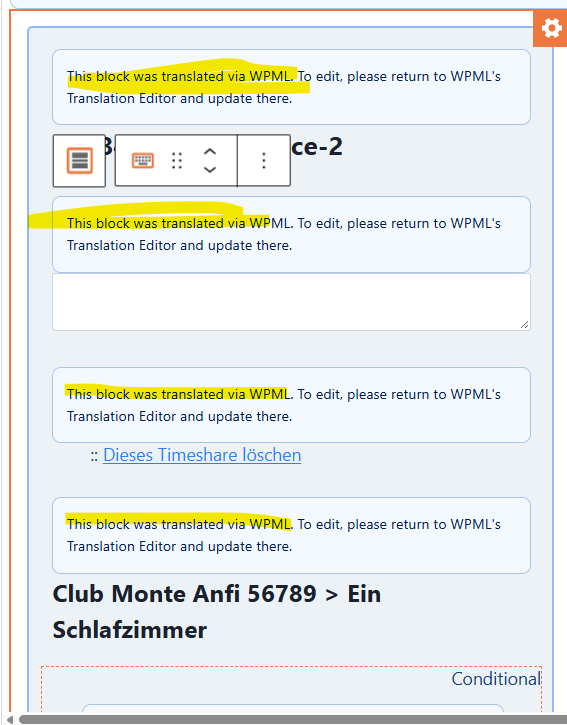
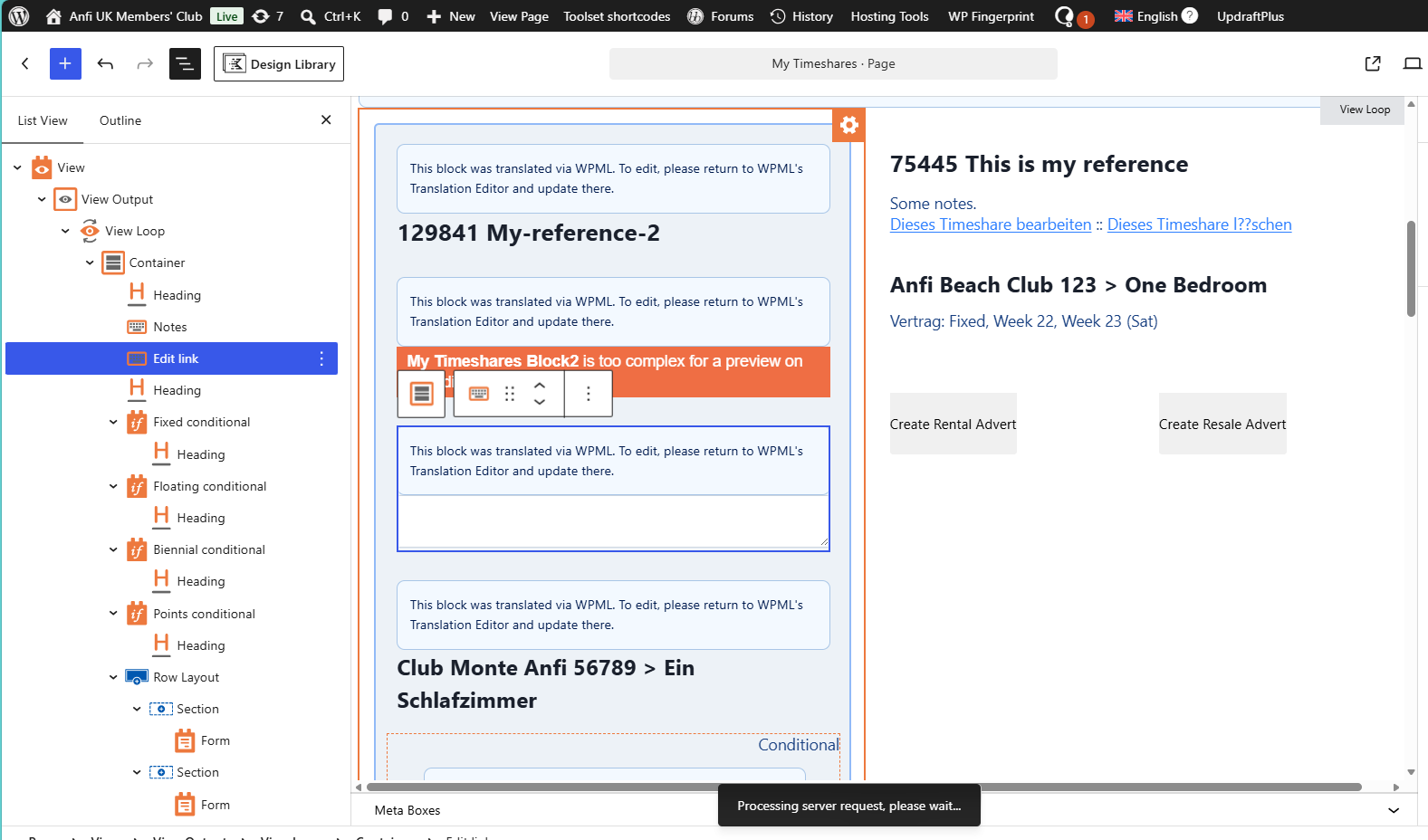
I have a complex Blocks-based View, and am trying to run the page through the WPML translator.
As you can see in the attached, there are some complex conditionals, Fields-and-text with link-to-form embedded, etc.
1. The conditionals seem to be being broken when displayed in the editor - they were intact before we started translating, and the saved version of the page does appear to render correctly
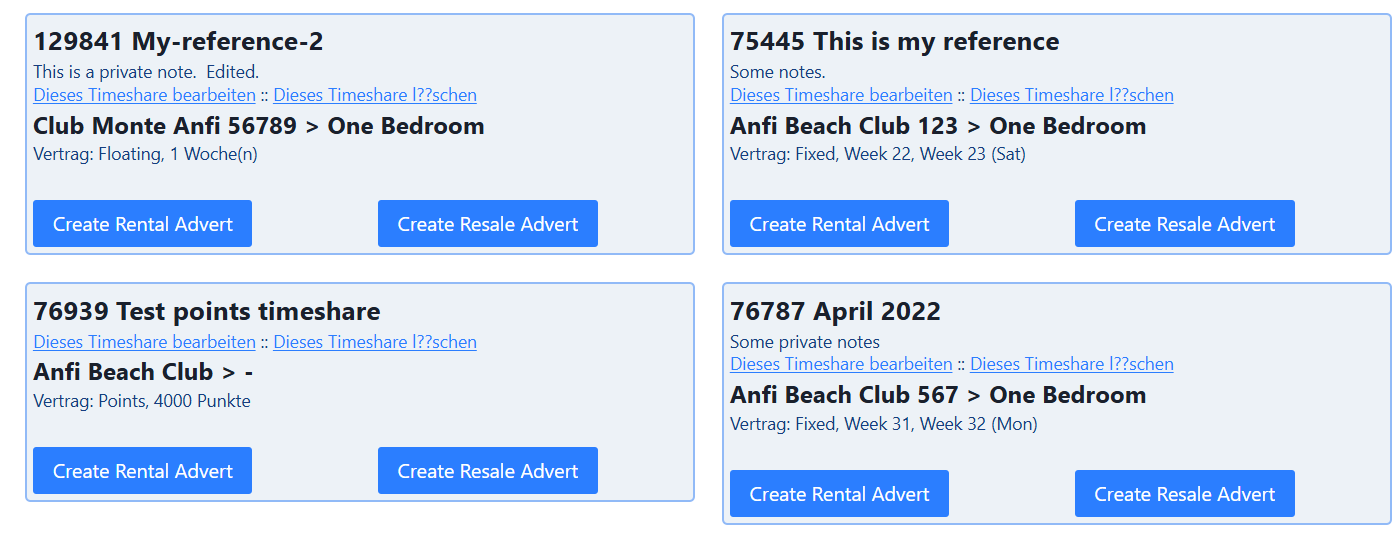
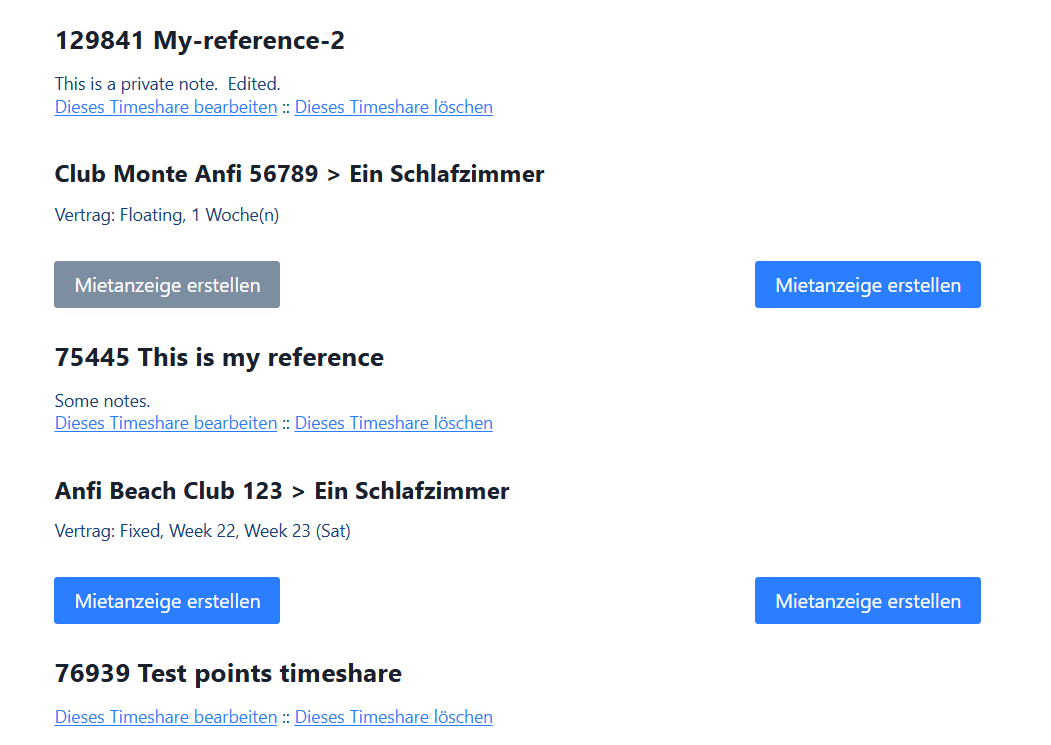
2. The link-to-form content won't resolve in the edit box, and in any case continues to show in German when looking at or trying to edit the english version ("Dieses Timeshare bearbeiten :: Dieses Timeshare l??schen" on right-hand of screenshot).
3. The conditionals are based on translatable field values (does the database-stored value get translated...?) - and I'm getting warnings about those not working properly, so advice on translating conditionals would be welcome!
4. I have some PHP code which runs on submission of the form linked in the View - will this run correctly?
5. The two screenshots of the resolved pages are the English and German versions - as you can see, both contain exactly the same content, a mix of English and German language, and the German version has lost the column-based formatting.
Basically, I can't see how to translate this View. Any help welcome!

#2887933

Christopher Amirian
Supporter

Languages: English (English )

Hi,

Welcome to Toolset support.

The "This block was translated via WPML" boxes in your editor screenshot are WPML's lock on a translated page.
They say to edit the page in WPML's Translation Editor.
So the conditionals look broken in the editor because it shows those placeholders, not your live blocks.
Judge the result on the front end.

Going through your points:

For items 1 and 5 I suggest that you switch to manual transltion instead of the Advanced Translation Editor as complex inner texts inside conditionals might have issues with the editor.

https://wpml.org/documentation/translating-your-contents/using-different-translation-editors-for-different-pages/

2. Forms and Content Templates are translated separately.

In "WPML → Translation Dashboard", send your form ("Toolset Forms") and any Content Template with the links.

3. Types fields have a translation option in "WPML → Settings → Custom Fields Translation" (wpcf- fields). I would suggest that you use the manual translation for that specific page.

4. A translated form is a separate item. If your PHP checks the form ID, make sure it matches the translated form.

Please also check the documentation below:

https://toolset.com/course-lesson/how-to-prepare-the-site-to-run-multilingual/

https://toolset.com/course-lesson/translating-views-content-templates-archives-and-forms/

To translate this page manually in the WordPress editor:

1. Edit the page in your default language.
2. In the "Language" section on the right, click the "WordPress Editor" tab under "Translate this Document".
3. In the pop-up, select "Only this page" and click "Apply".
4. In the table that appears, if the translation does not exist yet, select the "Duplicate" checkbox next to your language and click "Duplicate". If it already exists, skip this step.
5. Click the pencil icon next to the language. Replace the text with translations, including the text inside the Conditional blocks and the link text. Then click "Save".

After this, do not use the WPML Translation Editor or automatic translation on this page. They overwrite the page with the layout of the original.

For more information:
https://wpml.org/documentation/translating-your-contents/using-different-translation-editors-for-different-pages/
#2887971

Okay, so you're suggesting I manually create a translation copy, then manually translate it? We already ran the page through the auto-translate, so we have the main body text in German. If I go through the process you suggest for translating in the WordPress Editor, will that overwrite the existing translation? If so, we need to take a copy of that before doing so...

#2887981

Also, how do I ensure that this page is excluded from auto-translation in the future?

#2888069

Yes, I suggest translating that page manually.

You can select manual translation mode from the page's sidebar in the native WordPress editor. Please follow the instructions in this documentation:

https://wpml.org/documentation/translating-your-contents/using-different-translation-editors-for-different-pages/
A dialog box will open, where you can choose to apply this setting to that page only.

Later, do not send that page for automatic translation. The Translate Everything feature will not affect it while it is in manual mode, but manually sending it for translation could overwrite its content.

Thanks.

#2888107
BlocksNotAccessible.png

Hi Christopher,
I am still struggling, and I will try to explain why.
I have looked at the instructions on the page you linked in your last post, and can click on the pencil next to 'German', which opens the German page in the WordPress block editor. However, it is still full of blocks (on both English and German pages) with the message 'This block was translated via WPML. To edit, please return to WPML's translation editor and update there'. These are Toolset 'Fields and Text' blocks edited in the HTML editor, and I can't work out how to see the original HTML! If I try to edit the page in the WPML translation editor, it will overwrite the WordPress Editor version - surely I have to use one or the other? So how do I access the actual content of the block...? Or am I going to have to start from scratch and rebuild two versions of the View? Seems like I'm breaking more than I'm fixing...