Hi, It's Larry from Trackslayer.
3 questions, very clearly illustrated by Barbara in a 3-minute Loom video (link below).
I will summarize the 3 problems:
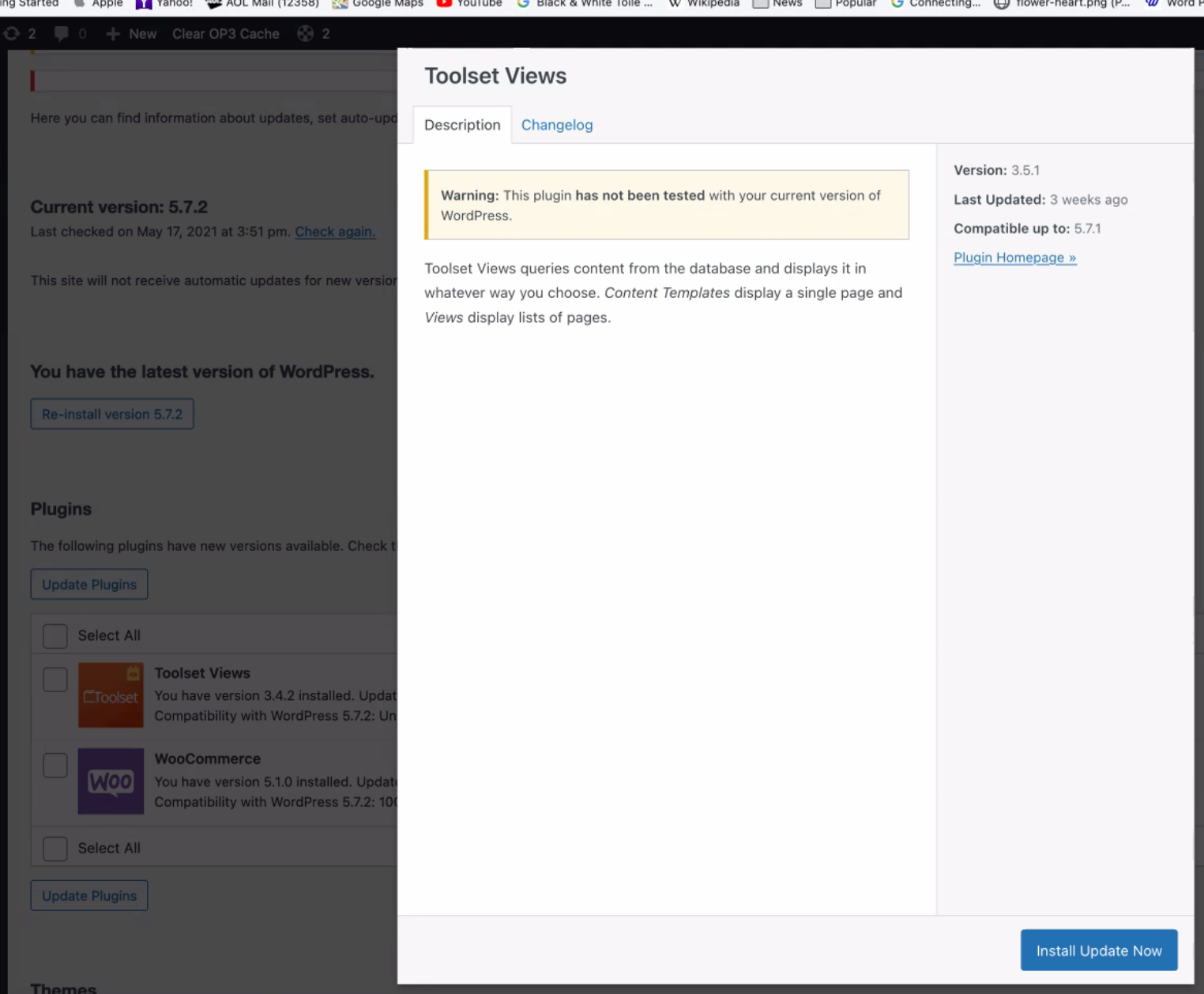
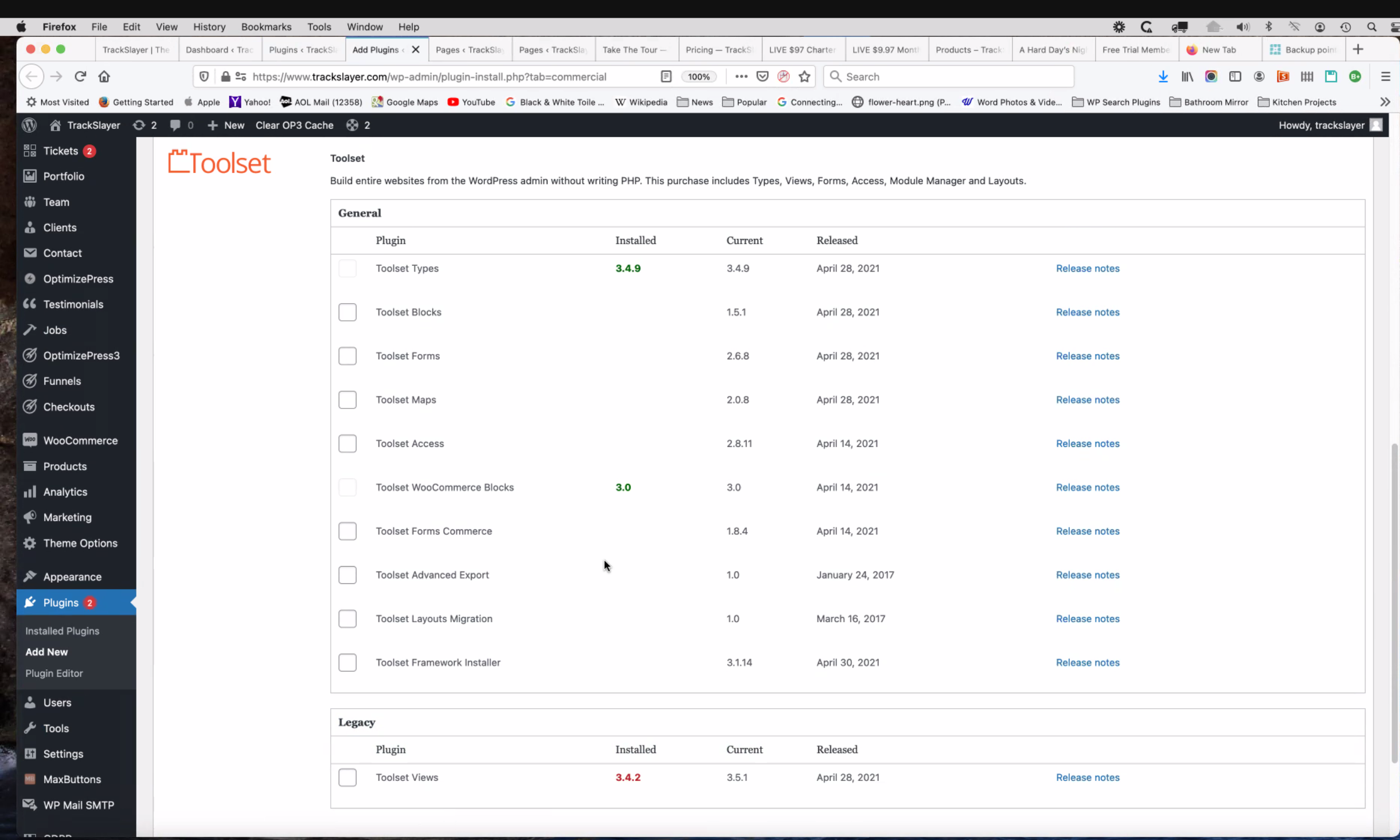
1. Toolset Views is now "Legacy?" What does that mean? Will it be discontinued, or merged with another plugin? Will it affect functionality of our pages? [see 2 screenshots]. Note that we paid for lifetime license. Also, we paid On the Go Systems to customize Toolset views and other Toolset plugins in our membership site. If Toolset Views is now Legacy, how does that impact our installation?
2. The 2nd question is about the new roundabout method of finding updates, compared with updates automatically displayed on the WordPress Plugin page, which is where we have always found them, along with all other plugins.
3. Barbara also shows that certain updates are not shown as having been tested in the new WP version, or at least they are not declared yet as having been tested.
LOOM VIDEO LINK:
hidden link
THANK YOU! Be well.
Hello,
Q1) Yes, Toolset Views plugin had been moved to "Legacy" plugins:
https://toolset.com/account/downloads/#legacy-plugins
It is in maintenance status, that means we will keep on updating to fix bugs, but won't add new features into it.
We recommend you to move to Toolset Blocks plugin, you can download it here:
https://toolset.com/account/downloads/
Toolset Blocks plugin is advanced version of Toolset Views plugin, see our block post:
https://toolset.com/2019/11/toolset-views-becoming-toolset-blocks/
With Toolset Blocks plugin, you can still use classic editor, for example:
Dashboard-> Toolset-> Settings-> General, in section "Editing experience", enable option "Show both the legacy and Blocks interface and let me choose which to use for each item I build"
Q2) You upgrade Toolset plugins by these:
1) Upgrade Toolset Types plugin to the latest version, you can download it here:
https://toolset.com/account/downloads/
2) Upgrade other Toolset plugins by follow our document:
https://toolset.com/faq/how-to-install-and-register-toolset/#automatic-installation-once-you-have-types-plugin-installed
section "Automatic Installation (once you have Types plugin installed)"
Go to Plugins → Add new and click on the Commercial tab...
Q3) As I mentioned above you can:
1) Backup your website first
2) Move to Toolset Blocks plugin instead of Toolset Views plugin
Thank you for the explanation, and thank you for being SO QUICK!
You answered all my questions, thank you.
I do hope the Legacy version carries through as promised and survives future updates of Word Press. For several reasons we will continue to use the Legacy version, even though you have it included in your later plugin.
THANKS AGAIN, Luo Yang.
Be well.