Skip Navigation

[Resolved] Toolset Types adds paragraphs to html

This support ticket is created 4 years ago. There's a good chance that you are reading advice that it now obsolete.

This is the technical support forum for Toolset - a suite of plugins for developing WordPress sites without writing PHP.

Everyone can read this forum, but only Toolset clients can post in it. Toolset support works 6 days per week, 19 hours per day.

Sun Mon Tue Wed Thu Fri Sat
- 9:00 – 13:00 9:00 – 13:00 9:00 – 13:00 9:00 – 13:00 9:00 – 13:00 -
- 14:00 – 18:00 14:00 – 18:00 14:00 – 18:00 14:00 – 18:00 14:00 – 18:00 -

Supporter timezone: Asia/Karachi (GMT+05:00)

This topic contains 7 replies, has 3 voices.

Last updated by Waqar 4 years ago.

Assisted by: Waqar.

Author
Posts
#2268165
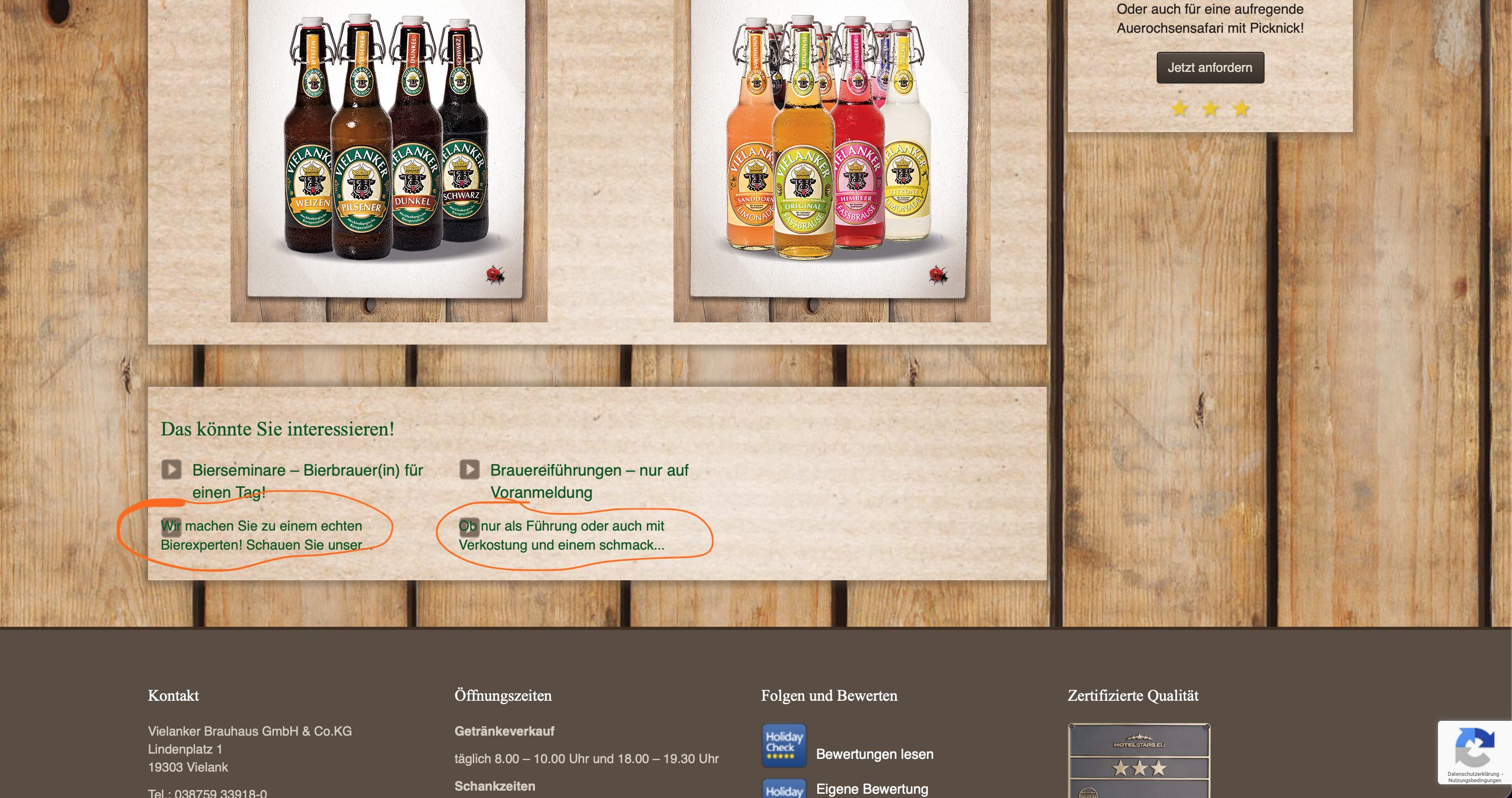
Bildschirmfoto 2022-01-17 um 09.16.32.png
Bildschirmfoto 2022-01-17 um 09.16.45.png

I update the types plug-in from a free to use old version to a bought new version

Suddenly the plugIn adds a paragraph into the html syntax.
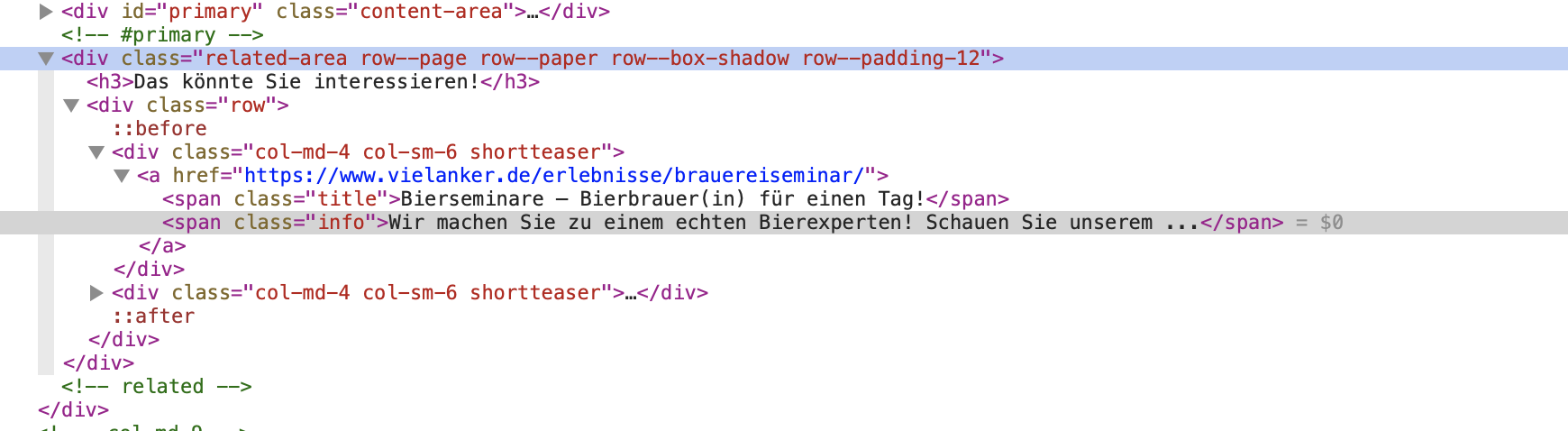
I added pictures to show (one shows the normal structure with two spans, the other one shows the paragraph version).

There was patch in earlier threads, but I cannot download it anymore.

Thanks in advance

#2268399

Nigel
Supporter

Languages: English (English ) Spanish (Español )

Timezone: Europe/London (GMT+00:00)

Can you show how you are outputting the markup shown in your screenshots?

You have a content template, or a View? And you are outputting some content with shortcodes?

It would be helpful to see how this is set up so that we can try and reproduce the problem.

#2268459
Bildschirmfoto 2022-01-17 um 15.48.37.png
Bildschirmfoto 2022-01-17 um 15.48.09.png
Bildschirmfoto 2022-01-17 um 15.48.15.png
Bildschirmfoto 2022-01-17 um 15.36.04.jpg

Dear Nigel,

alright, I hope to explain it correctly.

My clients uses a custom theme, in which custom fields are used.
I will include one of the template php files at the bottom that call the custom field named short_text
hidden link is one example where the custom field is called ( I attached a screenshot which shows where to look for the code its outputting)

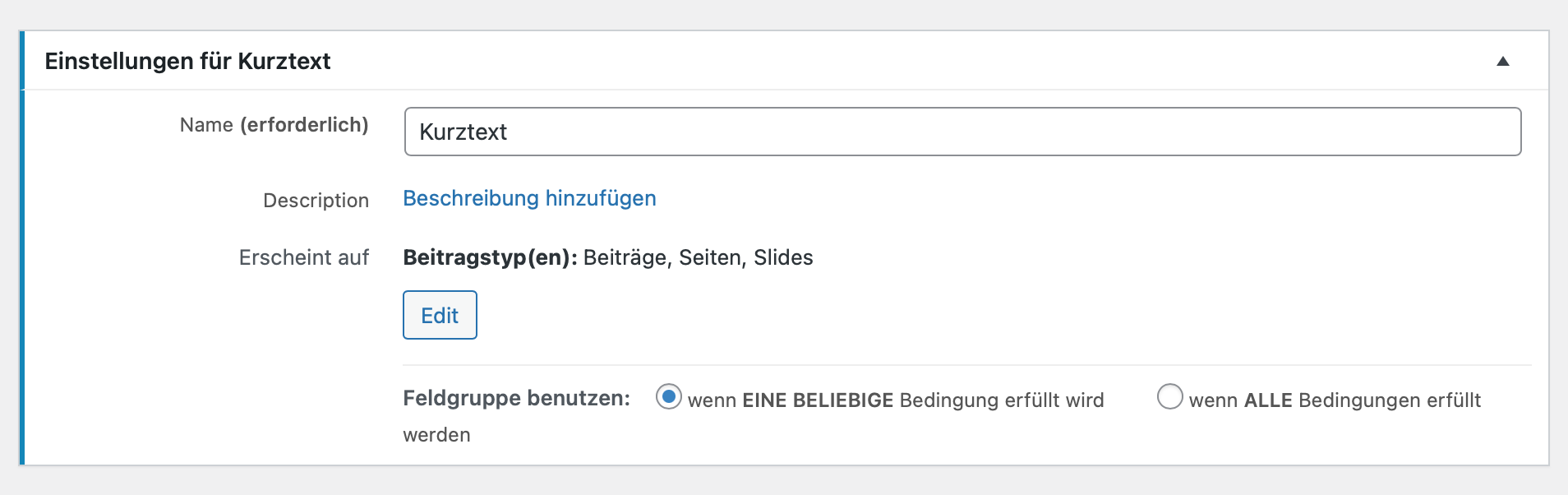
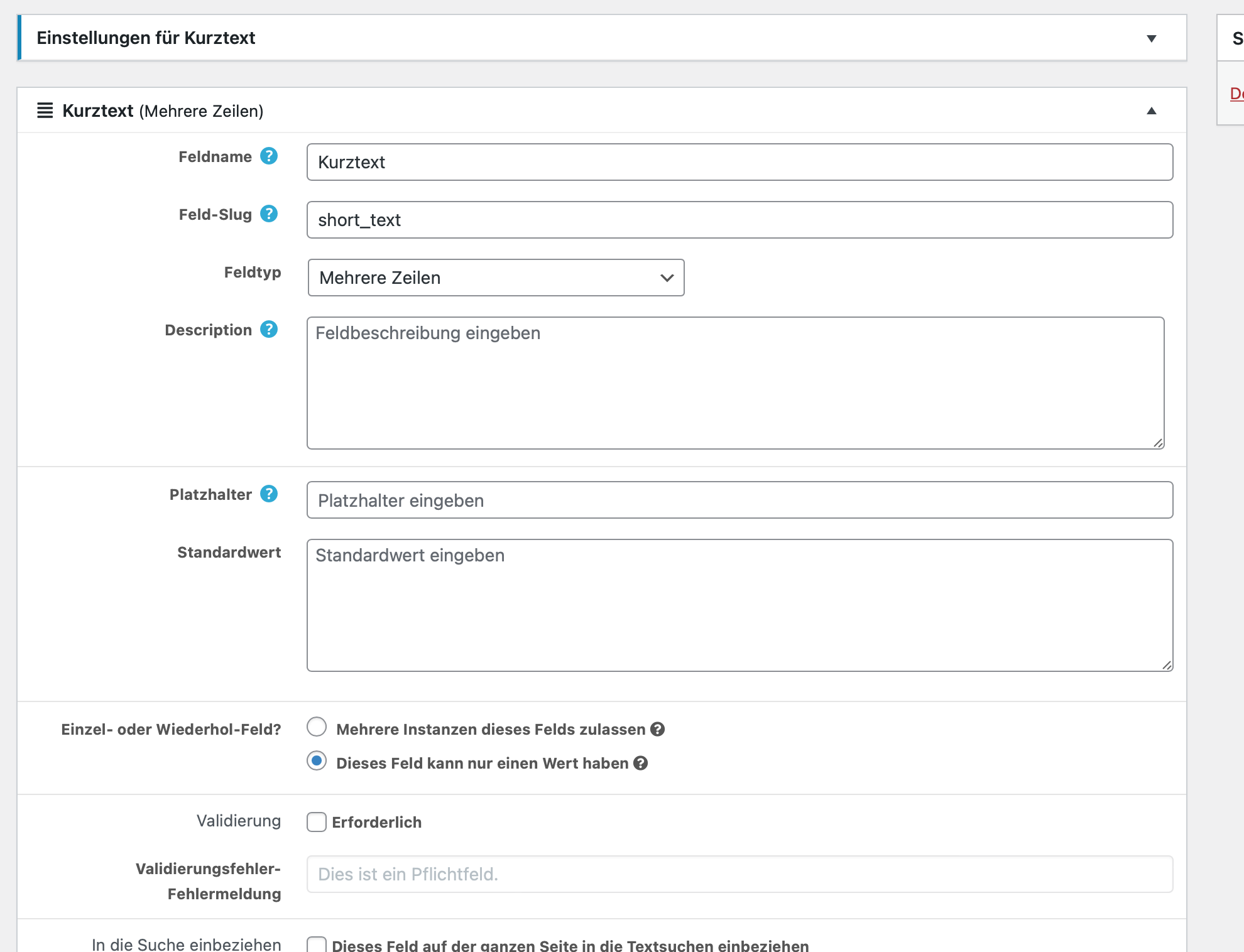
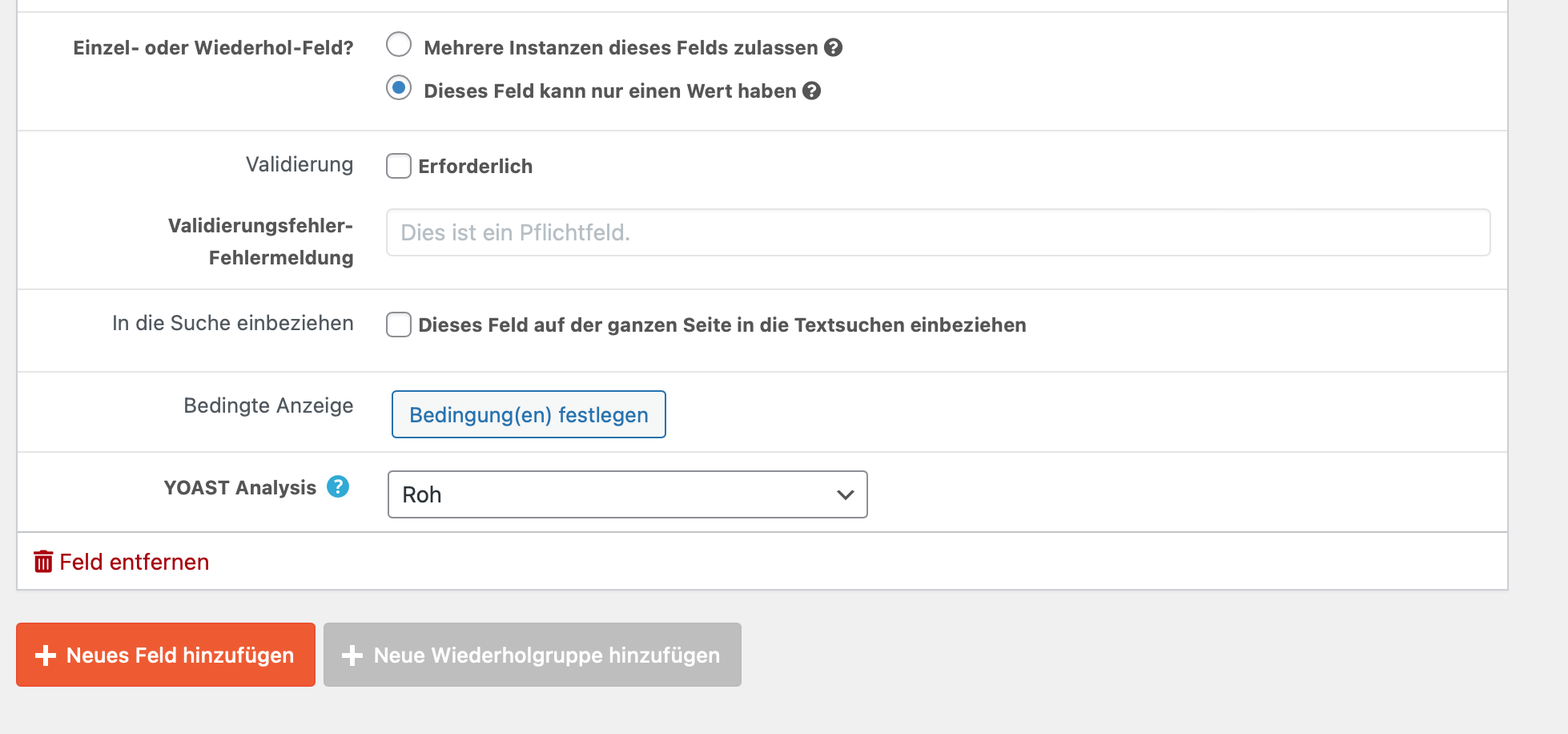
Also, I added how the custom field was set up. Sorry, it is in German.

Does that work for you to understand my issue?

Thanks a lot!
Anika

<?php

get_header(); ?>
	<div class="container">
		<?php while ( have_posts() ) : the_post(); ?>
		<header class="page-header <?php if(has_post_thumbnail()){ echo "image";} ?>">
			<?php
				if(has_post_thumbnail()){
					$image = wp_get_attachment_image_src(get_post_thumbnail_id( $post->ID ), 'pagehead-img');
					echo '<img src="'.$image[0].'" alt="'.get_the_title().'"/>';
				} else {
			?>
			<h1 class="page-title"><?php the_title(); ?></h1>
			<p><?php echo types_render_field( "short_text", array()); ?></p>
			<?php } ?>
		</header><!-- .page-header -->
		<div class="row">
			<div class="col-md-9">
				<div id="primary" class="content-area">
					<main id="main" class="site-main" role="main">
						<?php if(has_post_thumbnail()){ ?>
							<!--<h1 class="page-title"><?php the_title(); ?></h1>-->
						<?php 
							}
							get_template_part( 'content', 'single' ); 
						?>
						<?php //upbootwp_content_nav( 'nav-below' ); ?>
			
						<?php
							// If comments are open or we have at least one comment, load up the comment template
							if ( comments_open() || '0' != get_comments_number() )
								comments_template();
						?>
			
					</main><!-- #main -->
				</div><!-- #primary -->

				<?php
				$args3 = array( 'connected_type' => 'posts_to_posts',
								'connected_items' => get_queried_object(),
								'nopaging' => true, 'posts_per_page' => 6 );
				$loop3 = new WP_Query( $args3 );
				if ( $loop3->have_posts() ) :
				?>
				<div class="related-area">
					<h3>Das könnte Sie interessieren!</h3>
					<div class="row">
					<?php while ( $loop3->have_posts() ) : $loop3->the_post(); ?>
					    <div class="col-md-4 col-sm-6 shortteaser">
					    	<a href="<?php the_permalink(); ?>">
					    		<span class="title"><?php the_title(); ?></span>
						    	<span class="info"><?php echo substr(types_render_field("short_text", array()), 0, 30); ?></span>
							</a>
					    </div>
					<?php endwhile; 
					wp_reset_postdata();
					?>
					</div>
				</div><!-- related -->
				<?php endif; ?>
			</div><!-- .col-md-9 -->
			
			<div class="col-md-3">
				<?php get_sidebar(); ?>
			</div><!-- .col-md-3 -->
		</div><!-- .row -->
		<?php endwhile; // end of the loop. ?>
	</div><!-- .container -->
<?php get_footer(); ?>
#2269007

Hi Anika,

Thank you for sharing these details.

From looking into the page's source code, I noticed that the text from the multi-line type custom field includes the starting paragraph tag but not the closing one. That is happening because the field's output is being trimmed down using the "substr" function.

To avoid this, you can remove all the HTML tags from the field's output using the "wp_strip_all_tags" function:
https://developer.wordpress.org/reference/functions/wp_strip_all_tags/

For example:


<span class="info"><?php echo substr(wp_strip_all_tags(types_render_field("short_text", array())), 0, 30); ?></span>

I hope this helps and please let me know if you need any further assistance around this.

regards,
Waqar

#2269149

Hello,

alright, I tested it and it works. But I don't understand how suddenly this happens and when I have to go through and fix every php WordPress file (because there are many) this isn't a real fix for the issue.
Any ideas how to fix it for the complete site?
Thanks!
Anika

#2270417

Thanks for the update and glad that it works.

Have you changed the active theme or installed any new plugin, after which this started happening?

WordPress includes a filter to apply automatic paragraphs to text and the active theme or third-party plugin can result in a site-wide change like this:
https://developer.wordpress.org/reference/functions/wpautop/

You'll find code online ( ref: hidden link ), to disable the automatic paragraphs insertion globally, but, I personally do not recommend this solution. This can also remove the paragraphs where you may need/expect them.

The change in the code that I shared in my last message, will only affect the targeted locations, though it would mean making the change in each template file where you've used a similar code.

#2272805

Hello,

thanks you. I resolved it with by adding it to the locations.

I wanted to let you know however, when this issue appeared the first time, when I replace the very old types version (version number 1. something) with the current, bought, version.
Wordpress ist up to date as well as the servers php version.


Thanks for the help!
BR
Anika

#2273993

You're very welcome and this change in code should make it future-proof.

Feel free to mark this ticket as resolved and start a new one for each new question or concern.