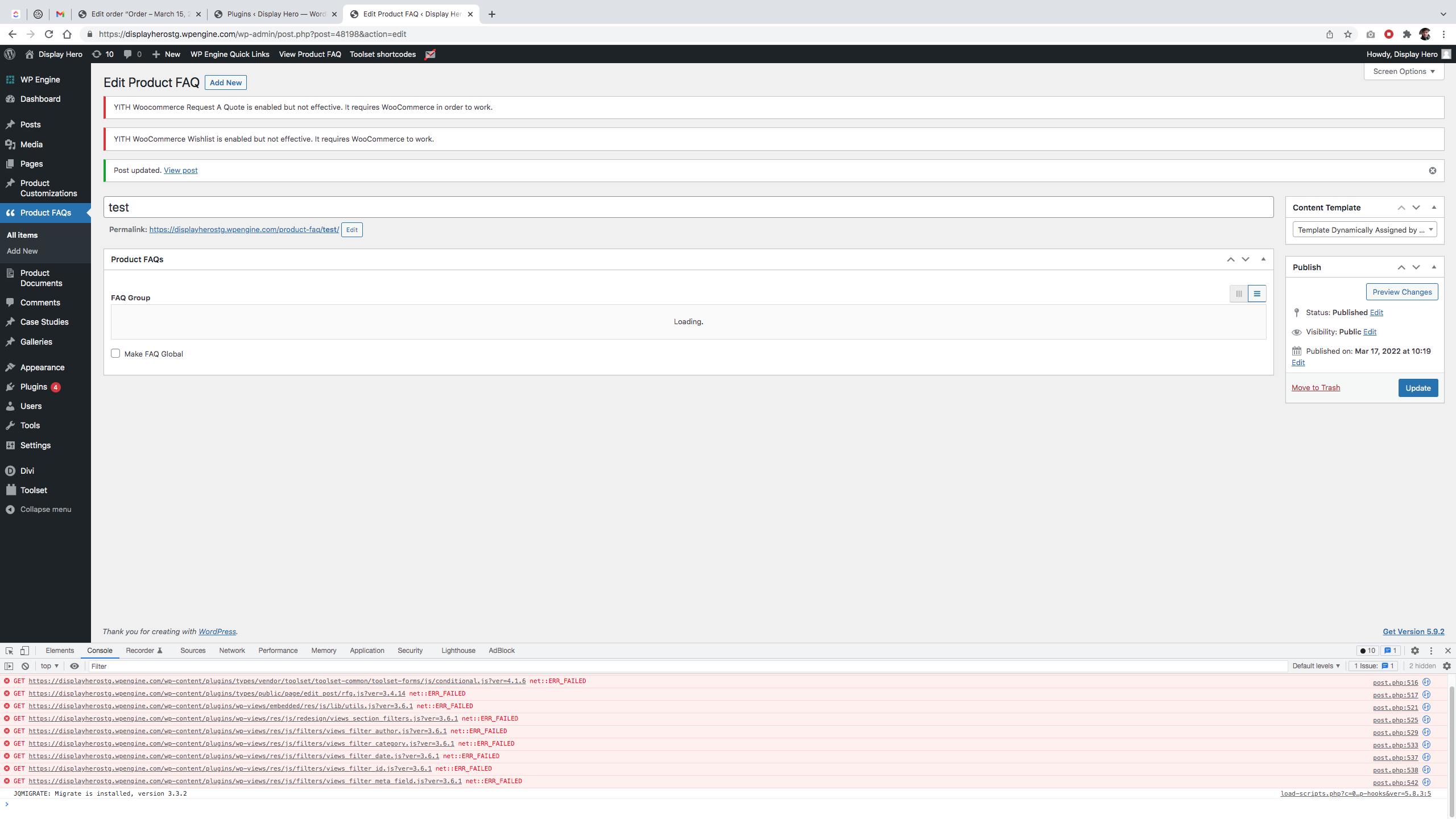
This is talked a lot about in the forum. I've followed a few steps to try to resolve. It's not working. Cache cleared. Unregistered and re-registered the site, etc. Nothing works. We're having this issue on every website we build lately. Our hosting is WPEngine.
"Toolset plugin cannot connect to toolset.com
Toolset needs to connect to its server to check for new releases and security updates. Something in the network or security settings is preventing this. Please allow outgoing communication to toolset.com to remove this notice.
Need help?
See the communication error details and let us know in Toolset technical support."
Hi,
Thank you for contacting us and I'd be happy to assist.
I tried to access your website's admin area, but it was behind extra folder-level password protection.
Can you please visit the Toolset installer support page and share the screenshot of any errors or warnings that are listed?
{yourwebsite.com}/wp-admin/admin.php?page=otgs-installer-support
( note: you'll replace {yourwebsite.com} part with your actual website's address )
regards,
Waqar
Hello,
I have disabled the folder-level permissions so if you want you should now be able to access the site without any issues. Additionally, here is the screenshot of the OTGS Installer Support page.
Thank you
I was testing out what happens if I disable various plugins on my site and I noticed this in my browser console which is unrelated from the topic of this support question, but if this is a known issue can you tell me? I simply made an edit to a WYSIWYG Repeatable Field and hit "update" to produce this.
Thank you for sharing these details.
The message "toolset: Site key does not match" indicates that a site key for a different address is associated with the website.
Every Toolset site key is generated for an individual website's address, which is why when that is changed, you'll need to generate a new one.
For example, if you've created a site key for your website hidden link and then create a staging website at hidden link, then you'll need to register a new site key for this staging website.
Please go to Toolset's sites management section ( https://toolset.com/account/sites/ ) and generate a new site key, making sure to use the same address that is set in the staging website's "Site Address" field.
( at WP Admin -> Settings -> General )
After that, you can register this new site key on your staging website and it will activate.
I tested the same Product FAQs from your screenshot and was able to update it without any errors. Are you still seeing those errors and if yes, can you please share the exact steps?