Skip Navigation

[Resolved] Toolset plugin cannot connect to toolset

This support ticket is created 3 years, 8 months ago. There's a good chance that you are reading advice that it now obsolete.

This is the technical support forum for Toolset - a suite of plugins for developing WordPress sites without writing PHP.

Everyone can read this forum, but only Toolset clients can post in it. Toolset support works 6 days per week, 19 hours per day.

Sun Mon Tue Wed Thu Fri Sat
- 9:00 – 13:00 9:00 – 13:00 9:00 – 13:00 9:00 – 13:00 9:00 – 13:00 -
- 14:00 – 18:00 14:00 – 18:00 14:00 – 18:00 14:00 – 18:00 14:00 – 18:00 -

Supporter timezone: Asia/Hong_Kong (GMT+08:00)

This topic contains 2 replies, has 2 voices.

Last updated by justinS-4 3 years, 8 months ago.

Assisted by: Luo Yang.

Author
Posts
#2373545
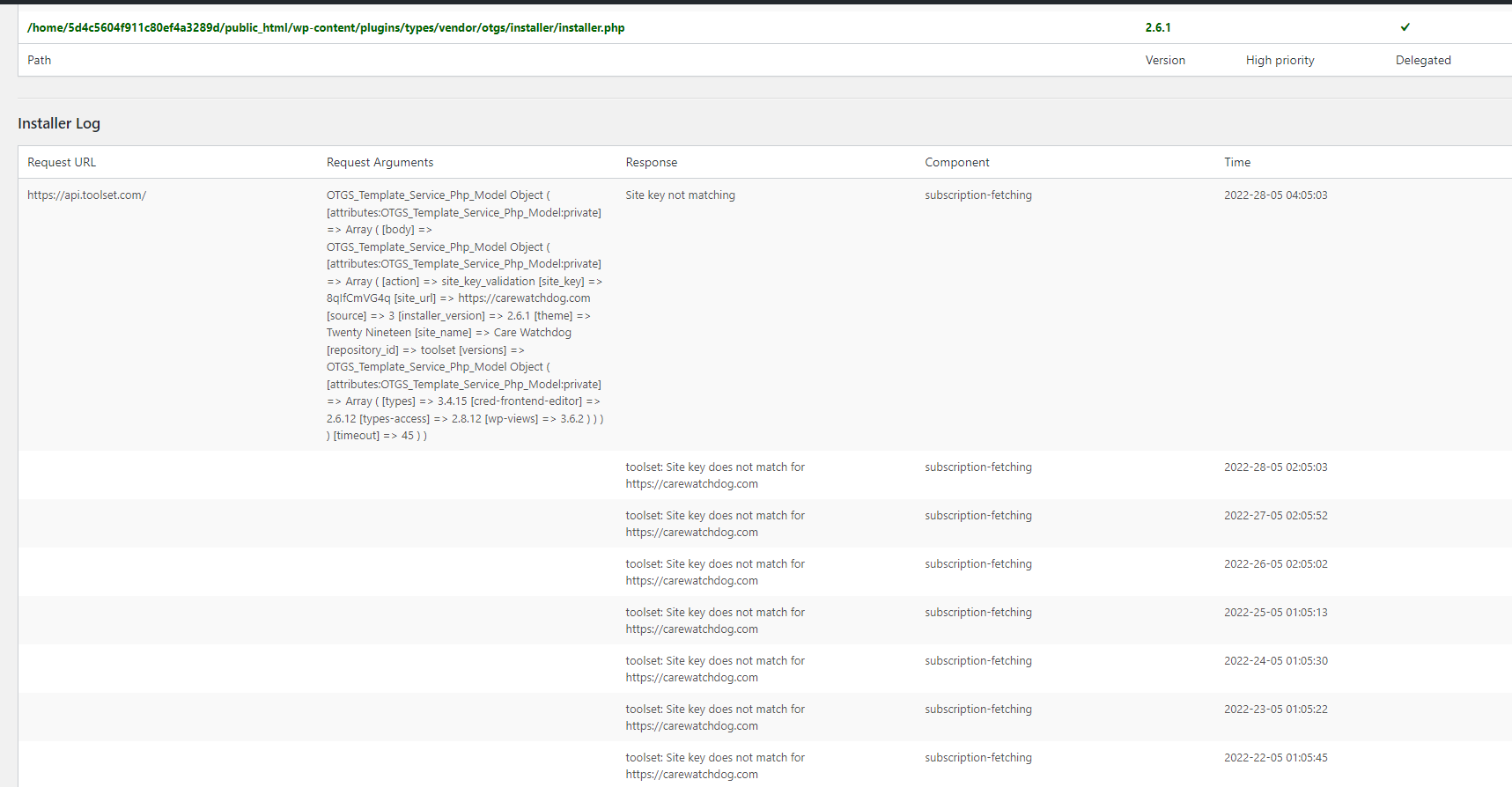
OnPaste.20220528-141222.png

I'm trying to ensure Toolset is connected properly to the website, but even after following all the steps I keep a message that the site key is missing.

#2373865

Hello,

Please try these:
1) Install the latest version of Toolset Types plugin manually, you can download it here:
https://toolset.com/account/downloads/

2) Follow our document to generate a new Toolset site key, and test again
https://toolset.com/faq/how-to-install-and-register-toolset/#automatic-installation-once-you-have-types-plugin-installed
section "Automatic Installation (once you have Types plugin installed)"

#2374781

Thanks! It turns out I just needed to wait for the connection to be established, I guess partially because it was the weekend. It was fine within 24 hours.

Thanks for your help.