I am trying to:
Connect the Toolset plugin to our WordPress site
Link to a page where the issue can be seen:
hidden link
I expected to see:
A successful install of the Toolset plugin
Instead, I got:
A red error box on the plugins page
Also one of our form fields won't let us type in a date (error image below)
hidden link
Hello,
Q1) Connect the Toolset plugin to our WordPress site
Please click the link "communication error details" of your screenshot:
https://toolset.com/wp-content/uploads/2022/04/2336503-error_plugin.png
Copy/paste the details here
Q2) Also one of our form fields won't let us type in a date
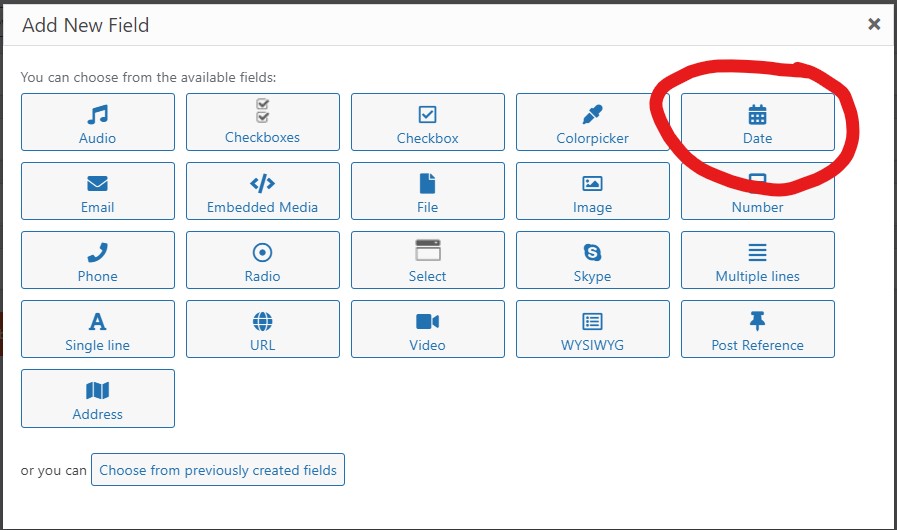
According to your screenshot, it seems to be a custom numeric field (not date field), please follow our document to setup the custom date field and test again:
https://toolset.com/course-lesson/creating-custom-fields/
See my screenshot date-field.jpg
Thank you Luo,
Q2) Also one of our form fields won't let us type in a date
According to your screenshot, it seems to be a custom numeric field (not date field), please follow our document to setup the custom date field and test again:
https://toolset.com/course-lesson/creating-custom-fields/
Question Reply:
Could that error be thrown because the Toolset plugin is not connected? It was allowing us to type in dates previous to the Toolset plugin error log below
Q1)
Error Log:
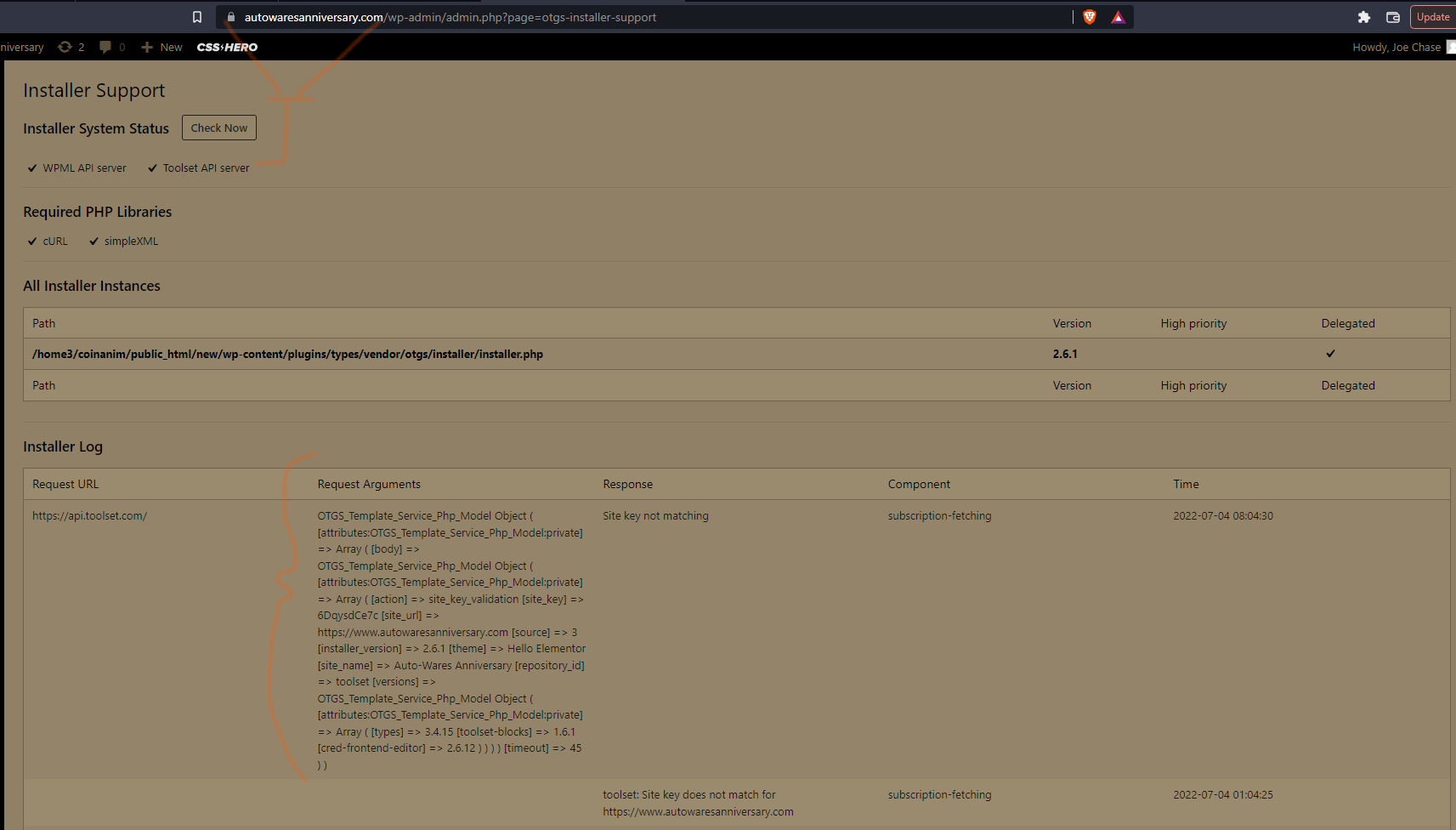
OTGS_Template_Service_Php_Model Object ( [attributes:OTGS_Template_Service_Php_Model:private] => Array ( [body] => OTGS_Template_Service_Php_Model Object ( [attributes:OTGS_Template_Service_Php_Model:private] => Array ( [action] => site_key_validation [site_key] => 6DqysdCe7c [site_url] => hidden link [source] => 3 [installer_version] => 2.6.1 [theme] => Hello Elementor [site_name] => Auto-Wares Anniversary [repository_id] => toolset [versions] => OTGS_Template_Service_Php_Model Object ( [attributes:OTGS_Template_Service_Php_Model:private] => Array ( [types] => 3.4.15 [toolset-blocks] => 1.6.1 [cred-frontend-editor] => 2.6.12 ) ) ) ) [timeout] => 45 ) )
In your screenshot
https://toolset.com/wp-content/uploads/2022/04/2336961-toolset_install.png
Your webserver can connect with Toolset API server, but there is an error "Site key not matching"
Please try these:
Follow our document to generate a new Toolset site key, and test again:
https://toolset.com/faq/how-to-install-and-register-toolset/
For Q2), no, it should not be a connection problem, how do you setup the custom field "Hire date"? can you take a screenshot for it?