Skip Navigation

[Resolved] Slider Dynamic Sources Not Working

This thread is resolved. Here is a description of the problem and solution.

Problem:

I've created a view to display dynamic image sources in an image slider, even though I've selected dynamic sources, and it's supposed to be pulling images from that post only, every single post with this view is displaying the same images.

Solution:

You need to add a filter: limit the post view "Gallery Slider" to query only current "Plan Your Visit" post, for example:

https://toolset.com/forums/topic/slider-dynamic-sources-not-working/#post-2286497

Relevant Documentation:

https://toolset.com/documentation/programmer-reference/views-filters/#wpv_filter_query

This support ticket is created 3 years, 11 months ago. There's a good chance that you are reading advice that it now obsolete.

This is the technical support forum for Toolset - a suite of plugins for developing WordPress sites without writing PHP.

Everyone can read this forum, but only Toolset clients can post in it. Toolset support works 6 days per week, 19 hours per day.

Sun Mon Tue Wed Thu Fri Sat
- 9:00 – 13:00 9:00 – 13:00 9:00 – 13:00 9:00 – 13:00 9:00 – 13:00 -
- 14:00 – 18:00 14:00 – 18:00 14:00 – 18:00 14:00 – 18:00 14:00 – 18:00 -

Supporter timezone: Asia/Hong_Kong (GMT+08:00)

This topic contains 2 replies, has 2 voices.

Last updated by melissaC-8 3 years, 11 months ago.

Assisted by: Luo Yang.

Author
Posts
#2286239
Screen Shot 2022-02-07 at 3.31.09 PM.png
Screen Shot 2022-02-07 at 3.30.54 PM.png
screencapture-staging2-visitduboiscounty-wp-admin-admin-php-2022-02-07-15_28_53.png

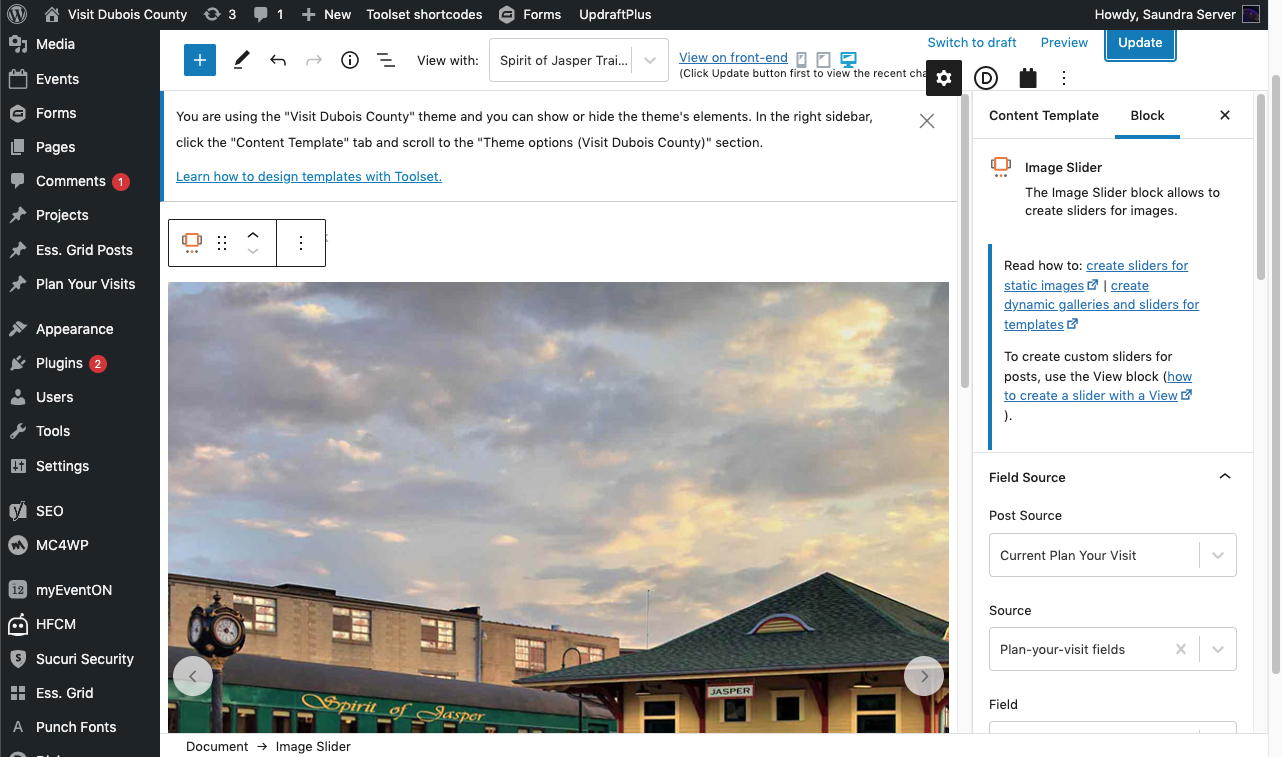
I've created a view to display dynamic image sources in an image slider like you see on this page: hidden link

Even though I've selected dynamic sources, and it's supposed to be pulling images from that post only, every single post with this view is displaying the same images.

See this page for an example: hidden link
Instead of the train images, there should be an image of the Bed & Breakfast.

Another example where the images are wrong: hidden link

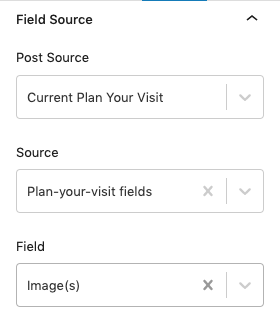
I'm attaching screenshots of my setup in case I've missed something.

#2286497

Hello,

You need to add a filter to limit the post view "Gallery Slider" to query only current "Plan Your Visit".

I have done below modifications in your website:
Dashboard-> Toolset-> Settings-> Custom code, add one item "slider-filter", with below codes:

add_filter('wpv_filter_query', function($query_args, $view_settings, $view_id){
  if($view_id == 223457){ // specific view ID
    $query_args['p'] = get_the_ID();
  }
  return $query_args;
}, 99, 3);

Please test again, check if it is what you want.

More help:
https://toolset.com/documentation/programmer-reference/views-filters/#wpv_filter_query
https://developer.wordpress.org/reference/classes/wp_query/#post-page-parameters

#2286837

Thank you! I'm not sure how I was supposed to know code needed to be added, but I'm glad the problem is resolved.