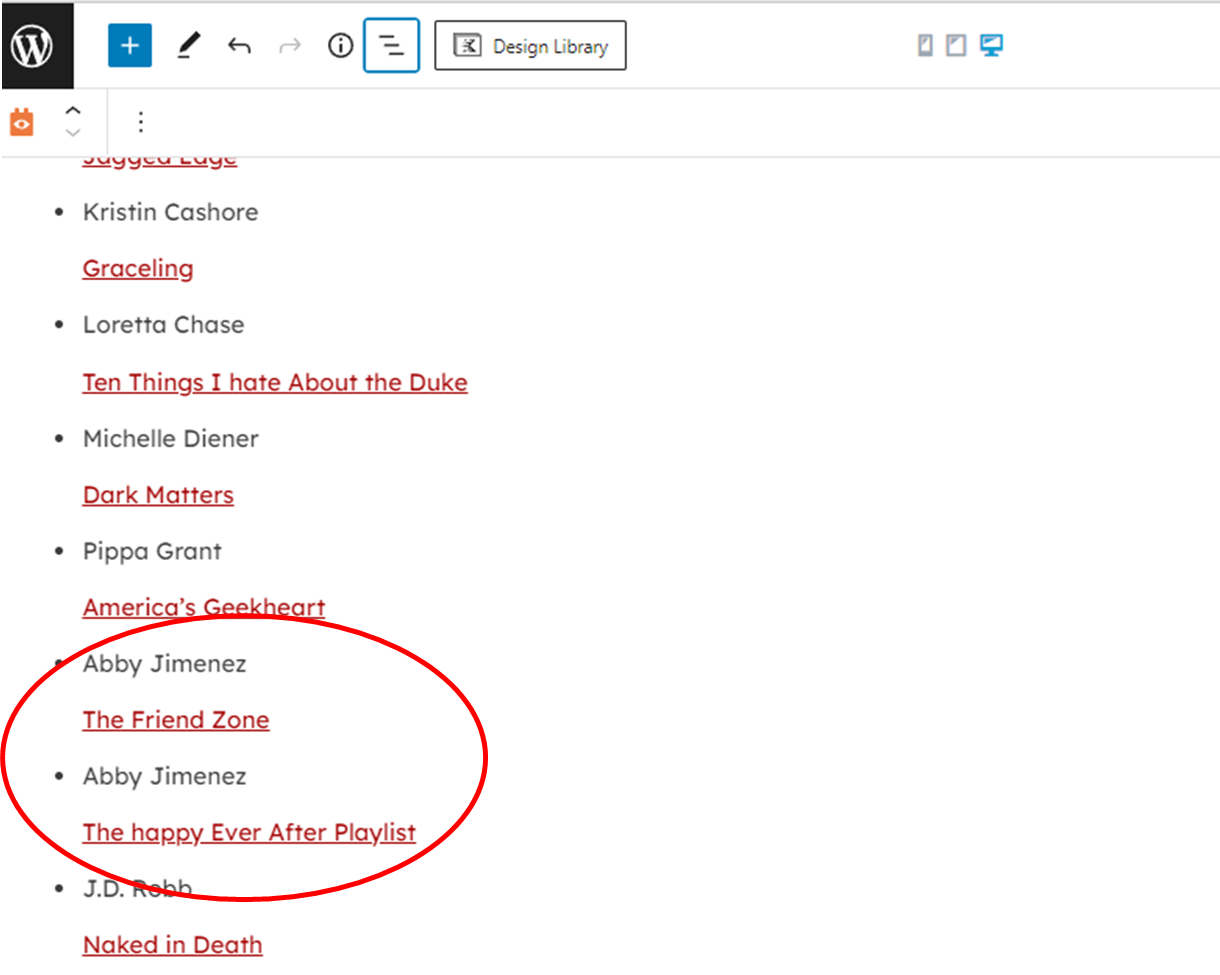
Tell us what you are trying to do? I am creating a book review site and I am trying to create an archive view by book author last name, then the list of reviews by that author. In the view I created, it repeats the author name for every review instead of listing the all of the books that are under that author.
Is there any documentation that you are following? no
Is there a similar example that we can see?
What is the link to your site?
Hello,
I can login into your website, where and how can I see the problem you mentioned above?
Please point out the problem page URL or WordPress Archive URL, thanks
here is the page url: hidden link
Thanks for the details, please check these in your website, edit below "Book Review" posts:
hidden link
hidden link
In the custom field "Author Name", both of above posts are using the same value: Abby Jimenez
So it is expected result: it repeats the author name for every review
Toolset plugins is outputting the correct results of your website.
In your case, you might consider other workaround, for example:
1) Create a new custom post type, for example "author-cpt"
2) Setup one-to-many relationship between "author-cpt" and "Book Review"
3) Edit each "Book Review" post, connect it with one of "author-cpt" post
4) In the page "reviews-by-author" you mentioned above, setup a nested post view:
a) Parent post view:
- query "author-cpt" posts
- In view's loop, display below child post view
b) Child post view:
- Query "Book Review" posts
- Filter by post type relationship between "author-cpt" and "Book Review"
- In view's loop, display the "Book Review" information
Hello, I already have a "one-to-many" relationship set up with the bost type book-author to book-reviews. In that case do I still need to set up a third post type? Can you tell me step by step how to set up the nested post view?
No, you don't need to setup another third post type, you can use existed "one-to-many" relationship between book-author to book-reviews.
I have already provided detail steps in my above answer, if you need assistance for it, please provide a test site with the same problem, fill below private message box with test website credentials, I can setup a demo for you.