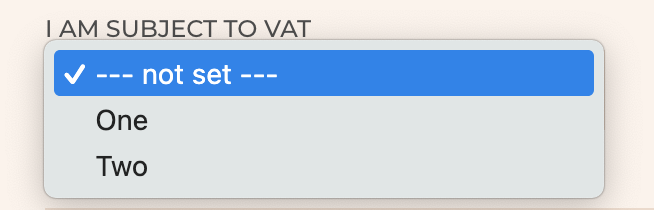
I created a front-end form using Toolset Forms. I prefill this form with content from the previous entry using the 'post="x"' in the shortcode. Like so: [cred_form form="x" post="x"].
This works, but since some information will certainly be different I would like to prevent certain custom fields from prefilling if you will. How would I be able to achieve this?
Would this be achievable using the Forms API hooks?
Hello. Thank you for contacting the Toolset support.
As I understand - do you have Toolset post edit form or add form?
Can you please share problem URL and admin access details and tell me for what fields you want to display/change or you do not want to appy the default value?
*** Please make a FULL BACKUP of your database and website.***
I would also eventually need to request temporary access (WP-Admin and FTP) to your site. Preferably to a test site where the problem has been replicated if possible in order to be of better help and check if some configurations might need to be changed.
I have set the next reply to private which means only you and I have access to it.
Thank you for sharing admin access details but when I try to login using the admin access details you shared, I get the following error message:
Error: The username Toolset is not registered on this site. If you are unsure of your username, try your email address instead.
Can you please send me working admin access details.
I have set the next reply to private which means only you and I have access to it.
You can use the above method for textfield (singlel-line) fields. If you have any other field type like checkboxes etc.. then we may hve to follow bit different method in order to save the checkboxes field selected option values.
Great, that seemed to have done the trick! I actually had to change "default':''' to "default:" " (add a blank space), otherwise it kept the original value.
Could you please advice for the dropdown and select too, because I will actually need those.
Where:
- make sure to add the field name with "wpcf-" prefix and configure the options same as you have with your custom select field you added to custom field group.
I tried this for the 'VAT' dropdown select to test this, on the same form, and this works. BUT how do I manage this with WPML? There's seems to be 2 issues:
1: I can only translate one of the 2 labels (Two).
2. If I translate the label, it doesn't appear on the front-end.