Tell us what you are trying to do?
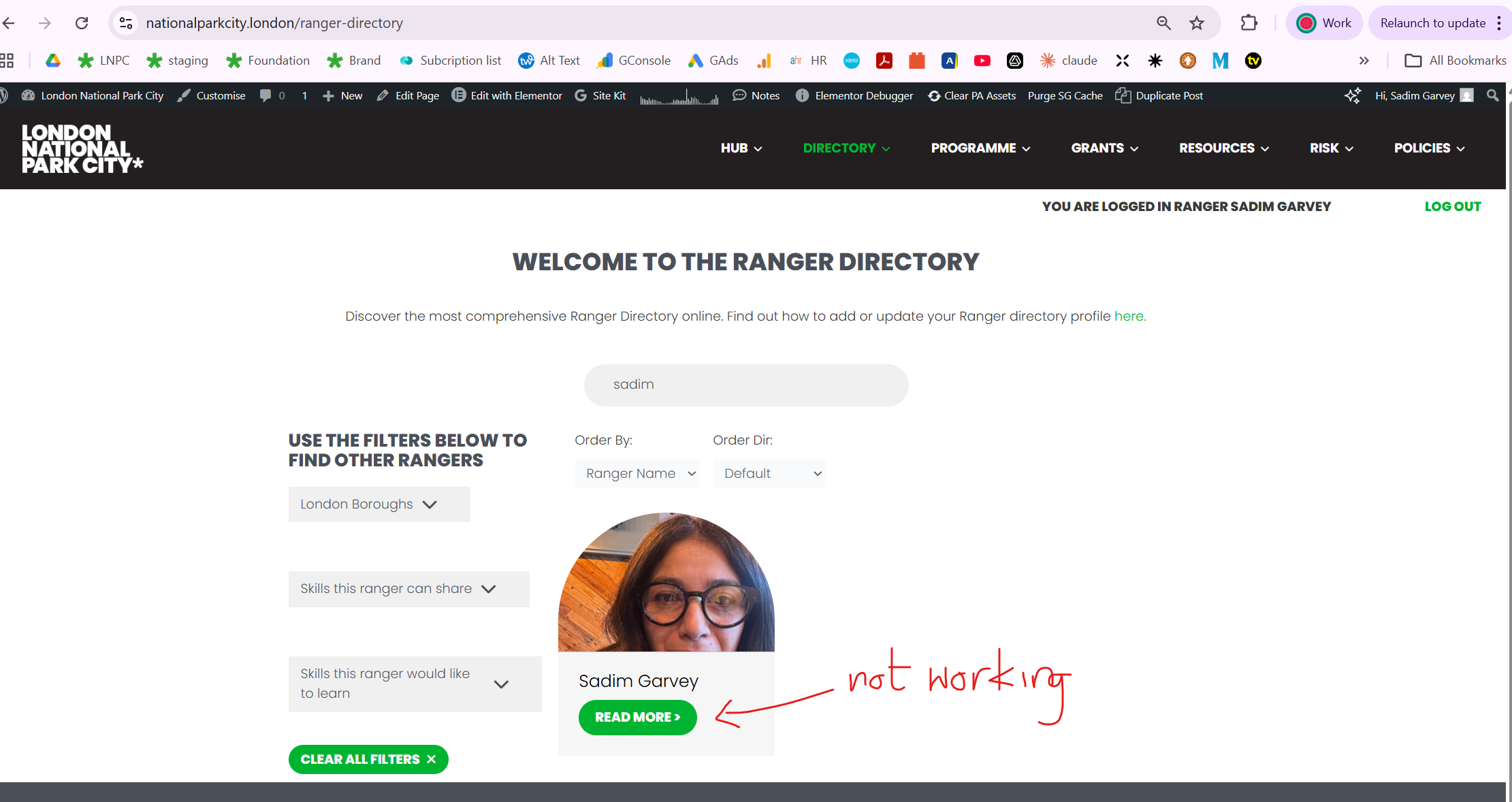
Recently you helped me ensure that my members profiles 'Rangers' were hidden from searches as there was a breach. since helping with this the post type, the post group 'Rangers' is now also hidden from other member who are logged in and also from me when i am logged in as admin, if i click on the ranger profile in the directory post feed, it redirects me to the homepage.
I need the Ranger profiles to be visible to logged in rangers and admin, editors and, SEO editor, SEO manager, Author, Contributor and logged in rangers only.
i have followed the membership tutorial to the letter
Is there a similar example that we can see?
hidden link
hidden link ( not visible to logged in Rangers and all admin)
Hello. Thank you for contacting the Toolset support.
I need the Ranger profiles to be visible to logged in rangers and admin, editors and, SEO editor, SEO manager, Author, Contributor and logged in rangers only.
====>
As I understand - you want to display ranger profile all all of the above users when they logged in as administrator or editor or ranger role etc..etc.. but only want to hide the ranger profile when user is not loggedin?
Is there any other condition - so only public/guest user should not be able to see the ranger profile and all other loggedin users can see the ranger profiles - right? if yes:
Can you please send me admin access details.
*** Please make a FULL BACKUP of your database and website.***
I would also eventually need to request temporary access (WP-Admin and FTP) to your site. Preferably to a test site where the problem has been replicated if possible in order to be of better help and check if some configurations might need to be changed.
I have set the next reply to private which means only you and I have access to it.
is Register Rengers is a role? if yes, as I understand:
The ranger profiles should not be accessible by the following usersL guests, Subscriber and Registered Rangers.
This post should also not be searchable via any search engines or google Gemini
===> That we already fixed before.
Logged in users - have a modified post group which shows all the RANGER members pages - these are private and only for members.
===>
That means to subscriber and Register Rengers role - there should not be assigned permissions- right?
I see this ranger profile listing page:
- hidden link
The above page can be accessible to all users public but when they try to click on the specific profile then the rules you mentioned should apply - is that correct?
The page - hidden link should ONLY visible to logged in rangers - In access control, under post groups this page along with other Ranger pages are hidden from guests. the post group is 'Rangers - logged in access'
Ranger profiles - these should be visible to logged in Rangers member BUT NOT TO GUESTS AND SUBCRIBERS as previously mentioned.
The page - hidden link should ONLY visible to logged in rangers - In access control, under post groups this page along with other Ranger pages are hidden from guests. the post group is 'Rangers - logged in access'
==>
Ok so that part is already handled.
Ranger profiles - these should be visible to logged in Rangers member BUT NOT TO GUESTS AND SUBCRIBERS as previously mentioned.
==>
I've confustion - before you mentioned:
The ranger profiles should not be accessible by the following usersL guests, Subscriber and Registered Rangers.
So, the question is what is the difference in "Rangers member" and "Registered Rangers".
I can see where you would be confused. RANGER PROFILES ONLY VISIBLE TO LOGGED IN RANGERS not visible to accessible by the following users - guests, Subscriber and Registered Rangers.
Registered rangers is a user name which we created to register rangers before we verified them and changed them to Logged In users.
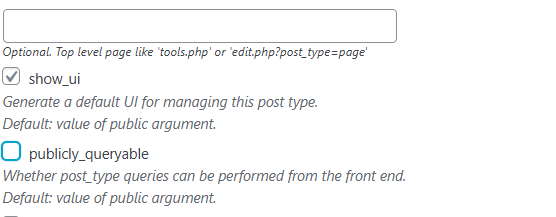
I just edit the post type Rangers and enable the option "publicly_queryable" and save the post type.
=> hidden link
But I see the same issue - still as administrator user I do not able to access the ranger profile. It seems the issue is from elsewhere.
Have you installed any plugin?
Could you please try to resolve your issue by deactivating all third-party plugins as well as the default theme to check for any possible conflicts with any of the plugins or themes?
- What if you try to check with only Toolset and other minimum plugins active. Do you see any difference?
Last time I remember there was a conflict with the plugin with one of the ticket you reported previously.