Hi, I have a Toolset custom field:
Your help much appreciated
Minesh Supporter
Languages:
English (English )
Timezone:
Asia/Kolkata (GMT+05:30)
Hello. Thank you for contacting the Toolset support.
Can you please tell me where exactly you want to display all the existing values for your custom field "wpcf-plant-notes"?
Do you want to add view filter or you have different usage?
In addition to that - Could you please send me debug information that will help us to investigate your issue.https://toolset.com/faq/provide-debug-information-faster-support/
Hi Minesh, thanks for reply.
Thanks
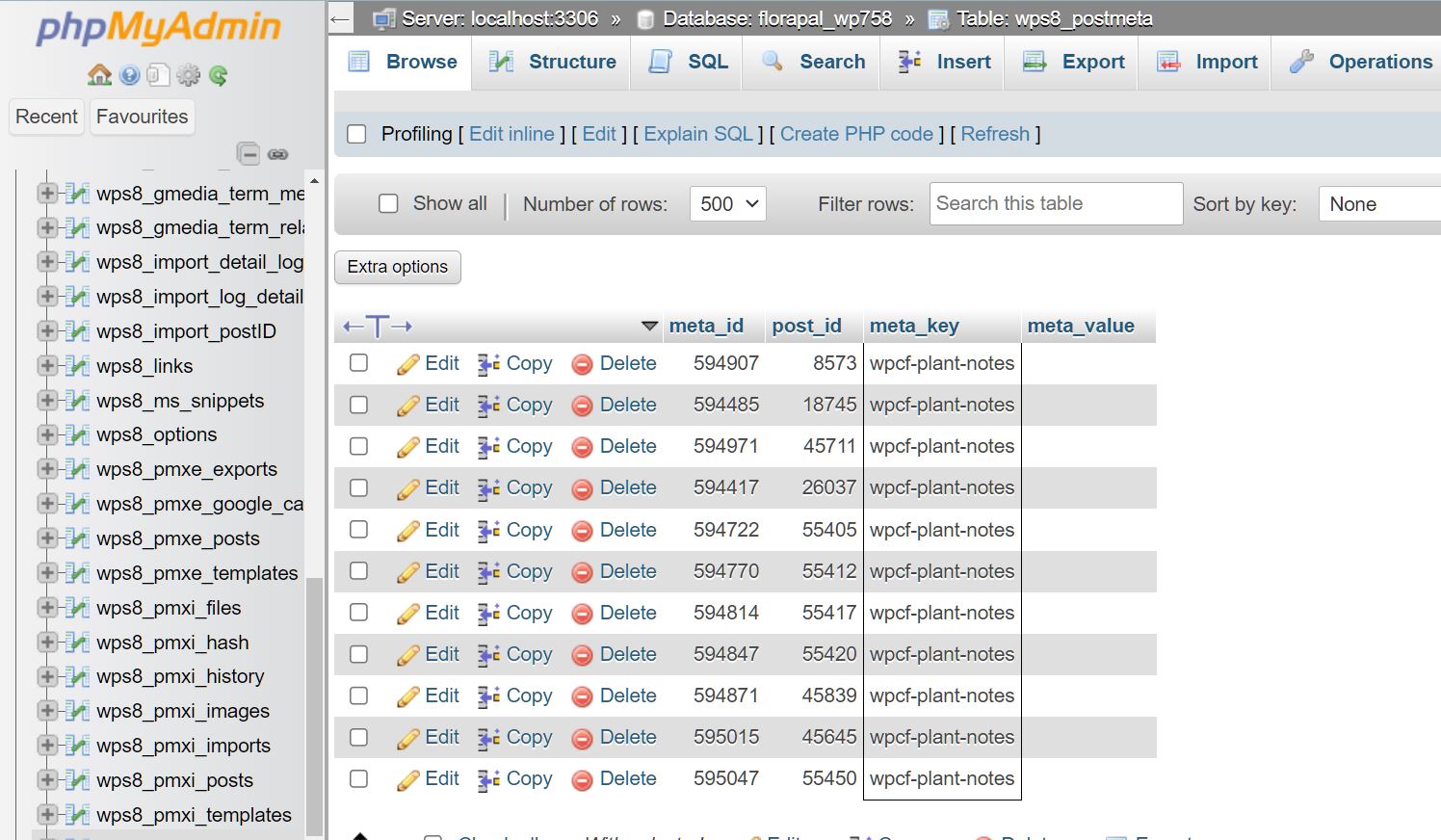
Toolset post custom field stored in postmeta database table.
So you can query the postmeta table where meta key equal to your desired key i.e. wpcf-plant-notes
And you will be able to see all the values.
Hi Minesh,
Thanks
You can click on "Search" tab and search for your key as well as for your desired post id.
Hi Minesh,
function add_column( $columns ){
function column_content( $column, $id ){
to see post ID in plants - but the post ID for wpcf-plant-notes doesn't appear, also if i enter an ID that exists and click "Search" nothing is found - what am I doing wrong?
You should be using admin columns plugin to add such columns and search for it.https://wordpress.org/plugins/codepress-admin-columns/