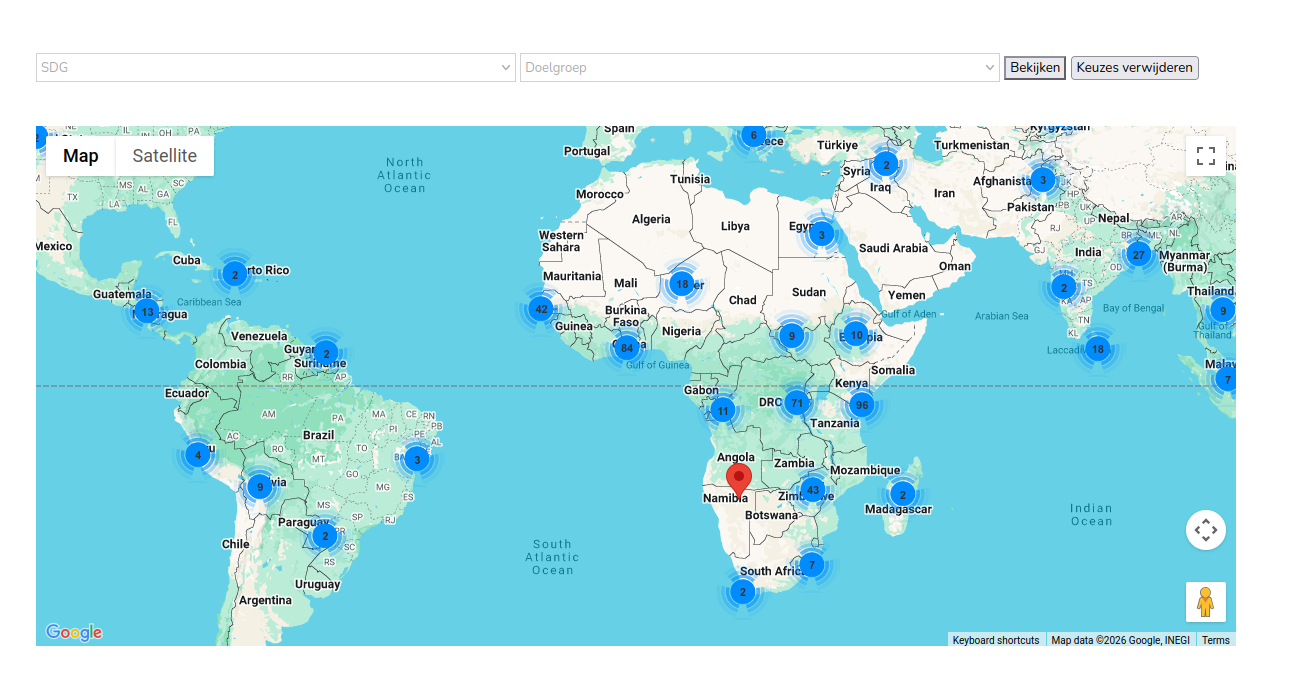
yes, cluster_max_zoom did the trick.
But now the map stil keeps zooming in on africa. Maybe because most of our projects are there?!
This is the shortcode:
[wpv-map-render map_id="map-alle-projecten" map_height="520px" fitbounds="off" general_zoom="1" single_zoom="3" cluster_max_zoom="14" cluster="on" spiderfy="on"][/wpv-map-render]
Should I change something?

Minesh
Supporter
Languages:
English (English )
Timezone:
Asia/Kolkata (GMT+05:30)
What exactly you want to do? You want to change the map center?
yes, i would like to zoom out to see the whole world. Like this image example. Is it possible? On google maps it worked.
I've added the following custom JS code to content template's JS edior:
=> hidden link
var delayed = function() {

previewmap  = WPViews.view_addon_maps.maps['map-4'];

   previewmap.setZoom(4);


};

jQuery(document).ready(function(){
  setTimeout( delayed,  1000);
});
What if you use that and adjust the zoom level number as required.
Thank you.
Great, that works well. I set the zoom to 2 to get world overview.
So will this only work with the maps beta version? Or will there be a new version soon with this integrated?
I already tested this also works with the 2.2.1 version maps plugin. Great.
Glad that the solution I shared help you to resolve your issue. Pleaes kindly open a new ticket with every new question you may have. This will help other users searching on the forum.
Thank you for your understanding.