Skip Navigation

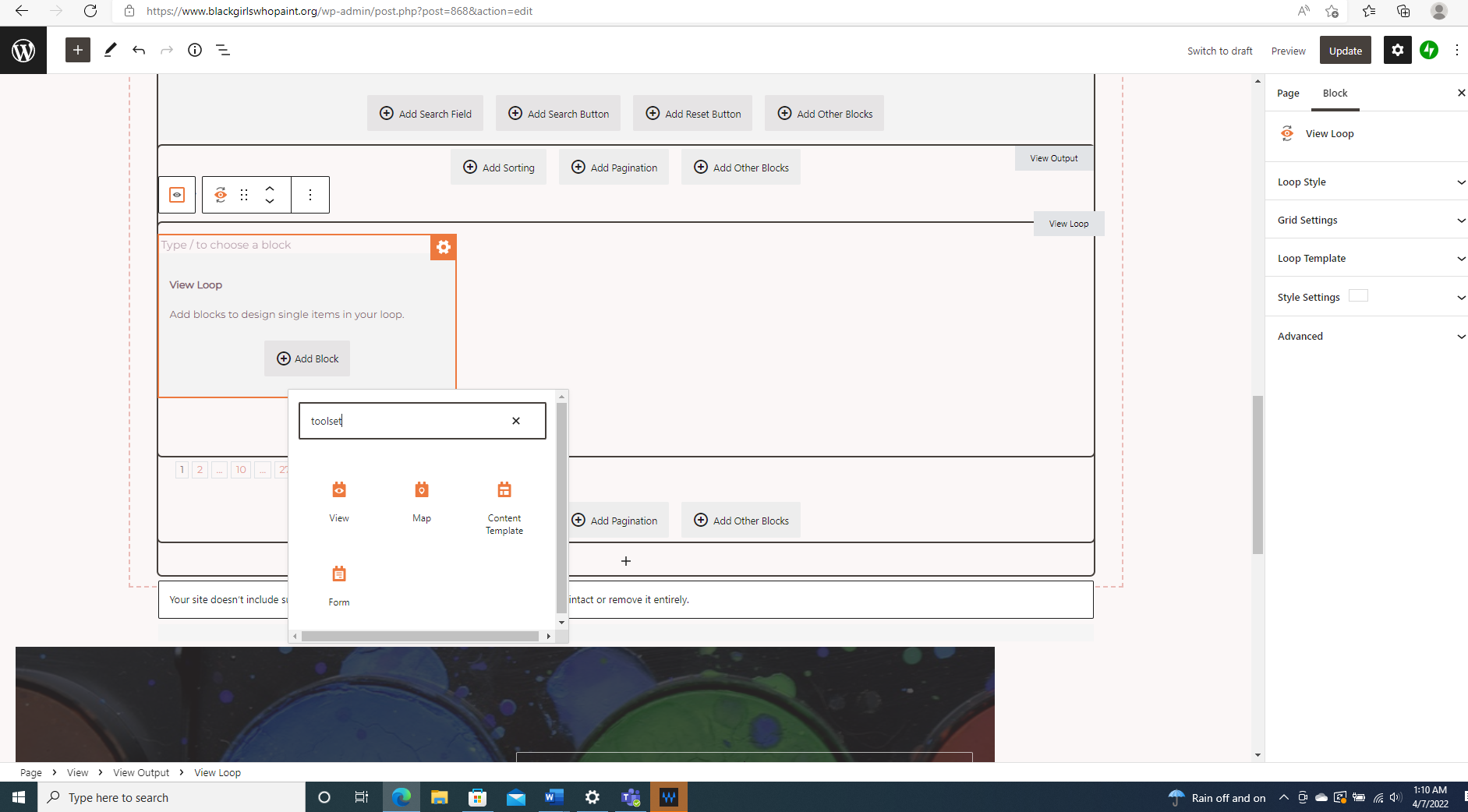
[Resolved] my dynamic toolset block only give me 4 options now. before there were more

This support ticket is created 3 years, 10 months ago. There's a good chance that you are reading advice that it now obsolete.

This is the technical support forum for Toolset - a suite of plugins for developing WordPress sites without writing PHP.

Everyone can read this forum, but only Toolset clients can post in it. Toolset support works 6 days per week, 19 hours per day.

Sun Mon Tue Wed Thu Fri Sat
- 9:00 – 13:00 9:00 – 13:00 9:00 – 13:00 9:00 – 13:00 9:00 – 13:00 -
- 14:00 – 18:00 14:00 – 18:00 14:00 – 18:00 14:00 – 18:00 14:00 – 18:00 -

Supporter timezone: Asia/Hong_Kong (GMT+08:00)

This topic contains 2 replies, has 2 voices.

Last updated by sasha 3 years, 10 months ago.

Assisted by: Luo Yang.

Author
Posts
#2335695
Screenshot (103).png

I am trying to: edit my toolset blocks

Link to a page where the issue can be seen: issue is internal

I expected to see: all of my toolset blocks

Instead, I got: only 4

#2335717
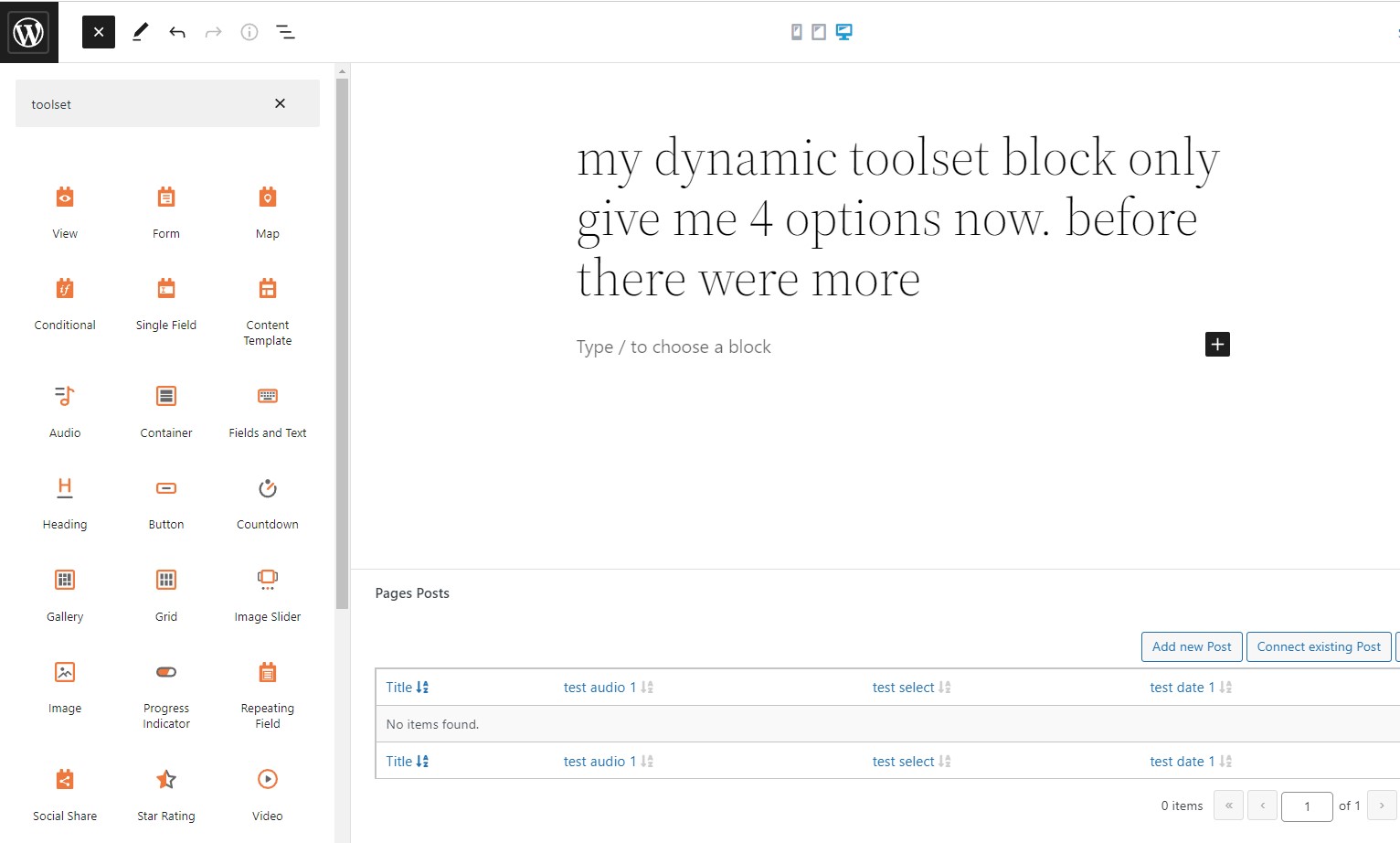
toolset-blocks.jpg

Hello,

I have tried it in my localhost with a fresh WP installation + the latest version of Toolset plugins, it works fine, I can find more Toolset blocks, see my screenshot: toolset-blocks.JPG

So the problem is abnormal, please check these:
1) If you are using some other cache plugins in your website, please try to clear the cache and test again
2) In case it is a compatibility problem, please deactivate all other plugins, and switch to WordPress default theme 2021, and test again

#2338441

My issue is resolved now. Thank you!