Tell us what you are trying to do?
I have created a membership area and have followed the process of setting up a post form to capture details and a user form so that members can log in.
The problem is that when a user logs in they are redirected to the WordPress login page whether or not a user is registered as a member.
Try it here: hidden link
Is there any documentation that you are following?
https://toolset.com/course-lesson/creating-forms-for-registering-users/
https://toolset.com/course-lesson/creating-custom-login-forms/
Is there a similar example that we can see?
What is the link to your site?
Hi Lesley,
I suspect that this issue is being caused by the Jetpack plugin that we had discussed in an earlier ticket.
My advice here is to go to the link below and disable the "Allow users to log in to this site using WordPress.com accounts" for jetpack.
hidden link
Once you've done this please try creating your users again from the frontend.
Thanks,
Shane
Hi Shane
Thank you for your suggestion.
I have switched off the "Allow users to log in to this site using WordPress.com accounts" for jetpack and successfully created a new user with a User Form. It seems I can log in at the moment too!
Thanks again Shane!
Lesley
(I'll likely be back with yet more puzzles!)
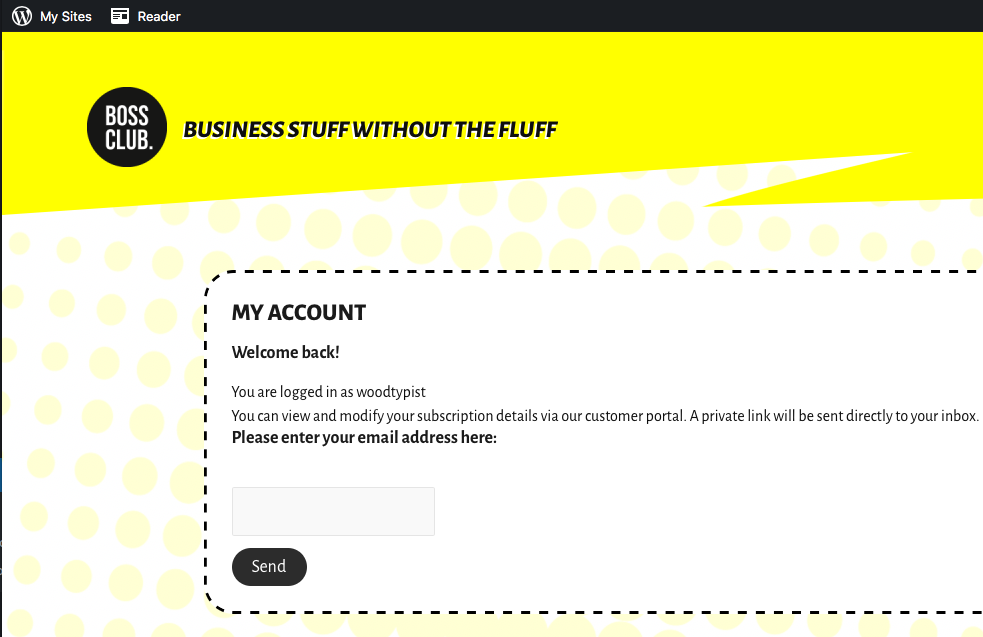
Only one thing: is it correct that a user is effectively logged in as a WordPress user? Once I am logged in, I see the WordPress bar at the top of the screen. (See photo)
Thank you!
Hi Lesley,
It Depends on the role that the user is assigned, however once they are logged in they will see the top bar for wordpress however they won't have access to your settings and posts etc, only thing they will be able to see is their user information on the backend.
If you don't want this bar to show then you can just use the plugin below to hide it.
https://wordpress.org/plugins/hide-admin-bar/
Thanks,
Shane
My issue is resolved now. Thank you!