Based on the debug information you shared, I can see that you are using latest Toolset plugins.
I would like to know how many layouts you hae - its because, Toolset Layouts plugin is in maintanance mode and we are not going to add any new feature.Instead of Layouts you should use Content template but if you have already build many Layouts and you are still keen to use the Layouts then based on your choice we will proceed further.
Can you please send me admin access details and problem URL of the Layout where I can see the issue. Maybe you can share few screenshots or video that help me to understand your issue.
*** Please make a FULL BACKUP of your database and website.***
I would also eventually need to request temporary access (WP-Admin and FTP) to your site. Preferably to a test site where the problem has been replicated if possible in order to be of better help and check if some configurations might need to be changed.
I have set the next reply to private which means only you and I have access to it.
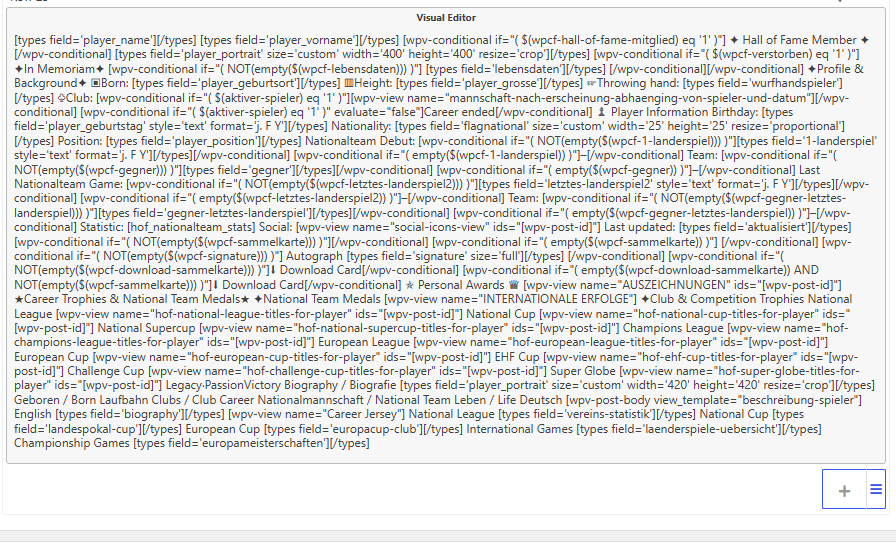
Indeed - with your site I can see the issue and I cant edit the visual editor cell content added on Layouts.
But with a clean intallation when I try to add visual editor cell and again if I try to edit it, it works without any issue.
It seems the issue is specific to your install and in order to minimize the caure of the issue:
*** Please make a FULL BACKUP of your database and website.***
Could you please try to resolve your issue by deactivating all third-party plugins as well as switch to the default theme to check for any possible conflicts with any of the plugins or themes?
- Do you see any difference with only Toolset plugins active?
- Are you able to spot any plugin/theme conflict?
Can you please get in touch with your theme author or theme support and report the same issue in front of theme and check if they help you in order to fix the issue.