Skip Navigation

[Resolved] Importing wp:meta_value

This support ticket is created 2 years, 11 months ago. There's a good chance that you are reading advice that it now obsolete.

This is the technical support forum for Toolset - a suite of plugins for developing WordPress sites without writing PHP.

Everyone can read this forum, but only Toolset clients can post in it. Toolset support works 6 days per week, 19 hours per day.

Sun Mon Tue Wed Thu Fri Sat
- 9:00 – 13:00 9:00 – 13:00 9:00 – 13:00 9:00 – 13:00 9:00 – 13:00 -
- 14:00 – 18:00 14:00 – 18:00 14:00 – 18:00 14:00 – 18:00 14:00 – 18:00 -

Supporter timezone: Asia/Hong_Kong (GMT+08:00)

This topic contains 3 replies, has 2 voices.

Last updated by Luo Yang 2 years, 11 months ago.

Assisted by: Luo Yang.

Author
Posts
#2581683
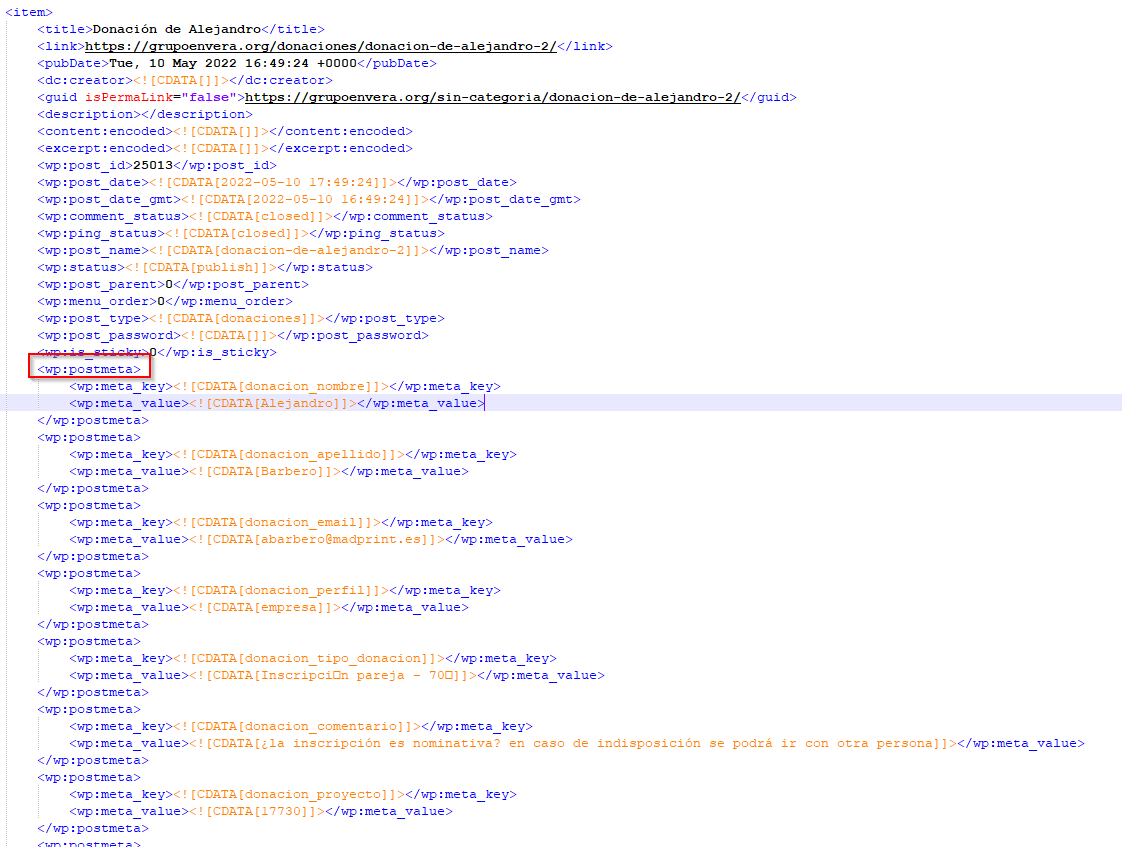
toolset-example.png

I'm trying to import toolset content from another website.

I have already exported the content with the Toolset to "Export" and I got the something like the attached image.

The content of wp-postmeta is in the file but when I import the file to the new site the content is missing.

Could you help me with this?

Thank you in advance.

#2581953

Hello,

In your case, you just need to:

- In the original website, Dashboard-> Toolset-> Export / Import, Export Types data
In the new website, import above data,
it will migrate custom post types and custom fields settings into new website

- In the original website, Dashboard-> Tools-> Export, export your custom post types data
In the new website, import above data,
it will migrate posts and custom fields into new website

More help:
hidden link
hidden link

#2582089
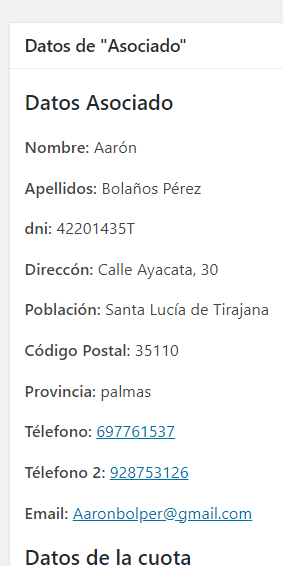
colaborador-post-meta-in-admin-interface.png
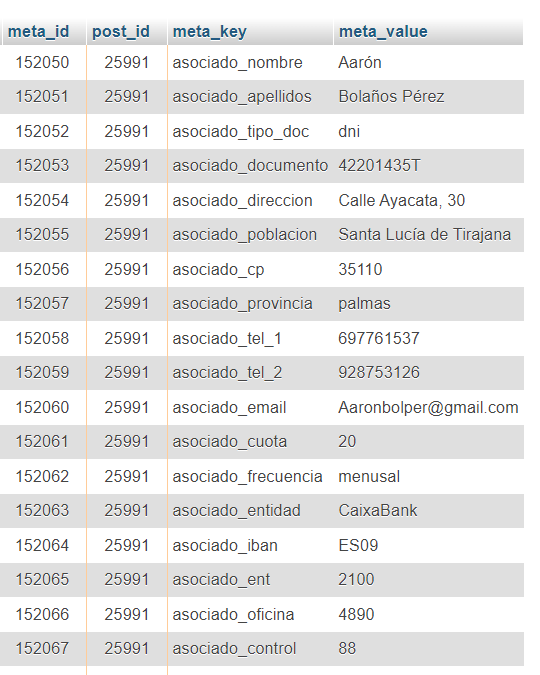
post-meta-migrated.png

Hello,

Thank you for your reply, the solution you just suggest it is what I have done.

I will try to explain it a little more:

Source site:
- Toolset version 2.2.2

New Site:
- Toolset version 3.4.18

I can see the postmeta content in the database, but not in the backend like in the old site, I attach evidence.

Thank you in advance.

#2582133

You are using different version of Toolset Types plugin in those two website, it will conduct unexpected results. Please try these:
1) Backup your Source site
2) Upgrade Toolset Types plugin of both websites to the latest version
3) Try the steps I mentioned above again.