Tell us what you are trying to do?
Trying to create a view that shows all posts of a particular custom post
Is there any documentation that you are following?
I've used Toolset a long time ago and my query is very basic
Is there a similar example that we can see?
I am using the same thing on another site and it's working fine.. hidden link
However on parfumplusmag.com it's not.. hidden link
What is the link to your site?
hidden link
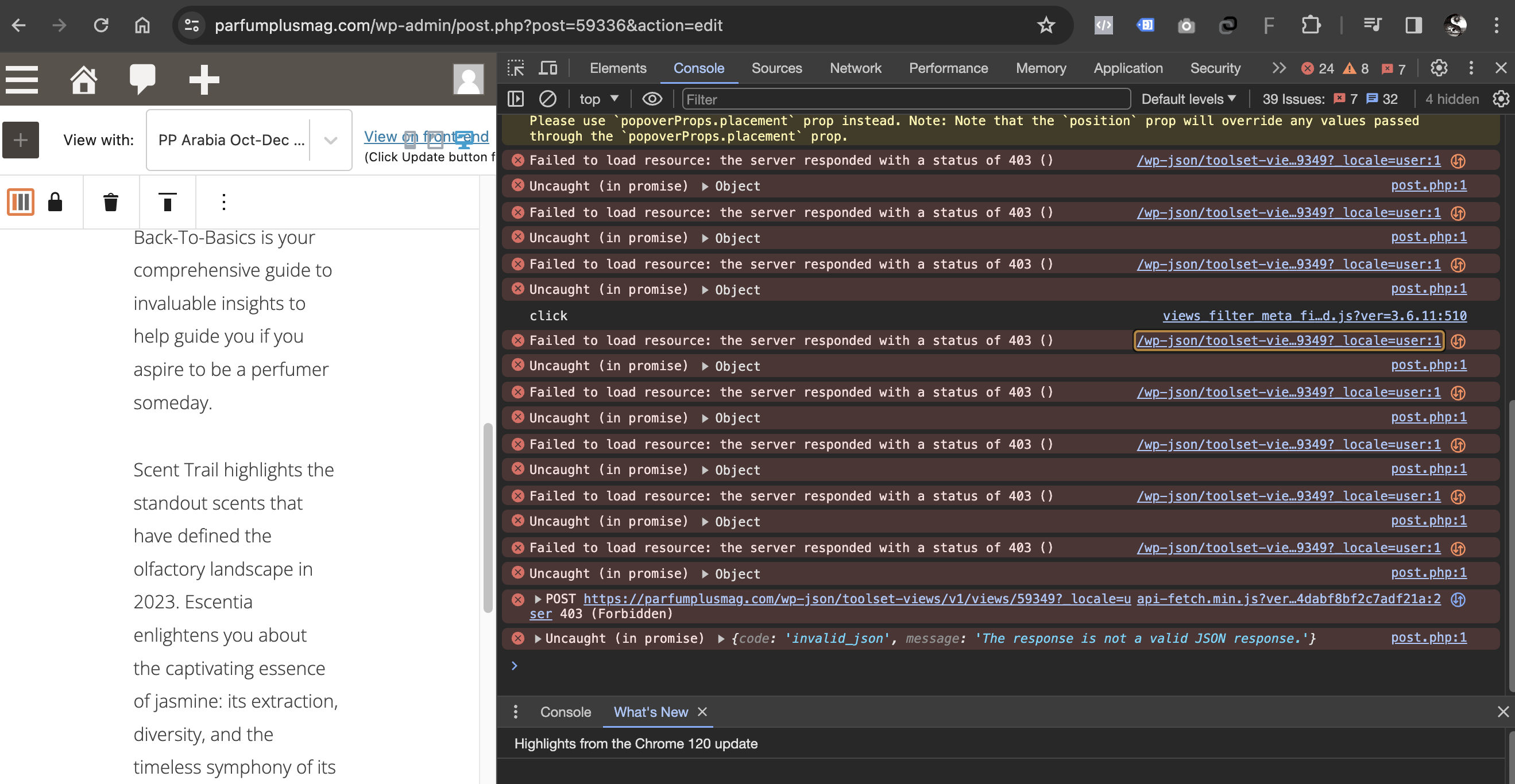
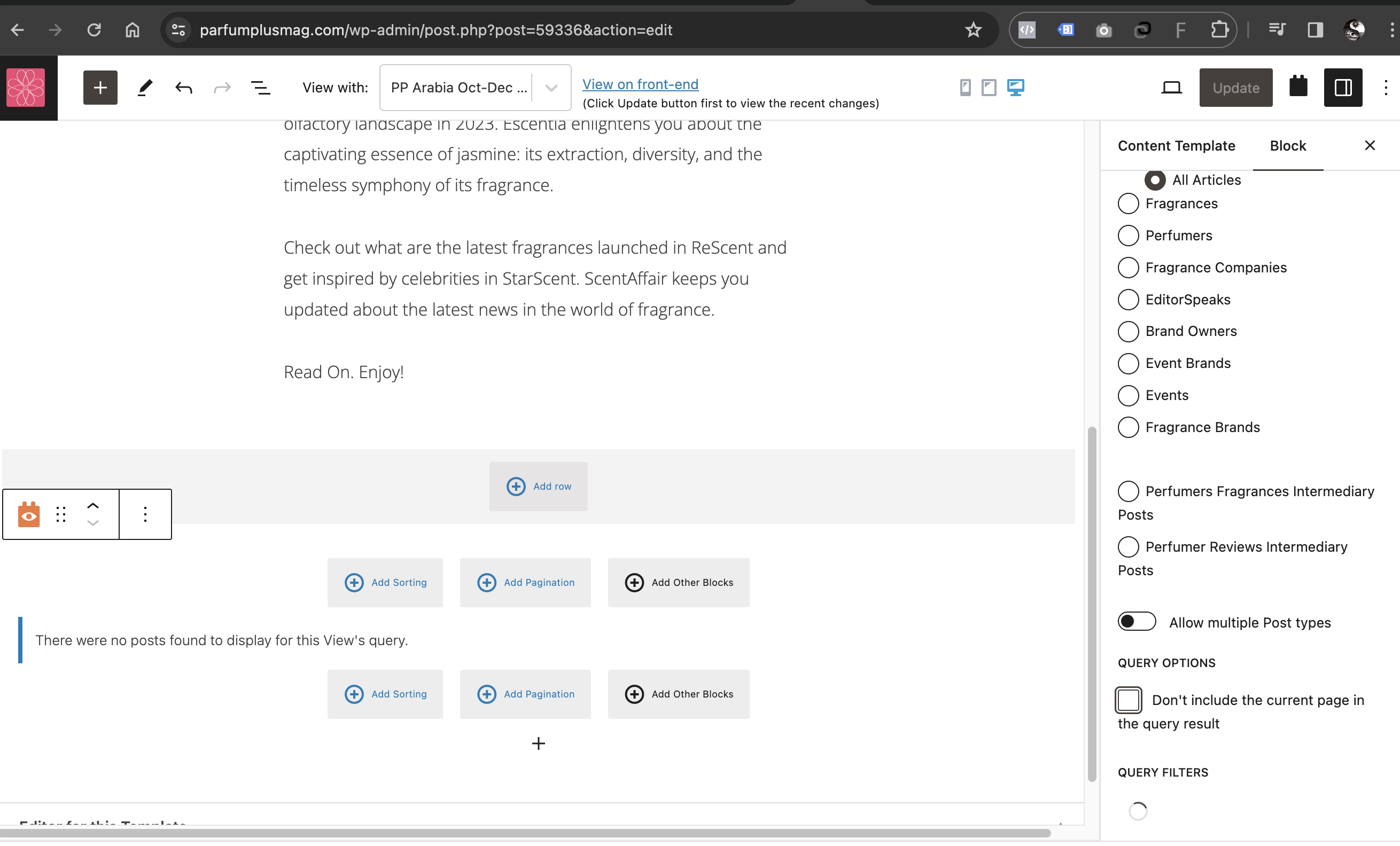
I have selected the option to show 'All Articles' (Articles is the custom post name) and when I select the Add Filter, it shows a spinning icon which never stops.. I've added some screenshots that might help..
Hi there
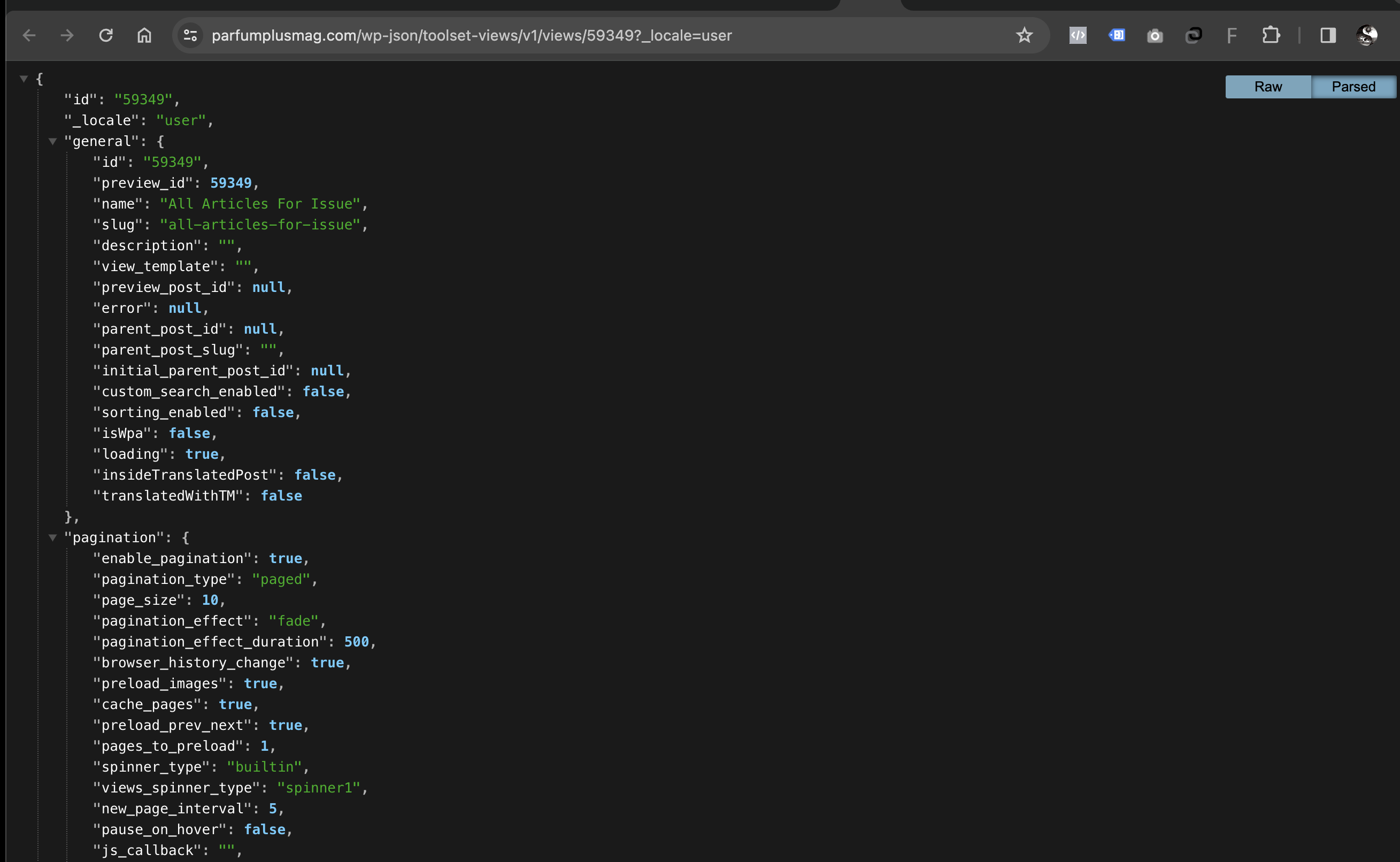
It's clear from your screenshots that the endless spinning icon occurs because REST requests are being blocked by your server (the 403 error codes shown in your console), but it's not clear why these are being blocked, because it is possible to visit the corresponding URL directly (as shown in another of your screenshots, and as I can confirm myself).
I'm not sure where to start with this, but perhaps we could at least get access to your site to take a closer look, if that's possible.
Let me mark your next reply as private so that we can get log-in credentials from you—you may want to create a temporary admin user for us to use that you can later delete. And be sure to have a current backup of your site.
Can you confirm which template it is you are editing where you are adding the View?
Thanks for that.
I took a look at your site, and if I tried to add a View to the same template I ran into the same problem, namely that lots of the JS API requests are being rejected by your server (403 errors).
I can't see why that would be the case, so I suggest as a first step you try seeing if the problem occurs in a minimal setup, that is with all non-Toolset plugins disabled, and using a default theme such as twentytwentyone. (Check also there are no drop-in or must-use plugins that may be applying security rules that could affect this.)
If the problem persists, can you prepare a staging server for further testing?
Hi Waqar..:-)..
I have created a staging site for you.. it's here
hidden link
And I've also created an SFTP user (the username and password are the same as the one's provided earlier for wp-admin)
The URL and port for SFTP are as below
Connection Address : parfumplusmag.tempurl.host
Port : 22
username and password are the same as provided earlier for access to wp-admin
I would take a lot more time experimenting with the plugins and the must-use ones and I would request you to please help me resolve this by checking on staging and fix this issue. This requirement is there on 2 other sites and your assistance here will help me fix the other 2 sites as well.
Thanks in advance.
Regards,
Alim
Hi Alim,
Thank you for sharing these details, but it seems that this staging website is behind a folder/server-level protection too.
Can you please share the username and password for that too?
I'm setting your next reply as private.
regards,
Waqar
Thank you for sharing these details.
I couldn't work with the staging website, because it kept timing out. But, I faced the same errors as your screenshots, when I tried creating a view to show related 'Articles' in the template 'Template for Issues', on the actual website.
Do I have your permission to download a clone/snapshot of the production website? This will allow us to investigate this further on our testing server, without affecting the actual website.
Hi Waqar
yes please go ahead and download a clone/snapshot and see how this issue can be resolved asap..
Regards,
Alim
Hi Waqar
as you mentioned that you wanted to clone the production site, I've created an SFTP user for the production site as well.. the password remains the same as for the staging but the username for production is 'developer01'
The wp-admin credentials are the same for both staging and production.
Regards,
Alim
Hi Waqar
Hope you had a nice weekend..:-).. this is just a follow up regarding the ticket.. hope the credentials provided were all fine and you were able to get a local installation done.. please do let me know if there's been any progress on this.
Regards,
Alim
Hi Alim,
Just wanted to update you that I'm still working on this.
I'm running some tests on your website's clone and will share the findings once this testing is completed.
Thank you for your patience.
regards,
Waqar
Thank you for waiting.
I've tested your website's clone on a couple of different testing servers and couldn't reproduce the issue with the views/REST API calls.
Here are some screenshots of a view to show the related "Articles" in the same content template "Template for Issues":
Backend: hidden link
Frontend: hidden link
This suggests that something specific to your hosting/server environment is involved. Either some security policies or the aggressive Memcache configuration is not allowing the WordPress REST API calls to complete successfully.
I'll recommend getting in touch with the hosting support team for further investigation around this point.
Thanks Waqar for your time and effort.. :-)..
You are right, there was a rule set in the Web Application Firewall settings of WPMUdev.org hosting that was blocking the toolset requests. The team at WPMU dev identified this and disabled this rule.
Thanks again.. have a lovely day..:-)..
Regards,
Alim