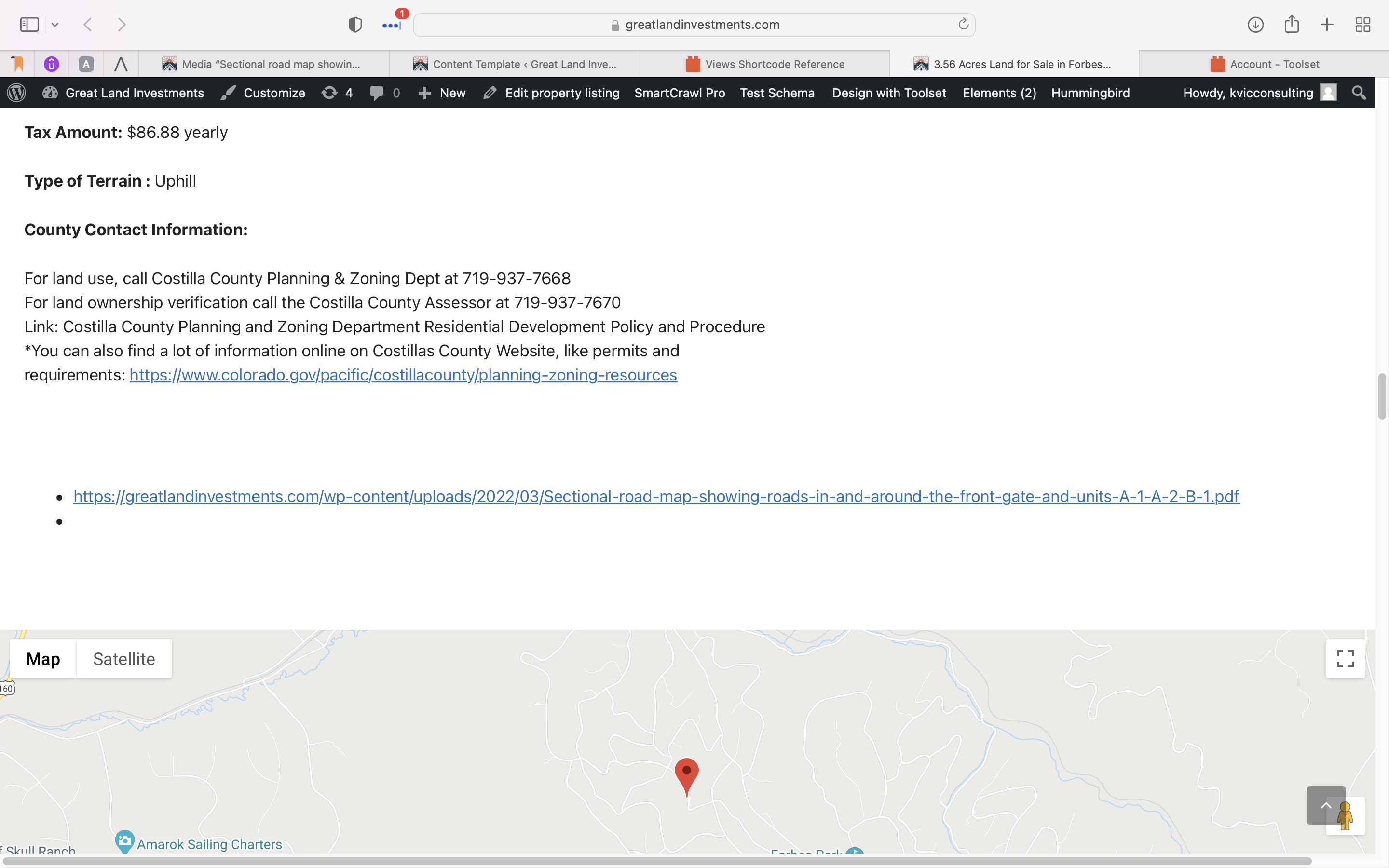
I want to add file uploads to my site, when I do it is the complete url I just want it to show the title of the file name how can I get this to work?
This page has a file hidden link down towards the bottom, I want it to be title.pdf or title .file format not the complete url.
Hi Jason,
Thank you for getting in touch.
Unfortunately this is not something that can be achieved natively with our shortcode as it will display the file url that is stored in the field.
To display only the file name you will need to use some form of custom code to do this. I was able to find on our forums a customer who had a similar issue and they shared their solution.
https://toolset.com/forums/topic/displaying-file-title-with-a-link-for-custom-field-for-manuals-etc/#post-1667641
Please follow the instructions in the link above and let me know if it was able to assist you.
Thanks,
Shane
I tried that link you sent and put the function in the toolset custom code but when I try to use the custom short code nothing happens except it shows the custom short code on the front end. I want to get the upload-file name that is the slug from the properties type that I created.
Hi Jason,
Have you clicked on the Activate button on the custom shortcode editor?
If the activate link hasn't been clicked then the shortcode won't work on the frontend.
Thanks,
Shane
Yes It is active and I test ran it everything was good, but the shortcode doesn't work so I am missing something
Hi Jason,
Would you mind allowing me to have admin access to the website so that I can have a more detailed look at this for you ?
Please where applicable please provide me with a link to an example page where I can see the issue.
I've enabled the private fields for your next response.
Thanks,
Shane
Hi Jason,
It seems the issue is that the shortcodes are not rendering when added to the custom code section in Toolset.
Either way adding it to the functions.php file causes it to work. However I did craft a simpler solution to essentially just trim the URL for the filename only.
// Add Shortcode
function trim_urlbasename( $atts ) {

	// Attributes
	$atts = shortcode_atts(
		array(
			'url' => '',
		),
		$atts
	);

	return basename($atts['url']).PHP_EOL;

}
add_shortcode( 'trim_urlbasename', 'trim_urlbasename' );
Now to use this all you have to do is craft your solution with the repeating fields shortcode.
<ol>[wpv-for-each field="my-field"]

<li><em><u>hidden link</u></em></li>

[/wpv-for-each]</ol>
Please let me know if this helps. Of course you will replace my-field with the actual slug of your repeating field.
Thanks,
Shane