Skip Navigation

[Resolved] How to edit a toolset view in an other page than from the page it was created

This thread is resolved. Here is a description of the problem and solution.

Problem:
The customer built a View on a test page, then used it on a production page. She wanted to delete the test page and still edit the View from the production page.

Solution:
A View built with the Block Editor can only be edited from the page where it was created. Elementor does not use the Block Editor, so it cannot edit the View. Do not delete the original page. Edit the View through "Toolset > Views" by clicking Edit for that page, change the View block, and update the page. The original page can stay Private.

This is the technical support forum for Toolset - a suite of plugins for developing WordPress sites without writing PHP.

Everyone can read this forum, but only Toolset clients can post in it. Toolset support works 6 days per week, 19 hours per day.

This topic contains 2 replies, has 1 voice.

Last updated by - 1 day, 14 hours ago.

Assisted by: Christopher Amirian.

Author
Posts
#2918359
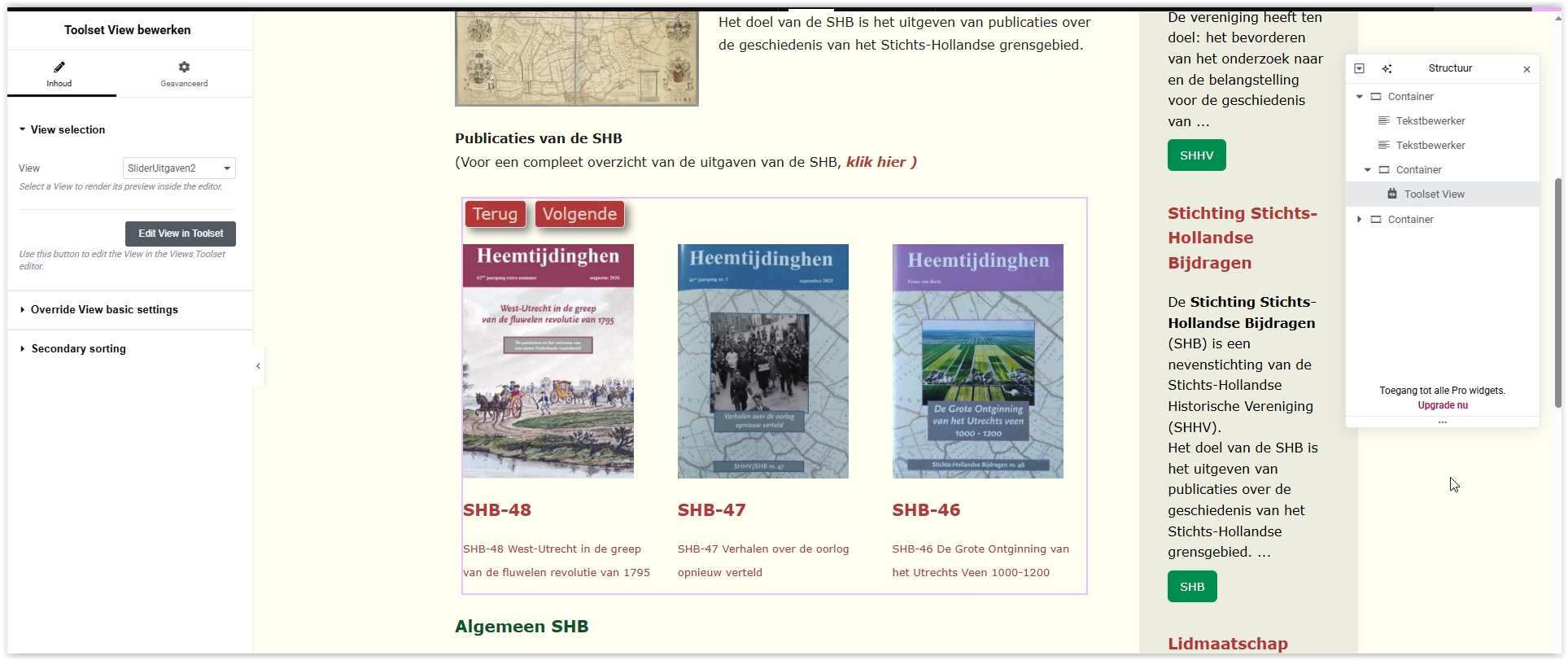
Screen Shot 11-19-26 at 04.54 PM.JPG
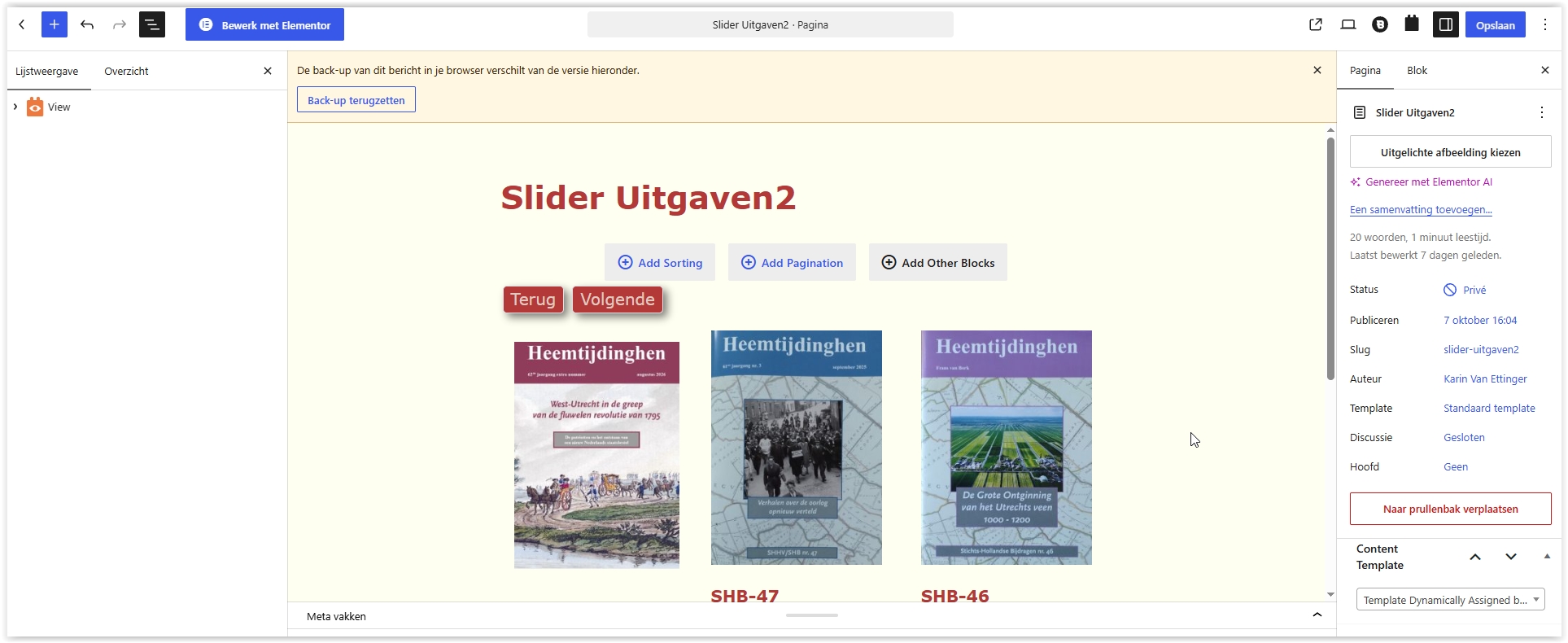
Screen Shot 11-19-26 at 04.50 PM.JPG
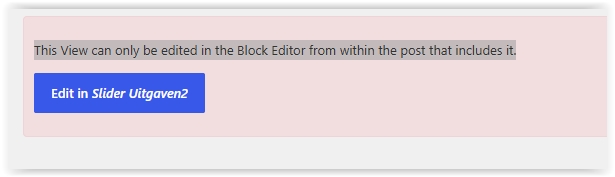
Screen Shot 11-19-26 at 04.47 PM.JPG

Tell us what you are trying to do?
I've created a toolset view on a test page. At the end I was content with the result and did use this view on a production page. Now I should like to throw away the test page and edit the view if necessary from inside the production page.

Is there any documentation that you are following?
Yes I've followed all the documentation on views

Is there a similar example that we can see?
It's working okay .. look at the (test) environment

What is the link to your site?
hidden link

#2919026

Christopher Amirian
Supporter

Languages: English (English )

Hello,

A View that is built with the block editor is stored together with the page where you created it. That page is the only place where the View can be edited, which is why you see the message "This View can only be edited in the Block Editor from within the post that includes it."

Your production page shows the same View through the Toolset View widget in Elementor. Elementor does not use the block editor, so the View cannot be edited from inside that page.

Please do not delete the page "Slider Uitgaven2". If that page is deleted, the View can no longer be edited, and the Views list will show "Edit is not supported for this View".

The page is set to Private, so visitors do not see it. You can keep it as the editing place for this View.

Please follow the steps below whenever you want to change the View:

1. Go to Toolset > Views.

2. Hover over the View and click Edit in the "Slider Uitgaven2".

3. Make your changes to the View block and update the page.

4. Reload your production page. It shows the updated View, because both pages use the same View.

Thanks.

#2919733

Clear.
I moved all the info from the production page and so changed the page Slider Uitgaven2 into the production page.
So nobody will by accident throw away the help-page