Skip Navigation

[Resolved] How to change the wpv-post-field shortcode

This is the technical support forum for Toolset - a suite of plugins for developing WordPress sites without writing PHP.

Everyone can read this forum, but only Toolset clients can post in it. Toolset support works 6 days per week, 19 hours per day.

Sun Mon Tue Wed Thu Fri Sat
- 10:00 – 13:00 10:00 – 13:00 10:00 – 13:00 10:00 – 13:00 10:00 – 13:00 -
- 14:00 – 18:00 14:00 – 18:00 14:00 – 18:00 14:00 – 18:00 14:00 – 18:00 -

Supporter timezone: Asia/Kolkata (GMT+05:30)

This topic contains 3 replies, has 2 voices.

Last updated by Minesh 1 year, 8 months ago.

Assisted by: Minesh.

Author
Posts
#2698231

Tell us what you are trying to do?
I closed my last ticket too soon. In it Nigel said "First, we need to change the wpv-post-field shortcode to specify a different separator than commas: let's use a semi-colon. I did that on your staging site."

Unfortunately I am unable to deploy my staging site.

Could you please advise how to change the shortcode?

What is the link to your site?
hidden link and hidden link

#2698358

Minesh
Supporter

Languages: English (English )

Timezone: Asia/Kolkata (GMT+05:30)

Hello. Thank you for contacting the Toolset support.

I checked the previous ticket and I found the answer given by the Nigel here:
- https://toolset.com/forums/topic/in-a-view-how-to-query-all-the-values-in-a-custom-field-with-multiple-values/#post-2697634

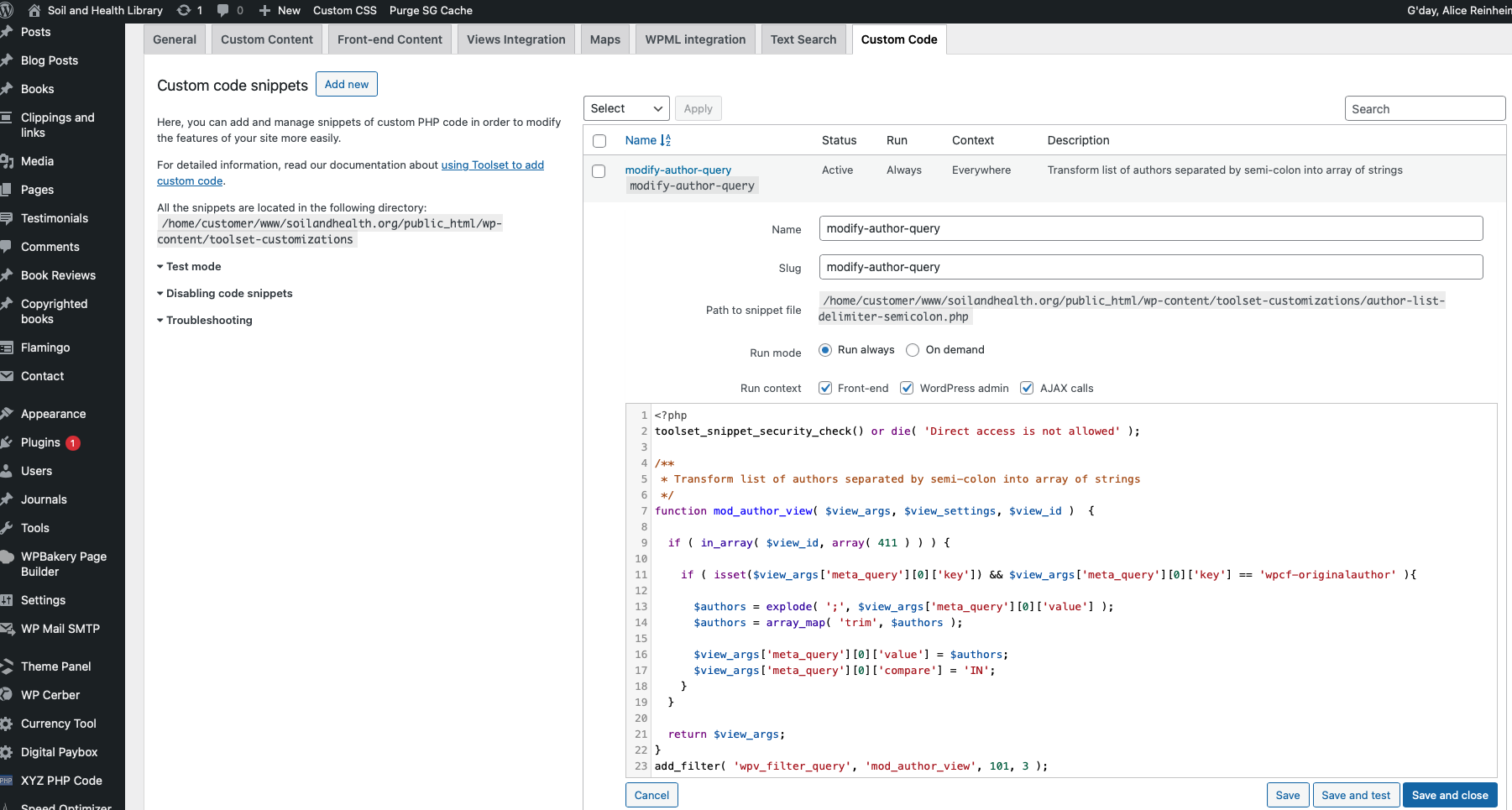
Where he shared the "wpv_filter_query" filter hook - have you added the filter hook to "Custom Code" section offered by Toolset and activated the code snippet?

More info:
- https://toolset.com/documentation/programmer-reference/adding-custom-code/using-toolset-to-add-custom-code/

#2698378
Toolset5.png

Yes, I have. Please see attached image.

#2698616

Minesh
Supporter

Languages: English (English )

Timezone: Asia/Kolkata (GMT+05:30)

Can you please tell me what exactly issue you are having and whats not working and what is your expected result or what you want to fix?

Please share all detailed information and link of the page where you want to fix the issue as well as admin access details.

*** Please make a FULL BACKUP of your database and website.***
I would also eventually need to request temporary access (WP-Admin and FTP) to your site. Preferably to a test site where the problem has been replicated if possible in order to be of better help and check if some configurations might need to be changed.

I have set the next reply to private which means only you and I have access to it.

#2698729

I found that Nigel had edited my view, adding separator=";" as an argument to wpv-post-field. Now my live site is working.