Skip Navigation

[Resolved] How to build a website like showcase- allinop

This support ticket is created 3 years, 6 months ago. There's a good chance that you are reading advice that it now obsolete.

This is the technical support forum for Toolset - a suite of plugins for developing WordPress sites without writing PHP.

Everyone can read this forum, but only Toolset clients can post in it. Toolset support works 6 days per week, 19 hours per day.

Sun Mon Tue Wed Thu Fri Sat
- 9:00 – 13:00 9:00 – 13:00 9:00 – 13:00 9:00 – 13:00 9:00 – 13:00 -
- 14:00 – 18:00 14:00 – 18:00 14:00 – 18:00 14:00 – 18:00 14:00 – 18:00 -

Supporter timezone: Asia/Hong_Kong (GMT+08:00)

This topic contains 6 replies, has 3 voices.

Last updated by Luo Yang 3 years, 6 months ago.

Assisted by: Luo Yang.

Author
Posts
#2438543

Tell us what you are trying to do.
I need to build a website like your showcase - hidden link

Is there any documentation that you are following?
No

Is there a similar example that we can see?
Yes. hidden link

Please tell me step and step. I am new to here, and I use the generatepress and generate block before.

#2438833

Nigel
Supporter

Languages: English (English ) Spanish (Español )

Timezone: Europe/London (GMT+00:00)

Screenshot 2022-08-16 at 14.56.43.png

Hi there

Is there something specific you wanted guidance on? We can't really offer step by steps instructions to recreate a whole website.

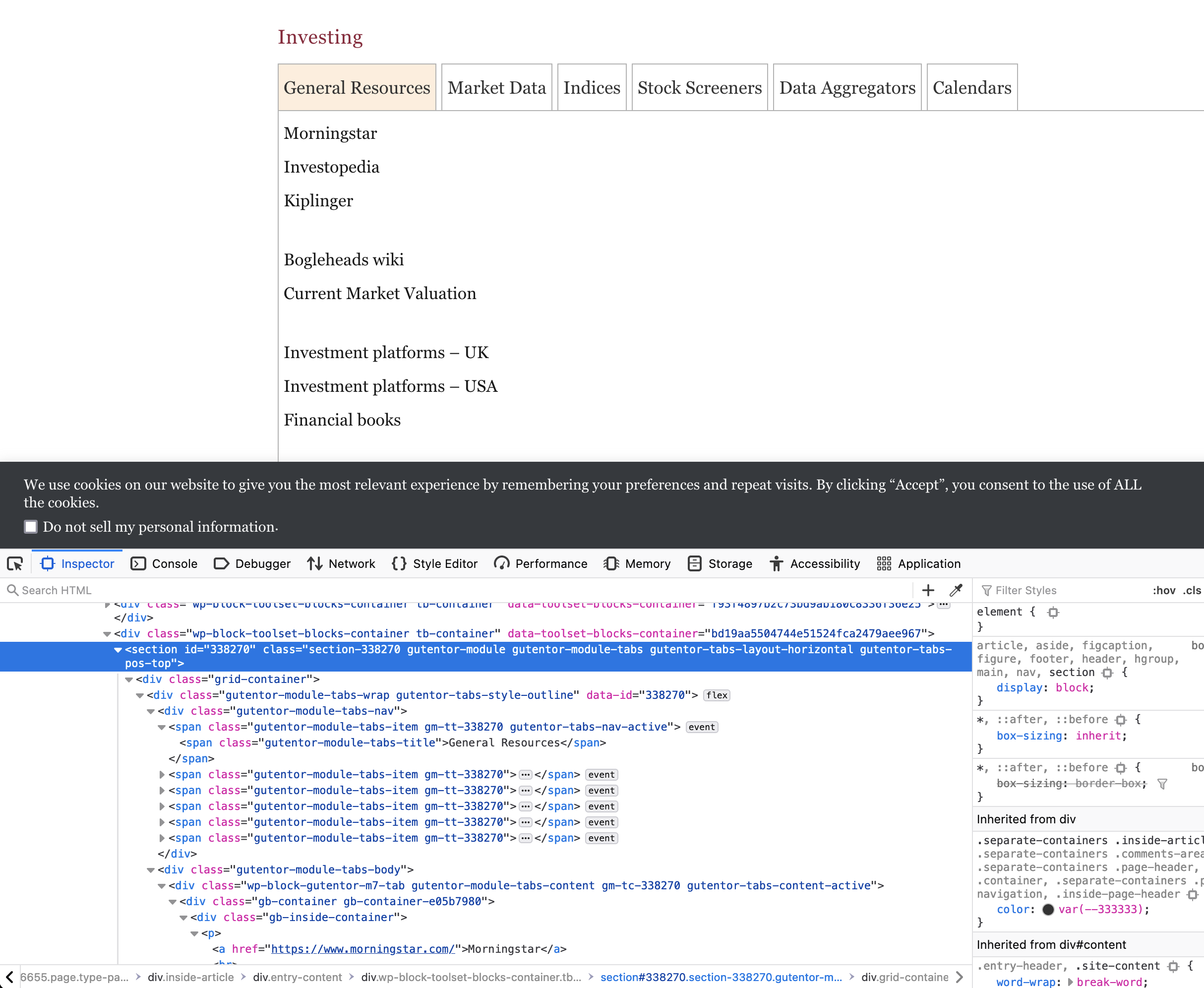
Looking at the linked site, it's not obvious that it uses Toolset very much in any case. A Toolset grid block appears to be used for part of the overall layout, but the content itself seems to be largely static (i.e. manually added links) inserted into Gutentor blocks for tabs and accordions.

https://wordpress.org/plugins/gutentor/

You should be able to see that from the screenshot.

#2439335

Hi Nigel:

I need the wholesale website file to import, that why I buy the toolset.
I know the website to use the gutentor plugin before, If I can use this plugin to build the website directly, why I should buy the toolset?
Tks
Jason

#2439483

I have installed the gutentor plugin for website stainlessstore.com.

I need to have a hidden text drop-down word like hidden link
Home
General
Associated Press
Ap Home, World news, etc

Please just help me that how to do this hidden text drop-down word.

Tks for the help.

Jason

#2439893
tax-filter3.jpg

Hello,

The website you mentioned above is a website of our client, we don't have it's website file.

I have tried Gutentor plugin in below test site:
hidden link

See the result page:
hidden link

It is built with Tabs block of Gutentor plugin + Toolset Blocks plugin.

Here are detail steps:
1) Dashboard-> Toolset-> Settings-> General, in section "Editing experience", enable option "how both the legacy and Blocks interface and let me choose which to use for each item I build"
hidden link

2) Dashboard-> Toolset-> Views, create a post view:
hidden link
- Query posts
- Filter by:
Select posts with taxonomy:
Categories slug in one of those set by the View shortcode attribute wpvcategory
- In view's loop, display the post information

3) Create a page, display Tabs block of gutentor plugin:
hidden link
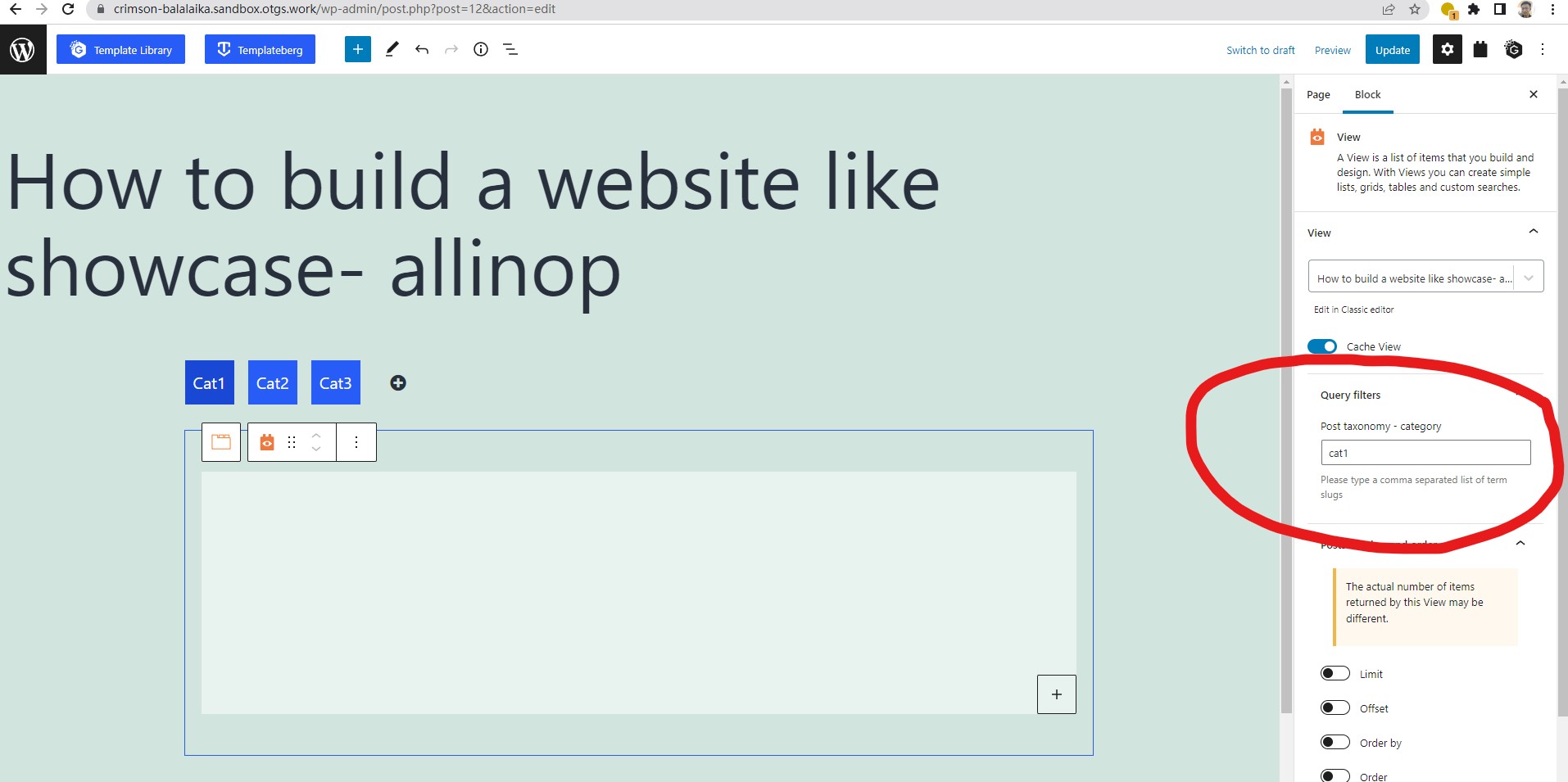
In each tab content, display above a view block, choose above post view(step 2), and filter by related term slug.
See my screenshot tax-filter3.jpg

It is only a demo for your reference, in your case, you need to follow their document to setup gutentor blocks
hidden link

#2439921
Screen Shot 2022-08-18 at 11.57.53.png

Hello Luoyang:

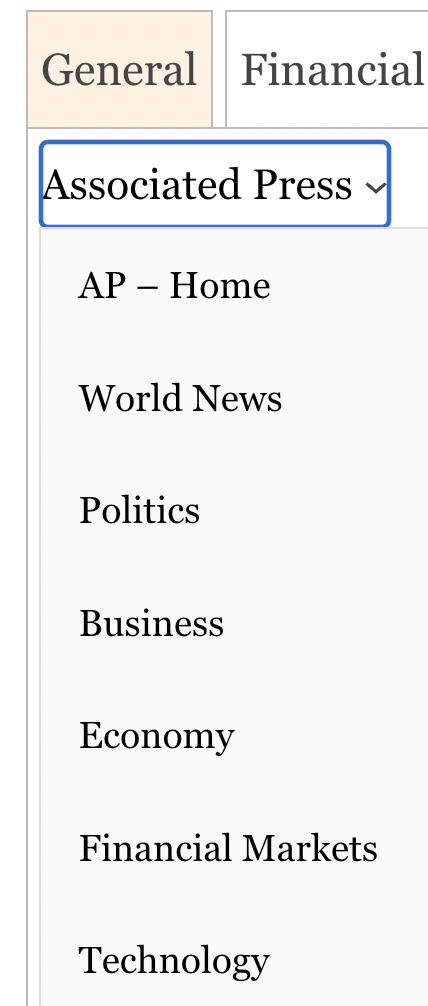
I have added a picture to cat 2, the word is what I need.
hidden link

I need to have a hidden text drop-down word like hidden link
Home
-General
-Associated Press
--Ap Home
--World news

Enclosed is the picture again. Please help with it. Thanks.

Jason

#2440023

The "hidden text drop-down word" is WordPress built-in Navigation block, you can create a WordPress menu, and display it in Navigation block, see the same result page of test site:
hidden link
click tab "Cat2"

More help:
hidden link