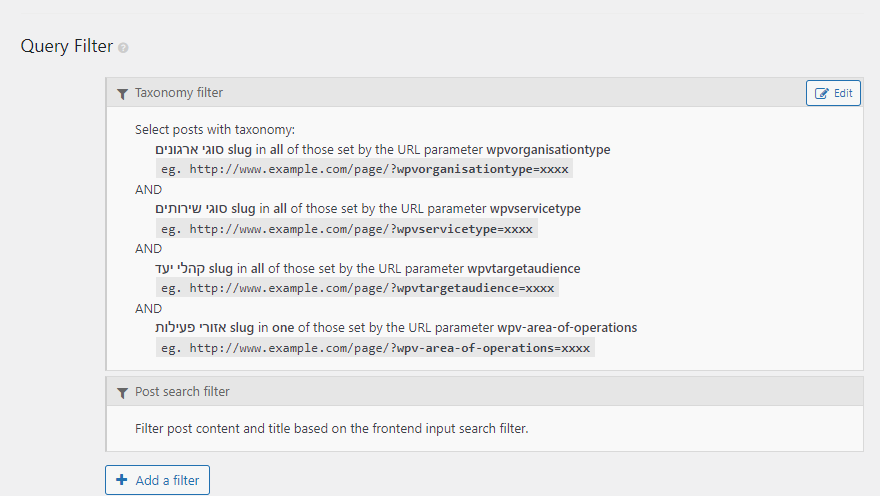
Tell us what you are trying to do? Use the Query Filter -> Taxonomy filter -> Set by URL Param
Is there any documentation that you are following? No
What is the link to your site?
hidden link
The filter form (on the right) adds the necessary params to the URL, But now filtering takes place.
Hello,
Please elaborate the questions with more details:
The filter form (on the right) adds the necessary params to the URL, But now filtering takes place.
What do you mean "filtering takes place"?
Here is the document about "Filtering Views Query by Taxonomy"
https://toolset.com/documentation/user-guides/views/filtering-views-by-taxonomy/
See the row "Value set by URL parameter" of above document.
The filter form (on the right) adds the necessary params to the URL, But NO filtering takes place.
I read the docs, it doesn't explain the issue.
As you can see on the page hidden link when you use the form to the left, URL Params are added, but the view that is supposed to be filtered (Archive) is not filtering.
The problem you mentioned above is abnormal, please try these:
1) Make sure you are using the latest version of Toolset plugins, you can download them here:
https://toolset.com/account/downloads/
2) In case it is a compatibility problem, please deactivate all other plugins, and switch to WordPress default theme 2021, deactivate all custom PHP/JS code snippets, and test again
3) If the problem is fixed, activate other plugins/theme one by one, try to locate the problem plugin
4) If the problem still persists, please provide database dump file(ZIP file) of your website, you can put the package files in your own google drive disk, share the link only, I need to test and debug it in my localhost, thanks
https://toolset.com/faq/provide-supporters-copy-site/
Please provide your website credentials in below private message box, thanks
I have tried these in your website:
1) Edit the WordPress Archive "Organisations":
hidden link
in section "Loops Selection", disable option "Organisations"
2) Create another new WordPress Archive "Filter setting in CPY Archive"
hidden link
Setup the custom search form with taxonomies filters
Test it in frontend:
hidden link
It works fine, can you confirm it?
And since the WordPress Archive "Organisations" has been highly customized with HTML codes, it might be broken, I suggest you setup the WordPress Archive for post type "Organisations" manually again.
Can you please re do what you did? We had to reset the site
p21311-271-27609.s271.upress.link
As your request, I have setup the new WordPress Archive again:
hidden link
Test it in frontend:
hidden link
It works fine.