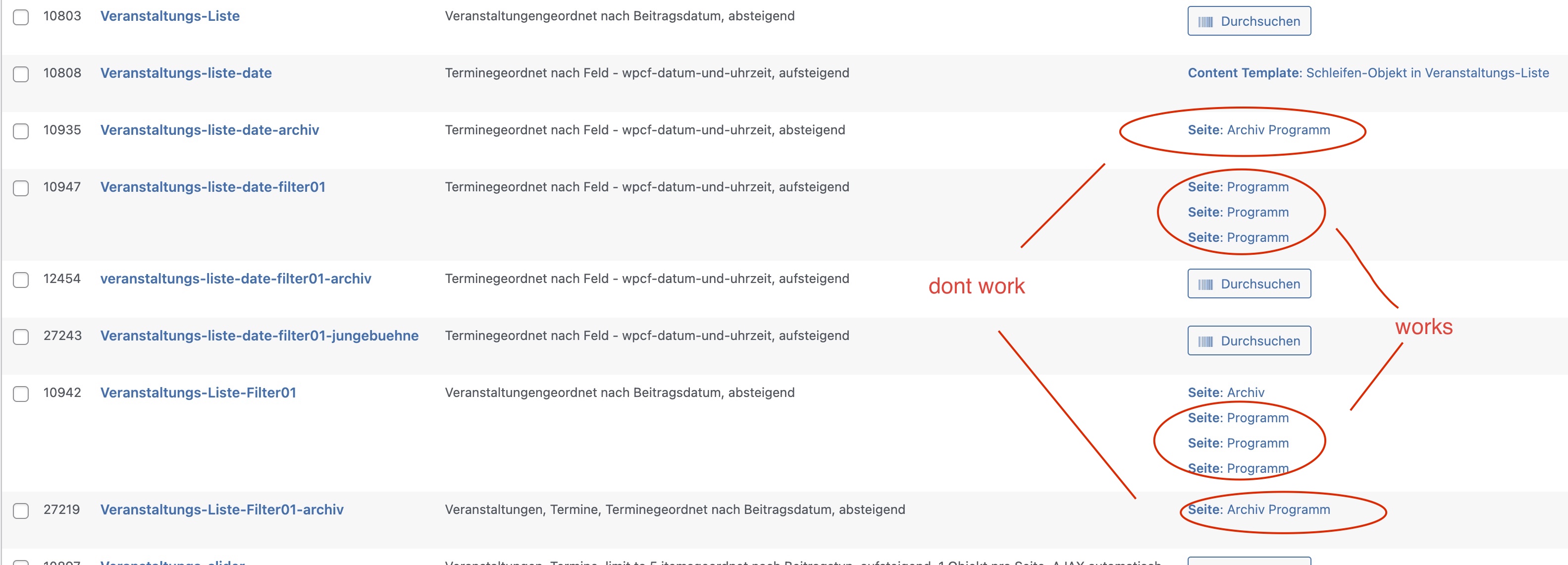
The Taxonomie-Filter in my View dont work correctly. It is with
[wpv-control-post-taxonomy taxonomy="veranstaltungskategorie" type="select" url_param="wpv-veranstaltungskategorie"]
the query is set auto by:
Datum und Uhrzeit ist ein/e String gleich URL_PARAM(wpv-wpcf-datum-und-uhrzeit)
Here you can see it is no filter working (submit button required)
hidden link
in a other view a copy of this filter is working here
hidden link
The Shortcode which include the views in pages is (in both the same shortcodes with different views - but they nearly the same):
[wpv-form-view name="veranstaltungs-liste-filter01-archiv" target_id="self"]
[wpv-view name="veranstaltungs-liste-date-archiv" wpvrelatedto="[wpv-view name='veranstaltungs-liste-filter01-archiv' view_display='layout']"]
thx for any hint - i cant see the forest by all this trees 😉
Alex
Hi Alex,
If the filter was copied and pasted from another view then its quite possible that this view is missing the query filter to make the frontend filter work.
My suggestion is to add the filter to the view by using the Add New Filter button as this will auto add the correct query filter for the frontend filter to work.
Please let me know if this helps.
Thanks,
Shane
hi Shane,
i did the filters in it by adding New Filter Button. - But it dont work. Its like a miracle for me.
would you like to see the views in Backend?
best regards - alex
Hi Alex,
Would you mind allowing me to have admin access to the website so that I can have a more detailed look at this for you ?
I've enabled the private fields for your next response.
Thanks,
Shane
hey - thanks - on screenshot i try to show which is working, which not..
thx a lot:
Hi Alex,
I see the issue now. You're using the filter from This view hidden link
To filter the results of this view below.
hidden link
Can you confirm that my assumptions are correct ? Because the view above doesn't have a query filter for the taxonomy hence why the results are unchanging. Also I see that you're passing another view into this view to filter by some form of relationship but the view has no relationship filter either.
Thanks,
Shane
hi Shane,
i dont think so - it is the page with shortcodes in it:
[wpv-form-view name="veranstaltungs-liste-filter01-archiv" target_id="self"]
[wpv-view name="veranstaltungs-liste-date-archiv" wpvrelatedto="[wpv-view name='veranstaltungs-liste-filter01-archiv' view_display='layout']"]
that work on the other combination as well - or did i something not see?
thx - alex
Hi Alex,
Based on this setup you're using the filter of this view below.
[wpv-form-view name="veranstaltungs-liste-filter01-archiv" target_id="self"]
To filter this view here.
[wpv-view name="veranstaltungs-liste-date-archiv" wpvrelatedto="[wpv-view name='veranstaltungs-liste-filter01-archiv' view_display='layout']"]
Your "veranstaltungs-liste-filter01-archiv" view is not displaying any information on the page. In fact the filter is working correct and as intended for the view.
I see here wpvrelatedto="[wpv-view name='veranstaltungs-liste-filter01-archiv' view_display='layout']" that you're passing the filtered view as a parameter with the wpvrelatedto filter however on the "veranstaltungs-liste-date-archiv" view there is no query filter to account for this wpvrelatedto parameter.
I went ahead and added the relationship filter that is required and your view should now be displaying the correct data.
Thanks,
Shane
Hi Shane,
but now view said: "No items found".
can you have a look to this?
thx - alex
Hi Alex,
Under what circumstances does the view show No Items Found ? As this exact URL below shows the items being filtered.
hidden link
Thanks,
Shane
hey Shane,
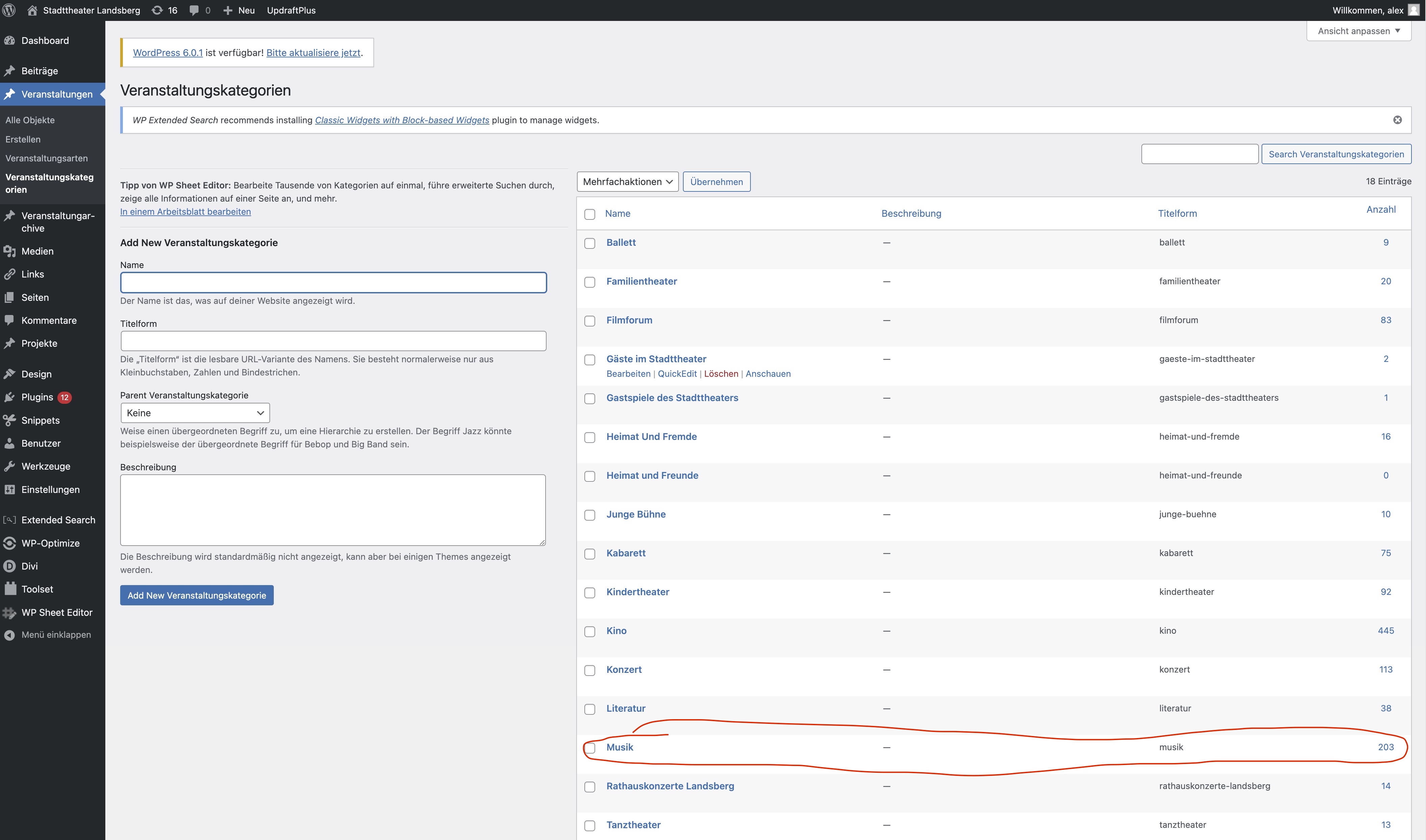
here is a example that dont find some items - but there are over 200 items in it. Look at the screenshot.
hidden link
thx for the helping - alex
Hi Alex,
The problem is the filters, there is also a date filter on the view that is displaying the results, so even if you have posts, unless they meet the criteria of the filters then the view will display no items found.
Thanks,
Shane
Hey Shane,
i think the filters can work together - issent it?
or what can i do ?
best regards - alex
Hi Alex,
They are working together, so you're filtering by 2 parameters. 1 being the search criteria and the other being the date filter.
It's just that when none of your post don't match the search criteria of the filters then it'll display the no items found.
If you want to avoid this you can remove the date filter, however you will just get a list of post based on the search criteria.
Thanks,
Shane