Skip Navigation

[Resolved] Field group hidden behind collapsed panel when creating new post (WP 7.0.2)

This is the technical support forum for Toolset - a suite of plugins for developing WordPress sites without writing PHP.

Everyone can read this forum, but only Toolset clients can post in it. Toolset support works 6 days per week, 19 hours per day.

Sun Mon Tue Wed Thu Fri Sat
- 10:00 – 13:00 10:00 – 13:00 10:00 – 13:00 10:00 – 13:00 10:00 – 13:00 -
- 14:00 – 18:00 14:00 – 18:00 14:00 – 18:00 14:00 – 18:00 14:00 – 18:00 -

Supporter timezone: Asia/Kolkata (GMT+05:30)

This topic contains 10 replies, has 1 voice.

Last updated by Minesh 1 day, 4 hours ago.

Assisted by: Minesh.

Author
Posts
#2869613

Subject: Field group hidden behind collapsed panel when creating new post (WordPress 7.0.2) — suspected iframed post editor issue

Hi Toolset team,

I'm running into an issue on a live site that does not occur on an older clone of the same site. The difference between the two environments strongly points to the new "always-iframed" post editor introduced in WordPress 7.0.

WHAT I EXPECT TO SEE
When creating a new "woongroep" post (custom post type), both the Title field AND the assigned Toolset field group should be visible and directly usable in the post editor, as they are on my clone site.

WHAT ACTUALLY HAPPENS (on the live site only)
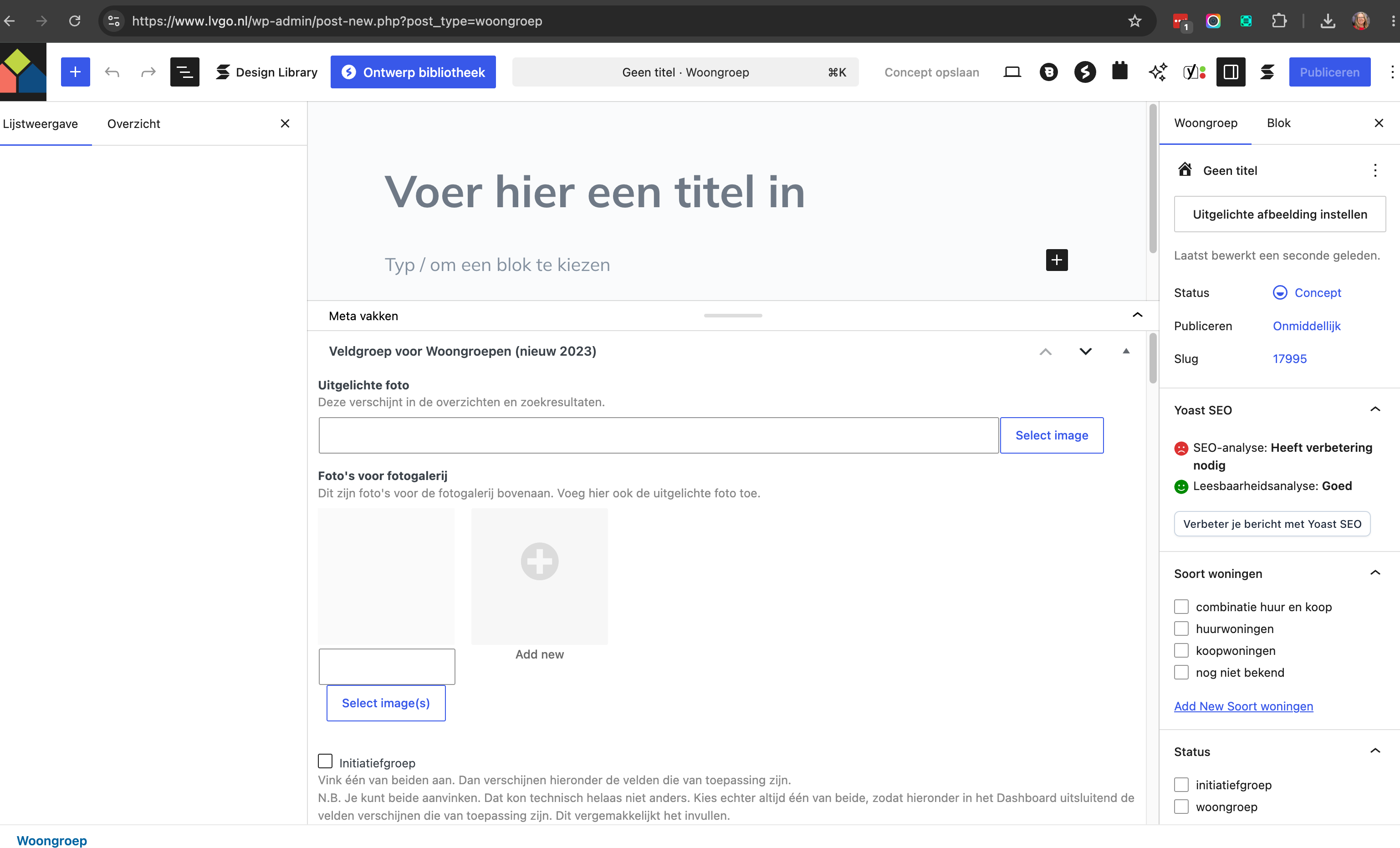
When adding a new woongroep post, only the Title field appears. A Stackable block is automatically present, and the Toolset field group is technically there but collapsed/hidden — I have to click a small arrow in the bottom-right corner to expand it. Once expanded, all fields are editable, but then the Title field is no longer visible on screen. Both cannot be shown/used at the same time.

REPRODUCTION
Live site: hidden link
Example post showing the problem: hidden link (draft, "Test woongroep 20-07-2026")
Preview link: hidden link

Working clone (same site, older core/plugin versions): hidden link

ENVIRONMENT COMPARISON

Live site (broken):
- WordPress: 7.0.2
- Toolset Blocks: 1.6.26
- Toolset Maps: 2.2.4
- Toolset Types: 3.6.2
- Stackable: 3.19.9
- Theme: Blocksy 2.1.49

Clone (working correctly):
- WordPress: 6.9.5
- Blocksy Companion (Premium): 2.1.25
- Toolset Blocks: 1.6.21
- Toolset Maps: 2.2.1
- Toolset Types: 3.6.1
- Stackable: 3.19.10

Note that Stackable is actually newer on the working clone than on the broken live site, which makes Stackable an unlikely root cause on its own. The clearest differentiator between the two environments is the WordPress core version: 6.9.5 vs. 7.0.2.

WHY I SUSPECT THE WP 7.0 IFRAMED EDITOR
WordPress 7.0 changed the post editor to run inside an iframe whenever all blocks actually inserted into the post content use Block API version 3 (previously, any classic meta box present would keep the editor out of the iframe). Toolset field groups are rendered as classic meta boxes. If the Stackable block auto-inserted into this post type uses apiVersion 3, the iframe would now be enforced where it previously wasn't on WP 6.9.x — which matches the exact symptom of the Toolset meta box no longer rendering/expanding correctly alongside the title field.

I have Toolset licensed as a lifetime unlimited subscription and would appreciate help confirming whether this is a known compatibility gap with WordPress 7.0's always-iframed editor, and whether a fix or workaround is planned.

Happy to provide temporary admin access if that helps with debugging.

Thanks in advance,
Winy

#2869696

Minesh
Supporter

Languages: English (English )

Timezone: Asia/Kolkata (GMT+05:30)

Hello. Thank you for contacting the Toolset support.

Acutally WordPress has added the feature so that all custom fields added within the Meta Boxes panel.

What if you navigate on the edit post screen and click on the three dots available at top right corner and then click on preferences and enable the option "Always open List View" and save and check if that help you to resolve your issue.

#2869711
Screenshot 3 →
Screenshot 2 →
Screenshot 1 →

Hi Minesh,

Thanks for your reply.

I navigated to the edit post screen, clicked the three dots in the top right corner, went to Preferences, and enabled "Always open List View," then saved. Unfortunately, this does not resolve my issue: I don't see any difference in the editor.

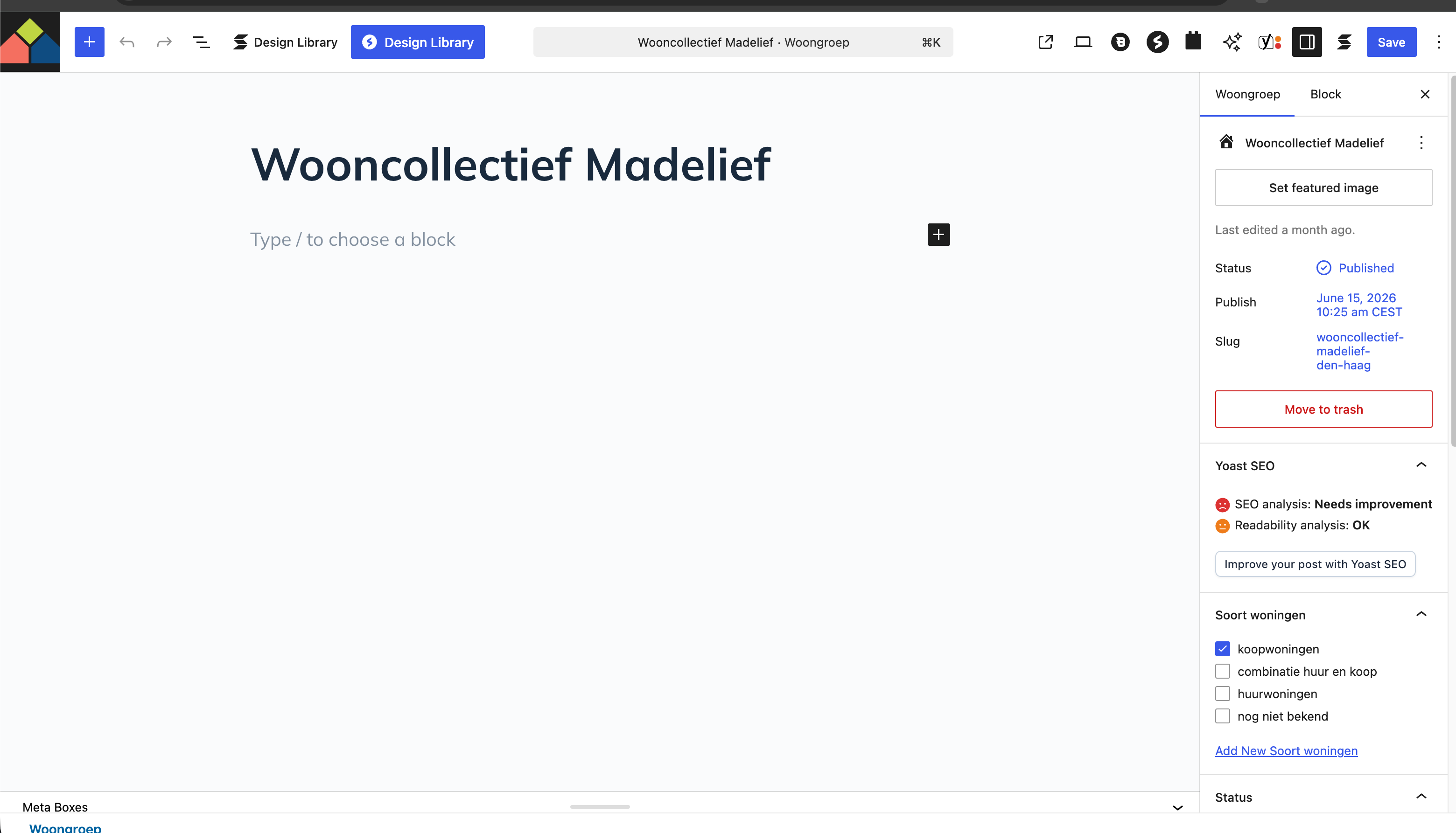
Here is what I see when I click "Edit Post":
(screenshot 1)

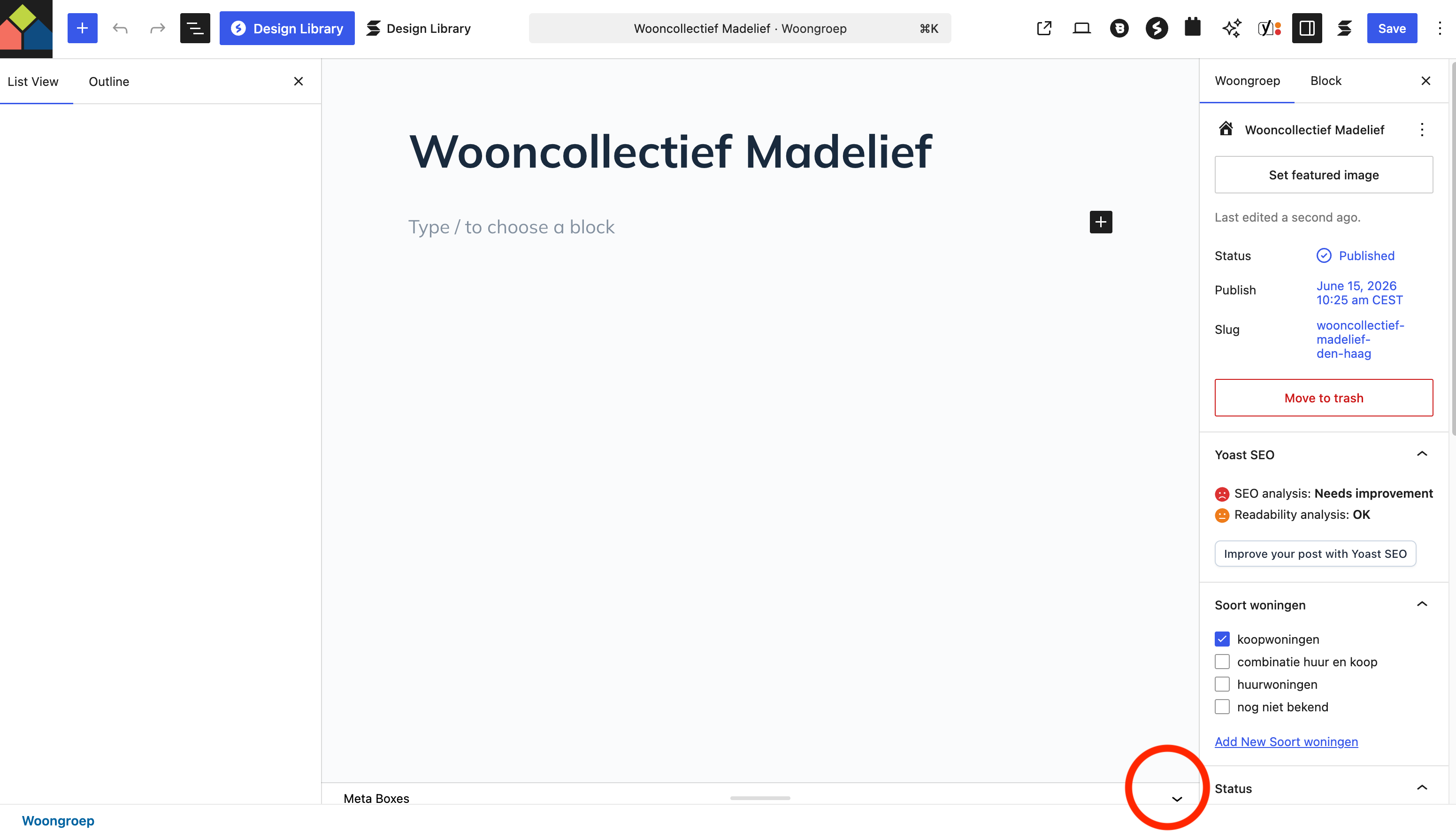
After clicking the small arrow in the bottom-right corner, I can edit the fields:
(screenshot 2)

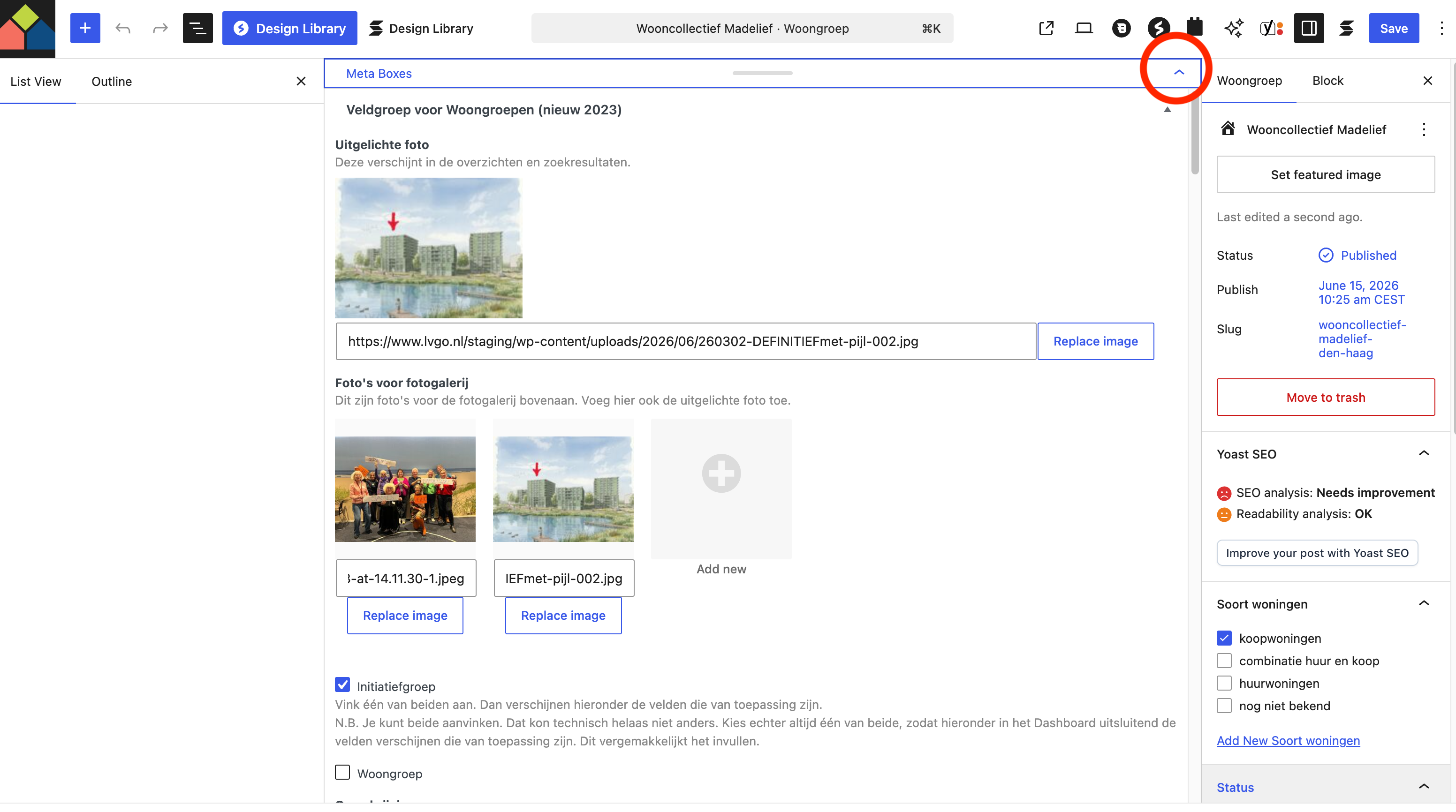
After clicking the small arrow in the top-right corner, the post title becomes visible again:
(screenshot 3)

So it is workable, but not as user-friendly as before, when the title and the fields were visible at the same time.

Is Toolset still planning to release an update to fix this issue?

I'll attach the screenshots separately.

One more thing worth flagging: this is likely to get more urgent soon, not less. According to a recent Gutenberg Times article ("The post editor is going full iframe: what block developers need to know before WordPress 7.1", hidden link), WordPress 7.1 is scheduled for August 19, 2026, and will enforce the iframed post editor on every theme, regardless of block apiVersion — the fallback that currently keeps the editor out of the iframe when a v1/v2 block is present will be gone. In other words, the workaround we're currently using (expanding the Meta Boxes panel via the small arrow) may be the only available state going forward, with no way to fall back to the old non-iframed behavior.

Given that hard deadline, could you let me know whether Toolset Types/Blocks have already been tested against the WordPress 7.1 Beta, and whether there's a timeline for a proper fix (rather than just a workaround) before August 19?

#2869724

Minesh
Supporter

Languages: English (English )

Timezone: Asia/Kolkata (GMT+05:30)

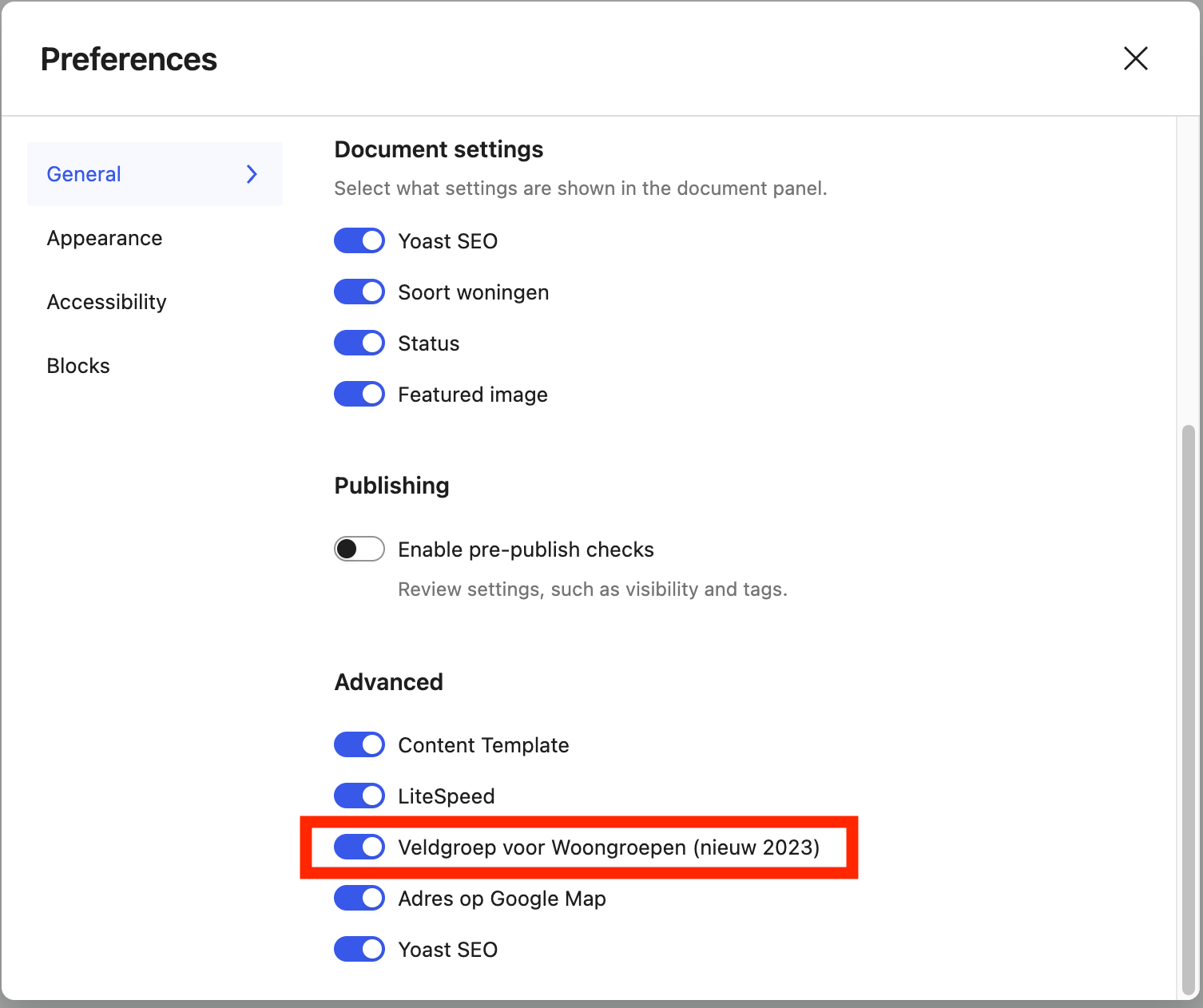
I navigated to the edit post screen, clicked the three dots in the top right corner, went to Preferences and on the "General" tab scroll down to "Advanced" section and enable the setting for the field group you want and save it and see if that help you to resolve your issue.

#2869730
Scherm­afbeelding 2026-07-22 om 13.14.10.png

This was already enabled, see screenshot. Issue is still not resolved.

#2869735

Minesh
Supporter

Languages: English (English )

Timezone: Asia/Kolkata (GMT+05:30)

Can you please share admin access details and let me see what I can do.

*** Please make a FULL BACKUP of your database and website.***
I would also eventually need to request temporary access (WP-Admin and FTP) to your site. Preferably to a test site where the problem has been replicated if possible in order to be of better help and check if some configurations might need to be changed.

I have set the next reply to private which means only you and I have access to it.

#2869915

Minesh
Supporter

Languages: English (English )

Timezone: Asia/Kolkata (GMT+05:30)

Can you please check now: hidden link

What I've doen is:
- I edit the above post and drag the Meta boxes panal so that it shows post title and body and then meta boxes and then save the post and when I re-open the post I can see the Meta Boxes panel is open.

#2869928

Thank you Minesh,

Yes, the meta boxes and title are now immediately visible in the editor at hidden link. Strangely enough, it’s now working properly on the live site (www.lvgo.nl) as well. How is that possible?

#2869935

Minesh
Supporter

Languages: English (English )

Timezone: Asia/Kolkata (GMT+05:30)

Maybe its due to cache - yesterday the changes that I asked you made has effect today.

#2870067
Scherm­afbeelding 2026-07-24 om 10.56.00.png

Today I checked the live site hidden link again and everything is working as it should.
I now see this (screenshot) when I create a new CPT “Woongroep”, just like before.
Thanks for your help!

#2870072

Minesh
Supporter

Languages: English (English )

Timezone: Asia/Kolkata (GMT+05:30)

That is great news and glad to help. You're welcome to mark resolve this ticket.

Please feel free to open a new ticket with every new question you may have.