We are creating a classifieds website using Toolset.
We have a CRED Form for adding ads in which we need to charge user.
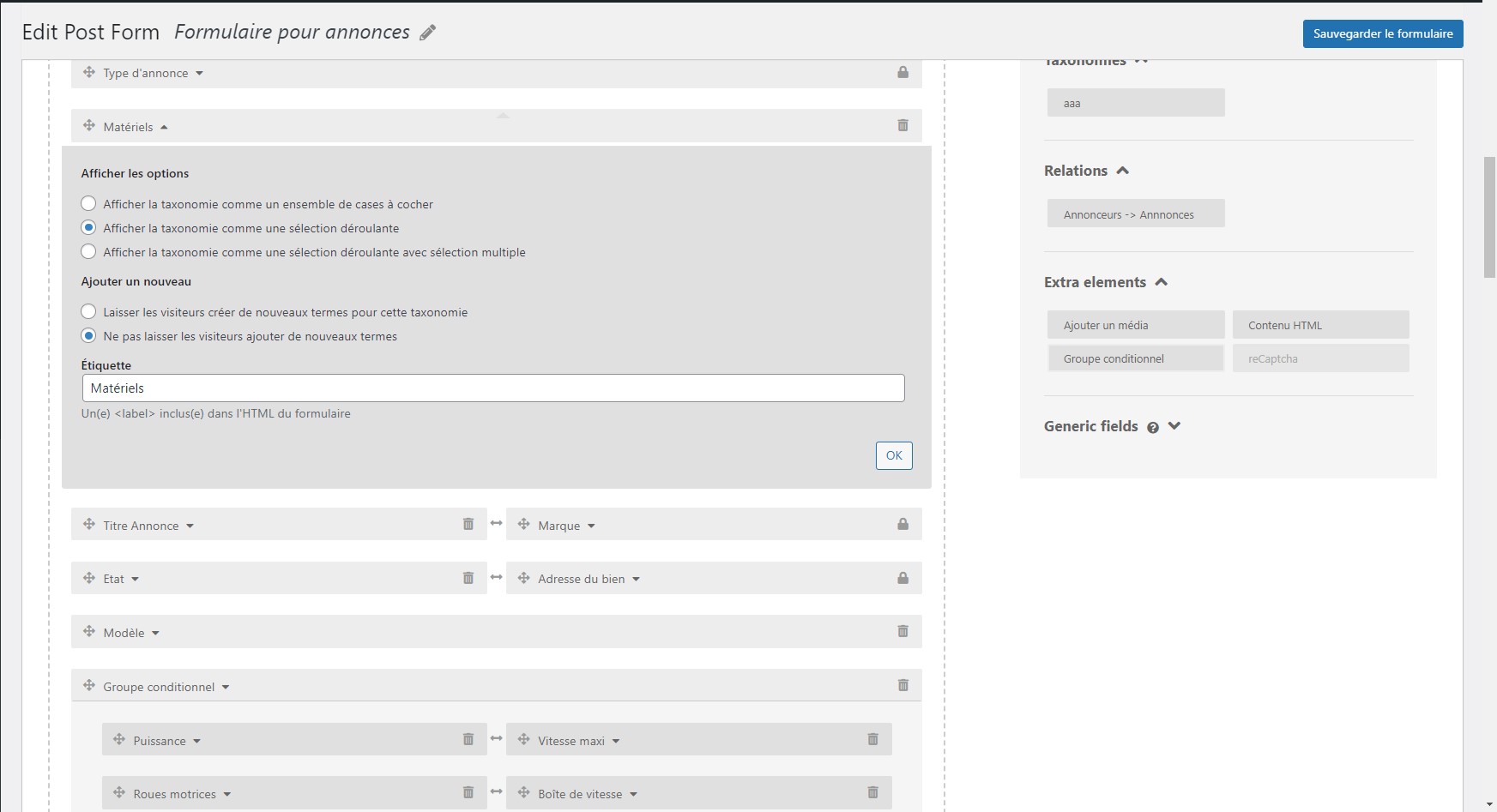
In this form we have a taxonomy field "materiels" with hierarchical terms.
We need to have a custom field ex: "materiels-2" wich will be a mirror of the taxonomy field which is automatically selected depending the taxonomy term selected by the user.
We need this in the same form.
For example :
User select "auto" in the taxonomy field "materiel" -> "auto" is automatically selected in the custom field "materials-2".
We need that to use this second field "materiel-2" value to specify the product and charge user.
Hello. Thank you for contacting the Toolset support.
Can you please tell me what field type you are using for the field "materials-2"? Is it checkboxes field?
Can you please share screenshot of custom field setup page for the field "materials-2" as I wonder how exactly you mirror the taxonomy to custom field?
The mirror "materials-2" of our taxonomy "materiel" is not able yet, we don't know to do the mirroring.
To be more clear, we actually have a hierarchical taxonomy "materiel", this taxonomy is displayed in a form as selected field. Users have to choice a child-taxonomy, this choice will display their ad in the good view.
Can you please share problem URL where you added your form as well as admin access details and let me review your structure first and see if we can dynamically assign the product.
*** Please make a FULL BACKUP of your database and website.***
I would also eventually need to request temporary access (WP-Admin and FTP) to your site. Preferably to a test site where the problem has been replicated if possible in order to be of better help and check if some configurations might need to be changed.
I have set the next reply to private which means only you and I have access to it.
I see you have added the field "Type de bien" that holds the taxonomy terms and you are displaying as select dropdown.
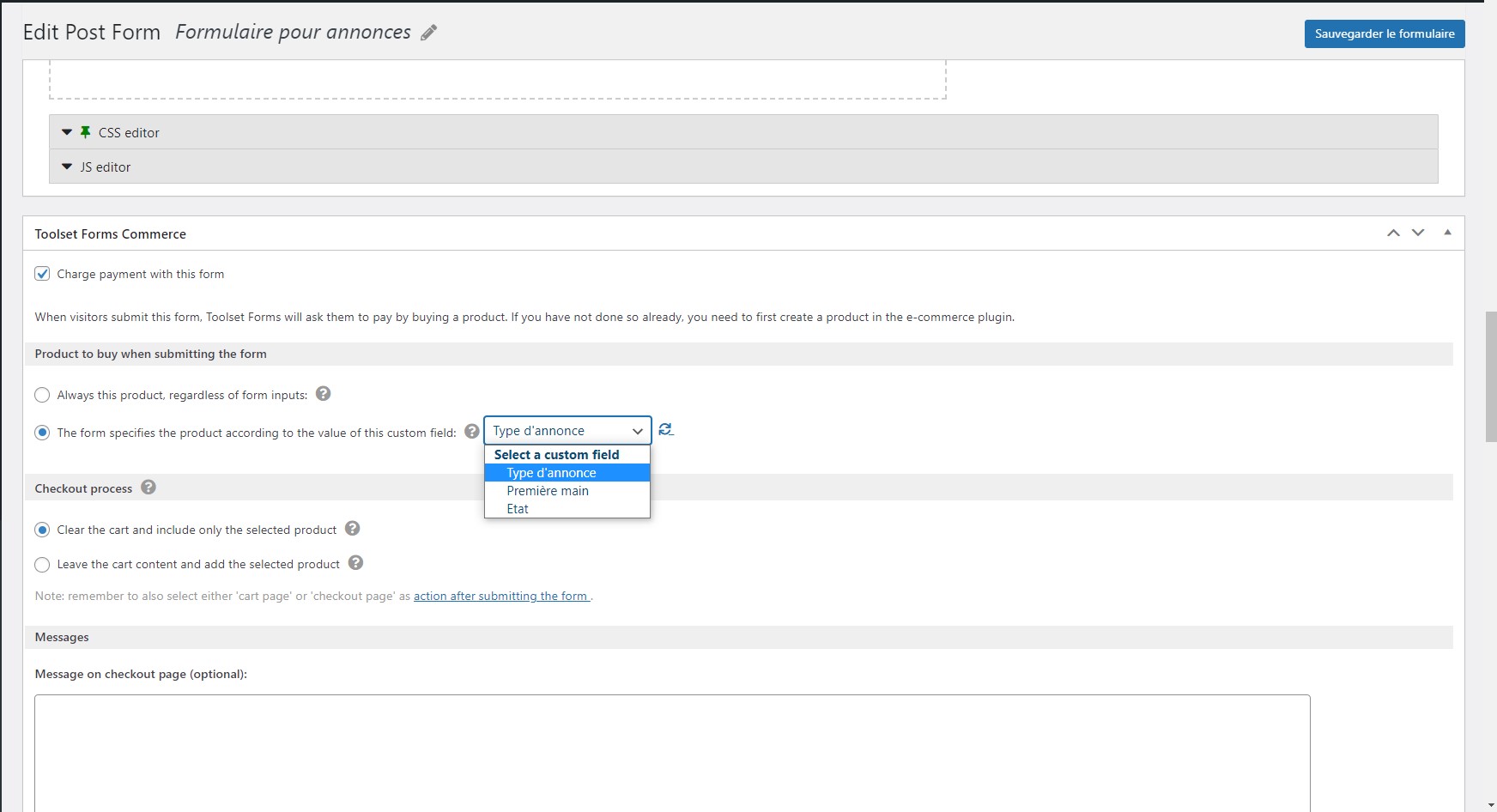
Toolset forms commerce offers you two options:
- Either you can set the specific product that you want to buy using the form or
- the form contain the custom field that holds the product ID and that selected product by user will be buy using the form
As shown with the following screenshot:
- hidden link
I do not able to relate what will be the connection between the product and your taxonomy materiel.
As the Toolset forms integration with WooCommerce is based on the product (either you can set specific product or your form should have custom field that holds the product ID.).
What product you want to buy every time, or you mean that you have only one product "Publication de vente":
=> hidden link
And you mean that you have different prices based on the taxonomy terms (that should be eventually treated the product attributes), so based you the selected option from the taxonomy select field "Type de bien", you want to charge the different prices - is that correct?
- What product you want to buy every time, or you mean that you have only one product "Publication de vente" :
I've created new products that will be necessary to charge customers.
- And you mean that you have different prices based on the taxonomy terms (that should be eventually treated the product attributes), so based you the selected option from the taxonomy select field "Type de bien", you want to charge the different prices - is that correct?
You can not add such product like product with product variation as Toolset Forms commerce depend on the product ID and whatever product you select it will fetch the price attached to product automatically.
Your requirement is even beyond the product variation where you want to change the price based on the taxonomy term and which is totally out of scope. There is no such feature available to change the price based on the attribute you select.
You can use above hook if that may help where you apply the your custom logic that based on the selected term you can manipulate with price and return the product ID dynamically but its just an idea as you will have to try if thats possible. As you need to define with what terms what product IDs available and you will also have to update the product price on fly where you may have to play with WooCommerce hooks to change the product price on fly.
It may require extensive custom programming which is beyond the scope of our support policy. If you require custom programming for your project you are welcome to contact our certified partners, they will be happy to help you with your any custom programming requirement:
=> https://toolset.com/contractors/
There is no such code available as I already acknowledged that it will require custom programming and that is beyond the scope of our support policy. If you require custom programming for your project you are welcome to contact our certified partners, they will be happy to help you with your any custom programming requirement:
=> https://toolset.com/contractors/
Toolset Forms commerce works on Product ID, As you can see with the following screenshot, either you can set a specific product or a custom field that holds the product ID. Those configurations are set from the Form's configurations. You can not change those settings from frontend.
- hidden link
Hi Minesh, thanks for your support. Just a last question related with the Hooks. Can you tell us where we have to put them please ? In the form's JS editor or somewhere else ?