Skip Navigation

[Resolved] Disable the caching of a view

This is the technical support forum for Toolset - a suite of plugins for developing WordPress sites without writing PHP.

Everyone can read this forum, but only Toolset clients can post in it. Toolset support works 6 days per week, 19 hours per day.

Sun Mon Tue Wed Thu Fri Sat
- 10:00 – 13:00 10:00 – 13:00 10:00 – 13:00 10:00 – 13:00 10:00 – 13:00 -
- 14:00 – 18:00 14:00 – 18:00 14:00 – 18:00 14:00 – 18:00 14:00 – 18:00 -

Supporter timezone: Asia/Kolkata (GMT+05:30)

This topic contains 1 reply, has 1 voice.

Last updated by Saul Baizman 16 hours, 21 minutes ago.

Assisted by: Minesh.

Author
Posts
#2847599
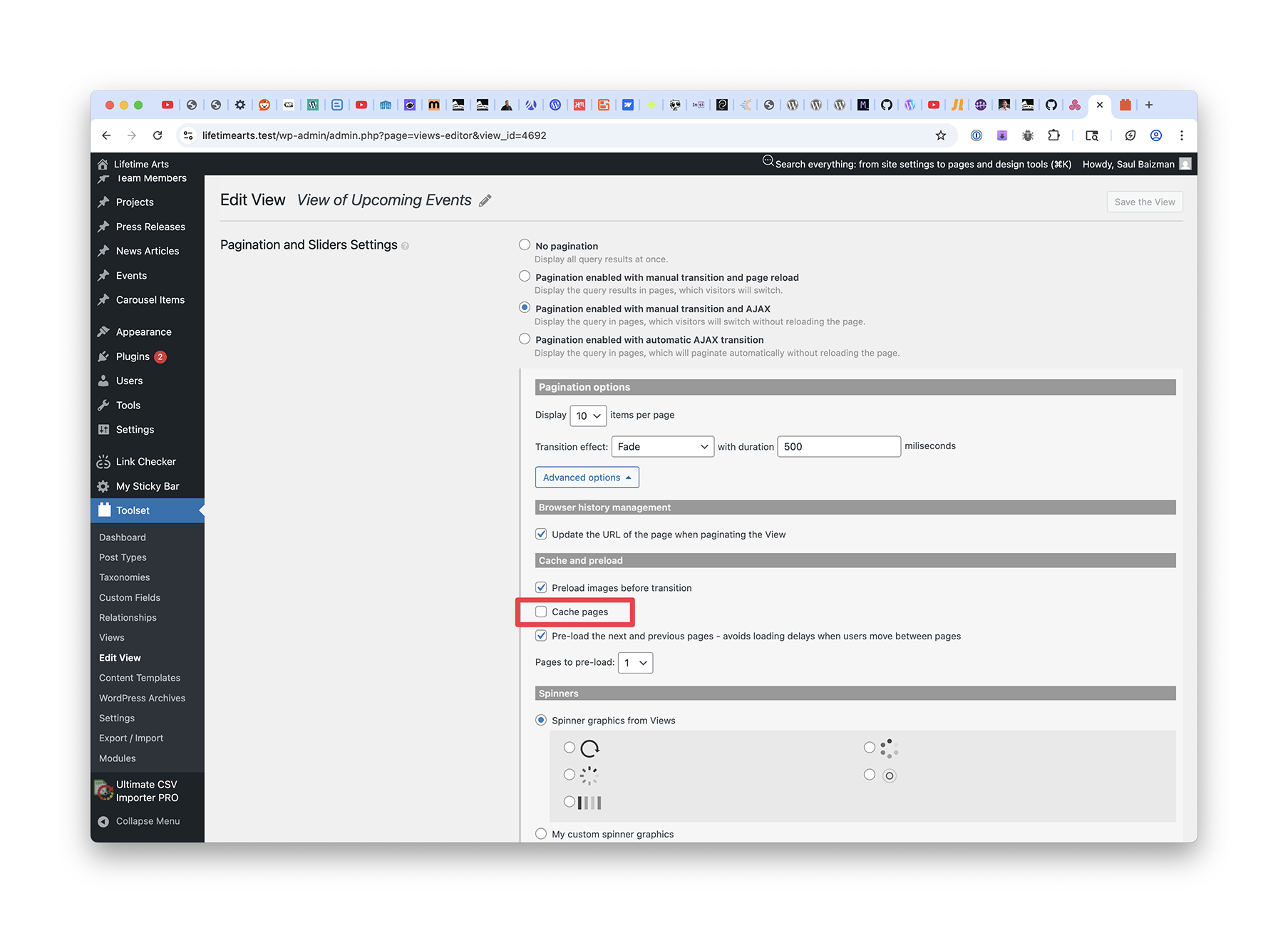
view detail - cache pages checkbox.png
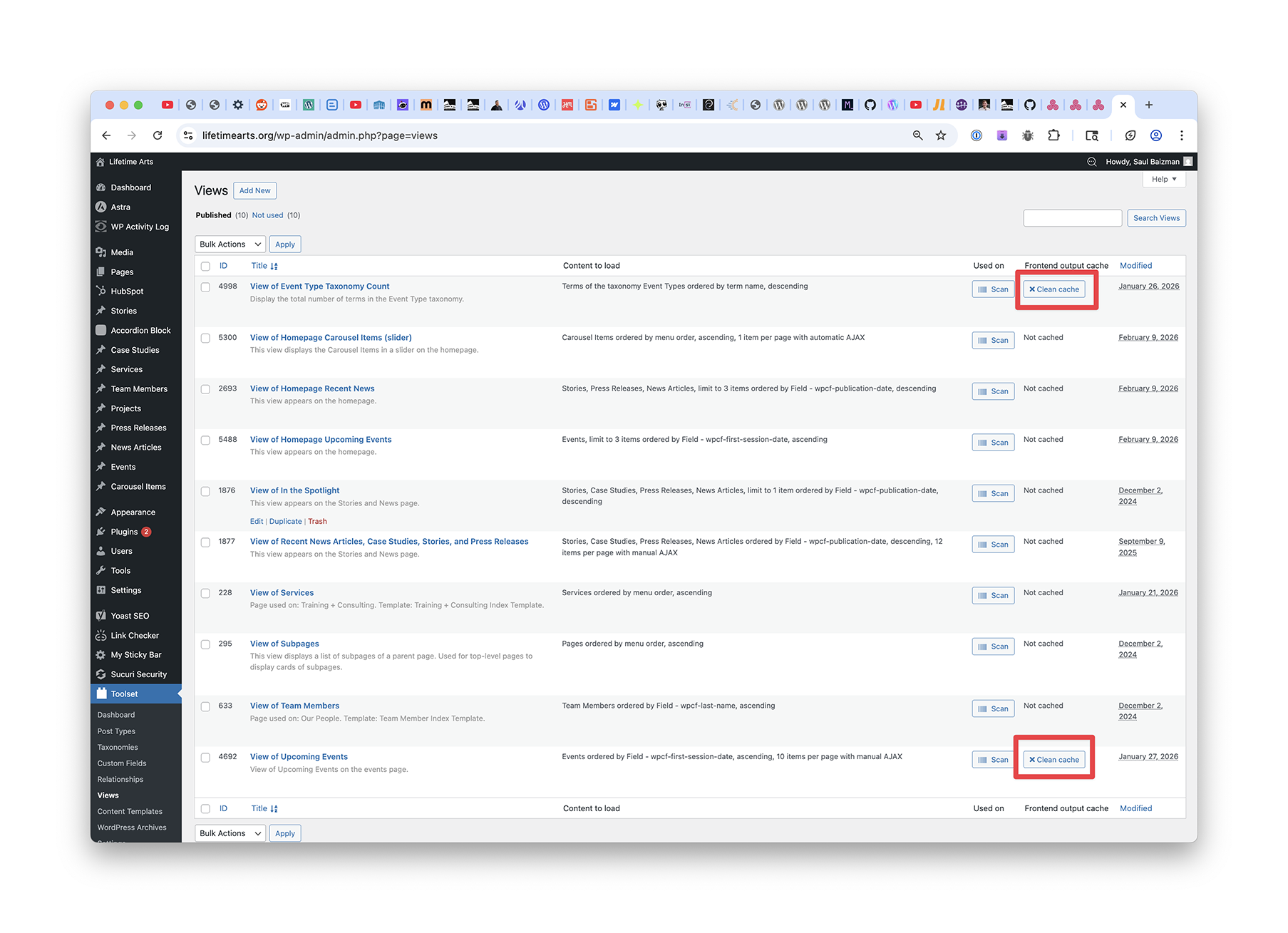
views admin screen.png

Hi there,

I'm trying to disable the caching of a (legacy) view. Is that possible? I wish to avoid occasionally having to visit Dashboard > Toolset > Views and clicking the "Clear Cache" button in the "Frontend output cache" column. See "views admin screen.png."

And yes, I have unchecked the "Cache pages" checkbox on the view detail screen. See "view detail - cache pages checkbox.png."

Thanks!

Saul

#2847641

Minesh
Supporter

Languages: English (English )

Timezone: Asia/Kolkata (GMT+05:30)

Hello. Thank you for contacting the Toolset support.

In order to disable the view cache, you can add the attribute: cached="off"

For example:

[wpv-view name="your-view-slug" cached="off"]

More info:
- https://toolset.com/documentation/programmer-reference/views/views-shortcodes/#wpv-view

#2847678

This is great. Thanks, Minesh! I appreciate it.