Tell us what you are trying to do?
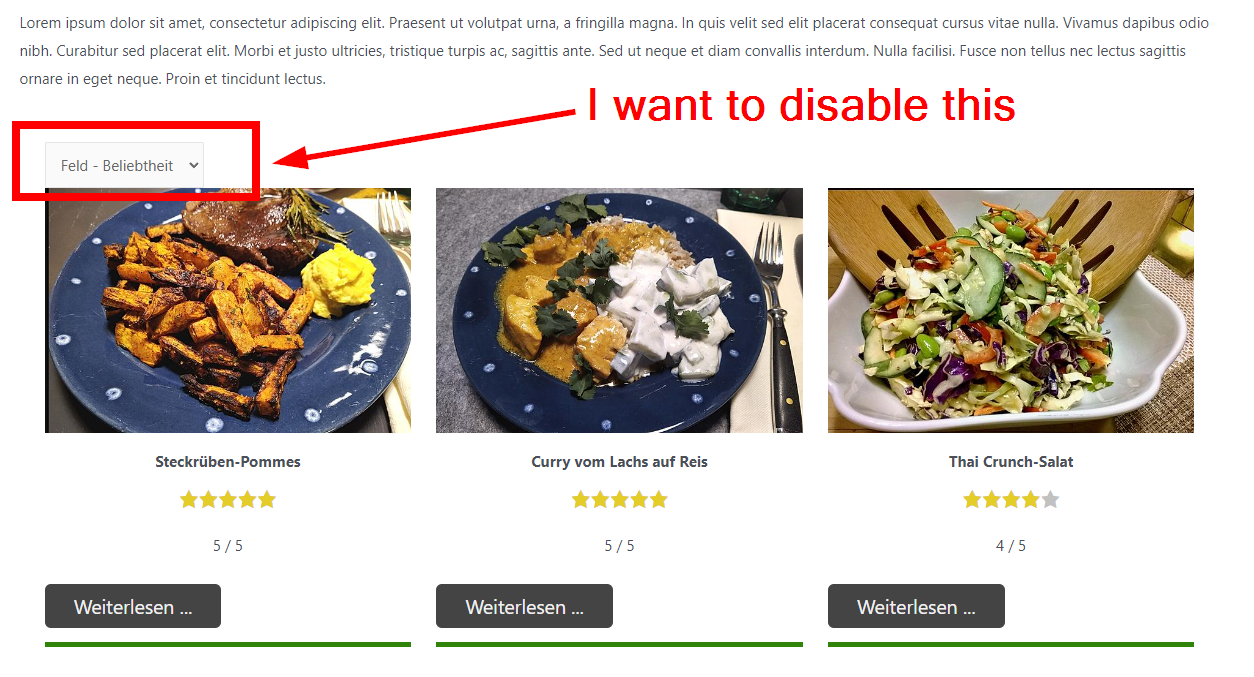
I want to disable frontend sorting for users (please see also the screenshot provided)
Is there any documentation that you are following?
Yes, the so far amazing course WordPress Directory and Classified sites, and specifically chapter 7 lesson 1 (Adding Dynamic Content to Your Homepage)
Is there a similar example that we can see?
well, basically it's publicly available on the start page my test website in the web (see below):
What is the link to your site?
hidden link
Hi Philip,
Thank you for getting in touch.
Can you let me know if you're building your view with the classic view or the blocks view?
If you're using your block view then you can simply use a conditional block to check that the current user ID is not empty and then display the sorting option.
Thanks,
Shane
Thank you Shane.
I'm using blocks.
But in the tutorial this option isn't there, so maybe my question was confusing. I want to presort the display in the backend (e. g. show the 4 recipes with the highest ratings) I don't want ANYONE on the frontend to change anything, just like it is in that tutorial session.
Hi Philip,
Thank you for the clarity.
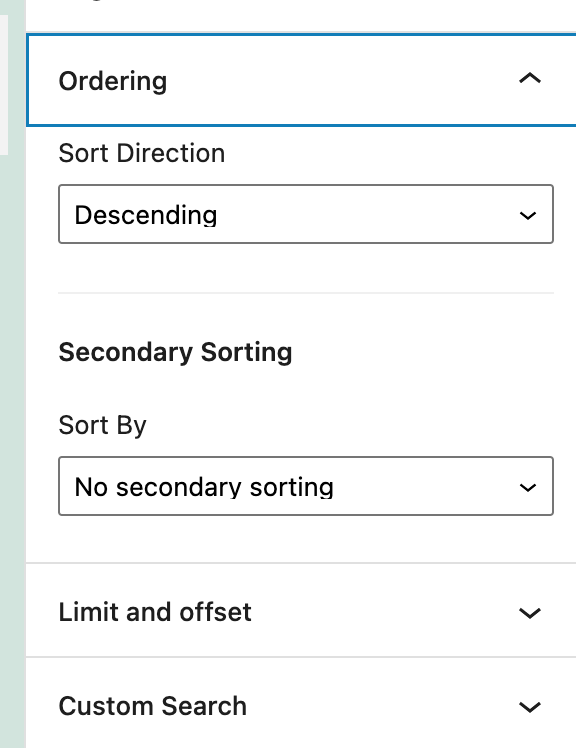
In this case when you highlight your view block on the right hand corner you should see the ordering option. See Screenshot
With this you don't need to add any frontend sorting.
Thanks,
Shane
Well, I have not added this.
All I did according to your own Toolset tutorials is that I set up the ordering to order by ranking.
This frontend sorting was included by default by Toolset and their is no way for me to turn this off as this is a pretty bad user experience.
The tutorial / Toolset course does this to showcase how to include an ordered view, in this case based on ranking.
Against, this is the Toolset own online course to create directory sites (see initial post)
Hi Philipp,
You should be able to remove this by highlighting the sorting option on the edit page then right click it and select remove block.
This should delete the sorting block from your search. Can you send me a screenshot of the search on the backend ? Also there is a block navigation tool at the top left hand corner of your screen that allows you to view all the blocks that are added to the page.
Thanks,
Shane
That did it, thank you for helping me