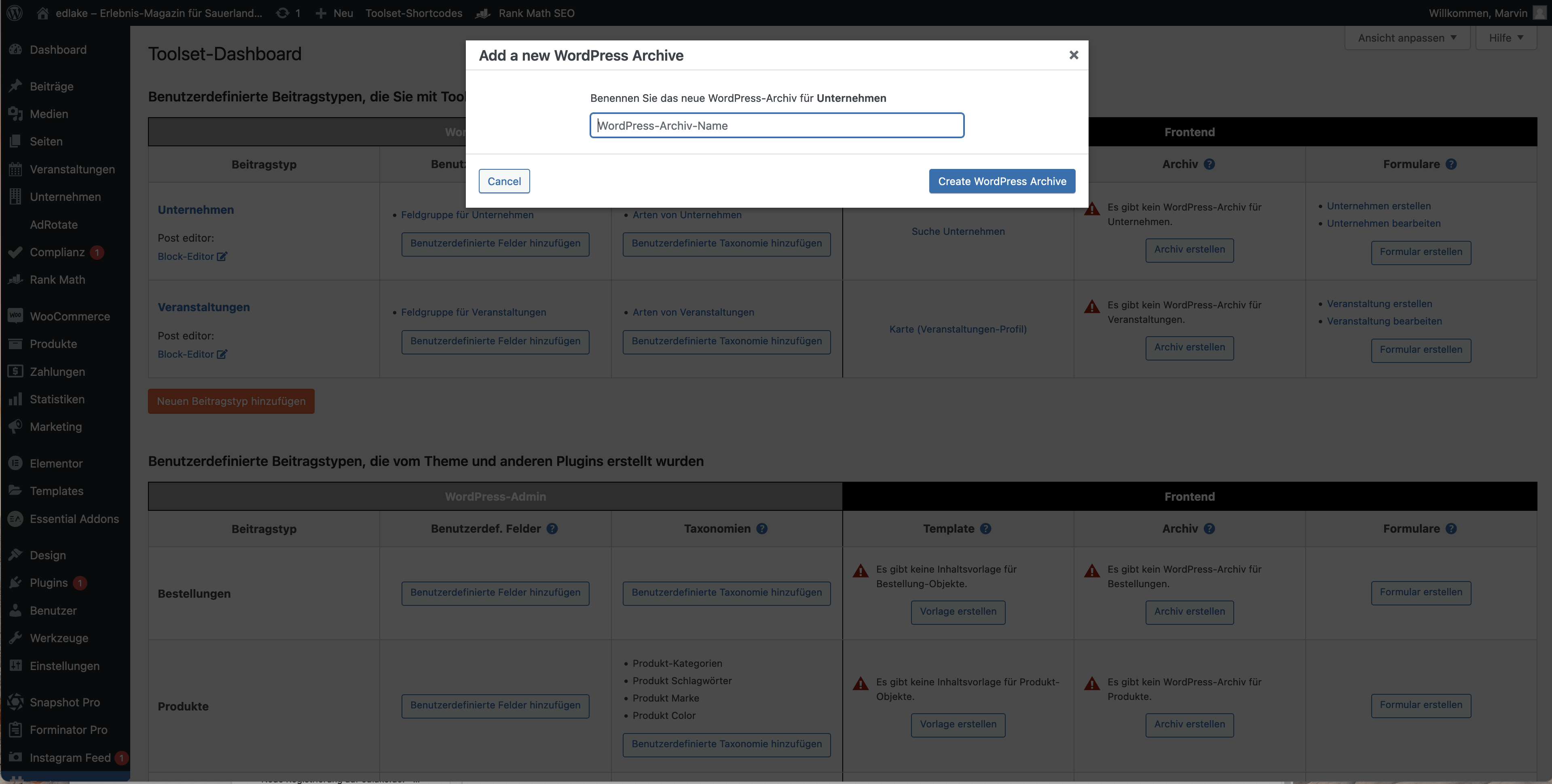
I want to create an Archive for my custom post type taxonomy "Art von Unternehmen". In the tutorial video (https://toolset.com/lesson-placement/lesson-placements-1621271-1622285/), after he clicks on "create archive", he is then brought to the familiar Toolset editor with a WordPress archive loop ready to add blocks, just like when creating views.
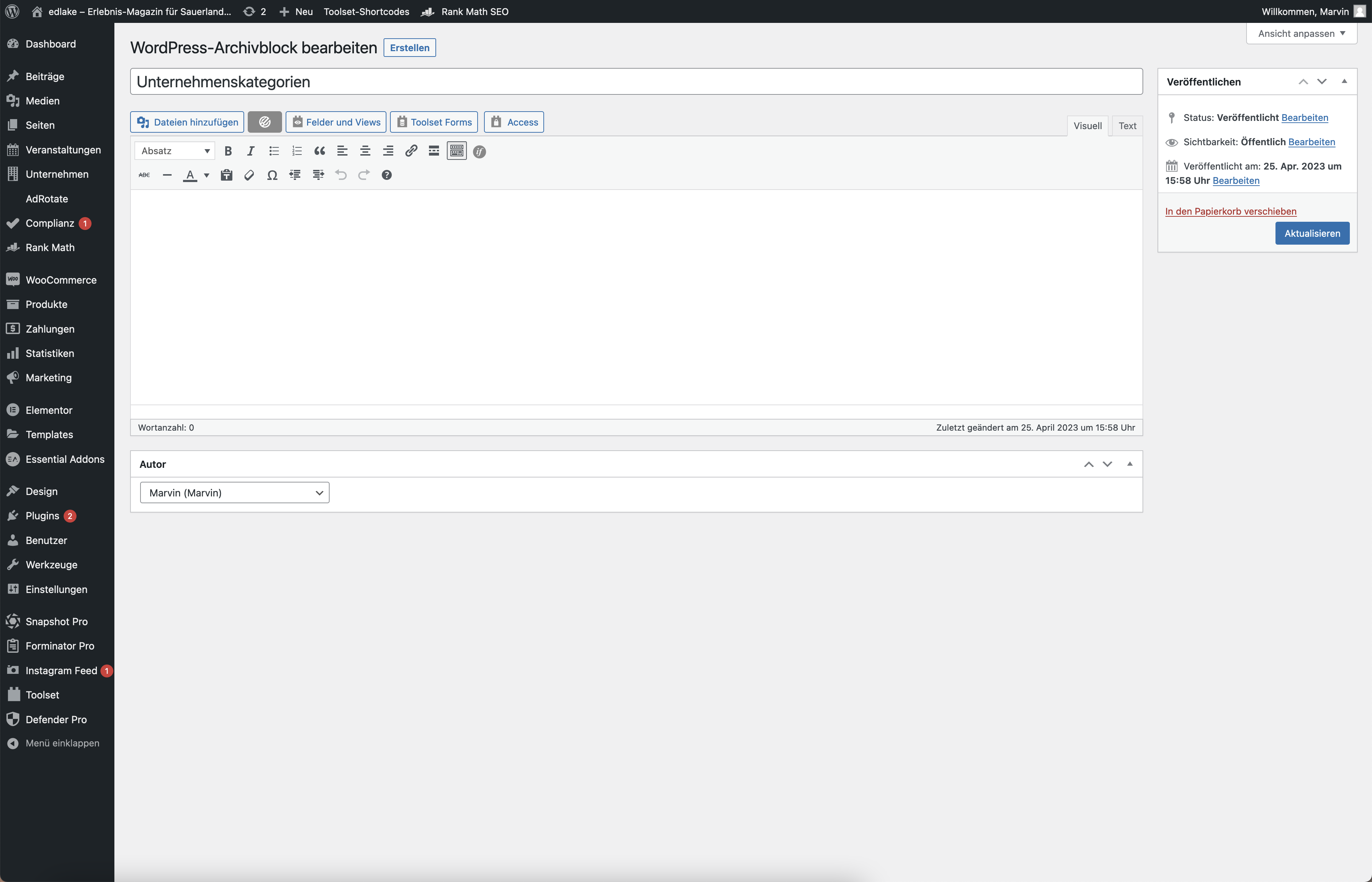
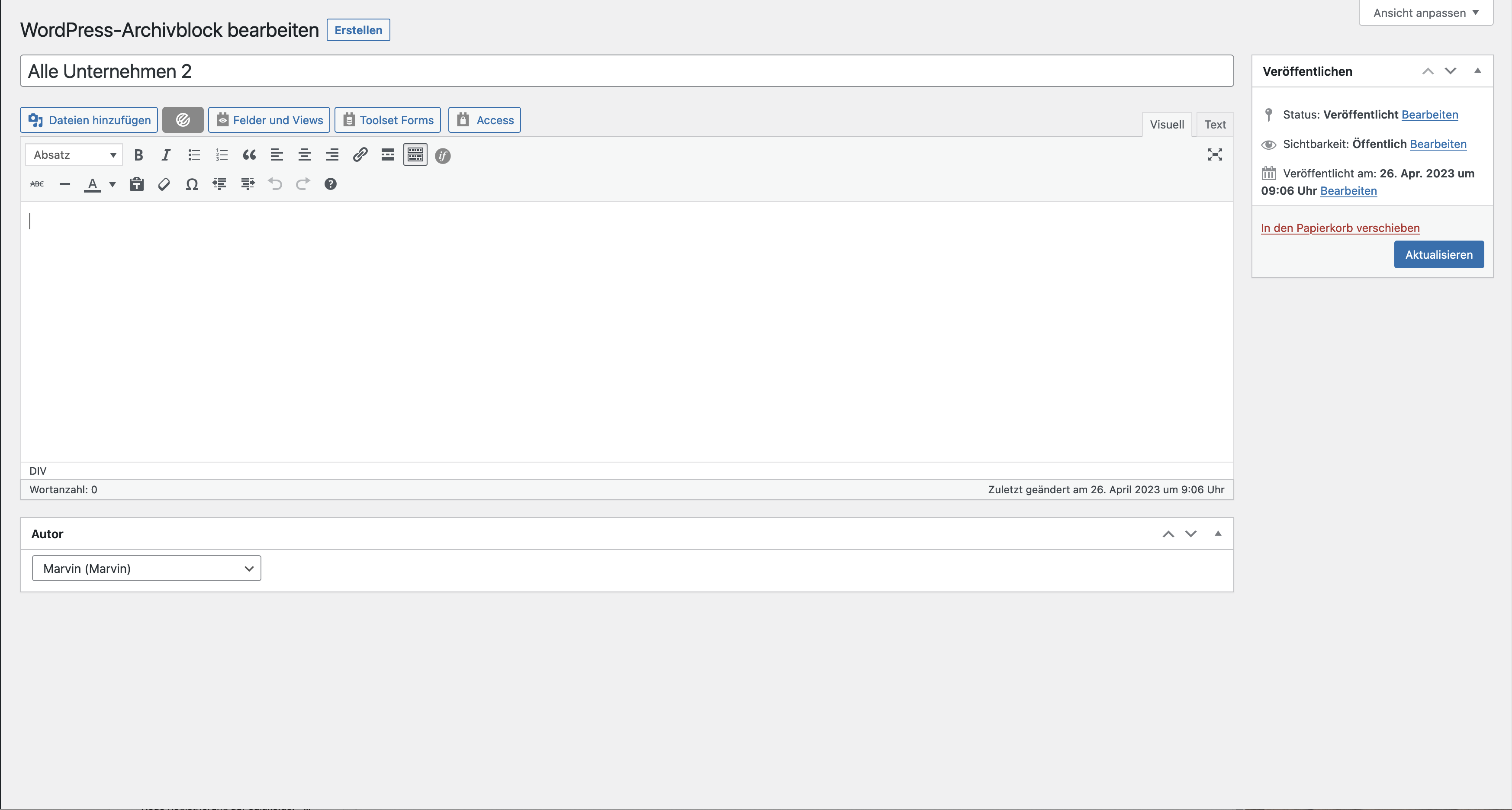
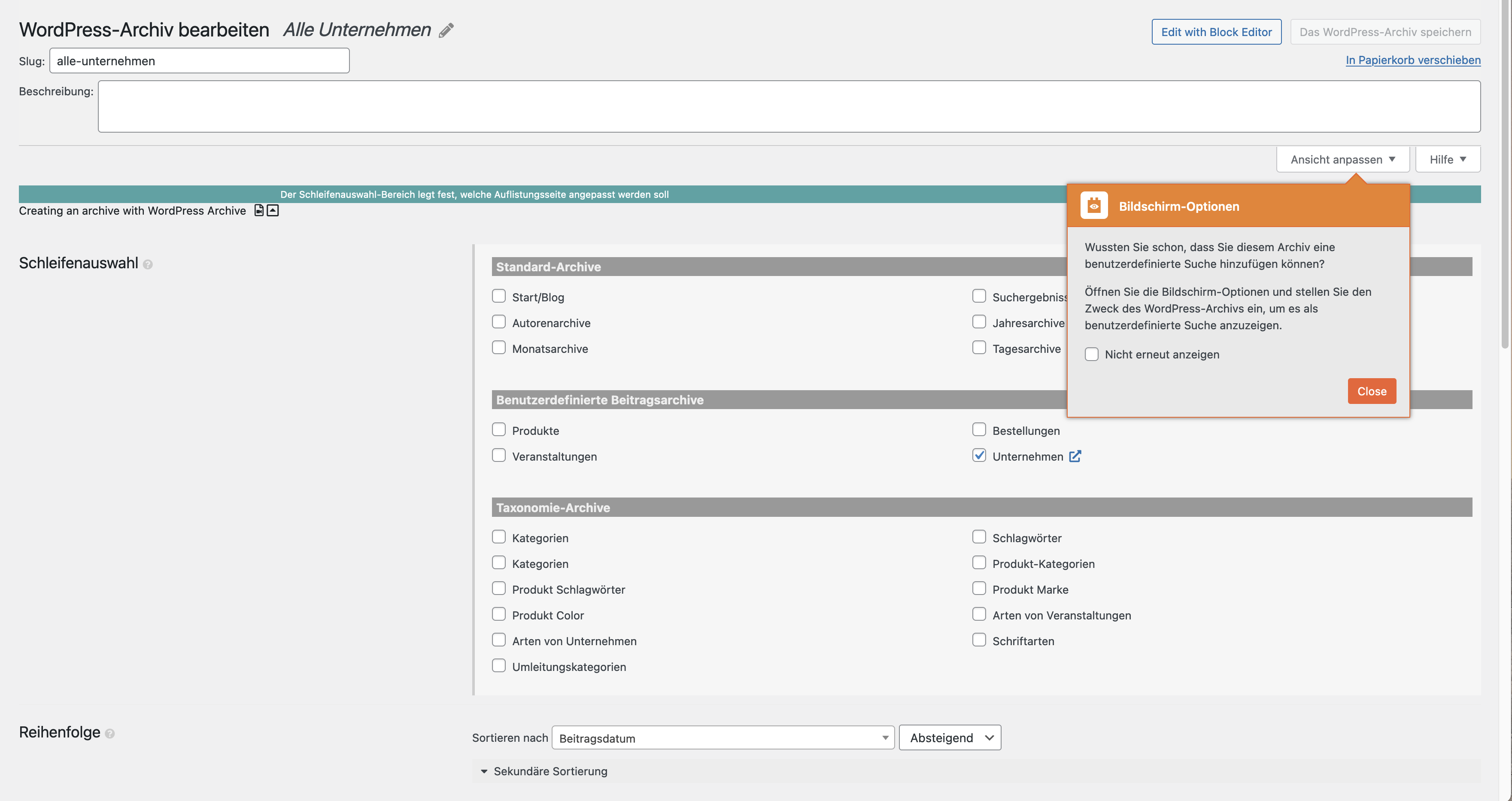
When I do the same, it differs in the first step, as in i cant even choose to "display all items" or "display the items using a custom search". I am just being forwarded to a basic wordpress Text editor which is not suited to create styled archives.
Is there any documentation that you are following?
The tutorial video for "Creating a custom archive page"
Is there a similar example that we can see?
Just try creating a normal post with the built in editor from wordpress. it looks the same.
You can easily solve this by going to Toolset -> Settings and choose the 'Block Editor' option in 'Editor to use for WordPress Archives'. Wait until the 'saved' message appears and check if you're able to edit the archive with the desired editor now.
Hello, i found that setting and set it to use the block editor. Unfortunately, it still brings me to the same editor. When using the classic editor, it brings me to another editor im not familiar with.
Both of these editors are not what is used in your tutorial video, and i am even missing the options to choose whether to display all items or to use a search.
I will provide screenshots of all editors and the popup which opens after i click on "create an archive" in the dashboard.
I would like to request temporary access (wp-admin and FTP) to your site to take better look at the issue. You will find the needed fields for this below the comment area when you log in to leave your next reply. The information you will enter is private which means only you and I can see and have access to it.
Our Debugging Procedures
I will be checking various settings in the backend to see if the issue can be resolved. Although I won't be making changes that affect the live site, it is still good practice to backup the site before providing us access. In the event that we do need to debug the site further, I will duplicate the site and work in a separate, local development environment to avoid affecting the live site.
- Please make a backup of site files and database before providing us access.
- If you do not see the wp-admin/FTP fields this means your post & website login details will be made PUBLIC. DO NOT post your website details unless you see the required wp-admin/FTP fields. If you do not, please ask me to enable the private box. The private box looks like this: hidden link
Please, let me know if you need any additional details. Have a nice day.