I have created a post type with a custom taxonomy. On the post input form I want to have a conditional group linked to the different values of the custom taxonomy, but it does not show it in the display type pull down from the options box. So is it not possible to show a group of input fields depending on the value of this custom taxonomy or am I doing something wrong.
Hello,
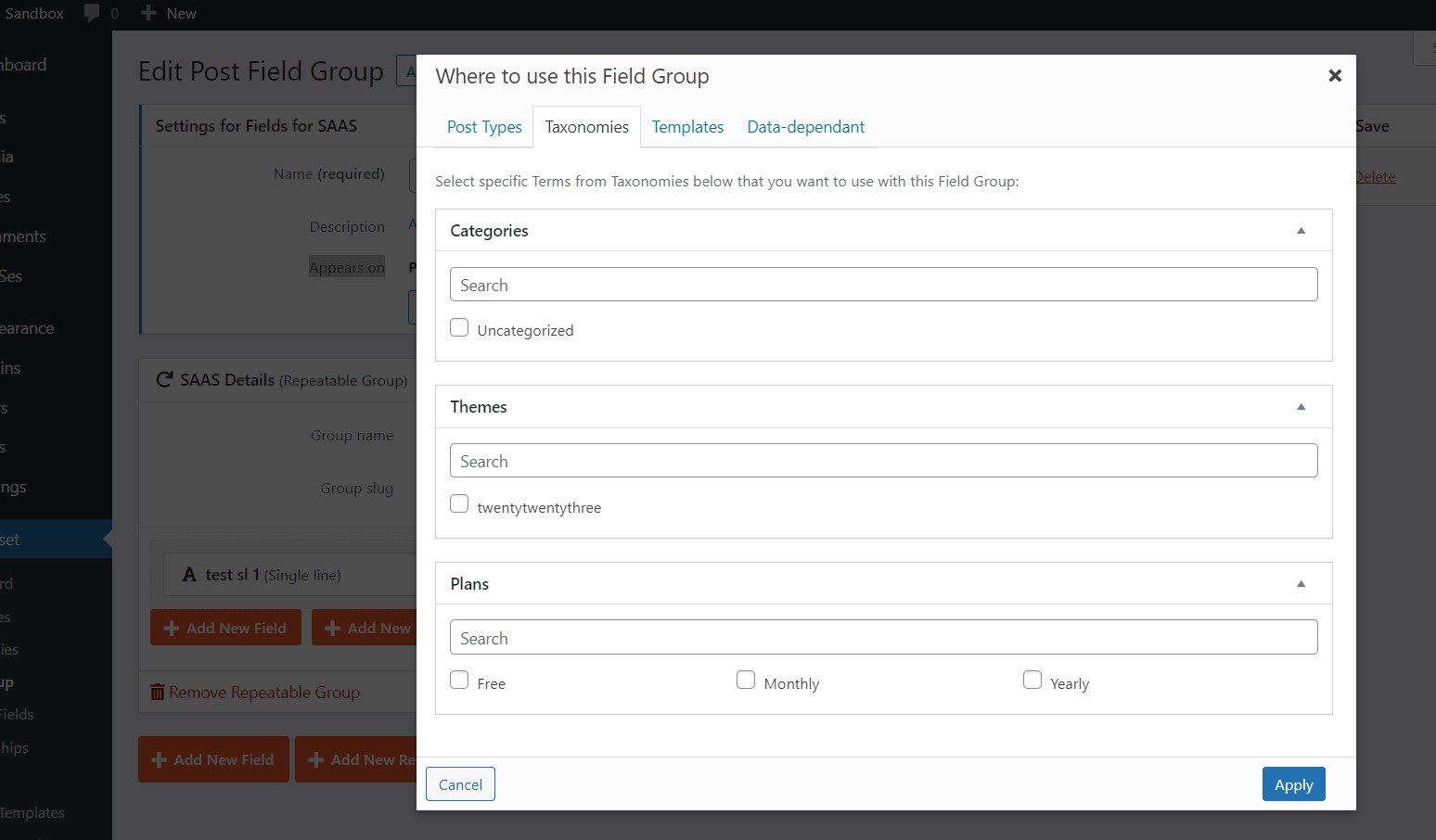
It is possible in Toolset custom field group setting, for example, you can edit your custom field group, in section "Settings for YOUR CUSTOM FIELD GROUP", option "Appears on", click "Edit" button-> Taxonomies, there you can specific taxonomy terms.
When user edit a post, choose a specific term, save and refresh browser, your custom field group will display.
No, it still doesn't work that way. I am working on a classifieds site. It has different categories, which I have put in a custom taxonomy. There are different custom fields for each category. For example, the body shape of cars, which is not relevant for motorcycles. If the category is cars, different fields must be shown in the entry form than if it is, for example, motorcycles.
This does not work with custom field groups and also not with conditional groups.
Here is a test site:
Login URL:
hidden link
1) Add a term "motorcycles" into taxonomy "Category"
hidden link
2) Create a post field group "motorcycles group":
hidden link
In section "Settings for motorcycles group", option "Appears on", use below settings:
- Post Type(s): Posts
- Term(s): motorcycles
Add some custom fields into above field group
3) Create a post, assign with term "motorcycles", save the post, refresh browser, you will see field group "motorcycles group"
hidden link
You can add more post field group for each term.
Please let me know if you still need assistance for it. thanks
Thank you for clarifying, but it is still not quite what I want. I am aiming to publish a front end form for clients to enter their own classified ad. On this front end form the functionality as above should be, but best not with an automatic page reload.
For the contional display of post forms, you can setup it manually, see the same test site.
Post form:
hidden link
with below condition:
$(category) eq 'Motorcycles name'
You can replace "category" with your custom taxonomy slug, replace 'Motorcycles name' with the specific term name in your website
See the result in frontend:
hidden link
Strangely it still does not work: hidden link
I don't see any Toolset forms in the URL you mentioned above, can you reproduce the same problem in the sandbox website above?
I need a live website to test and debug
I deactivated the toolset access plugin, so now you don't have to be logged in any more to see the form.
This is the code in the expert mode:
[credform]
<div class="container-fluid">
<div class="row">
<div class="col-md-12">
[cred_field field='form_messages' class='alert alert-warning']
</div>
</div>
<div class="row">
<div class="form-group col-md-12">
<label for="%%FORM_ID%%_merk">[cred_i18n name='merk-label']Merk[/cred_i18n]</label>
[cred_field field='merk' force_type='field' class='form-control' output='bootstrap']
</div>
</div>
<div class="row">
<div class="form-group col-md-12">
<label for="%%FORM_ID%%_type">[cred_i18n name='type-label']Type[/cred_i18n]</label>
[cred_field field='type' force_type='field' class='form-control' output='bootstrap']
</div>
</div>
<div class="row">
<div class="form-group col-md-12">
<label for="%%FORM_ID%%_rubriek">[cred_i18n name='rubriek-label']Rubrieken[/cred_i18n]</label>
[cred_field field='rubriek' force_type='taxonomy' output='bootstrap' display='checkbox']
[cred_field field="rubriek_add_new" taxonomy="rubriek" type="add_new"]
</div>
</div>
<div class="row">
<div class="col-md-12">
[cred_show_group if="$(rubriek) eq 'Motoren'" mode="fade-slide"]
<div class="row">
<div class="col-md-12">
[cred_i18n type="html" name="scaffold_field_id"]<!-- wp:heading {"level":4,"dynamicAttributes":{"toolsetDSVersion":"240000"}} -->
<h4 id="h-algemene-gegevens">Algemene gegevens</h4>
<!-- /wp:heading -->
<!-- wp:separator {"className":"is-style-wide"} -->
<hr class="wp-block-separator has-alpha-channel-opacity is-style-wide"/>
<!-- /wp:separator -->[/cred_i18n]
</div>
</div>
<div class="row">
<div class="form-group col-md-12">
<label for="%%FORM_ID%%_variant">[cred_i18n name='variant-label']Variant[/cred_i18n]</label>
[cred_field field='variant' force_type='field' class='form-control' output='bootstrap']
</div>
</div>
<div class="row">
<div class="form-group col-md-6">
<label for="%%FORM_ID%%_carrosserievorm-auto">[cred_i18n name='carrosserievorm-auto-label']Carrosserievorm[/cred_i18n]</label>
[cred_field field='carrosserievorm-auto' force_type='field' class='form-check-input' output='bootstrap']
</div>
<div class="form-group col-md-6">
<label for="%%FORM_ID%%_conditie-auto">[cred_i18n name='conditie-auto-label']Conditie[/cred_i18n]</label>
[cred_field field='conditie-auto' force_type='field' class='form-control' output='bootstrap']
</div>
</div>[/cred_show_group]
</div>
</div>
<div class="row">
<div class="col-md-12">
[cred_field field='recaptcha' class='form-control' output='bootstrap']
</div>
</div>
<div class="row">
<div class="col-md-12">
[cred_field field='form_submit' output='bootstrap' value='Submit' class='btn btn-primary btn-lg']
</div>
</div>
</div>
[/credform]
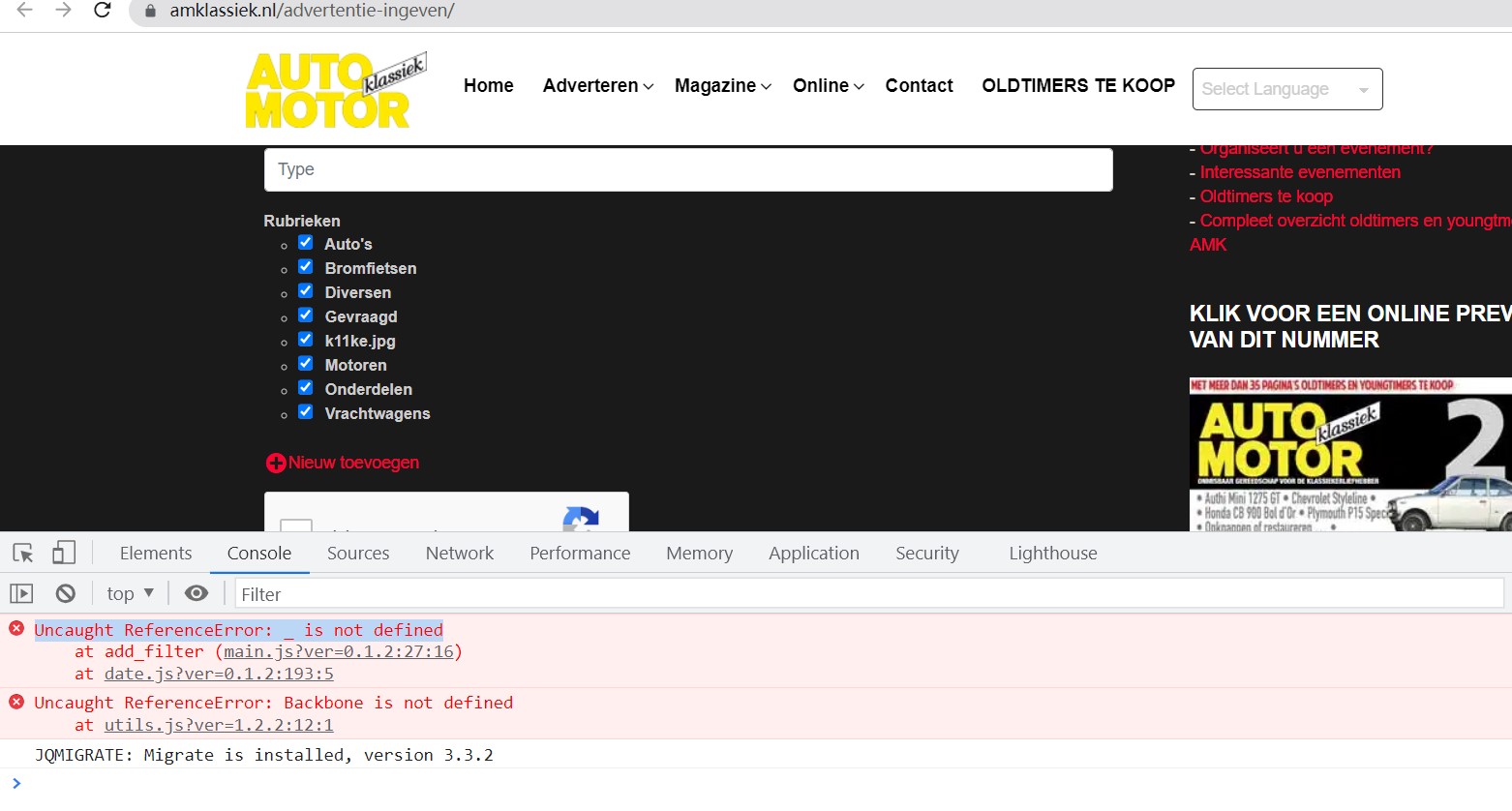
I have checked the URL you mentioned above again, I can see the post form, but there are some JS errors in your website, it will conduct unexpected results. See my screenshot js-error3.JPG
So there should be other compatibility issues in your website, please check these in your website:
1) Make sure you are using the latest version of Toolset plugins, you can download them here:
https://toolset.com/account/downloads/
2) In case it is a compatibility problem, please deactivate all other plugins, and switch to WordPress default theme 2023, and test again