Skip Navigation

[Waiting for user confirmation] Center image and colums width

This is the technical support forum for Toolset - a suite of plugins for developing WordPress sites without writing PHP.

Everyone can read this forum, but only Toolset clients can post in it. Toolset support works 6 days per week, 19 hours per day.

Sun Mon Tue Wed Thu Fri Sat
- 10:00 – 13:00 10:00 – 13:00 10:00 – 13:00 10:00 – 13:00 10:00 – 13:00 -
- 14:00 – 18:00 14:00 – 18:00 14:00 – 18:00 14:00 – 18:00 14:00 – 18:00 -

Supporter timezone: Asia/Kolkata (GMT+05:30)

This topic contains 1 reply, has 1 voice.

Last updated by Minesh 16 hours, 53 minutes ago.

Assisted by: Minesh.

Author
Posts
#2860630
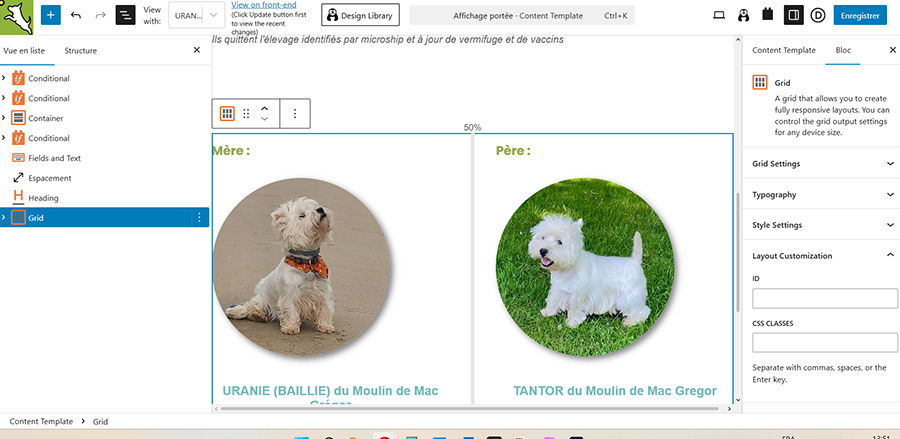
20260512-002.jpg
20260512-001.jpg

Hello,
I have two issues with the template editor:
1) I can't center an image using the “image” block toolset. I can't find an option for that. Is this normal? I seem to recall there used to be an option for this.

2) I can't resize the columns in the grid block.
When I position the cursor in the right spot, it does show me the resize handle. But when I move my mouse to resize, a thumbnail of the grid appears and moves along with my mouse instead of resizing the column. (See attached pictures).

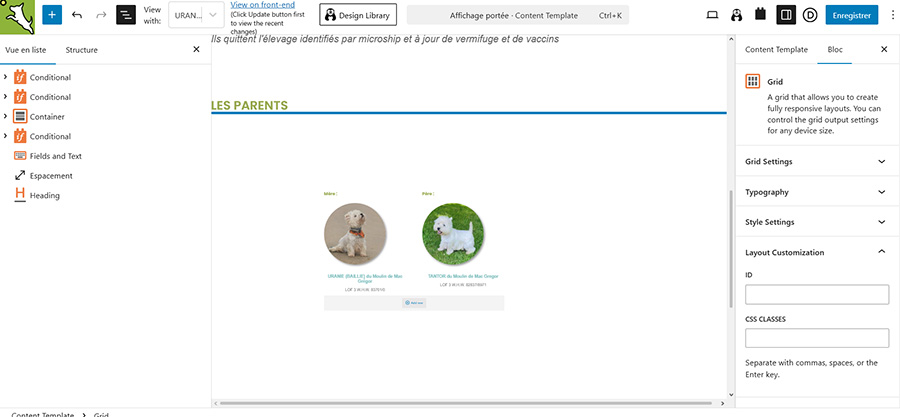
Do you have a solution?

#2860647

Minesh
Supporter

Languages: English (English )

Timezone: Asia/Kolkata (GMT+05:30)

Hello. Thank you for contacting the Toolset support.

I see you are using the optimization plugin "WP Rocket" - I suggest you should try to follow the following Doc:
- https://toolset.com/faq/how-to-use-optimization-plugins-with-toolset/

Here is the related ticket that may help you:
- https://toolset.com/forums/topic/split-filtering-views-for-specific-pages/page/2/#post-2766382

Here is the Doc you should follow for advanced styling for the container block:
- https://toolset.com/course-lesson/container-blocks/