Skip Navigation

[Resolved] Category Listings

This support ticket is created 4 years, 10 months ago. There's a good chance that you are reading advice that it now obsolete.

This is the technical support forum for Toolset - a suite of plugins for developing WordPress sites without writing PHP.

Everyone can read this forum, but only Toolset clients can post in it. Toolset support works 6 days per week, 19 hours per day.

Sun Mon Tue Wed Thu Fri Sat
- 10:00 – 13:00 10:00 – 13:00 10:00 – 13:00 10:00 – 13:00 10:00 – 13:00 -
- 14:00 – 18:00 14:00 – 18:00 14:00 – 18:00 14:00 – 18:00 14:00 – 18:00 -

Supporter timezone: Asia/Kolkata (GMT+05:30)

This topic contains 12 replies, has 2 voices.

Last updated by Minesh 4 years, 10 months ago.

Assisted by: Minesh.

Author
Posts
#1921543

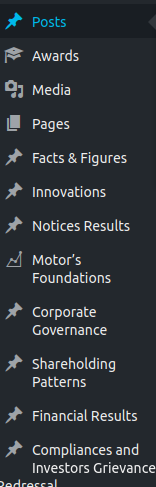
The plugin was installed on a running site. How do we add the post categories into Toolset, so that the categories showup under the dashboard itself, rather than going into Posts everytime.
How can it be done.

#1921693
tool.png

The screen shot of reqd is attached

#1921807

Minesh
Supporter

Languages: English (English )

Timezone: Asia/Kolkata (GMT+05:30)

Hello. Thank you for contacting the Toolset support.

As I understand, you want to add new terms to default taxonomy Category available with default post type post.

Toolset do not have any influence on backend where you can move the post type or taxonomy on dashboard. You should check for custom solution.

Maybe you can check the following plugin if that helps: https://wordpress.org/plugins/admin-menu-editor/

Please let me know if I misunderstood the question.

#1927311

I was able to create Post Types.
Now is it possible that I can set the post type to a particular category of Posts, so that any new post created in the Post Type A should get posted in Post category A only be default.

#1927383

Minesh
Supporter

Languages: English (English )

Timezone: Asia/Kolkata (GMT+05:30)

Do you mean you want to set a default taxonomy term when you add a new post from admin?

If yes, you will require to use the save_post hook.

More info:
=> https://toolset.com/documentation/customizing-sites-using-php/updating-types-fields-using-php/

Please check the following related ticket that may help you:
- https://toolset.com/forums/topic/i-cant-find-away-to-select-a-taxonomy-option-as-default/#post-1165476

#1927407

There are around 20 Category under Posts. Under each category, daily posts are added.
WHat I need is:
For each category that is there, I created a Post Type, which showed in the Dashboard.
Now for each Post Type, three options show up: All Items/ New/Category.

For example, I added a category Gold under Posts. Daily some posts are added to this category.
So when the editor selects Post Type Gold, the default category should be Gold, and the editor doesnot have to select the category again

#1927641

Minesh
Supporter

Languages: English (English )

Timezone: Asia/Kolkata (GMT+05:30)

Can you please show me how exactly you configure your post type and taxonomy with term as I will require to know the slugs of the taxonomy, taxonomy term and post type.

Assuming that, you have post type event and taxonomy event-type and term slug gold.

This is the example code - you can modify it as required.

function mfields_set_default_object_terms( $post_id, $post ) {
 
         if ( 'publish' == $post->post_status && $post->post_type == 'event' ) {
                         wp_set_object_terms($post_id,'gold', 'event-type',true);
         }
 
}
add_action( 'save_post', 'mfields_set_default_object_terms', 100, 2 );

Where:
- Replace post-type event with your original post type slug
- Replace taxonomy and term slug as required

#1929583

The Post categories are: Grains, Oildseeds, Spices, Market Trends
In Tooltypes, I create a Post Type Oilseeds. Set it to Taxonomy Category and saved.
Under Admin Dashboard, Post Type Oilseeds appeared, with three options: All Items, Add New, Category.

Now when I add a new post under the Post Type Oilseeds, I have to select the Post Category Oilseeds again. I want that when a post is created under the Post Type Oilseeds, its default category should be Oilseeds, post under Post type: Market Trend goes by default to category Market Trend. I have created a Screencast for better explaination.

hidden link

#1930791

Minesh
Supporter

Languages: English (English )

Timezone: Asia/Kolkata (GMT+05:30)

I understand what you are saying.

Please use the following code:
- You should add the following code to "Custom Code" section offered by Toolset:
=> https://toolset.com/documentation/adding-custom-code/using-toolset-to-add-custom-code/
OR
To your current theme's functions.php file:

function func_set_default_object_terms( $post_id, $post ) {
  
         if ( 'publish' == $post->post_status && $post->post_type == 'oildseeds' ) {
                         wp_set_object_terms($post_id,'oildseeds', 'category',true);
         }else if ( 'publish' == $post->post_status && $post->post_type == 'market-trends' ) {
                         wp_set_object_terms($post_id,'market-trends', 'category',true);
         }
  
}
add_action( 'save_post', 'func_set_default_object_terms', 100, 2 );

Where:
- Please adjust post_type slug and taxonomy term slug as required.

#1930809

I have around 25 post-types. So for each post-type I add the code:
else if ( 'publish' == $post->post_status && $post->post_type == 'market-trends' ) {
wp_set_object_terms($post_id,'market-trends', 'category',true);
}
for each type (replacing with the acutal name)

Do I need to change anything in :
add_action( 'save_post', 'func_set_default_object_terms', 100, 2 );

#1930811

Minesh
Supporter

Languages: English (English )

Timezone: Asia/Kolkata (GMT+05:30)

else if ( 'publish' == $post->post_status && $post->post_type == 'market-trends' ) {
wp_set_object_terms($post_id,'market-trends', 'category',true);
}
for each type (replacing with the acutal name)
==>
Yes, you need to make sure you replace the correct post type slug and term slug with wp_set_object_terms().

Do I need to change anything in :
add_action( 'save_post', 'func_set_default_object_terms', 100, 2 );
==>
No.

#1930867

I tried two types, and it was successful.
One issue is : three category slugs are in Hindi. Will function.php take hindi text or there is some other solution. The hindi slugs are:
जिंस-एक्स-रे , जिंस-रूझान, वायदा-बाजार, समाचार

#1930995

Minesh
Supporter

Languages: English (English )

Timezone: Asia/Kolkata (GMT+05:30)

I never tried Hindi slugs, but slugs should be in English. You can keep the term label as hindi.








